
EFB Companion
Parse flight document screens
Designed for iPhone, iPad
Free · In-app purchases
- Age rating4+
- CategoryUtilities
- DeveloperInvite Services
- LanguagesEnglish
- Size21.1 MB
Links to the official App Store page
Download.org hosts no file of EFB Companion. The button opens its official App Store page, published by Invite Services. Listing last checked on Nov 18, 2026.
Screenshots


About
◆ Your logbook, automatically filled.
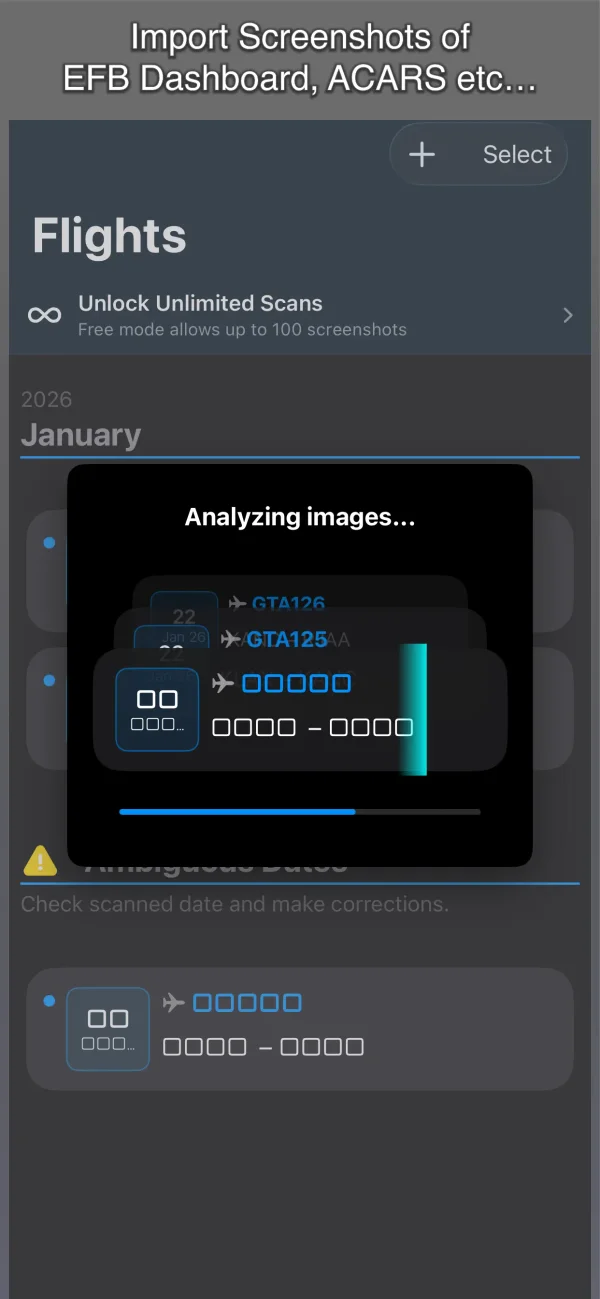
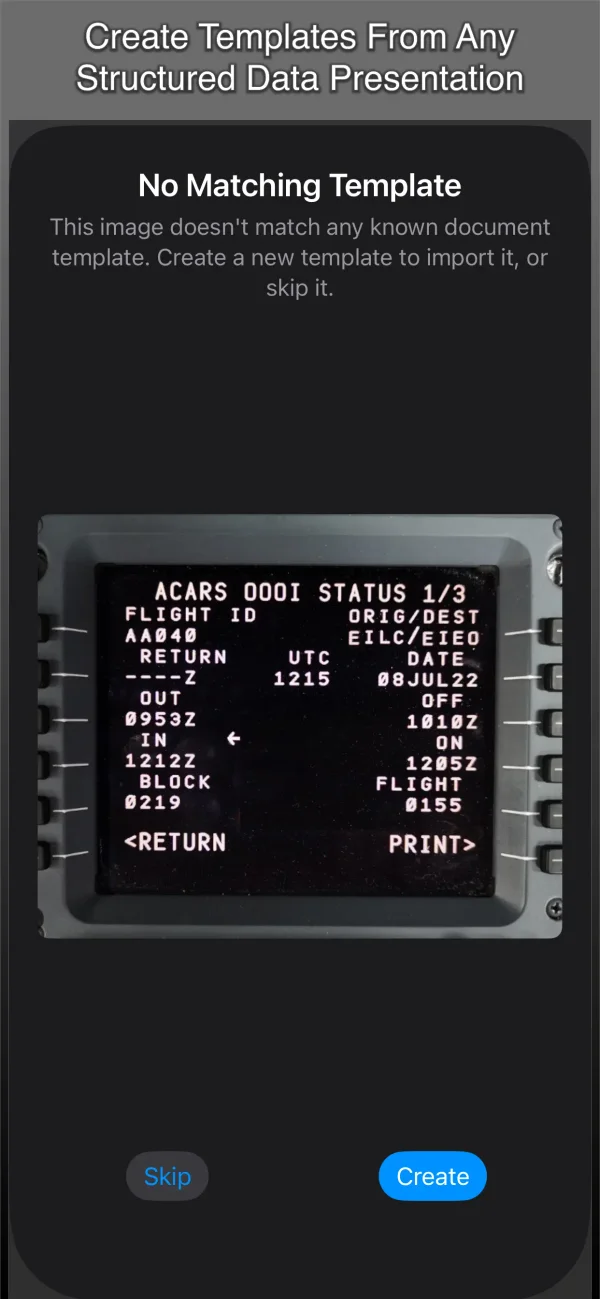
Every flight generates data — ACARS logs, FMC printouts, OOOI reports, Electronic Flight Bag screenshots. EFB Companion is the pipeline between that data and your logbook. Screenshot a document, and your flight entry is ready to review and export. No manual typing, no copying and pasting, no time wasted at your desk or logging into airline systems just to retrieve the same data in a structured format.
◆ How it works
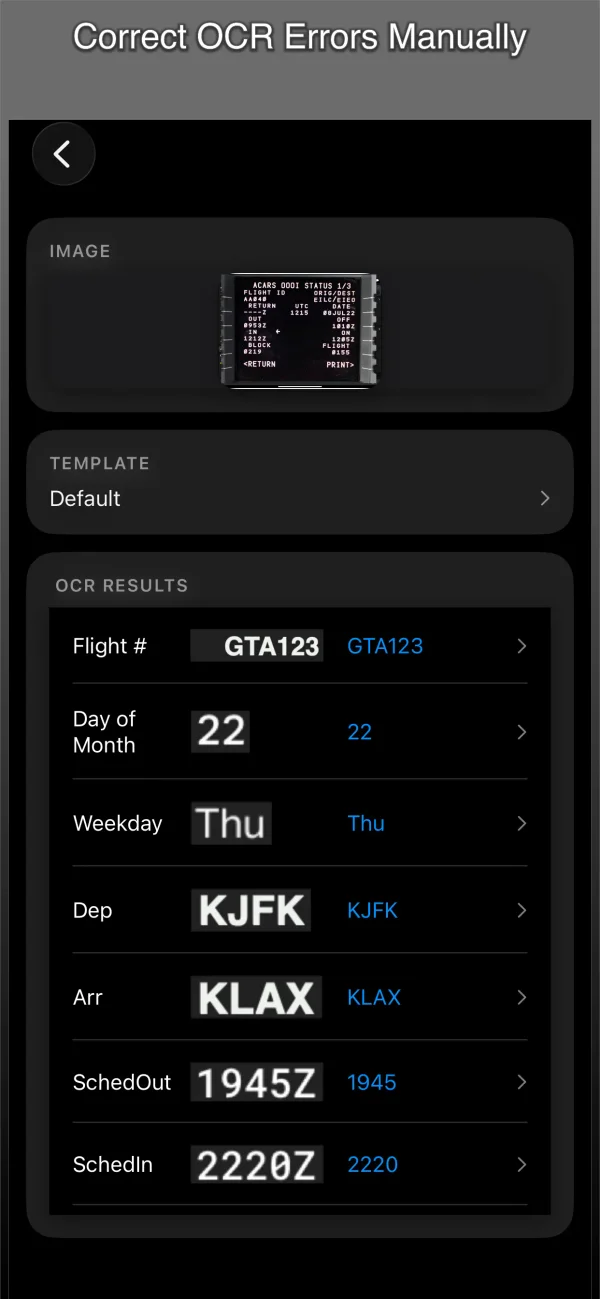
Import a screenshot or photo of any flight document. EFB Companion recognises the document type, extracts your flight data using on-device OCR, and organises everything into a clean, reviewable entry — flight number, aircraft registration, route, departure and arrival times, crew names, and more. All processing happens on your device. NO accounts, NO login, NO sharing of data with third parties.
◆ Works with any consistent document format
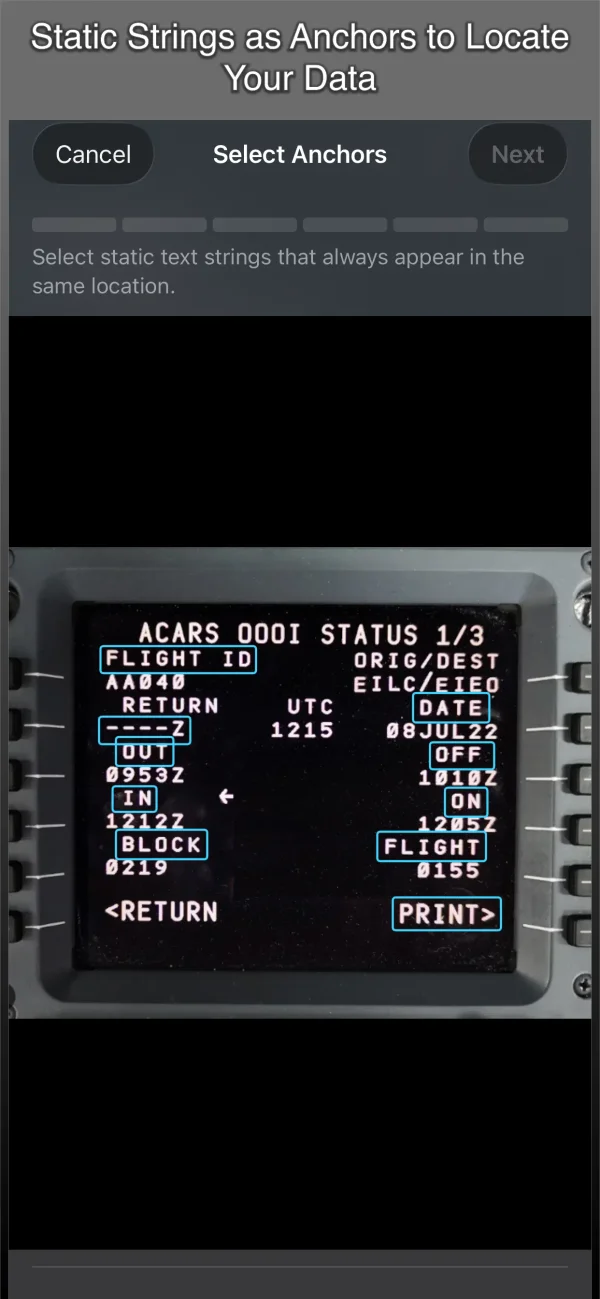
If your document looks the same from flight to flight, EFB Companion can read it. The built-in template editor lets you teach the app exactly where your data lives on the page — mark a few anchor points, select the field regions containing the data, and EFB Companion will extract your data reliably every time. Whether it's a company-specific ACARS format, a bespoke OFP layout, or an FMC printout unique to your fleet, if it's consistent, it works.
◆ Key features
• Automatic document recognition and field extraction via Vision OCR
• Support for flight number, registration, aircraft type, route, OOOI times, and up to 4 crew members
• Fully customisable document templates — build once, extract forever
• Review and correct extracted data before export
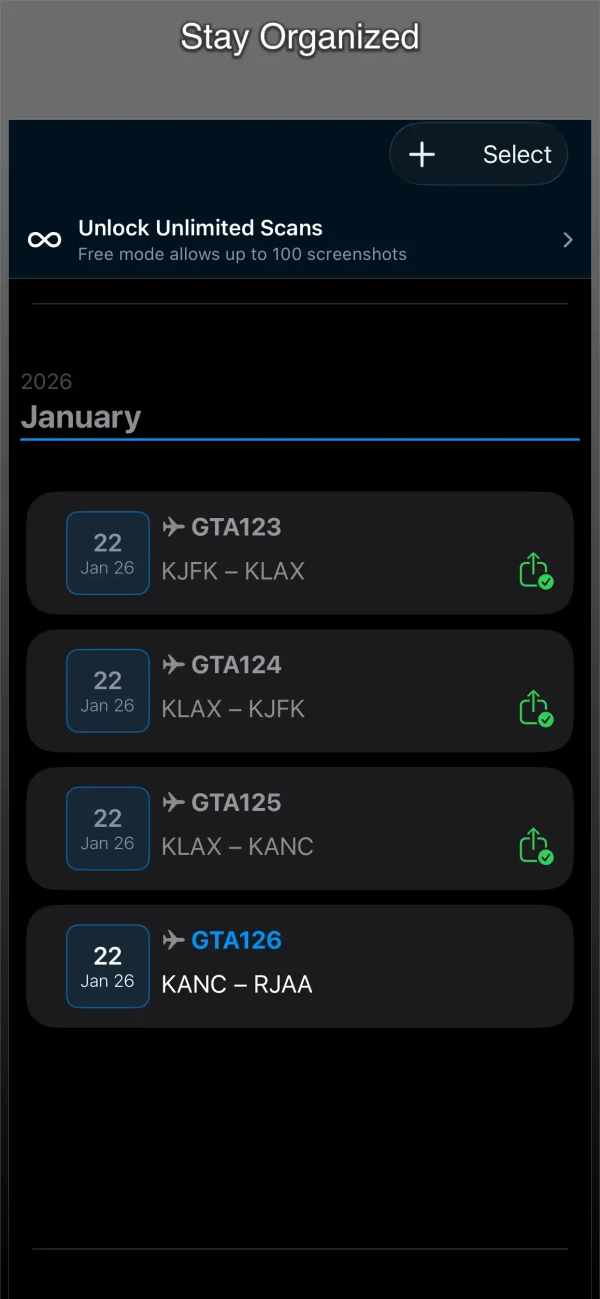
• Duplicate detection based on flight data fingerprints
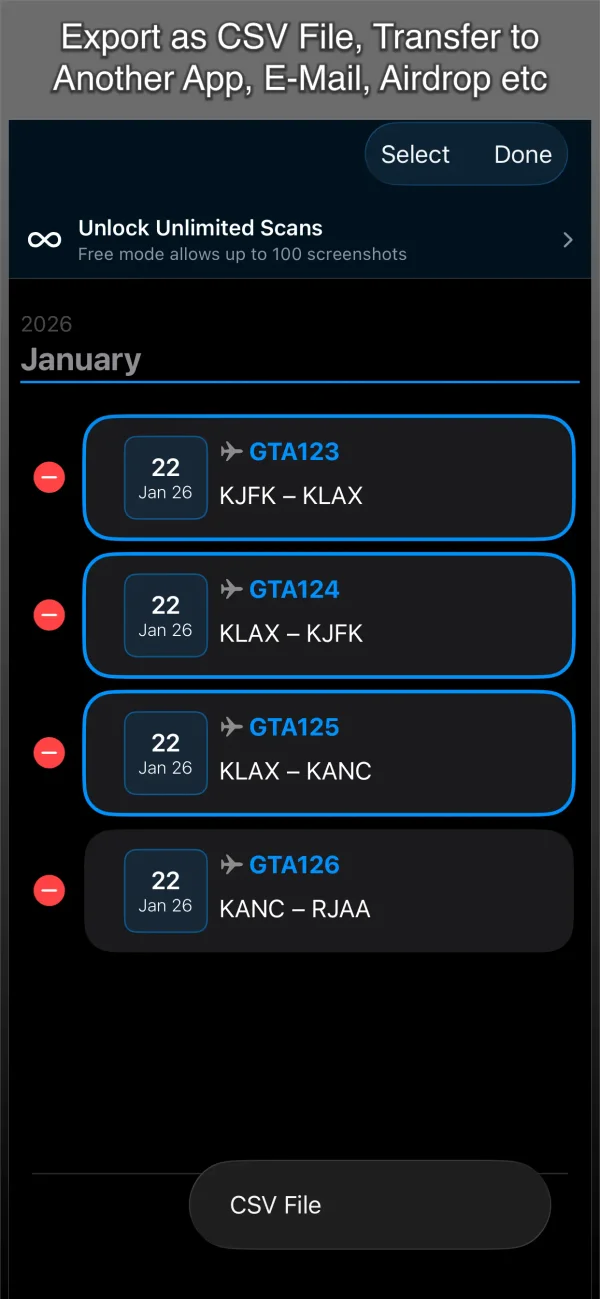
• Export to CSV for any spreadsheet or records system
• One-tap export to LogTen Pilot Logbook
• Scans grouped by month for easy browsing
• Fully on-device — your data never leaves your device
◆ Who it's for
EFB Companion is designed for line pilots and flight operations staff who regularly receive flight information as printed or digital document screenshots and need to maintain accurate, structured records without the overhead of manual data entry.
Your data is already there. EFB Companion just moves it to where it needs to go.
◆ No Subscriptions!
EFB Companion does not require costly subscriptions. Import and scan up to 100 images for free. Unlock unlimited imports by a one-time in-app purchase.
App privacy
What Invite Services declares on the App Store about how this app handles data.
-
Data not collected
The developer does not collect any data from this app.
Privacy practices may vary, for example with the features you use or your age.
Information
- Seller
- Invite Services
- Category
- Utilities
- Version
- 1.0
- Updated
- May 16, 2026
- Released
- May 15, 2026
- Size
- 21.1 MB
- Requires
- iOS 18.0 or later
- Age rating
- 4+
- Price
- Free
- In-app purchases
- Yes
- Languages
- English
- Copyright
- © 2026 Invite Services
You might also like
-
 Pilot Anti-IcingCold weather operations
-
 LogOOOI - Pilot LogbookYour digital logbook
-
 HOTmateHoldover time calculator
-
 Kitsnyang Alarm ClockMorning wake-up sounds
-
 Flight Crew NotesNote it now, share it later
-
 CrossCheck ChecklistsModern Checklists for Pilots
-
 PilotBuddy - Cockpit CompanionUtilities
-
 FS2EFBUtilities
-
 DynamicPOVAdvanced Head Tracker
-
 Aircraft ChecklistAviation checklists for pilots