
- Age rating4+
- CategoryBusiness
- DeveloperFORCS Co. Ltd
- LanguagesEnglish+ 2 more
- Size64.5 MB
Links to the official App Store page
Download.org hosts no file of eformsign. The button opens its official App Store page, published by FORCS Co. Ltd. Listing last checked on Nov 17, 2026.
Screenshots
About
"eformsign" is a cloud-based e-Form service that enables anyone who is not a developer to easily create diverse forms used in companies. After creating a form, it can be immediately applied to the business processes and the complete form is stored securely.
eformsign supports the entire life cycle of the e-Form: Creation -> Distribution -> Storage -> Utilization.
An individual can make various kinds of documents and complicated tasks paperless! Now, with eformsign, you can quickly and easily digitize your documents and business processes in a simple, single way; from creating an e-Form, approving with e-Signature, archiving in secured cloud storage and utilizing it in different ways!
1. Easy & Quick Development
Easily and quickly convert paper-based tasks into e-Document-based tasks.
Users can easily create e-Forms with Microsoft Excel, and developers can convert documents containing complex logic into e-Form by using a professional designer tool.
2. Smart Mobile Form
Create smarter e-Form which fully supports mobile devices.
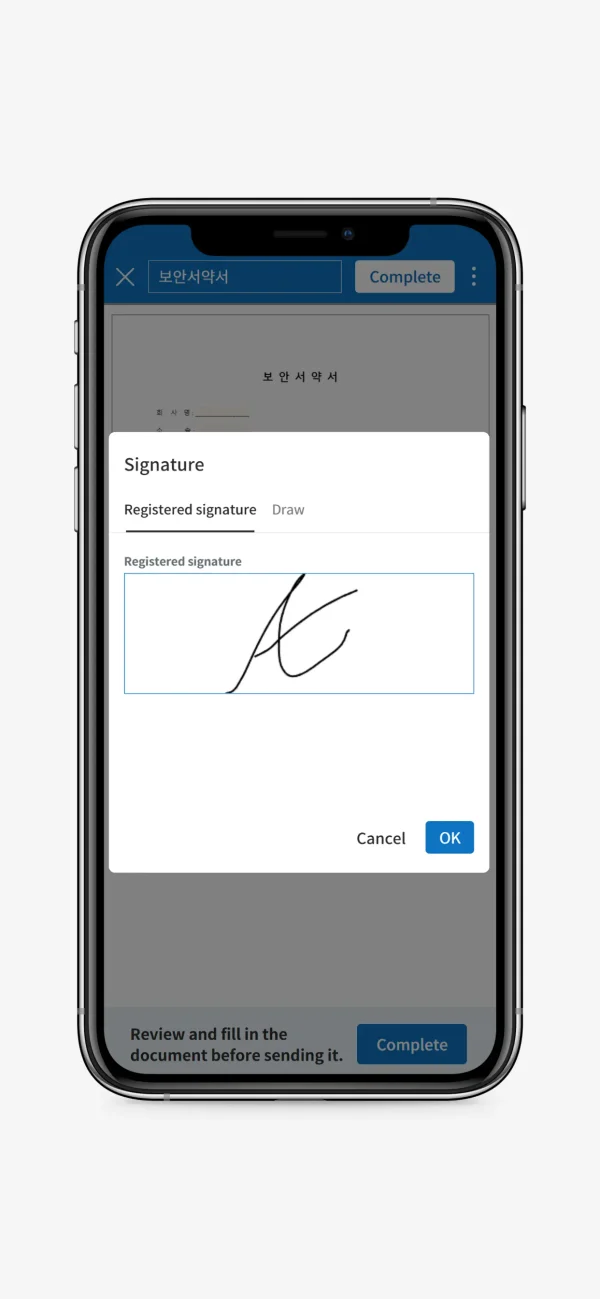
It supports a variety of mobile devices as well as desktops. It provides not only simple data input, but also various input functions such as camera, voice recorder, barcode scanner, and electronic signature.
3. Convenient Workflow
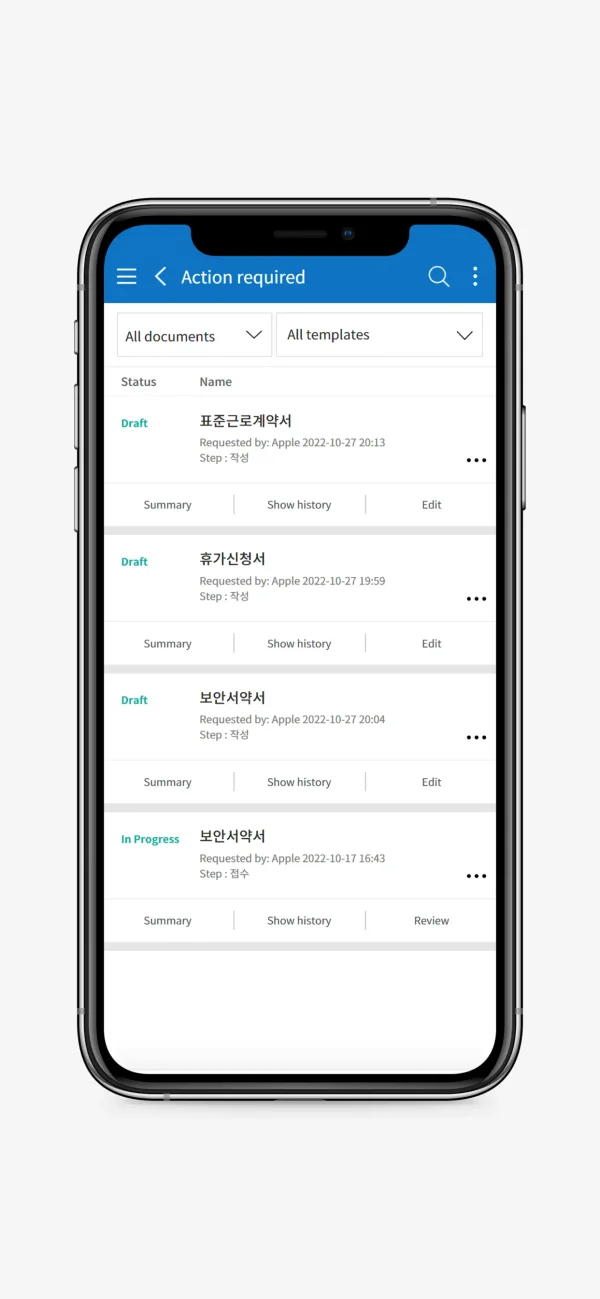
Simplifies the business processes with smart e-Form which can contain workflow of your organization.
Fill out the form and leave your e-Signature easily and quickly with your smart device, and get the approval from decision makers immediately.
4. e-Signature
Signing is fast, convenient, and reliable.
The e-Signature contains not only the signature image, but also the information on location, time, and the number of strokes so that trustworthy e-Signature can be suitably created for quick processes.
5. Secured Archiving
Store your e-Documents securely.
The completed forms and input data are protected from hackers. If necessary, time stamp can be integrated to prevent forgery and all documents are securely distributed among the multiple cloud storages.
[App permissions]
eformsign uses the following permissions to support app features. You can continue using the app without granting optional permissions, but some features may be unavailable.
Optional permissions
- Camera
Used to take photos and attach images.
- Microphone
Used for voice recording and audio uploads.
- Photos
Used to select and upload photos.
Manage permissions
Permissions can be managed in Settings.
- Go to Settings > Privacy & Security to allow or deny permissions for eformsign.
- You can also go to Settings > Apps > eformsign to manage app permissions individually.
What’s new
Version 10.3 · Oct 29, 2026
1. Improved the information shown in documents status, history, and audit trail certificates.
2. You can assign groups to individual members in Manage members, along with usability improvements to list columns, search, and more.
3. Fixed minor bugs and enhanced stability.
App privacy
What FORCS Co. Ltd declares on the App Store about how this app handles data.
-
Data not linked to you
May be collected but is not linked to your identity.
- Location
- Contact info
- Identifiers
Privacy practices may vary, for example with the features you use or your age.
Information
- Seller
- FORCS Co. Ltd
- Category
- Business
- Version
- 10.3
- Updated
- Oct 29, 2026
- Released
- Apr 30, 2017
- Size
- 64.5 MB
- Requires
- iOS 15.0 or later
- Age rating
- 4+
- Price
- Free
- Languages
- English, Japanese, Korean
- Copyright
- © FORCS Co. Ltd