
- Age rating17+
- CategoryBusiness
- DeveloperCert Infotrack Telematrics Pvt Ltd
- LanguagesEnglish
- Size28.7 MB
Links to the official App Store page
Download.org hosts no file of ELD Driver. The button opens its official App Store page, published by Cert Infotrack Telematrics Pvt Ltd. Listing last checked on Nov 15, 2026.
Screenshots


About
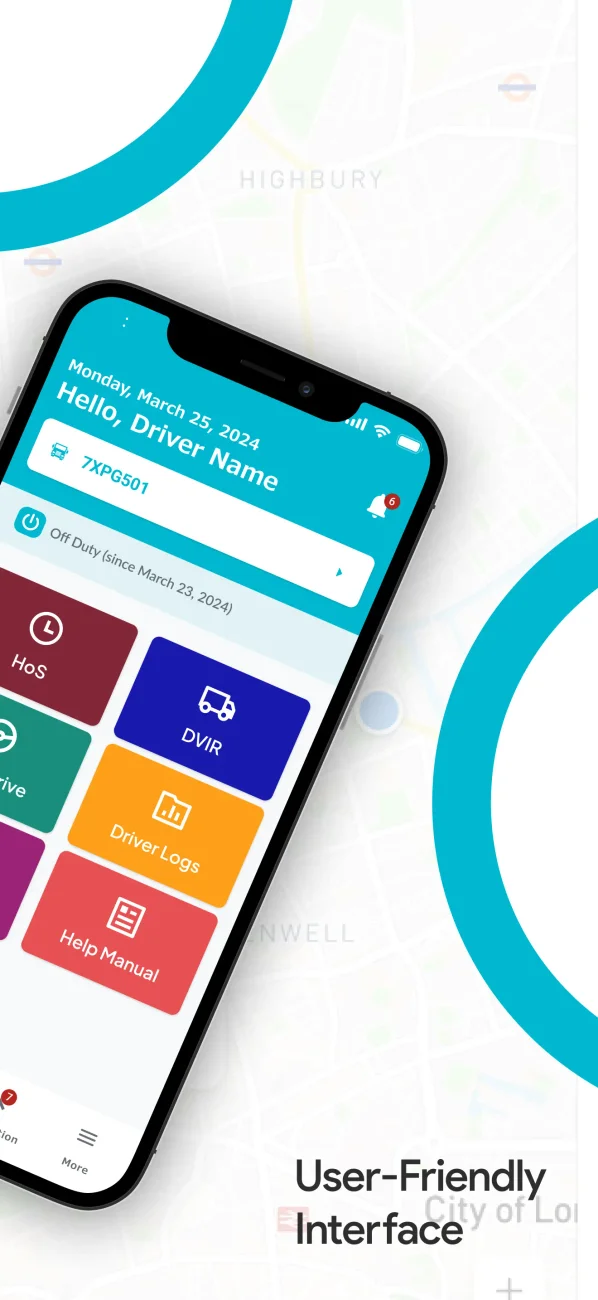
The ELD (Electronic Logging Device) Driver App is a critical tool for ensuring compliance with Hours of Service (HOS) regulations. It helps manage driver behavior, track hours worked, and improve safety by monitoring driver activity. Below are some key features and details regarding driver management, including sleep and work monitoring while driving:
1. Driver Management Features
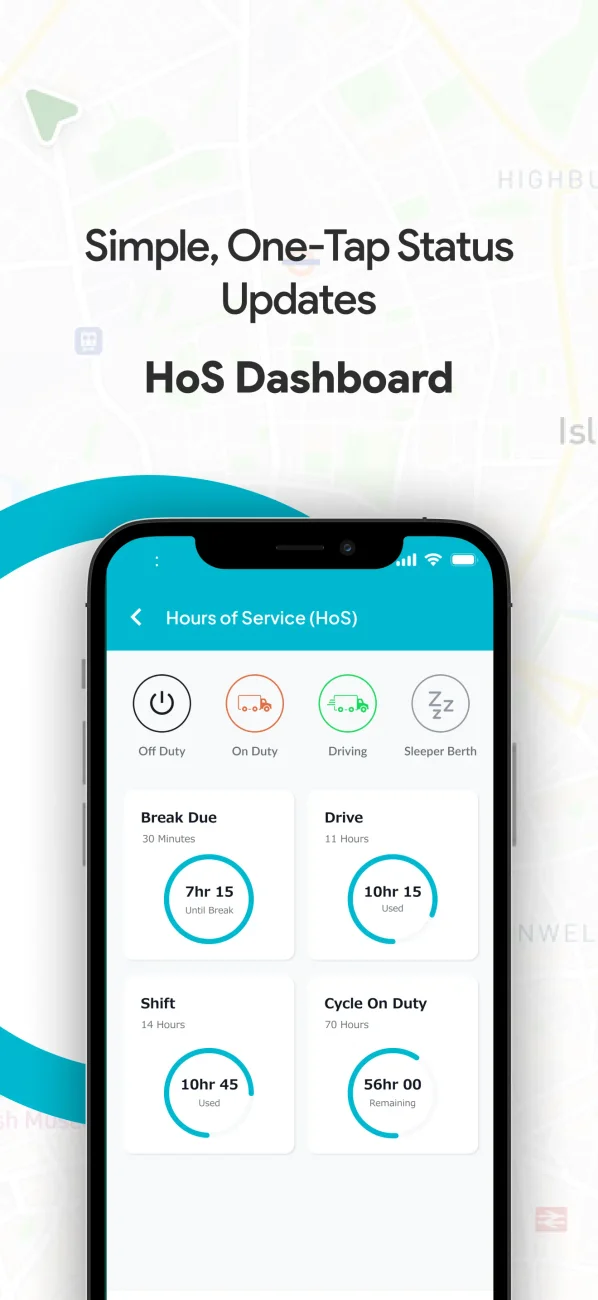
HOS Compliance:
Tracks and logs the driver's on-duty, off-duty, driving, and sleeper berth times.
Ensures compliance with regulatory limits to prevent fatigue-related accidents.
Real-Time Monitoring:
Live tracking of driving hours.
Alerts for approaching HOS limits.
Violation Alerts:
Notifies drivers and fleet managers if HOS regulations are violated.
2. Sleep Monitoring and Management
Sleeper Berth Tracking:
Logs time spent in the sleeper berth to ensure drivers get adequate rest.
Helps meet split-sleeper berth rules.
Fatigue Alerts:
Based on driving hours and rest breaks, alerts are triggered if a driver is at risk of fatigue.
Encourages drivers to take required rest periods.
Sleep Quality Insights (Advanced Features):
Some apps integrate with wearable devices to monitor sleep quality and duration, providing data to improve rest efficiency.
3. Work Monitoring While Driving
Driving Time Monitoring:
Continuously logs driving time to ensure it doesn’t exceed legal limits.
Driver Behavior Analysis:
Monitors speed, harsh braking, and rapid acceleration.
Provides feedback to improve safe driving practices.
Location Tracking:
GPS tracking to ensure accurate location and trip history.
Automated Duty Status Updates:
Automatically switches between duty statuses (e.g., Driving, On Duty) based on vehicle movement.
4. Additional Safety Features
Driver Scorecards:
Generates performance reports based on driving habits, rest periods, and compliance.
Coaching Tools:
Provides feedback and coaching to improve driver safety and efficiency.
Emergency Notifications:
Sends alerts for emergencies like accidents or vehicle breakdowns.
5. Regulatory Compliance
FMCSA Compliance (in the U.S.):
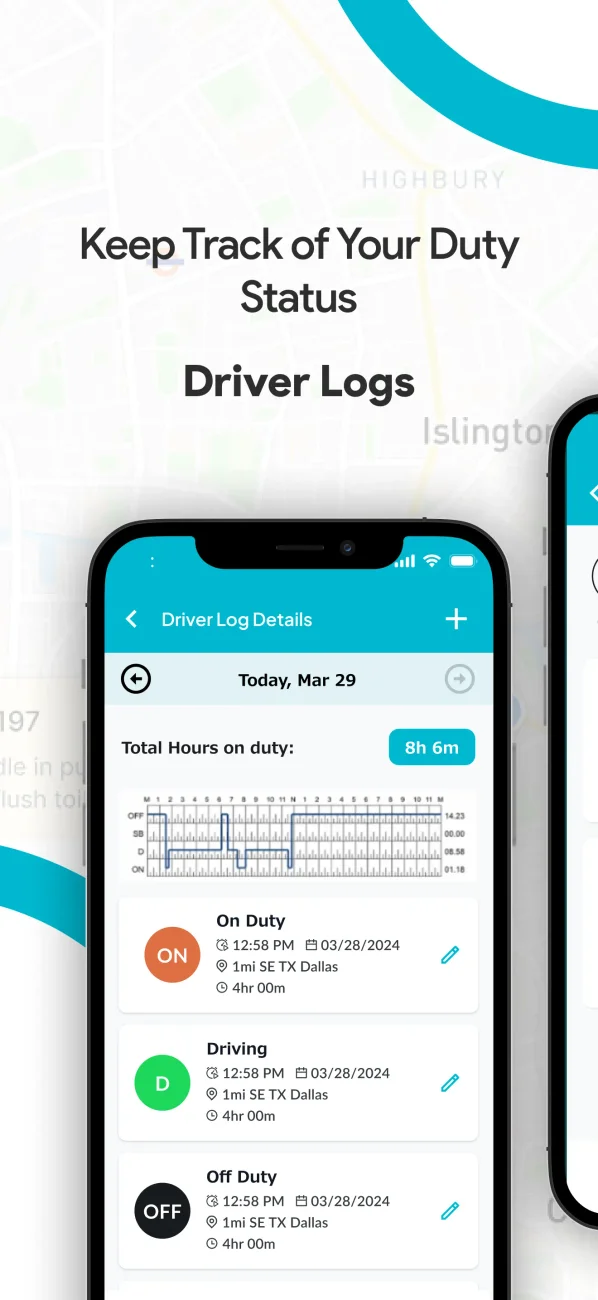
Ensures that data logs are maintained and easily accessible for audits and inspections.
Editable Logs:
Allows drivers to review and annotate logs while ensuring that edits are compliant with regulatory standards.
This comprehensive approach to driver management not only enhances safety but also reduces the likelihood of fines and penalties for non-compliance.
What’s new
Version 1.0.5 · Dec 23, 2024
Minor bug fixes and UI changes
App privacy
What Cert Infotrack Telematrics Pvt Ltd declares on the App Store about how this app handles data.
-
Data not linked to you
May be collected but is not linked to your identity.
- User content
Privacy practices may vary, for example with the features you use or your age.
Information
- Seller
- Cert Infotrack Telematics Pvt Ltd
- Category
- Business
- Version
- 1.0.5
- Updated
- Dec 23, 2024
- Released
- Nov 14, 2024
- Size
- 28.7 MB
- Requires
- iOS 14.0 or later
- Age rating
- 17+
- Price
- Free
- Languages
- English
- Copyright
- © 2024 Infotrack Telematics Pvt Ltd
You might also like
-
 HOS App - Driver ELD LogbookElectronic Logbook & GPS
-
 Ezlogz: ELD & Truck NavigationTruck GPS Tracking and Logbook
-
 REVEAL ELD Logbookby Verizon Connect
-
 TruckX - Electronic LogbookELD,Logbook, Offline HOS, DVIR
-
 Relay PaymentsDigital payments for truckers
-
 CWTrafficBusiness
-
 DRIVEN FOR COMDATA®Fuel Smart. Save Big
-
 Geotab DriveELD, safety & fleet tools
-
 Chain DriverMost trusted load tracking app
-
 Motive DriverELD, Safety and DVIR