Electronics Tools & Calculator
Circuits, Filters & Components
Designed for iPhone, iPad, iPod touch
Free · In-app purchases
- Age rating4+
- CategoryEducation
- DeveloperAnas Abubakar
- LanguagesEnglish+ 8 more
- Size63.0 MB
Links to the official App Store page
Download.org hosts no file of Electronics Tools & Calculator. The button opens its official App Store page, published by Anas Abubakar. Listing last checked on Nov 12, 2026.
Screenshots



About
Calculate, simulate, and understand electronic circuits with more than 60 calculators, interactive tools, and illustrated engineering references.
Electronics Tools & Calculator is an all-in-one toolkit for students, engineers, technicians, makers, and electronics enthusiasts. Use it to study circuit theory, select components, check designs, or troubleshoot projects with practical calculators and clear circuit visuals.
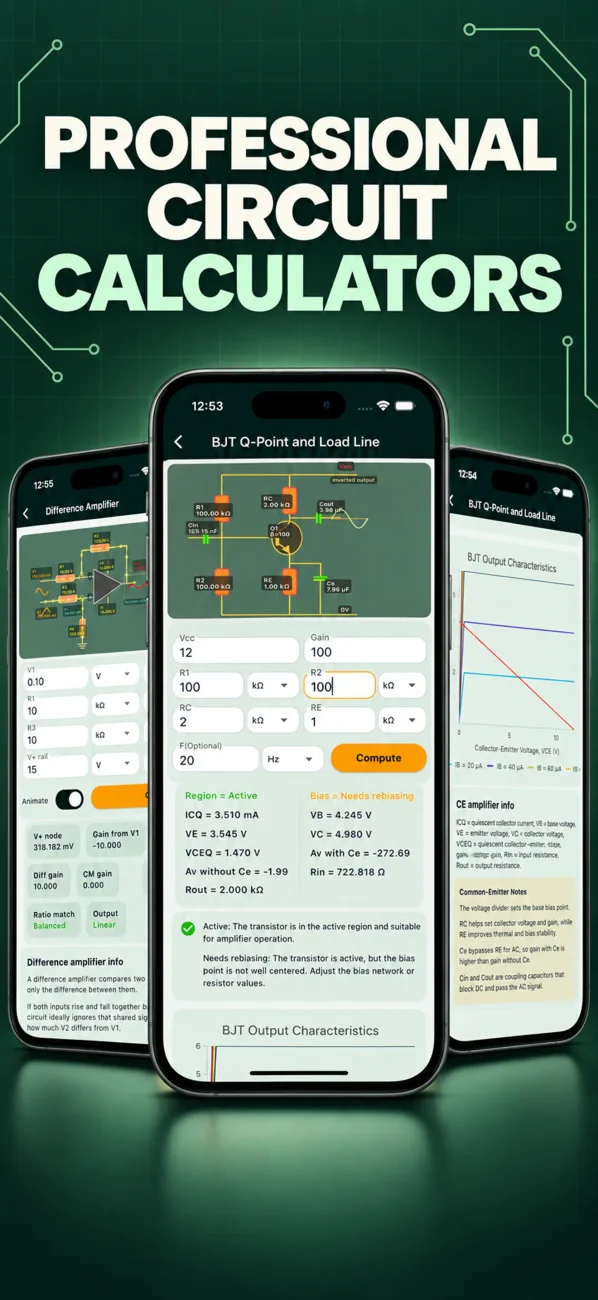
MORE THAN 60 ELECTRONICS CALCULATORS
Solve problems across a wide range of topics:
• Ohm’s law, voltage, current, resistance, and power
• Series and parallel resistors and capacitors
• Four-band, five-band, and SMD resistor codes
• Voltage and current dividers
• DC power and ripple voltage
• RC, RL, LC, and RLC circuits
• LED resistor and parallel LED calculations
• Capacitor and inductor charging
• Star-to-delta and delta-to-star conversions
ACTIVE AND PASSIVE FILTER DESIGN
Design and explore:
• RC, RL, and LC filters
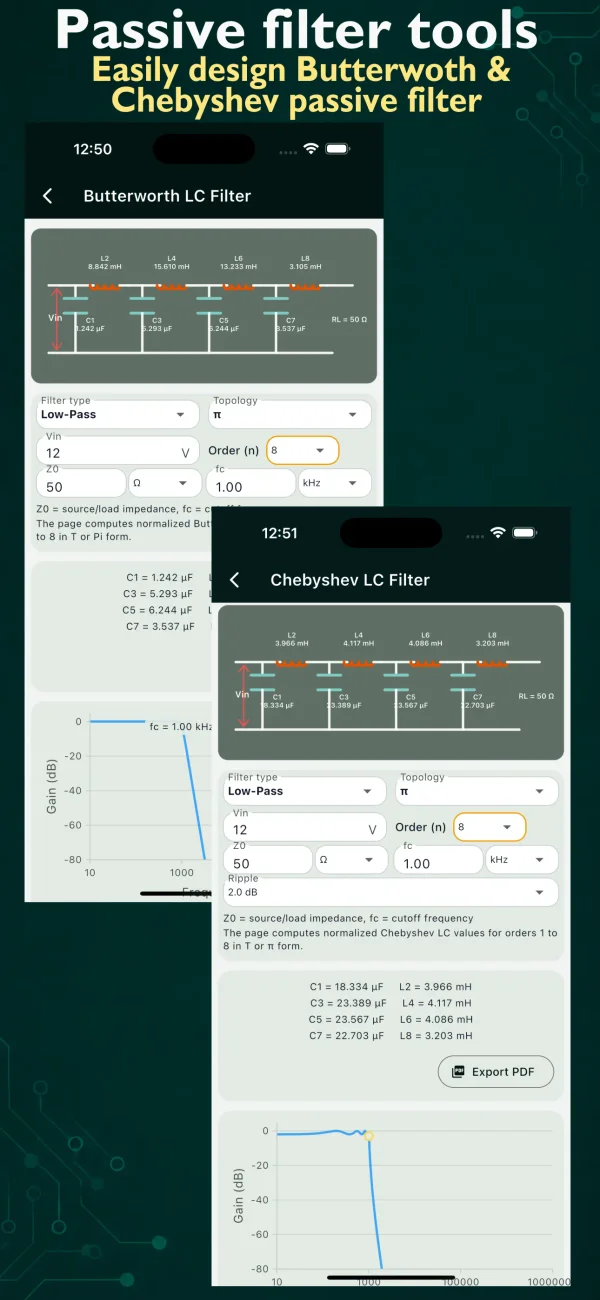
• Butterworth and Chebyshev filters
• Active and passive filters
• Sallen-Key active filters
• Band-pass and band-reject filters
• Twin-T notch filters
Selected advanced calculators include response graphs, helping you visualize how component values affect circuit behavior.
AMPLIFIERS AND SEMICONDUCTORS
Work with practical tools for:
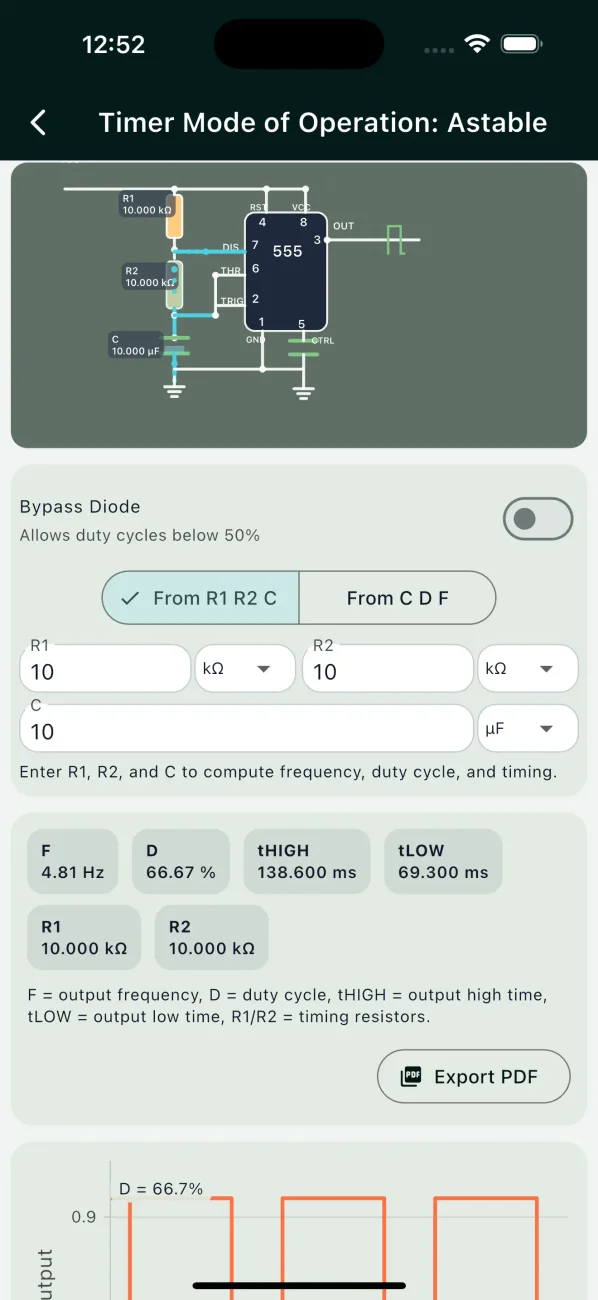
• 555 timer astable and monostable circuits
• BJT analysis, biasing, Q-point, and switching
• MOSFET switching
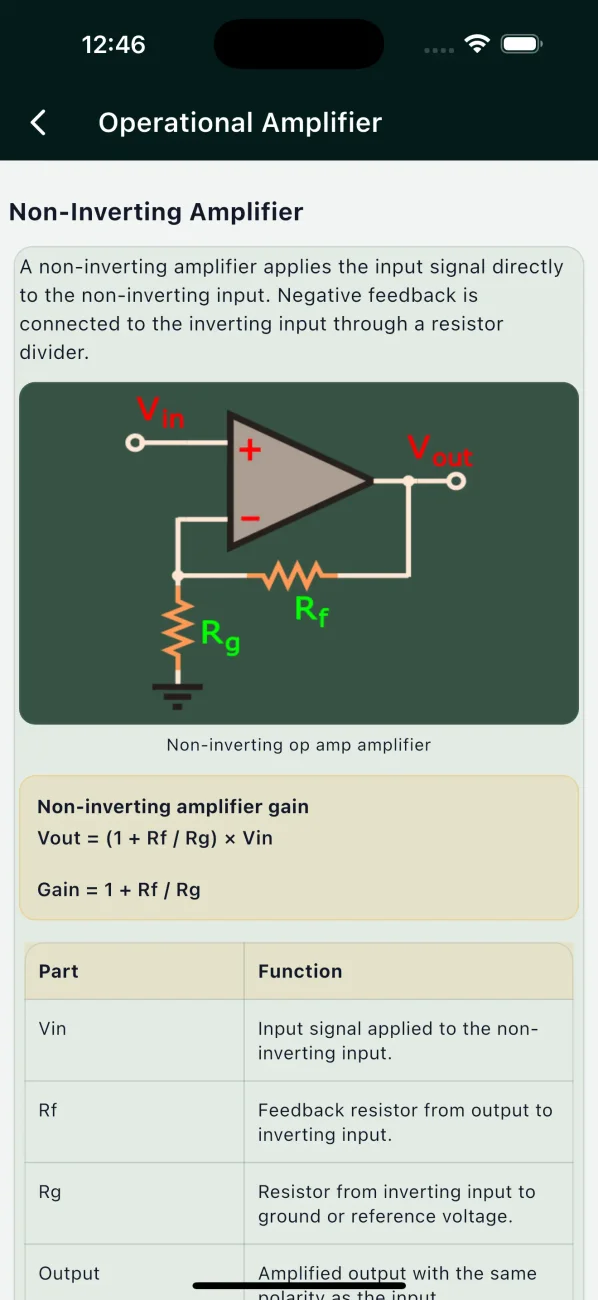
• Inverting, non-inverting, and difference amplifiers
• Class A, Class B, and Class AB amplifiers
• Differential amplifiers and current mirrors
• LM386 audio amplifier circuits
POWER, RF, AND DESIGN TOOLS
Explore calculations for:
• Linear regulators and heat dissipation
• Buck and boost converters
• Rectifiers and Zener regulators
• Clippers, clampers, and voltage multipliers
• PCB trace width
• Air-core and multilayer inductors
• Transformers
• Coaxial cables and waveguides
• Antenna length and skin depth
• dBm, watts, and decibel conversions
• Servo and stepper motors
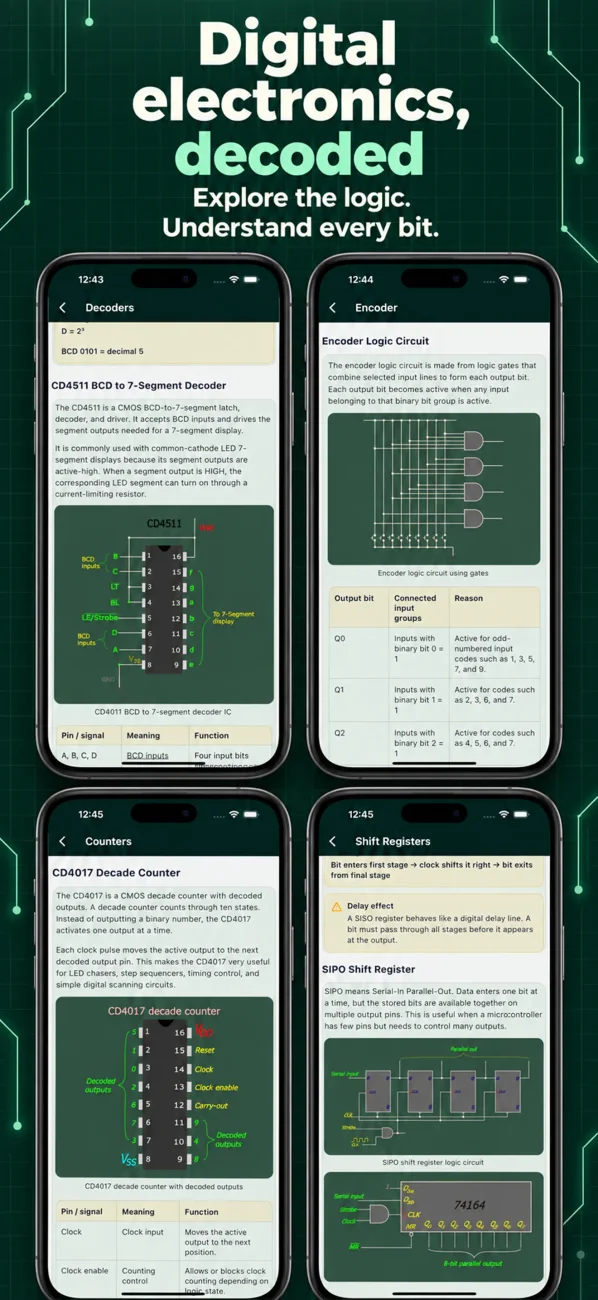
DIGITAL ELECTRONICS
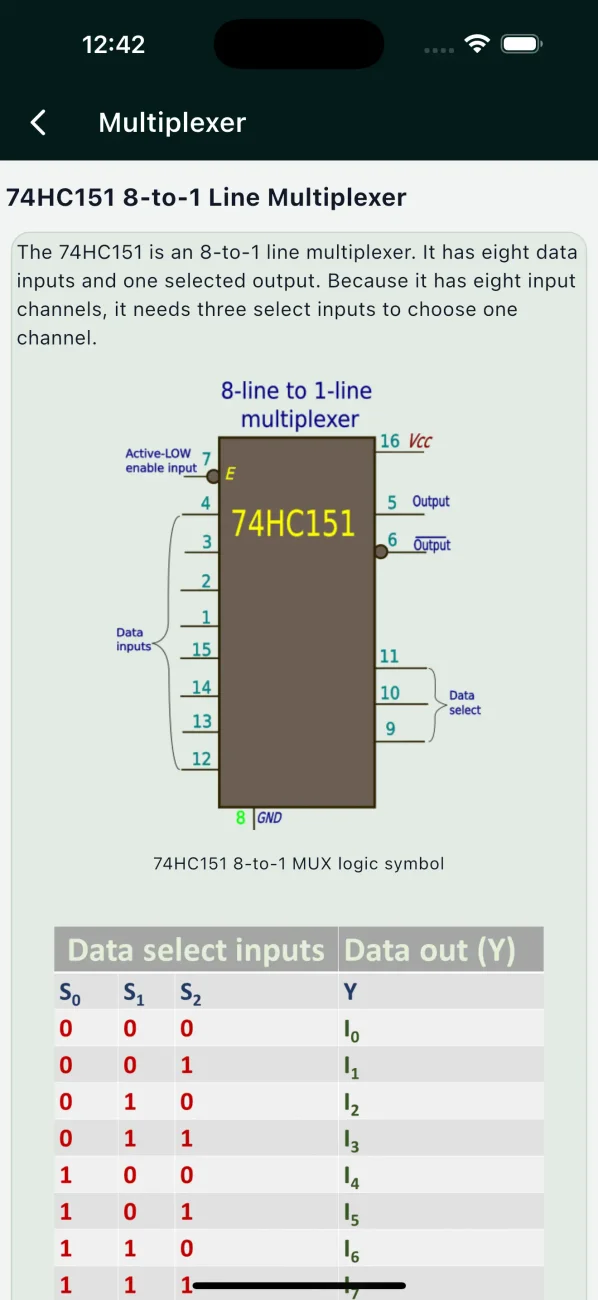
Study essential digital circuits with clear diagrams and truth tables:
• Logic gates
• Flip-flops and counters
• Multiplexers and demultiplexers
• Encoders and decoders
• Shift registers
• Common digital integrated circuits
INTERACTIVE CIRCUIT TOOLS
Explore circuit behavior through interactive simulations and strong visual explanations. Adjust values, examine circuit configurations, and connect formulas with practical electronic designs.
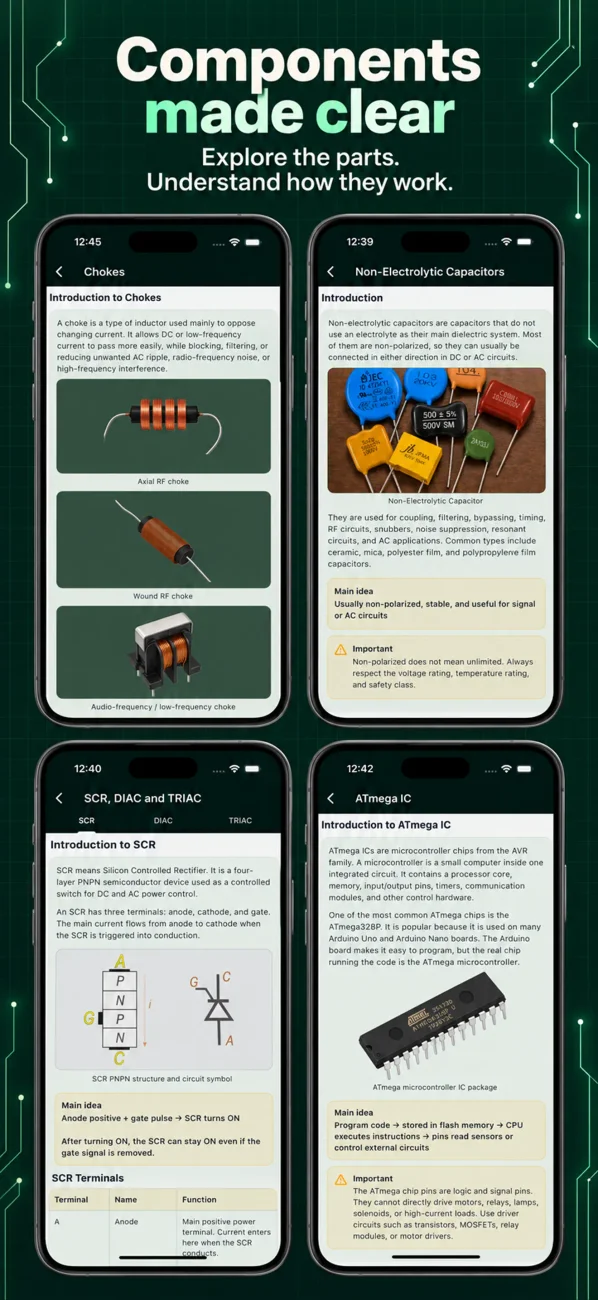
ILLUSTRATED ELECTRONICS REFERENCES
Access more than 30 guides covering resistors, capacitors, inductors, transformers, diodes, BJTs, MOSFETs, IGBTs, UJTs, SCRs, DIACs, TRIACs, operational amplifiers, regulators, 555 timers, sensors, digital logic, Arduino boards, and ATmega microcontrollers.
The guides combine explanations, equations, circuit diagrams, pinouts, truth tables, and practical notes to connect theory with real-world applications.
DESIGNED FOR FASTER WORK
• Search calculators by name
• Save frequently used tools to Favorites
• View response graphs in selected calculators
• Export results from selected tools as PDF documents
• Automatically switch between light and dark appearance
• Use an interface designed for phones and larger screens
• Choose from 15 supported languages
• Access additional features through optional Pro tools
Whether you are learning electronics, designing a filter, analyzing an amplifier, or checking values at the workbench, Electronics Tools & Calculator keeps useful tools and references close at hand.
Important: This app is intended for education and design assistance. Always verify calculations, component ratings, circuit requirements, and safety considerations before building or operating electronic equipment.
What’s new
Version 8 · Sep 14, 2026
few bugs fixed
App privacy
What Anas Abubakar declares on the App Store about how this app handles data.
-
Data used to track you
May be used to track you across apps and websites owned by other companies.
- Location
- Usage data
-
Data not linked to you
May be collected but is not linked to your identity.
- Location
- Identifiers
- Usage data
- Diagnostics
Privacy practices may vary, for example with the features you use or your age.
Information
- Seller
- Anas Abubakar
- Category
- Education
- Version
- 8
- Updated
- Sep 14, 2026
- Released
- Aug 21, 2021
- Size
- 63.0 MB
- Requires
- iOS 15.0 or later
- Age rating
- 4+
- Price
- Free
- In-app purchases
- Yes
- Languages
- English, French, German, Italian, Japanese, Portuguese, Russian, Simplified Chinese, Spanish
- Copyright
- © Saulawa 2026
You might also like
-
 EE ToolKitElectronics Engineering
-
 Electronic Circuits CalculatorElectronic Engineering Toolkit
-
 Arduino Programming TutorialLearn Arduino step-by-step
-
 Circuit Simulator - VoltSimRealtime electronics lab
-
 Digital Electronics GuideDigital circuits made simple
-
 inspectAR PCB ToolsAugmented Reality for Circuits
-
 Electrical Engineering - lite60 calculations with circuits
-
 Electronic Component PinoutsMore than 80000 pinouts!
-
 Circuit-DesignDesign Simulate Solve Simplify
-
 Physics Lab ARLearn more from experiment