Senkō: Large Print Timer
Big, quiet desk countdown
Designed for iPhone
Free · In-app purchases
- Age rating4+
- CategoryProductivity
- DeveloperSasquatch Studio Inc.
- LanguagesEnglish+ 10 more
- Size14.3 MB
Links to the official App Store page
Download.org hosts no file of Senkō: Large Print Timer. The button opens its official App Store page, published by Sasquatch Studio Inc. Listing last checked on Nov 23, 2026.
Screenshots

About
Senkō is a large print timer for iPhone. Start it, set your phone down, and the countdown stays where you can see it: quiet while it runs, loud when time is up.
The name is Japanese for a stick of incense, which kept time for centuries: light it, and when it has burned down, time is up. Something to glance at, not something that asks for attention.
◎ Large print, wherever you look
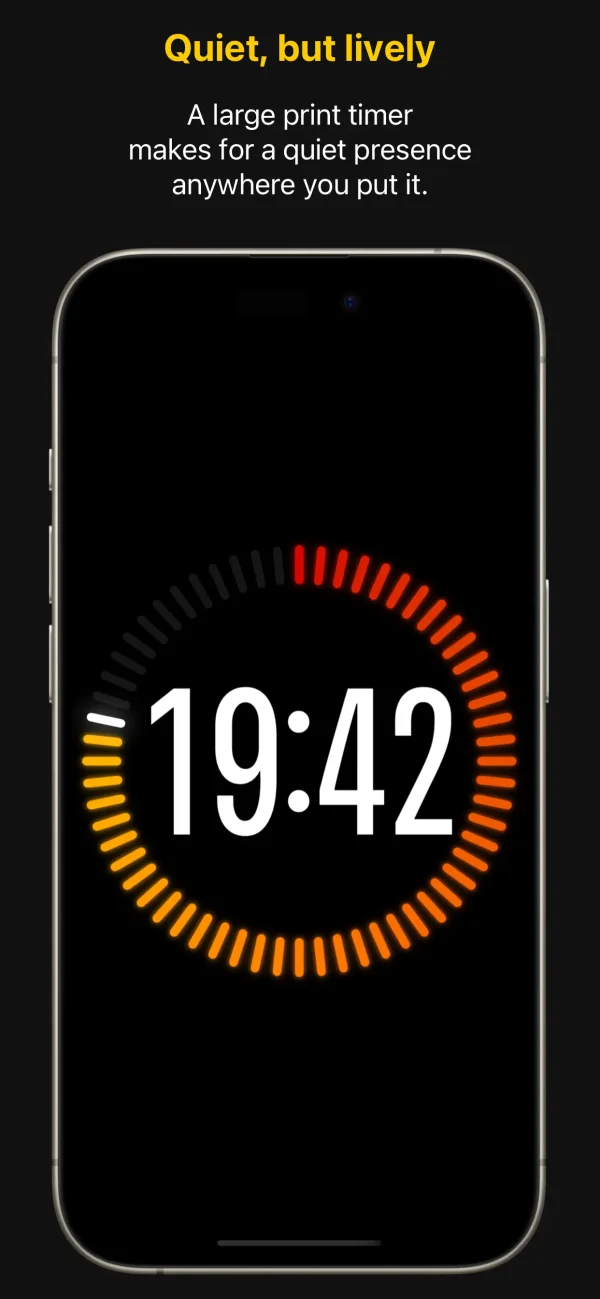
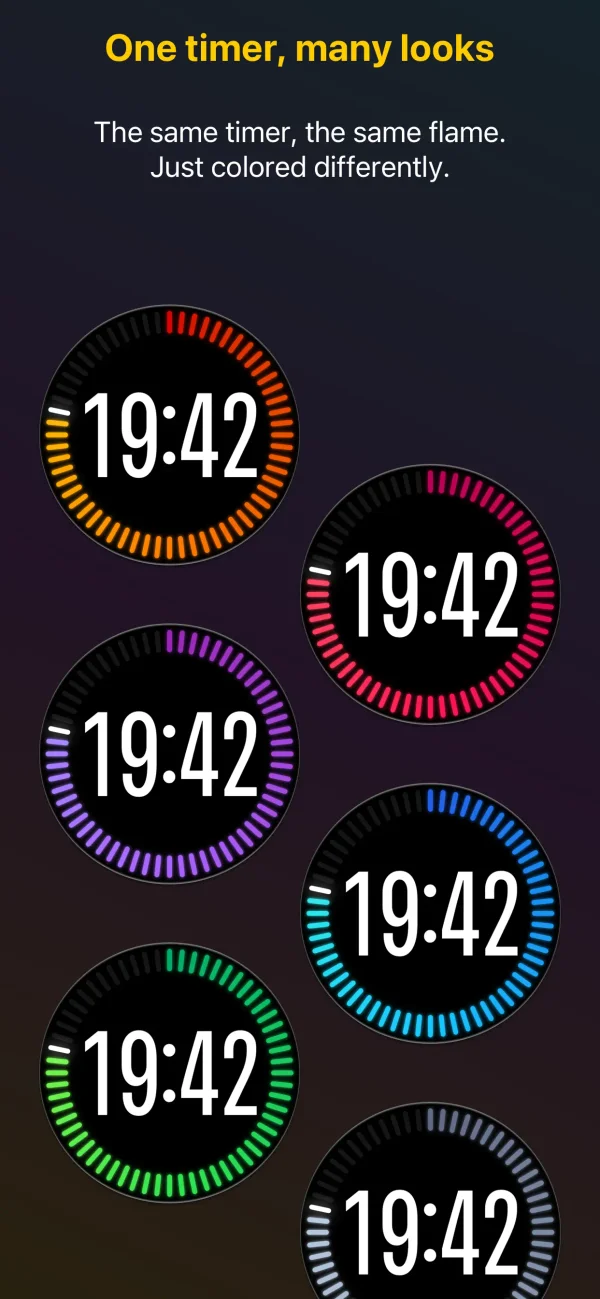
A few seconds after a timer starts, the controls step back and the countdown takes the whole screen, which dims and stays awake. Around it a ring of sixty notches burns down, so a glance from across the room tells you how much is left. The same timer shows on:
- Home Screen widgets
- StandBy, while your iPhone charges
- The Lock Screen and the Dynamic Island, as a Live Activity
- iPhone Duo, however it is folded or propped
◎ Quiet company
Senkō makes no sound while a timer runs. It keeps no streaks, no statistics and no score, and it needs no account. It sits beside you while you stretch, study, clear an inbox or take a proper lunch break.
If time tends to slip past you unnoticed, as it does for many people with ADHD, Senkō makes it something you can see. Some call the effect body doubling: staying with a task is easier with company, even the company of a timer.
◎ Loud when it counts
Every timer ends in an alarm, not a notification you might miss. It sounds through Focus and Do Not Disturb and reaches a paired Apple Watch. You can mute it. You can’t switch it off.
◎ A few more minutes
Not quite done? Snooze the alarm and Senkō gives you a few more minutes to wrap up, then rings again.
◎ Muted, never missed
Mute the alarm for a library, a meeting or a sleeping house. When time is up the alarm takes the screen and your iPhone vibrates, without a sound.
◎ Starts without you
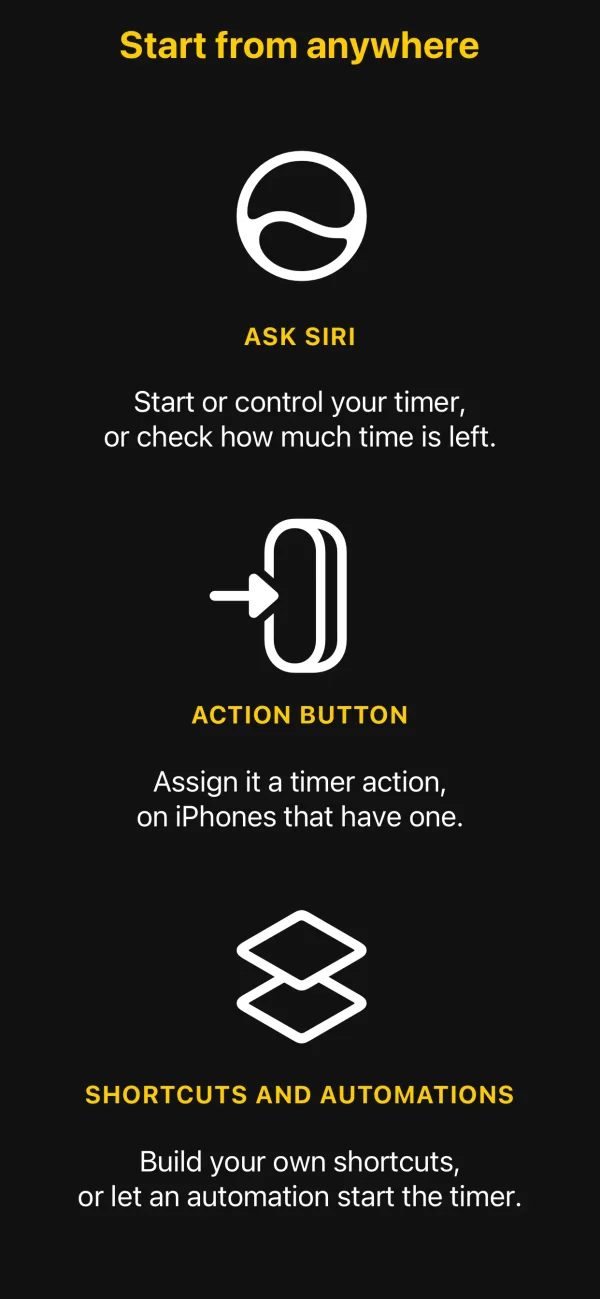
- Actions in Shortcuts start, pause, resume and reset the timer, and read how much time is left
- Start a timer for one of your tasks, in the task’s color
- Put a timer on the Action Button
- Build an automation that starts a timer when you open the app you lose time in
- On iOS 27, Siri sets and controls the timer directly
◎ Name the time
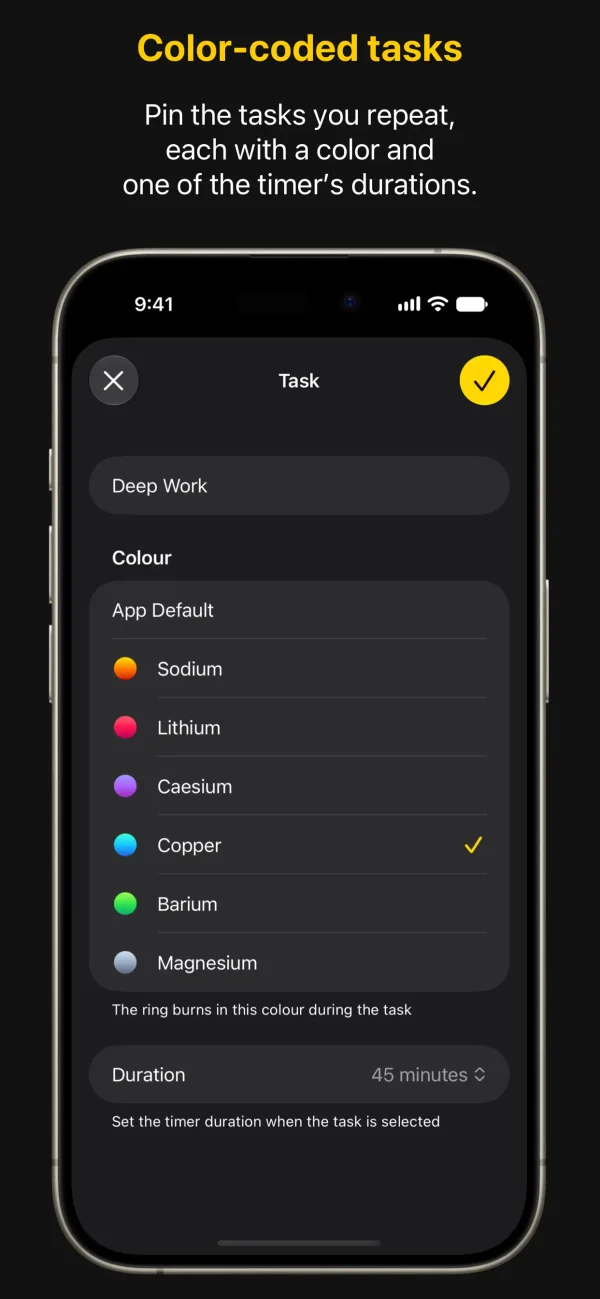
Give a timer a task: stretching, laundry, one more chapter. Senkō remembers the tasks you use, and the task stays in view on the widget and the Live Activity. Pin the ones you come back to, and choose a color and one of the timer’s durations for each.
◎ Six flames
The ring burns in the color of a flame, named for the element that burns that way. There are six: Sodium, Lithium, Cesium, Copper, Barium and Magnesium. On an HDR display, the tick that marks each second glows brighter than white.
Senkō Plus is a single purchase that you can share with your family.
Senkō is made by a one-person studio in British Columbia, Canada.
What’s new
Version 2026.6 · Nov 20, 2026
Ember has a new name, a new look, tasks you can pin and a Shortcuts action to start them.
Tasks you come back to
• Pin the tasks you do regularly, and choose a color and one of the timer’s durations for each.
• Pick a pinned task and the timer is ready: the ring burns in its color and its duration is selected.
Starts without you
• A new Shortcuts action, Start Timer for Task, starts a timer for one of your tasks, in the task’s color and with its duration.
• Put a task on the Action Button, or start it from an automation.
A ring of flame
• The timer is redrawn as a ring of sixty notches that burns down in the color of a flame.
• Choose from six colors, each named for the element that burns that way: Sodium, Lithium, Cesium, Copper, Barium and Magnesium.
• The widget, the Live Activity and the alarm follow the color you choose.
• On an HDR display, the tick that marks each second glows brighter than white. Settings has three levels for it.
• Themes and countdown fonts are retired. If you bought Ember Plus, you already have Senkō Plus.
Now called Senkō
• Senkō is Japanese for a stick of incense, which kept time for centuries: when it has burned down, time is up. It is the same app and the same timer, and your purchase carries over.
Fixes
• On iPhone Duo, the dimmed timer keeps its margins when Senkō shares the screen with another app.
Thank you for using Senkō.
App privacy
What Sasquatch Studio Inc. declares on the App Store about how this app handles data.
-
Data not collected
The developer does not collect any data from this app.
Privacy practices may vary, for example with the features you use or your age.
Information
- Seller
- Sasquatch Studio Inc.
- Category
- Productivity
- Version
- 2026.6
- Updated
- Nov 20, 2026
- Released
- Jun 15, 2026
- Size
- 14.3 MB
- Requires
- iOS 26.1 or later
- Age rating
- 4+
- Price
- Free
- In-app purchases
- Yes
- Languages
- English, French, German, Italian, Japanese, Korean, Portuguese, Simplified Chinese, Spanish, Traditional Chinese, Vietnamese
- Copyright
- © 2026 Sasquatch Studio Inc.
You might also like
-
 VoIPMeYour PBX in your pocket
-
 PomPomodoroFocus timer
-
 Pomodoro Timer : Focus BuddyProductivity timer for work
-
 FocusMinny: Productivity CoachAI Time Planner + Focus Timer
-
 EasEvent: Calendar AssistantYour AI scheduling buddy
-
 Titanova: Life PlannerGoals, Habits, Tasks & Focus
-
 Phone AI: Your AI ReceptionistAI Phone Caller & Assistant
-
 Pomodoro: Focus & Deep WorkProductivity & Study Buddy
-
 SkillHub: AI Agent SkillsCopy Claude & Cursor Skill Hub
-
 Toby 管鋪易Productivity