emdee - .md Markdown Editor
Edit AI's .md, formatted as-is
Designed for iPhone, iPad, Mac
$7.99
- Age rating4+
- CategoryProductivity
- DeveloperKeita Eto
- LanguagesEnglish+ 1 more
- Size6.0 MB
Links to the official App Store page
Download.org hosts no file of emdee - .md Markdown Editor. The button opens its official App Store page, published by Keita Eto. Listing last checked on Nov 12, 2026.
Screenshots
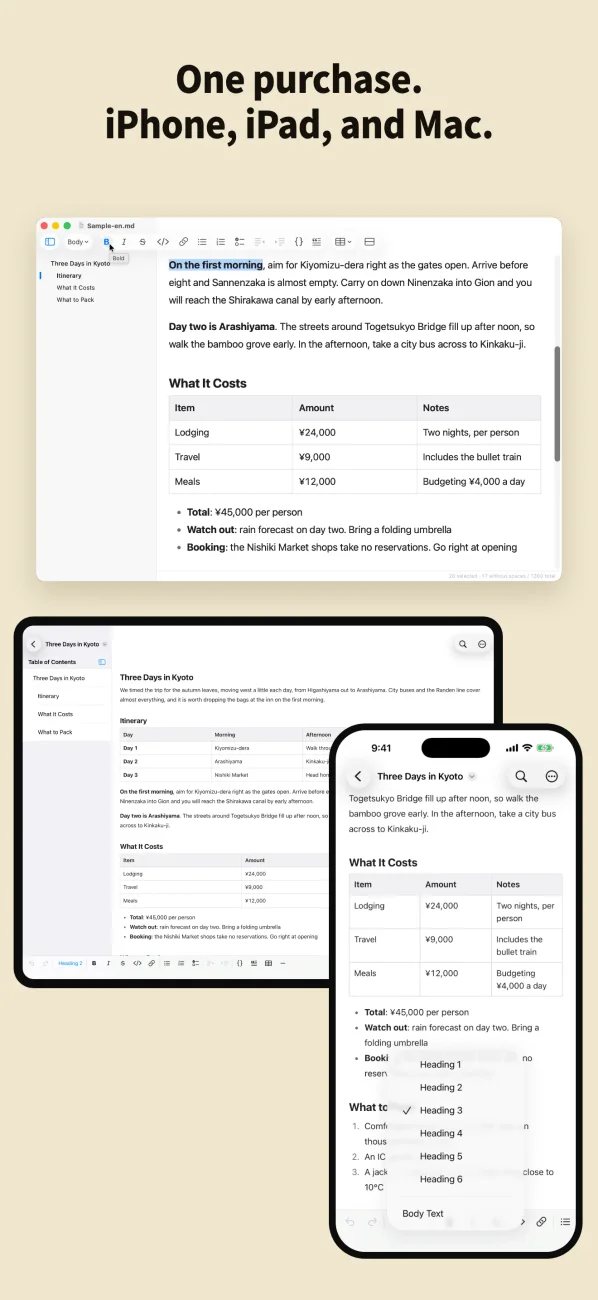
About
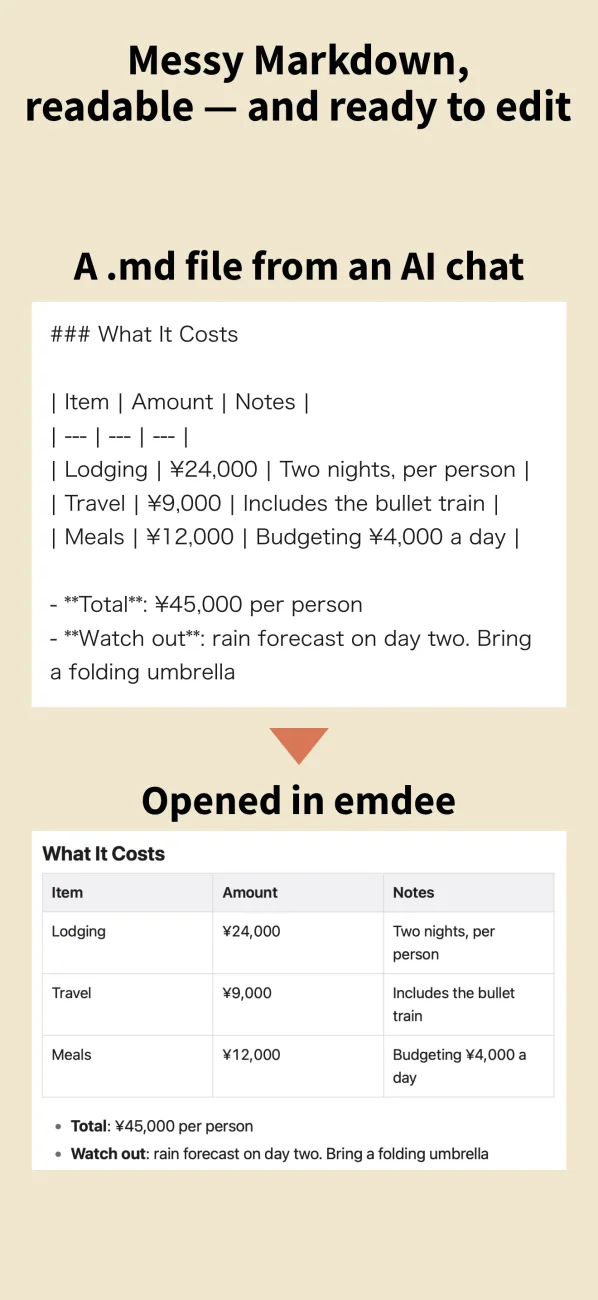
A .md file from an AI chat, full of # and **. A browser can show it to you. emdee lets you rewrite it — in that same clean, formatted view.
You don't need to switch between a reading mode and an editing mode. You edit the document while it stays clean and properly formatted, exactly as a .md document should look.
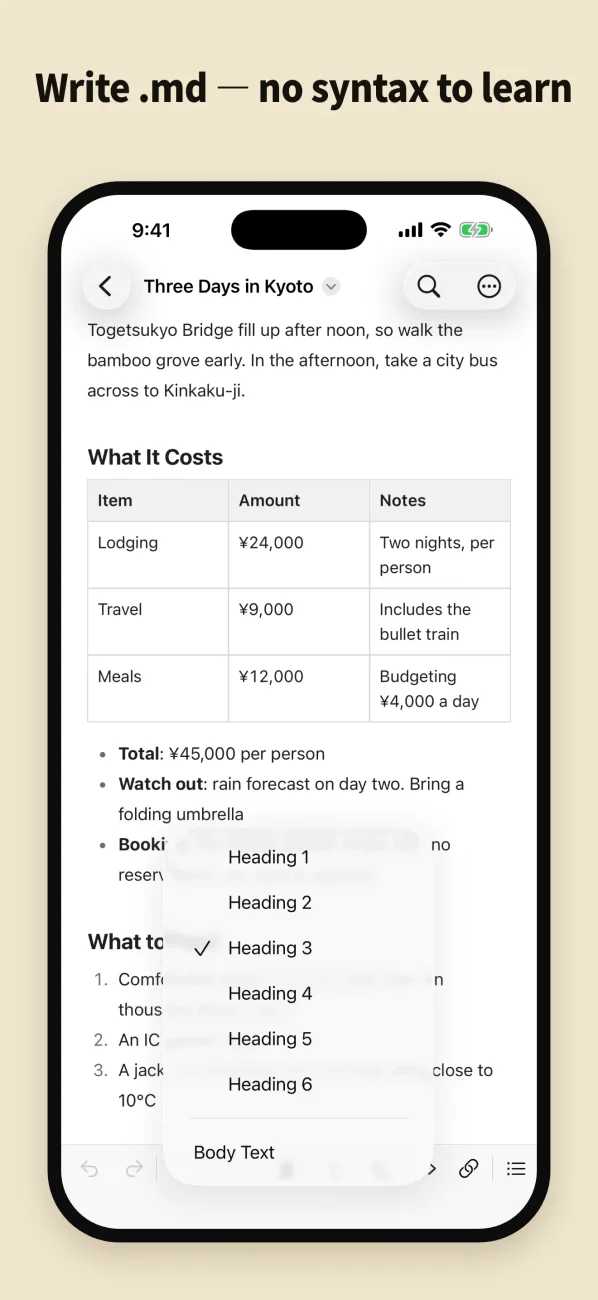
Headings stay heading-sized, tables stay tables, and you type directly into the document. Want bold? Select the text and tap the button. You never type the symbols, and you never see them. Save, and it's still a plain .md file.
■ When you'd use it
You saved an AI answer as .md — now you want it in your own words, not just readable
AI drafted your travel plan or checklist — now the dates and details need to be yours
You want to keep notes and minutes in .md, without looking up syntax as you write
■ What you can actually edit
"emdee" is not a viewer — it's a true WYSIWYG Markdown editor. All of this works right in the formatted view:
Headings (six levels), bold, italic, strikethrough, inline code, links
Bullet lists, numbered lists, and checklists you can tick with a tap
Block quotes, code blocks, horizontal rules
Tables: insert with one button, and add or delete rows and columns from that same button's menu. Line breaks inside cells are supported
Find and replace — Replace All comes back with a single undo
It all sits in the format bar along the bottom, which rises with the keyboard so you can change formatting mid-sentence
■ Images
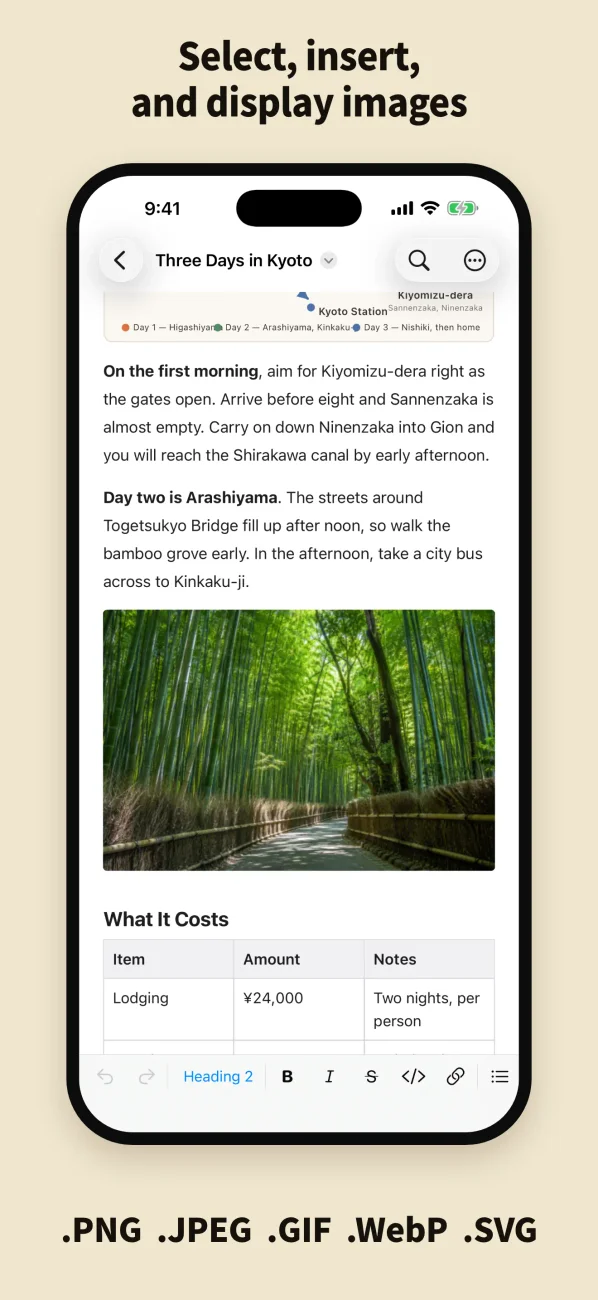
An image in the same folder as the document you have open is drawn right there in the text. So is one in a folder below it.
PNG, JPEG, GIF, WebP and SVG are drawn. So are images on the web (https://)
HEIC — what an iPhone camera writes — is not drawn. Export it as JPEG and it is
The first time, emdee asks permission to read that folder — one button, and it never asks again
Anything it cannot draw shows its path in a frame instead
The image button on the format bar puts one in. An image from outside the document's folder is copied into that folder first, and a file of the same name is never overwritten. What gets written is a relative path, so hand the images over along with the document.
Exported HTML and PDF have the pictures embedded, so they travel on their own.
The  in your file is not touched by any of this.
■ More features
Table of contents — tap a heading to jump there. On iPad it opens as a column beside your text instead of covering it
Print, and export to PDF, HTML, or plain text. Lines break on paper exactly where they break on screen, and tables never split mid-row across pages
Light, dark, or follow the system
Body text can follow the system text size or stay at a size you choose, and the line width is yours: fit the screen, or match A4 print
■ What you write stays a .md
No proprietary format, no importing. The file you have open is the .md itself, opened in place where it lives — no copy is made. It saves back readable by GitHub, VS Code, Obsidian — anything. Even details like line breaks inside table cells are written the standard way, as an HTML br tag.
Line endings (LF / CRLF / CR) and text encodings (UTF-8, UTF-16, and legacy encodings such as Shift_JIS) are preserved exactly as the file was opened. Files made on Windows keep their format intact.
■ One purchase — iPhone, iPad, and Mac
The same document, on the same page layout, wherever you open it.
■ What emdee doesn't do
File management belongs to the Files app, and sync belongs to iCloud Drive. There is no proprietary notes database and no cloud service. The only thing open is your .md file.
Images are looked for inside the folder your document is in, and nowhere else. A reference pointing outside it (../ or an absolute path) is not drawn, and neither are HEIC, AVIF or TIFF files, or images over roughly 8 MB (24 MB per document). Anything that cannot be drawn shows its path in a frame instead.
Questions and bug reports are welcome — see the support page.
What’s new
Version 1.3.1 · Nov 11, 2026
The app itself is unchanged from 1.3.
Its name on the App Store now includes "Markdown".
App privacy
What Keita Eto declares on the App Store about how this app handles data.
-
Data not collected
The developer does not collect any data from this app.
Privacy practices may vary, for example with the features you use or your age.
Information
- Seller
- Keita Eto
- Category
- Productivity
- Version
- 1.3.1
- Updated
- Nov 11, 2026
- Released
- Aug 21, 2026
- Size
- 6.0 MB
- Requires
- iOS 17.0 or later
- Age rating
- 4+
- Price
- $7.99
- Languages
- English, Japanese
- Copyright
- © 2026 Keita Eto
You might also like
-
 ArcRemoteThe ArcNode companion app
-
 MarkNote - Markdown NoteMarkdown notes
-
 CalcaAdvanced symbolic calculator
-
 InspectNowInspection App
-
 Note Taker: AI Voice To TextTranscribe: Record Audio Call
-
 Plain AILocal AI, plain and simple
-
 SiteNote: Project NotesProject Notes, Photos, Tasks
-
 NotePlus - Markdown EditorNative Markdown Notes
-
 Notelane - Markdown EditorYour notes, your own storage
-
 Marked — Markdown EditorRead and edit .md, calmly