
EMDR
See • Hear • Feel
Designed for iPhone, iPad, Mac, iPod touch
Free · In-app purchases
- Age rating4+
- CategoryHealth & Fitness
- DeveloperBas Oppenheim
- LanguagesEnglish+ 17 more
- Size120.6 MB
Links to the official App Store page
Download.org hosts no file of EMDR. The button opens its official App Store page, published by Bas Oppenheim. Listing last checked on Nov 17, 2026.
Screenshots




About
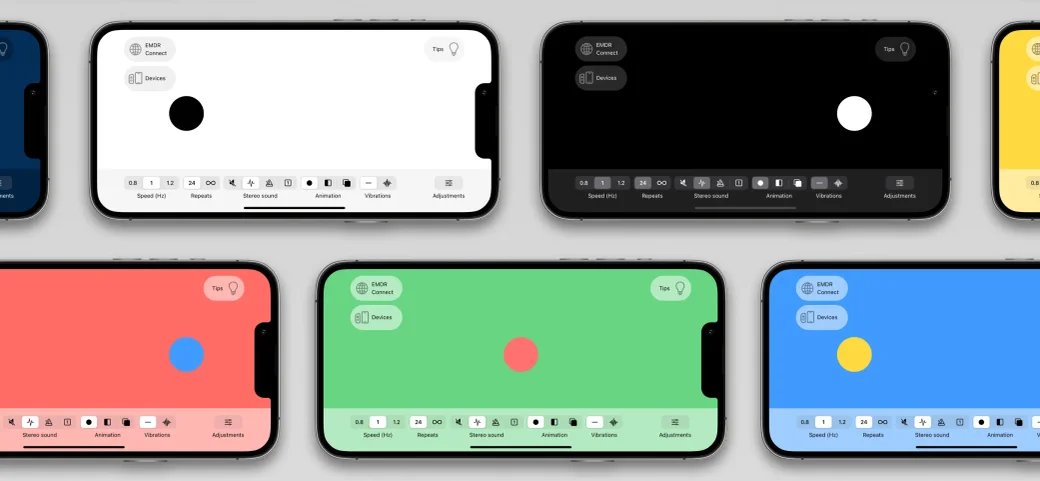
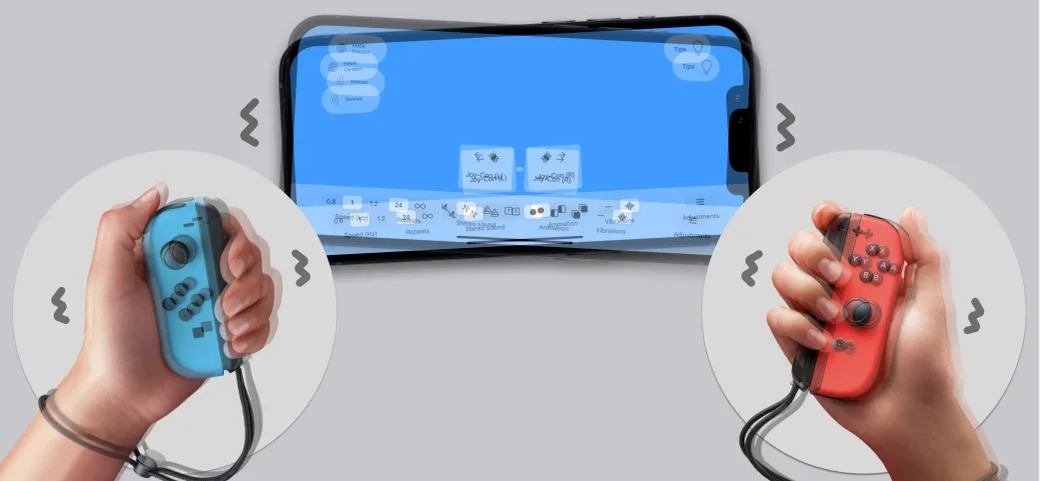
The EMDR app puts you in full control of visual, audio, and haptic bilateral stimulation. Turn game controllers and Joy-Cons into tappers, position sound precisely in stereo, and fine-tune vibration intensity. Sync across your Apple devices or broadcast to compatible web browsers with EMDR Connect. Full VoiceOver and Assistive Access support is built in.
STIMULATION YOUR WAY
Tailor every session to your needs:
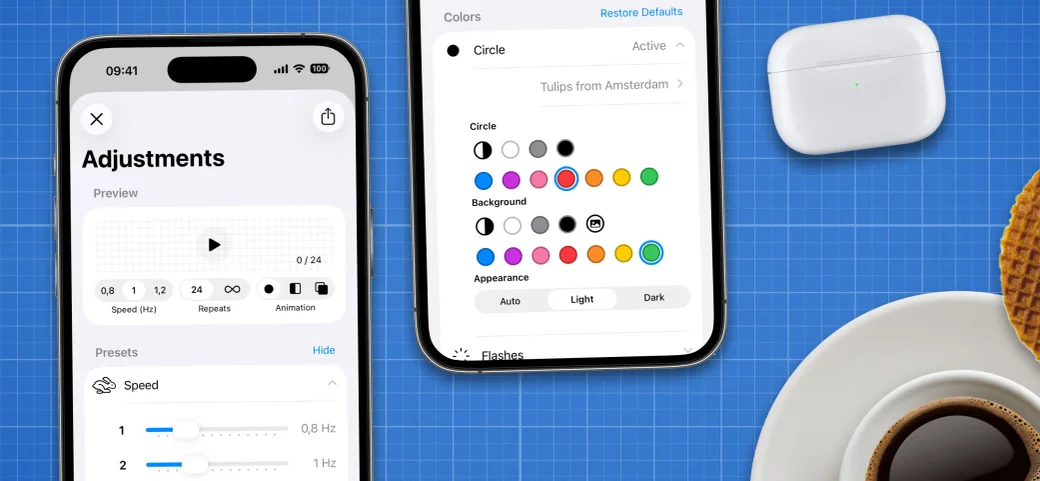
• Set your pace with presets or fine-tune it with a slider.
• Use auto-stop so you never have to count along.
• Choose from a wide range of sounds, animations, and vibrations.
• Hear the count spoken aloud in 21 languages.
• Position stereo sound to the left, right, or center.
• Fine-tune vibration intensity, automatically adapted to each device.
• Personalize colors, patterns, and more.
WORKS ACROSS YOUR DEVICES
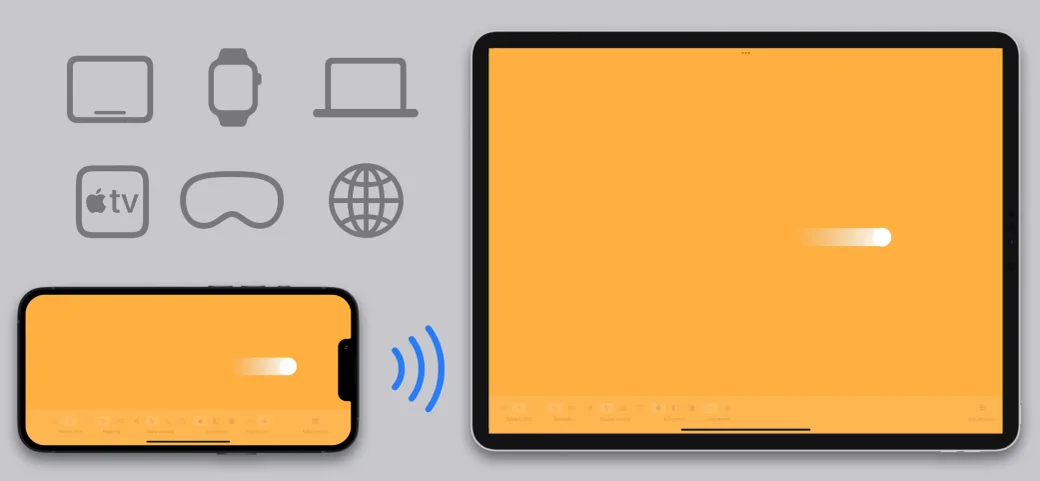
Connect iPhone, iPad, Mac, Apple TV, Apple Watch, Apple Vision Pro, Joy-Cons, and game controllers. Alternate flashes or vibrations between devices, or use one as a remote control for another. No specialized tapper hardware is needed. The devices you already own do the work.
BROADCAST WITH EMDR CONNECT
Send your stimulation to a protected webpage in a compatible browser on a computer, tablet, or phone, whether it's your own device or someone else's.
PRIVATE BY DESIGN
No account is needed. Shared names are encrypted. Our privacy policy explains what data EMDR Connect processes and how long it is retained.
START FROM ANYWHERE
• Start stimulation from Control Center, the Lock Screen, or the Action button.
• Ask Siri, or automate your setup with Shortcuts.
• Control playback from your headphones or a widget, even in the background.
BUILT FOR ACCESSIBILITY
Full support for Assistive Access and VoiceOver makes the app usable for people with diverse needs, with specialized interfaces that don't compromise on capability.
TRY ONE MONTH FREE
Explore everything the EMDR app offers with a free one-month trial for new subscribers. EMDR+ unlocks the full feature set across your Apple devices. EMDR Connect adds broadcasting to compatible web browsers. Download today and see how it fits your routine.
APP PURPOSE
This app is a general-purpose tool for generating bilateral and other types of stimulation. It supports a wide range of applications, including:
• Research, e.g. testing the effects of bilateral stimulation.
• Education, e.g. illustrating bilateral stimulation principles.
• Focus and attention, e.g. pacing tasks with timed signals.
• Relaxation and wellness, e.g. promoting physical relaxation through bilateral vibration.
This app is not intended to diagnose, treat, cure, or prevent any disease or condition.
Terms of Use (EULA): https://www.apple.com/legal/internet-services/itunes/dev/stdeula/
What’s new
Version 2.5.4 · Nov 4, 2026
EMDR 2.5 introduces layouts optimized for iPhone Duo, Picture in Picture, new widget options, and better support for larger text.
OPTIMIZED FOR IPHONE DUO
• When iPhone Duo is in the seated pose, controls appear on the bottom half of the display while visual stimulation plays on the top half.
• Improved layouts for book mode and other configurations.
PICTURE IN PICTURE
Keep stimulation in view in a floating window when you switch to another app during a session.
IMPROVED WIDGETS
• Adjust session settings from your widgets with an interactive widget control panel.
• Add the new extra-large widget to your iPhone's Home Screen.
BETTER SUPPORT FOR LARGER TEXT
Controls and layouts adapt better to larger text sizes and smaller screens, making the app easier to use.
ADJUST SOUND VOLUME IN EMDR CONNECT
Turn down or mute the stereo sounds on your own device during an EMDR Connect session. Sound on other participants’ devices stays unchanged.
App privacy
What Bas Oppenheim declares on the App Store about how this app handles data.
-
Data linked to you
May be collected and linked to your identity.
- Identifiers
-
Data not linked to you
May be collected but is not linked to your identity.
- Purchases
- Usage data
- Diagnostics
Privacy practices may vary, for example with the features you use or your age.
Information
- Seller
- Bas Oppenheim
- Category
- Health & Fitness
- Version
- 2.5.4
- Updated
- Nov 4, 2026
- Released
- Jun 22, 2021
- Size
- 120.6 MB
- Requires
- iOS 15 or later
- Age rating
- 4+
- Price
- Free
- In-app purchases
- Yes
- Languages
- English, Arabic, Danish, Dutch, French, German, Italian, Japanese, Korean, Norwegian Bokmål, Polish, Portuguese + 6 more
- Copyright
- © 2021-2026 Bas Oppenheim
You might also like
-
 EMDR TappersBilateral Stimulation Therapy
-
 Heal EMDR: Self-Guided TherapyPTSD, Trauma & Anxiety Relief
-
 EMDR kitFor EMDR sessions
-
 EMDR Therapy - PROwith audio and vibrations
-
 EMDR - Bilateral StimulationVisual, Audio & Haptic BLS
-
 EMDR Sound RelaxEMDR Audio Frequency Therapy
-
 Self Help for TraumaSelf Tapping Step-By-Step
-
 IFS GuideInternal Family Systems Guide
-
 Nervous System Reset: NEUROFITSomatic Exercises, AI Coach
-
 PTSD TestPost Traumatic Stress Disorder