- Age rating17+
- CategoryUtilities
- DeveloperKyu-Hee Jang
- LanguagesEnglish
- Size83.7 MB
Links to the official App Store page
Download.org hosts no file of EMF Detector - EMF Meter. The button opens its official App Store page, published by Kyu-Hee Jang. Listing last checked on Nov 25, 2026.
Screenshots
About
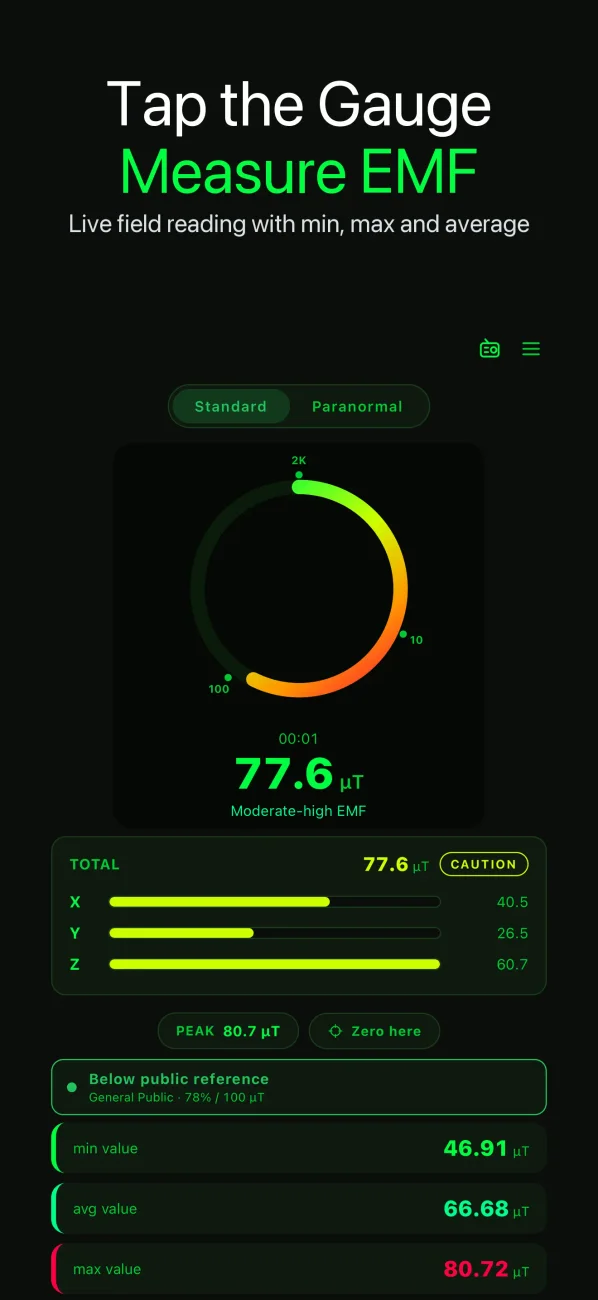
EMF Detector reads your phone's magnetometer and shows the magnetic field around you in µT or mG: on a live gauge, as separate X, Y and Z axes, and over the last 24 hours.
START IN ONE TAP
Tap the gauge, or the green START button under it. The app first separates the phone's own magnetism from the field around you. While it says "Calibrating…", turn the phone slowly in a figure-8 for a few seconds; the live reading then appears and stays steadier while you tilt the phone. A short vibration confirms every start and stop.
TWO WAYS TO MEASURE
• Standard: a radial gauge with plain-language levels from "No EMF detected" upward. In Settings you can switch it to a Safety view that labels a reading as background, weak field, wiring detected or live wire (an estimate from field strength, not proof of a wire) and sets it against ICNIRP reference levels for the general public or for workers.
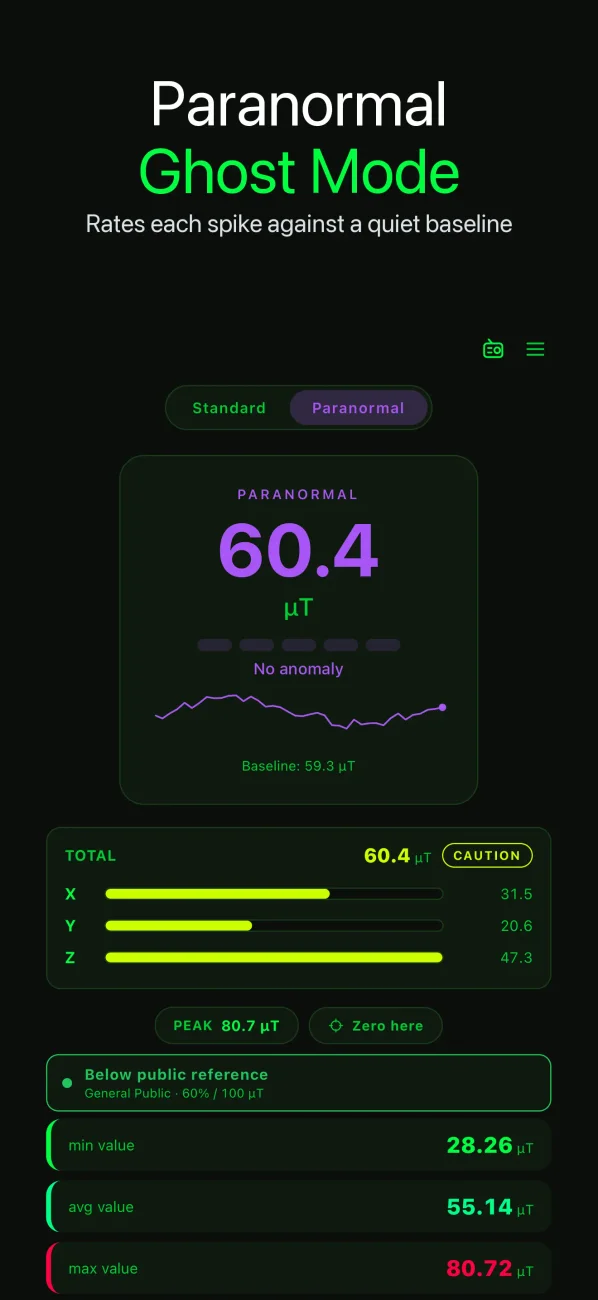
• Paranormal: records a quiet baseline first, then rates each spike against it on a five-step scale and marks it on a session timeline.
FIND THE SOURCE
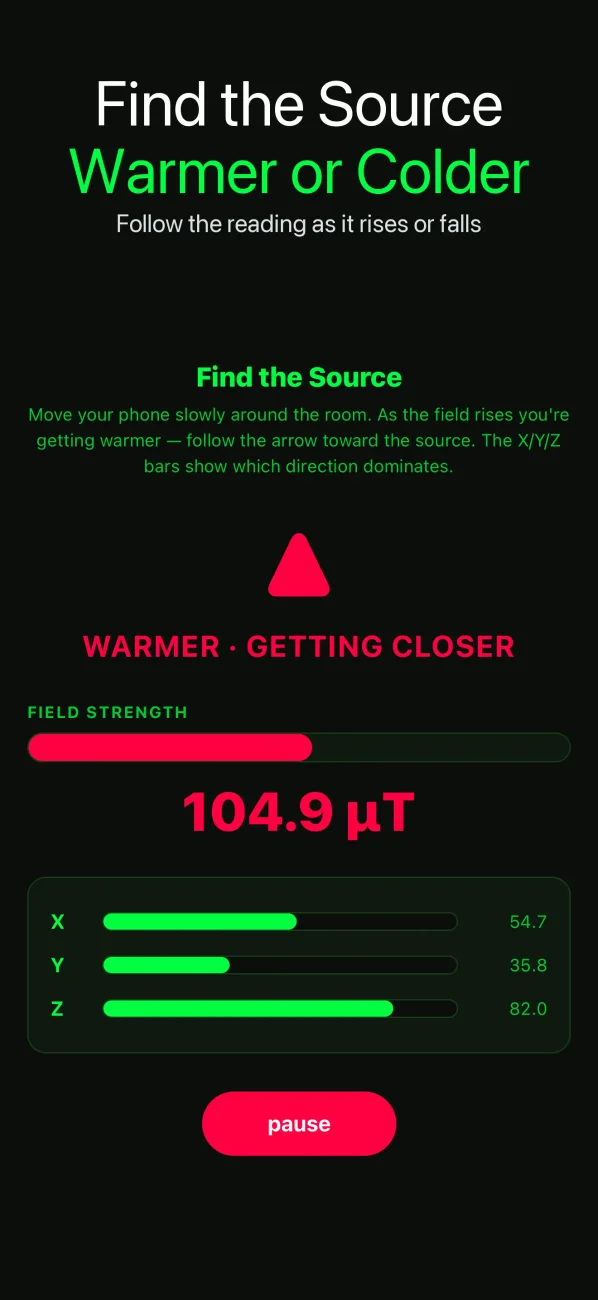
The Source tab turns the reading into a warmer / colder hunt. Move the phone slowly around the room; the indicator shows whether the reading is rising or falling, and the X/Y/Z bars show the sensor's value on each axis.
KEEP A RECORD
• Measurement sessions are saved with their minimum, average and maximum
• A 7-day trend with insights, such as how a reading compares with your usual level
• Notes and favorites for each reading, plus a side-by-side compare view
• CSV export of your history, and share-as-image for the current reading
• A 24-hour exposure chart on the main screen
• Peak hold, and "Zero here" to re-learn the baseline in a new spot
• Calibration offset, µT or mG units, and a choice of reference levels
TIPS FOR A GOOD READING
1. Start away from speakers, magnetic cases and car mounts, and do the figure-8 until the number appears.
2. Hold the phone flat and sweep slowly, a few centimetres from the wall or appliance.
3. Watch for a rise against your starting level rather than one absolute number.
4. Tap "Zero here" when you move to a new room so the baseline is re-learned there.
FOR GHOST-HUNTING NIGHTS
Spirit Box turns the live field into pulses, vibration and spoken words. It is entertainment: field spikes come from wiring, motors, magnets and the phone itself, and no spirits are detected. A Halloween theme can be switched on in Settings.
HONEST TECH NOTE
A phone magnetometer measures static and slowly changing magnetic fields: steel, magnets, motors, transformers and wiring under load. It samples about ten times a second, so it cannot measure 50/60 Hz mains fields accurately, and it cannot detect radio frequency, Wi-Fi, 5G or radiation. It is not a certified safety instrument; use it to explore and compare readings around your home.
Made for curious people comparing readings around appliances and from room to room, and for paranormal investigators.
What’s new
Version 1.0.44 · Nov 24, 2026
• First launch: the bottom banner stays at its regular size, so more of the meter stays in view.
• Measuring, the ON/OFF test, Alert and History work as in 1.0.43.
App privacy
What Kyu-Hee Jang declares on the App Store about how this app handles data.
-
Data used to track you
May be used to track you across apps and websites owned by other companies.
- Identifiers
- Usage data
-
Data not linked to you
May be collected but is not linked to your identity.
- Identifiers
- Usage data
- Diagnostics
Privacy practices may vary, for example with the features you use or your age.
Information
- Seller
- Kyu-Hee Jang
- Category
- Utilities
- Version
- 1.0.44
- Updated
- Nov 24, 2026
- Released
- Mar 3, 2026
- Size
- 83.7 MB
- Requires
- iOS 16.4 or later
- Age rating
- 17+
- Price
- Free
- Languages
- English
- Copyright
- © Copyright 2026 Simon Jang. All rights reserved.
You might also like
-
 EMF Detector (Scanner)Electromagnetic field detector
-
 WaveBlock® EMF MeterDetect EMF in Real Time
-
 EMF Detector - Magnetic WavesElectromagnetic Field Meter
-
 Real EMF DetectorEMF Meter & Ghost Hunting
-
 EMF Meter & DetectorGhost Hunting & Magnetic Field
-
 EMF Detector - Radiation MeterDetect EMF Radiation on the GO
-
 EMF TrackerTrack your EMF exposure daily.
-
 EMF Detector + Ghost RadarMagnetic Sensor & Spirit Radar
-
 EMF Detector ProEMF Reader & Radiation Meter
-
 EMF Detector - Ghost HuntingDetect Paranormal Activity