
- Age rating4+
- CategoryPhoto & Video
- DeveloperArkami EOOD
- LanguagesEnglish+ 3 more
- Size4.2 MB
Links to the official App Store page
Download.org hosts no file of Emptie – Video Compressor. The button opens its official App Store page, published by Arkami EOOD. Listing last checked on Nov 23, 2026.
Screenshots

About
Running out of space because of videos? Emptie finds the ones that take the most room and shrinks them on your iPhone. A 5-minute 4K video went from 2.18 GB to 323 MB and looked the same.
Nothing is uploaded. There's no account, no ads and no tracking.
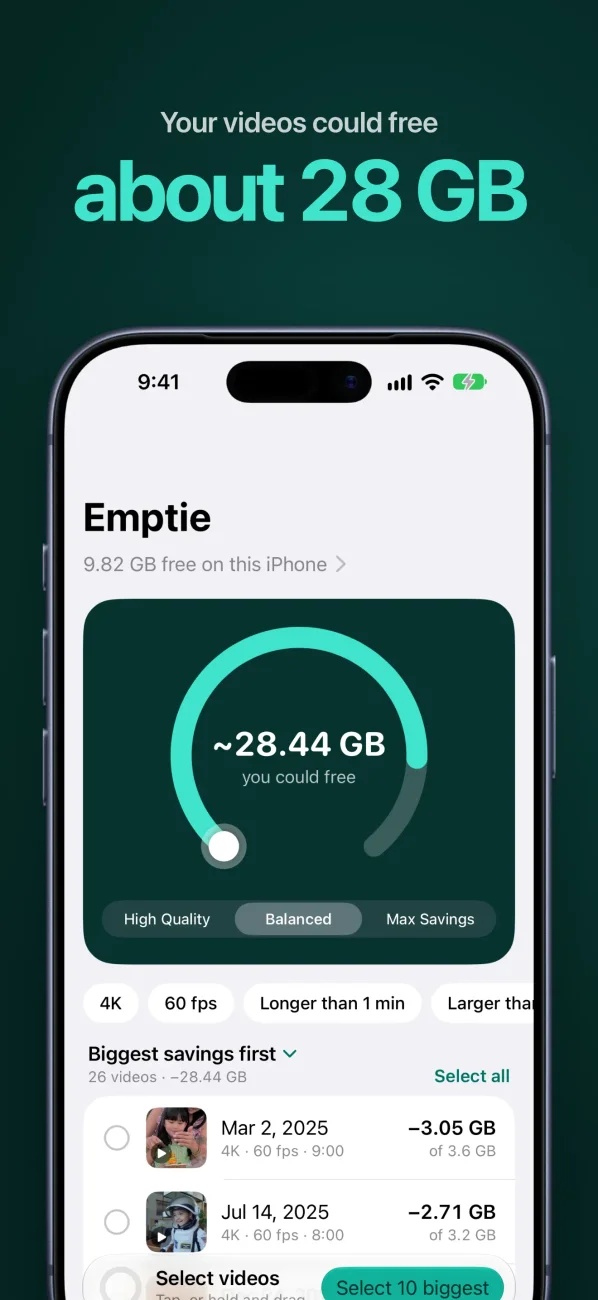
Biggest savings first
Emptie reads your whole library and ranks every video by the space it would give back, so you start where it counts. Filters for 4K, 60 fps, long, large, old and iCloud videos help you narrow it down.
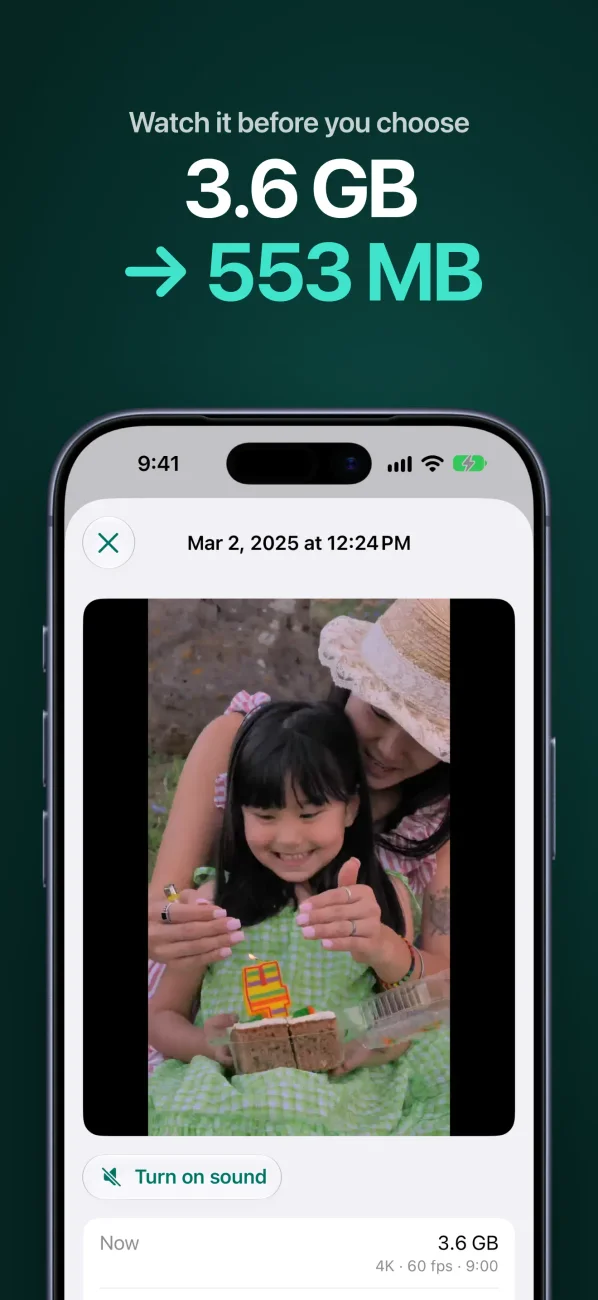
Watch before you choose
Tap a thumbnail to play the video and see what it is now and what the copy will be.
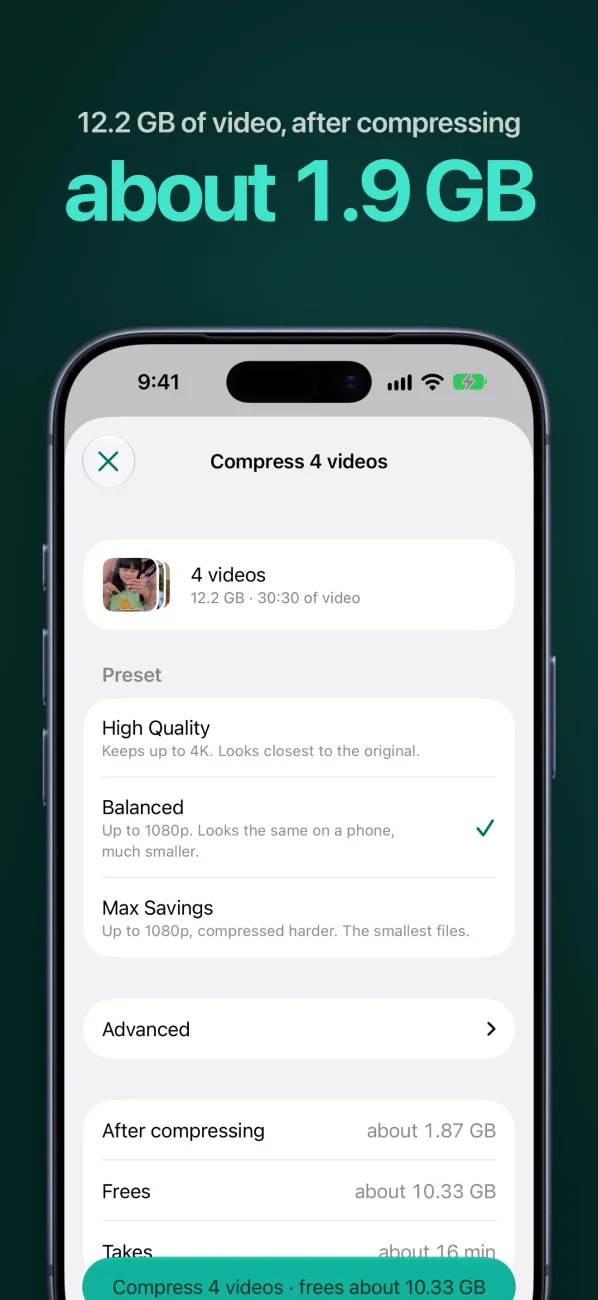
Three presets
High Quality keeps up to 4K and looks closest to the original. Balanced goes to 1080p and looks the same on a phone, much smaller. Max Savings compresses harder for the smallest files. Advanced settings are there if you want them.
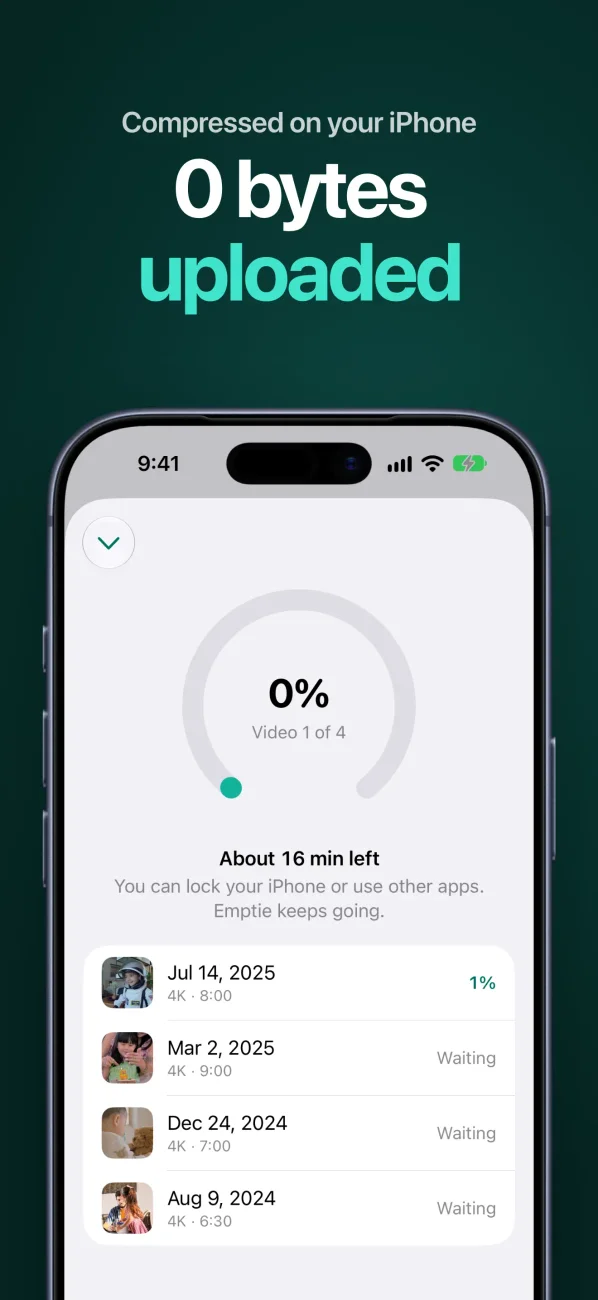
Keeps going in the background
Lock your iPhone or use other apps while Emptie works. It pauses if your iPhone gets too warm or the battery runs low, and continues later. When there isn't room for every copy, Emptie works in rounds that fit.
You choose
Copies wait in Emptie until you decide. Compare any copy with its original, keep the originals you want, and replace the rest in one step. Nothing in Photos changes until you do.
Your videos keep their details
Each copy keeps its date, place, Favorite and albums.
Honest about where the space goes
Replaced originals go to Recently Deleted for 30 days, so you can still get them back. Emptie shows how much is waiting there and how to empty it to get the space now.
Free, with no ads and no account. If Emptie ever becomes paid, it stays free for everyone who already has it.
Emptie needs full access to Photos to find your biggest videos. Videos that are only in iCloud aren't compressed in this version. Requires iOS 26 and an iPhone 11 or later.
What’s new
Version 1.1.1 · Nov 18, 2026
If you close Emptie while it checks the copies, you can now finish the replacement the next time you open it, and Emptie counts the copies as it checks them. Copies an earlier version left in Photos next to their originals are found too, so you can replace those originals without compressing again. Also: layout fixes for the iPhone SE and large text sizes.
App privacy
What Arkami EOOD declares on the App Store about how this app handles data.
-
Data not collected
The developer does not collect any data from this app.
Privacy practices may vary, for example with the features you use or your age.
Information
- Seller
- Arkami EOOD
- Category
- Photo & Video
- Version
- 1.1.1
- Updated
- Nov 18, 2026
- Released
- Oct 31, 2026
- Size
- 4.2 MB
- Requires
- iOS 26.0 or later
- Age rating
- 4+
- Price
- Free
- Languages
- English, French, German, Spanish
- Copyright
- © 2026 Arkami EOOD
You might also like
-
 QuickCompress: Photo & VideoShrink Photos, Free Up Space
-
 Neat+ Media LibraryOrganize, Compress, Clean
-
 Video Slim: Compress VideosFind large files, save space
-
 pics. by PRIVAKUPrivate AI Photo Find & Clean
-
 Video Compressor - Size DownSmaller videos, same quality
-
 Batch Compress Videos - ShrinkVideo Compressor, Reduce Size
-
 LapseSmoothSee and fix exposure flicker
-
 Ninja Video Compress & ConvertVideo Size Reducer & Shrinker
-
 Video Editor Crop and MuteEasy Video Crop and Mute
-
 Squeezo: Bulk Video CompressorFree Up Space · Shrink Videos