
Enso Shift
Automatic Work Schedule
Designed for iPhone, iPad
Free · In-app purchases
- Age rating4+
- CategoryUtilities
- Developer学诚 刘
- LanguagesEnglish+ 2 more
- Size21.0 MB
Links to the official App Store page
Download.org hosts no file of Enso Shift. The button opens its official App Store page, published by 学诚 刘. Listing last checked on Nov 16, 2026.
Screenshots
About
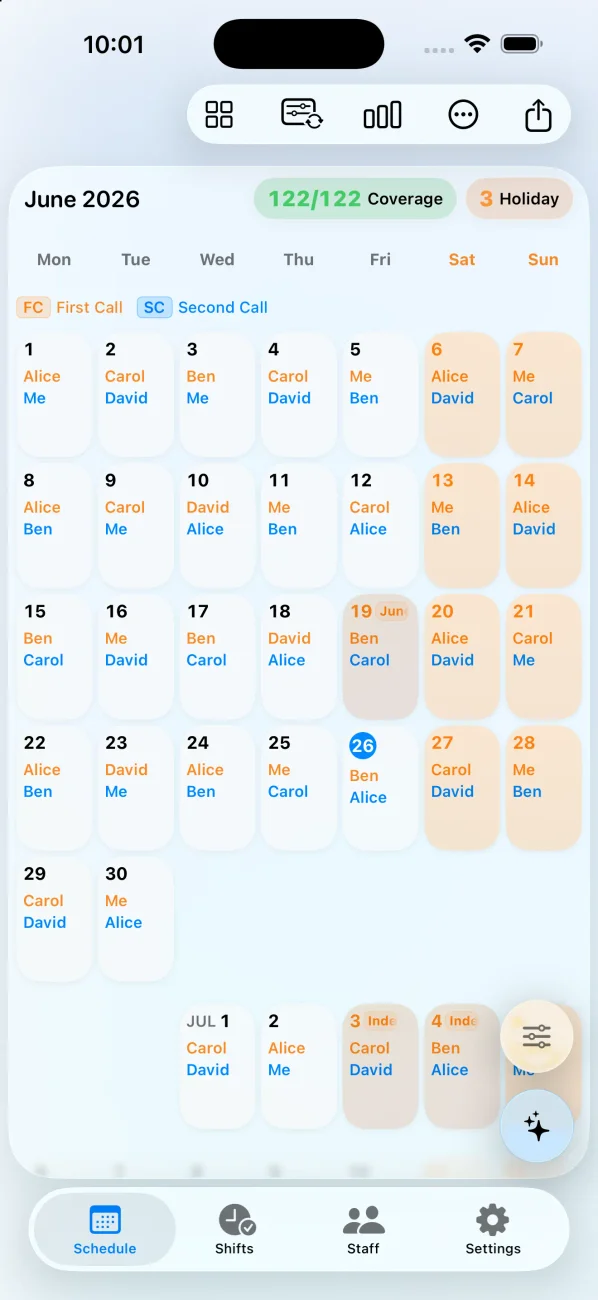
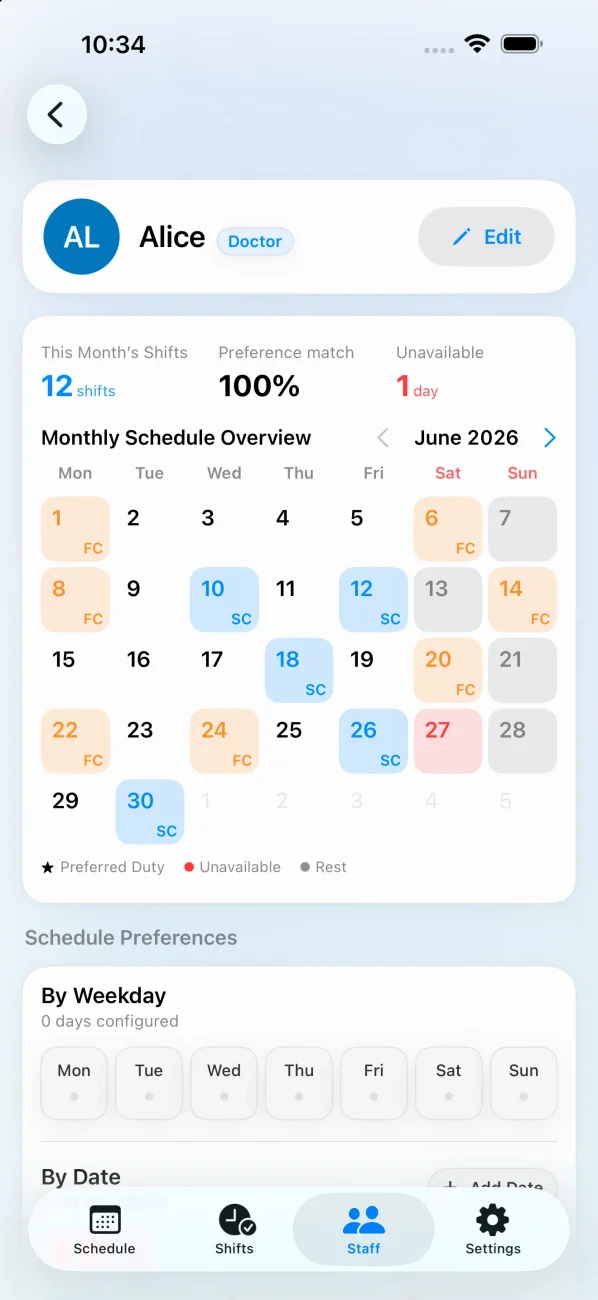
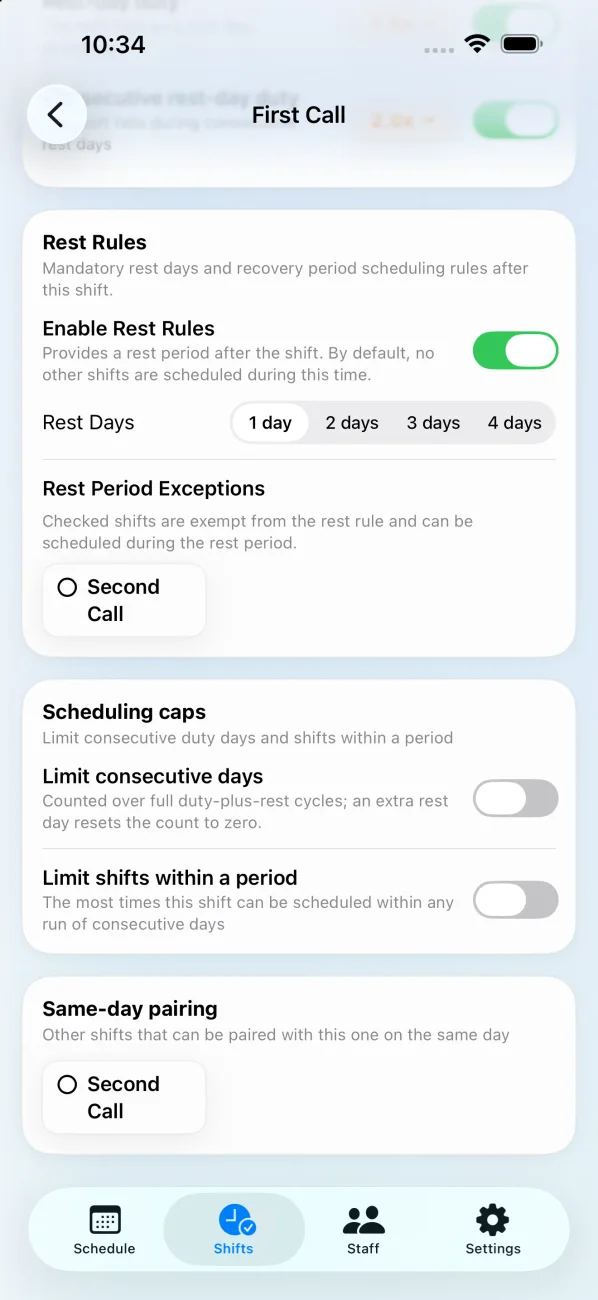
Enso is an offline shift-scheduling app for iPhone and iPad. It uses Google OR-Tools to generate balanced rosters from the people, shifts and rules you define, then presents them as calendars, Gantt views and PDF sheets.
Key features
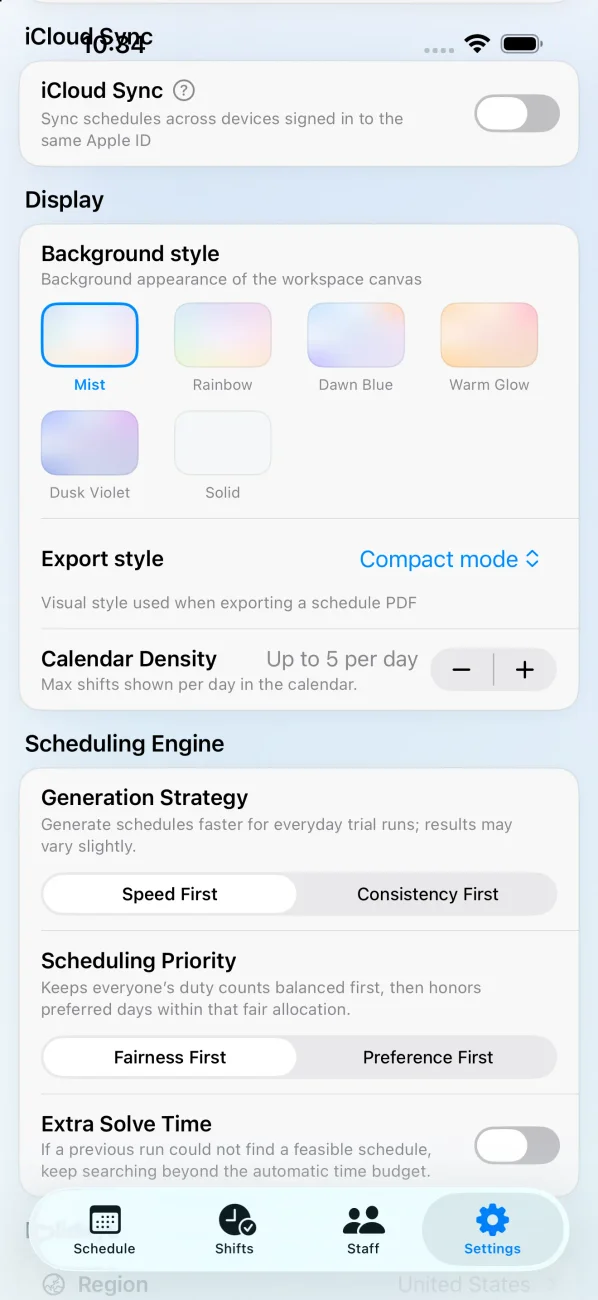
• Automatic scheduling with CP-SAT constraint solving: fixed shifts, rest-day gaps, conflicting shifts and workload weighting
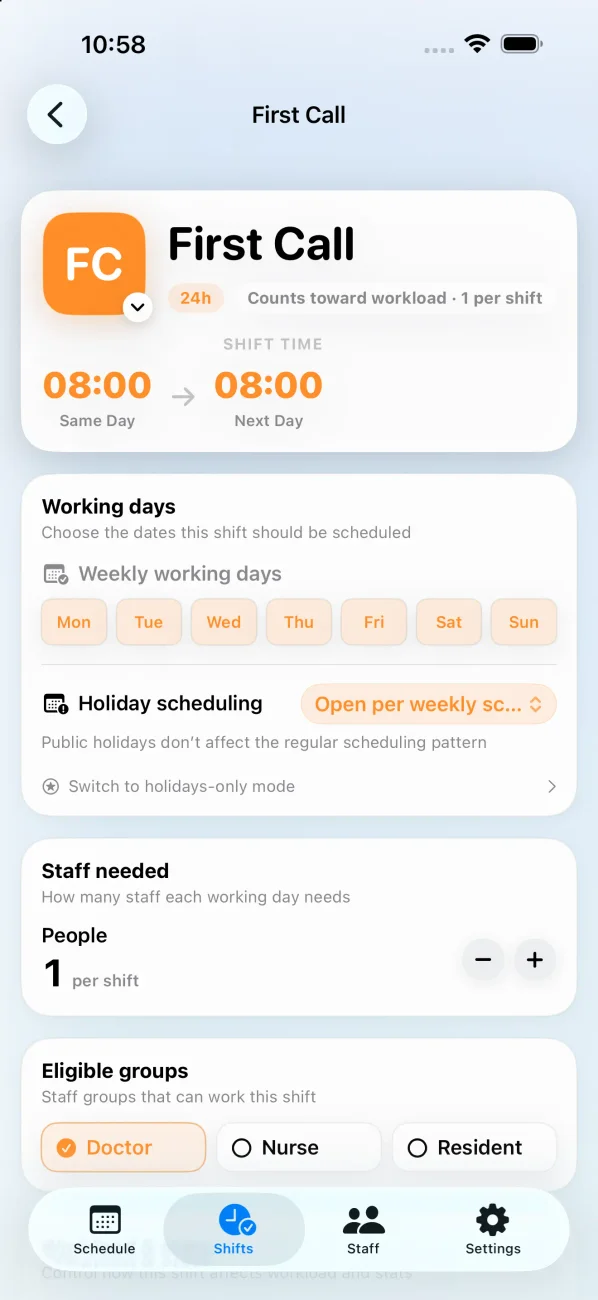
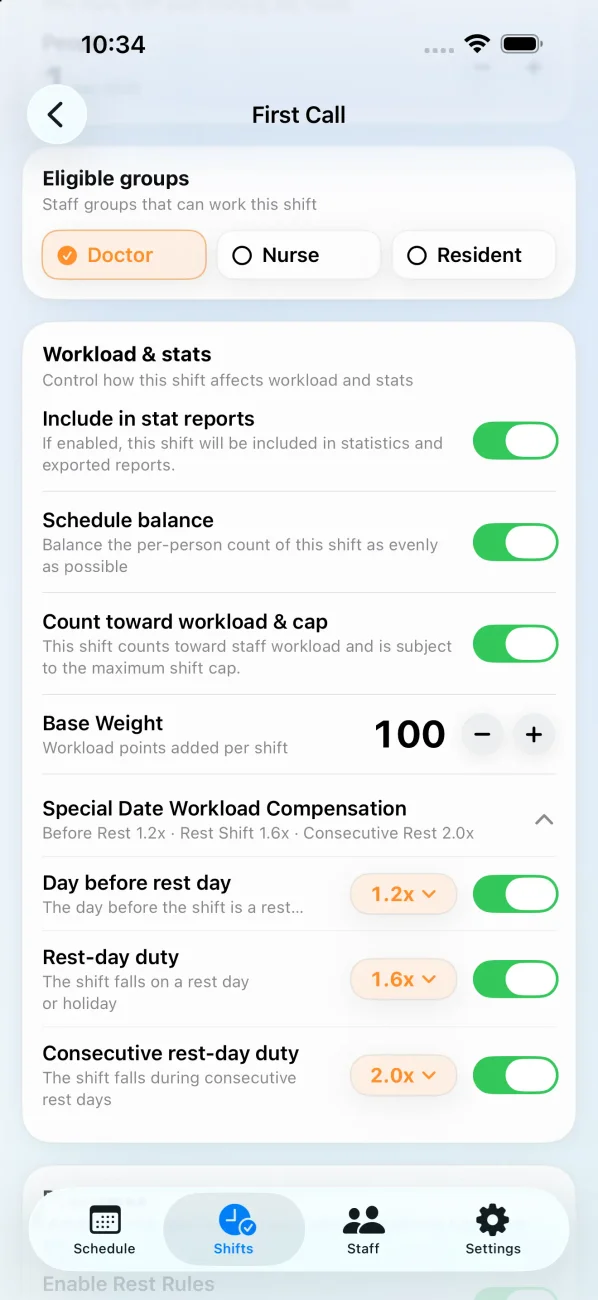
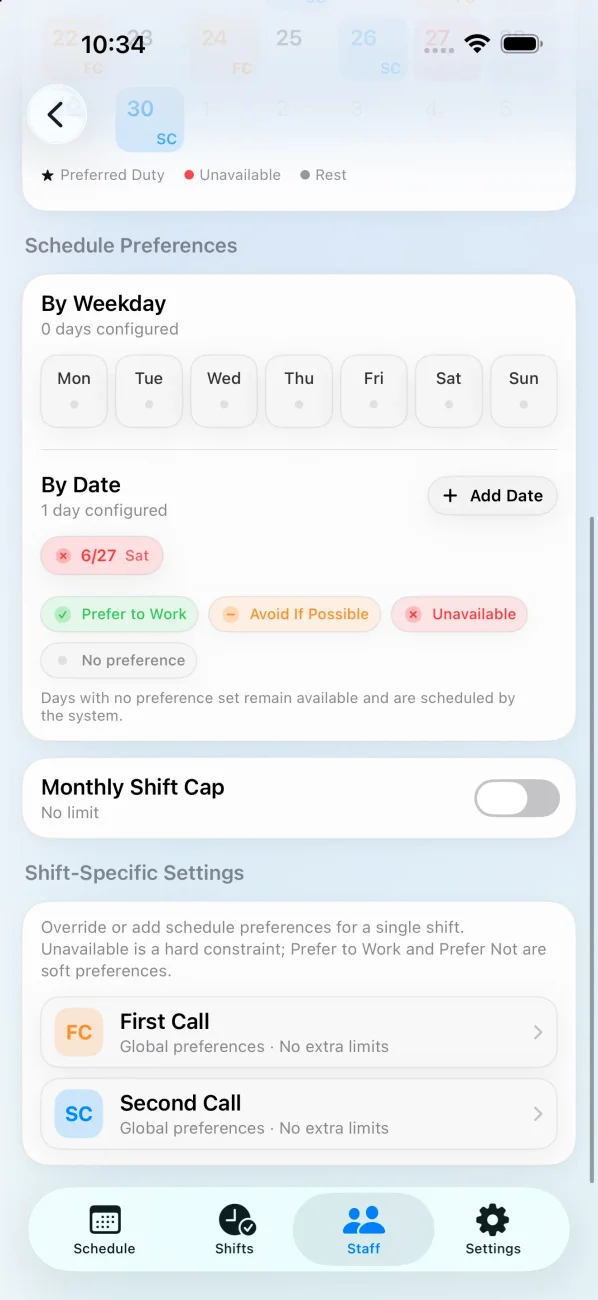
• Shift configuration: demand count, post-shift rest days, eligible staff groups, same-day concurrency and shift priority
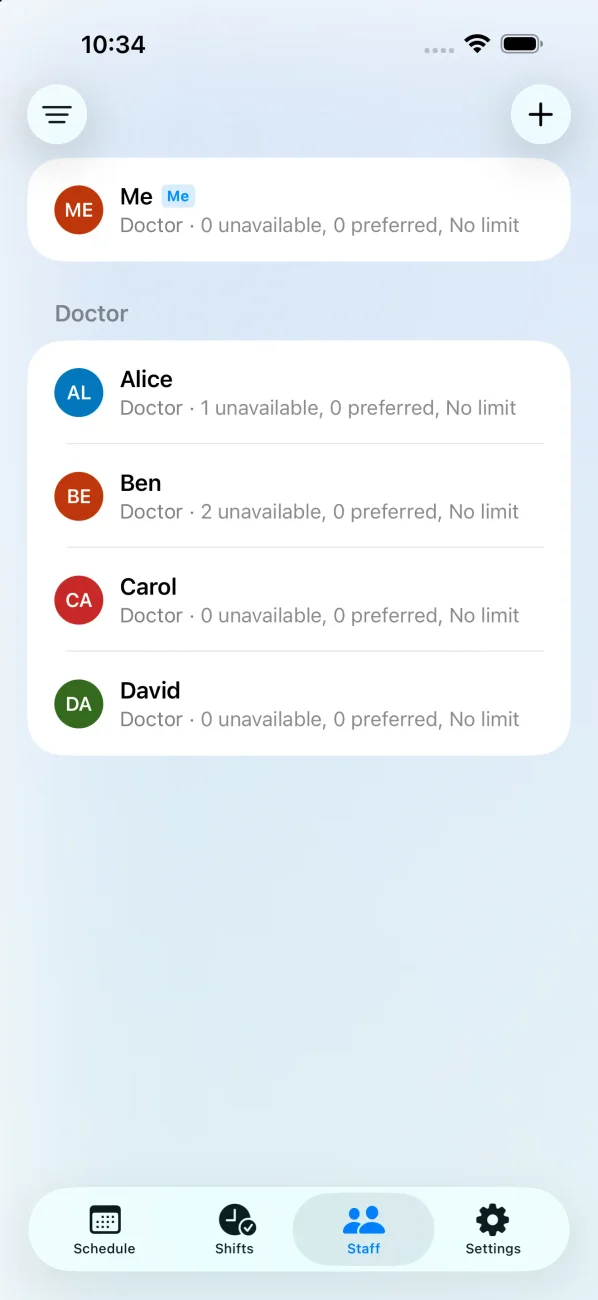
• Staff management: groups, profile notes, phone numbers, blocked dates and weekdays, preferred days and maximum shifts
• Preflight diagnostics: detect coverage gaps before generating a schedule and explain which constraints may not be satisfiable
• Partial re-solve: after a manual edit, recompute affected dates with a diff preview before saving
• Drafts and saved schedules: keep editing in a working draft, then archive confirmed rosters
• Calendar and Gantt views with adjustable per-day shift density
• Per-staff workload statistics
• PDF export: preview, share or print roster sheets with tappable phone links
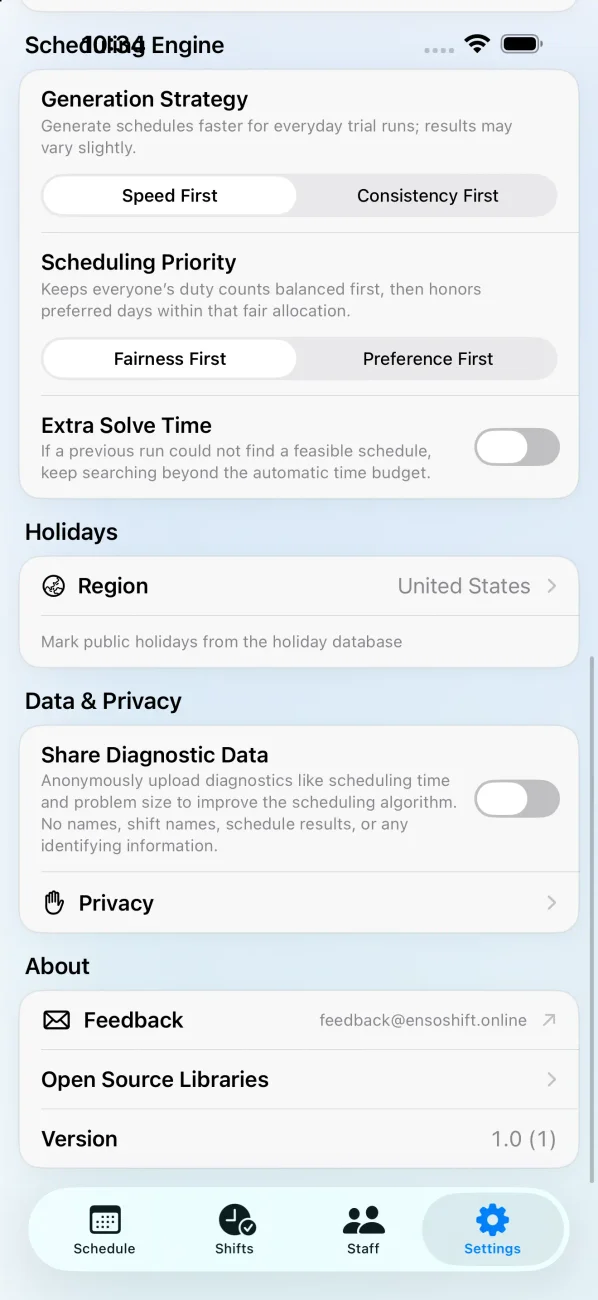
• Built-in Chinese public-holiday data, with optional weighting in the scheduler
• Simplified Chinese, Traditional Chinese and English interface; iPhone and iPad; portrait and landscape
Privacy and data
• No account required, no tracking, no ads and no third-party analytics SDKs
• Schedule data stays on your device by default
• Optional iCloud sync and sharing are handled by Apple iCloud; the developer cannot access your schedule data
• Optional anonymous solver diagnostics are off by default and can be enabled in Settings to help improve scheduling performance. They do not include names, shift titles, schedule contents or identity information.
Made for
• Hospital wards, clinics, nursing stations and on-call rotations
• Small restaurant, retail and customer-service teams
• Security, logistics and night-shift teams that need rest-interval rules
• Anyone who wants to plan and print a roster offline on iPad
Subscription (Enso Pro)
• 7-day free trial, then automatic renewal at the price shown on the App Store
• Monthly and yearly plans available
• Manage or cancel anytime in Settings › Apple ID › Subscriptions
• Terms: https://ensoshift.online/terms
• Privacy: https://ensoshift.online/privacy
Feedback: feedback@ensoshift.online
What’s new
Version 1.2.4 · Oct 25, 2026
Optimized for iPhone Duo. Browse your schedule on the outer display or unfold for a wider view. Calendar cells now adjust to their content, keeping your schedule compact and easy to read.
App privacy
What 学诚 刘 declares on the App Store about how this app handles data.
-
Data not linked to you
May be collected but is not linked to your identity.
- Diagnostics
Privacy practices may vary, for example with the features you use or your age.
Information
- Seller
- 学诚 刘
- Category
- Utilities
- Version
- 1.2.4
- Updated
- Oct 25, 2026
- Released
- Jul 2, 2026
- Size
- 21.0 MB
- Requires
- iOS 26.0 or later
- Age rating
- 4+
- Price
- Free
- In-app purchases
- Yes
- Languages
- English, Simplified Chinese, Traditional Chinese
- Copyright
- © 2026 Xuecheng Liu
You might also like
-
 铃声盒子Utilities
-
 Quench - Knife Heat TreatingSteel Schedules, Temper & HRC
-
 Melon PickerPick the Perfect Watermelon
-
 Tap Counter · BaroTally Counter & Clicker Graph
-
 StorageGo: Space OrganizerSort photos, compress videos
-
 TimeGrow: Pomodoro Timer FocusBuild Habits, Garden & Daily
-
 Visual MTR: TracerouteIPv6, ASN & Visual Diagnostics
-
 DustFox: Photo Storage CleanerClean Up Phone & Duplicates
-
 续命Utilities
-
 Bref PlayerYour media across your screens