
Entry for Notion
Fast database entries
Designed for iPhone, iPad
Free · In-app purchases
- Age rating4+
- CategoryProductivity
- DeveloperDev Harvest LLC
- LanguagesEnglish
- Size20.8 MB
Links to the official App Store page
Download.org hosts no file of Entry for Notion. The button opens its official App Store page, published by Dev Harvest LLC. Listing last checked on Nov 16, 2026.
Screenshots
About
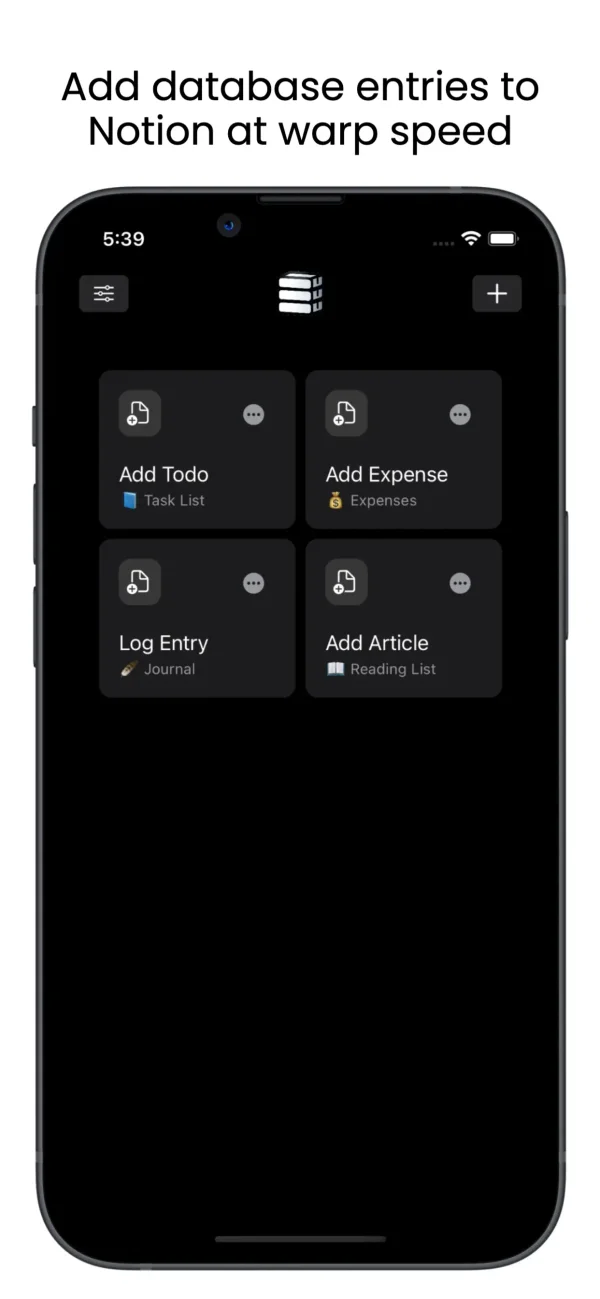
Say goodbye to slow data entry and hello to turbocharged efficiency with Entry for Notion: the fastest way to add database entries to Notion!
Why you’ll love using Entry for Notion:
– Custom Entry Forms for Your Unique Workflows –
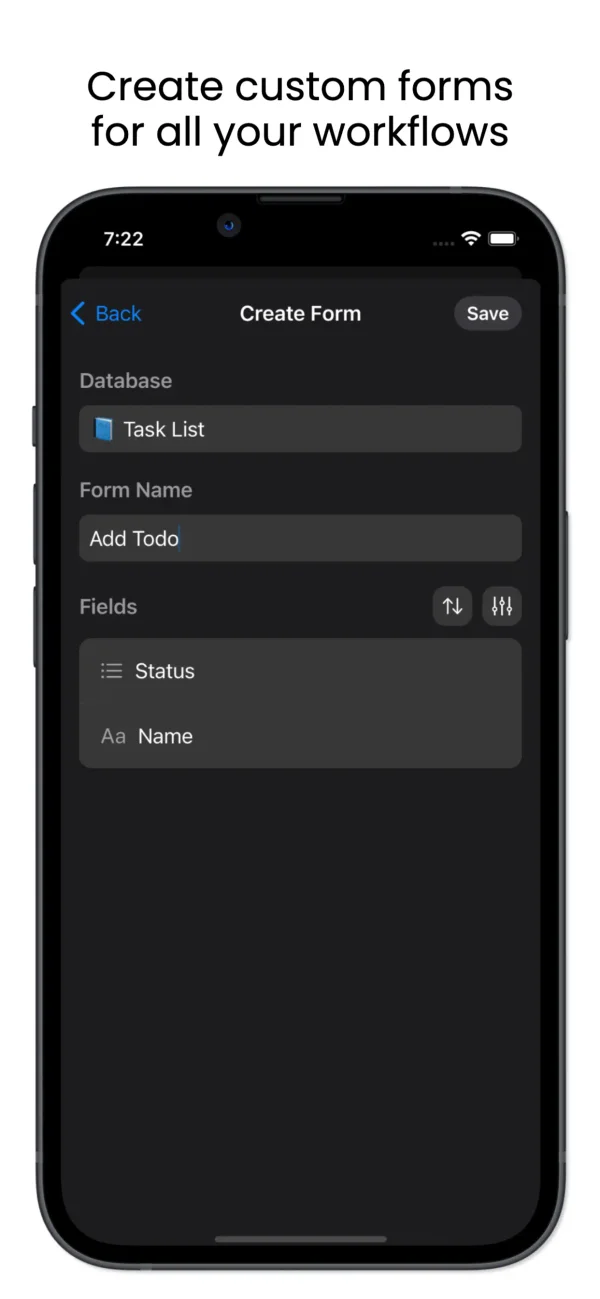
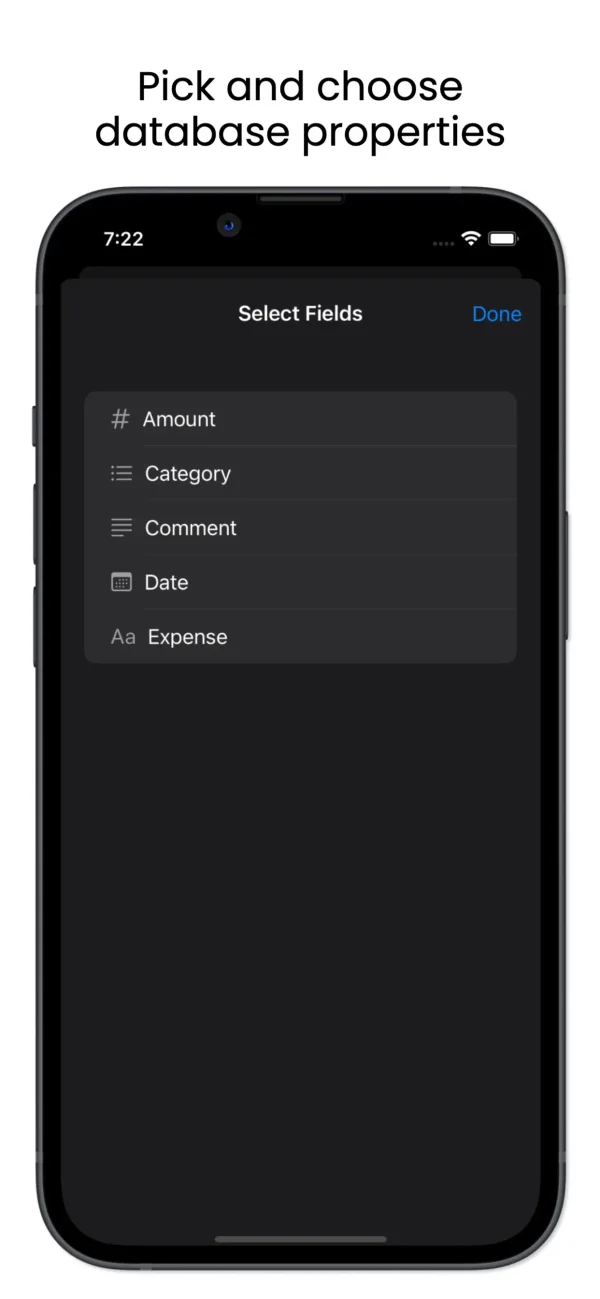
Unleash your productivity with customizable entry forms! Choose a subset or all properties from your database and mix and match to create personalized entry forms. Whether you're logging expenses, tracking habits, or adding Todos, Entry for Notion adapts to your every workflow need!
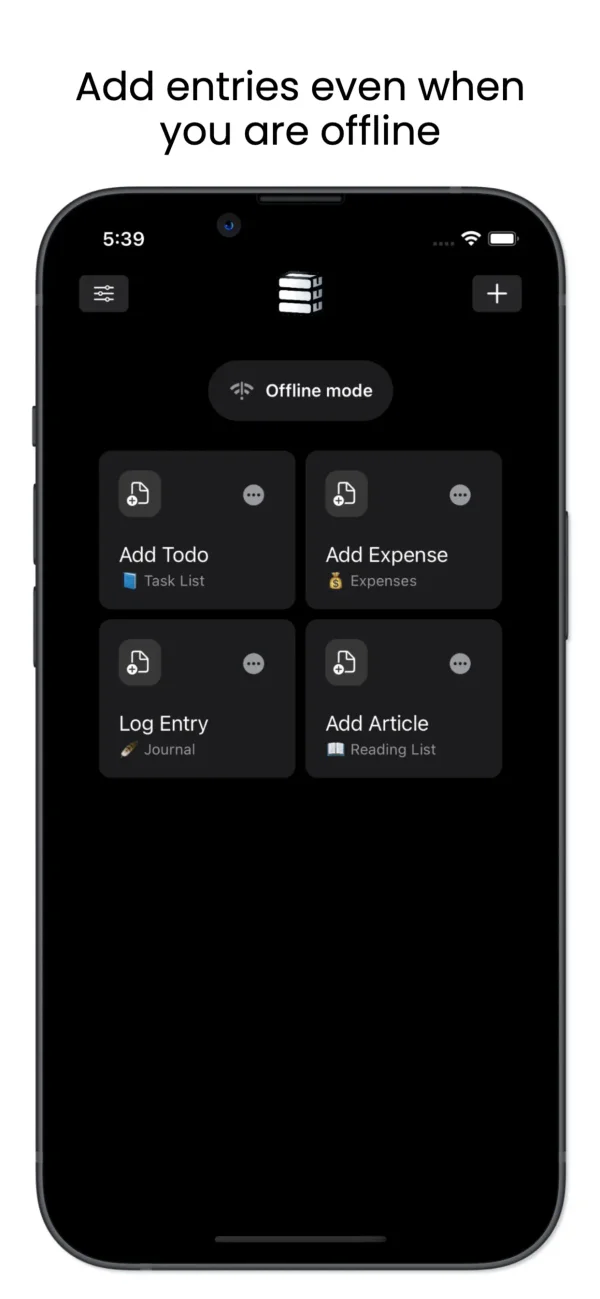
– Offline Mode –
Don't let a little thing like being offline slow you down. With Entry for Notion, you can keep adding entries, even without an internet connection. Once you're back online, we'll sync everything seamlessly back to Notion!
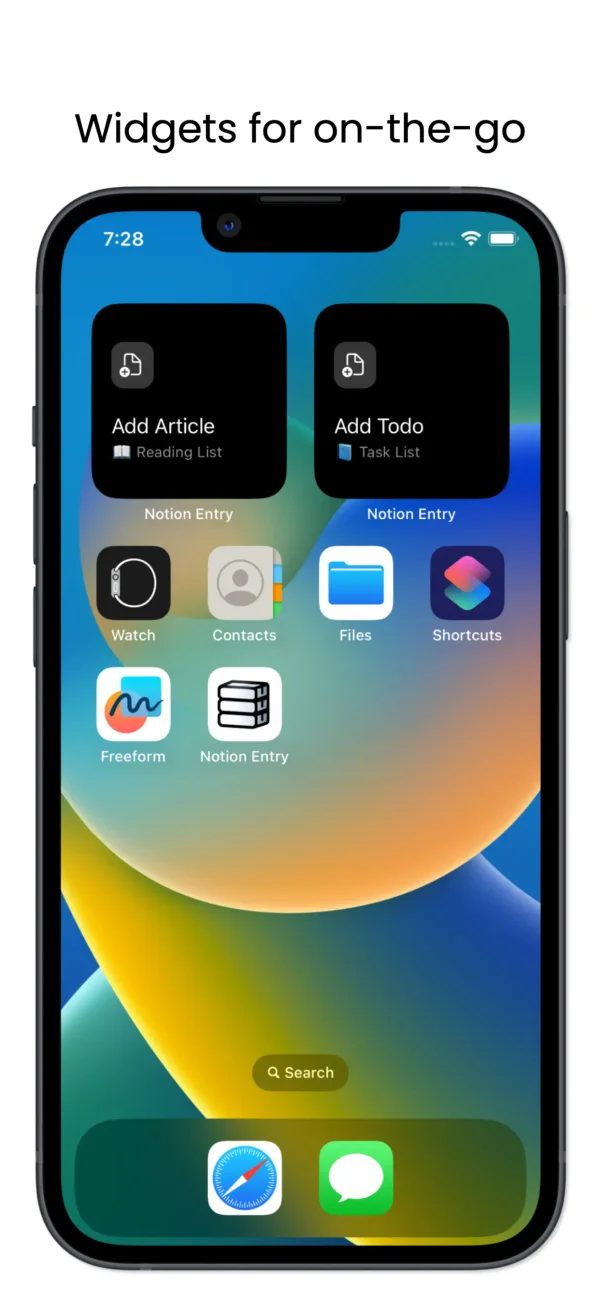
– Widgets for On-the-Go –
Entry for Notion offers convenient widgets for your home and lock screens that let you add entries instantly as you go about your day. Tap on a form widget, and start adding entries like a pro!
– Comprehensive Support for Database Property Types –
Text, numbers, statuses, selects, multi-selects, dates, emails, phones, checkboxes, files...Entry for Notion supports the majority of property types you need to populate your notion databases.
– Secure and Private Data Storage –
Entry for Notion saves and syncs your database entries exclusively on your device, without storing any information on our servers.
Simple and easy to set up:
1. Connect Your Notion Workspace:
Link your Notion account effortlessly within the app, allowing you to connect your databases seamlessly.
2. Select a Database:
Choose from your existing databases or create a new one.
3. Customize Your Epic Entry Form:
Pick and choose the database properties best suited for the workflow
4. Add Entries Like a Champ:
Once your entry form is set up, it's time to start adding entries. Just enter the info and let Entry for Notion seamlessly populate your database.
Entry for Notion is a third party app made for Notion that is free to use with pro features that can be activated via in-app purchases. Current pricing and purchase offers are available in the app.
By downloading and using Entry for Notion you agree to our terms and conditions:
Terms of Use https://notionentry.com/legal/terms
Privacy policy https://notionentry.com/legal/terms
What’s new
Version 2.5 · Jul 3, 2026
- Additional support for Date properties
- Bug fixes and improvements
App privacy
What Dev Harvest LLC declares on the App Store about how this app handles data.
-
Data not linked to you
May be collected but is not linked to your identity.
- Usage data
- Diagnostics
Privacy practices may vary, for example with the features you use or your age.
Information
- Seller
- Dev Harvest LLC
- Category
- Productivity
- Version
- 2.5
- Updated
- Jul 3, 2026
- Released
- Jun 23, 2023
- Size
- 20.8 MB
- Requires
- iOS 16.0 or later
- Age rating
- 4+
- Price
- Free
- In-app purchases
- Yes
- Languages
- English
- Copyright
- © 2026 Dev Harvest LLC
You might also like
-
 Nutshell: Widgets for NotionQuick task & database access
-
 NoteShot: Photo Note to NotionSummarizer & Image to Text
-
 Instant Note for NotionMemo Widget, Tags & Offline
-
 NoteChat: Analytics for NotionChat with your Notion data
-
 Tasks for Notion - To-Do ListCalendar Planner & Reminders
-
 Widget for NotionNotes, Agenda & Habit Tracker
-
 SimoToDo: Notion To-Do ListTask Planner, Reminder, Widget
-
 Fast Actions for NotionWidget, Forms & Photo Capture
-
 Save2NotionProductivity
-
 Lite NotionProductivity