
ePlan: Electrical Floor Plans
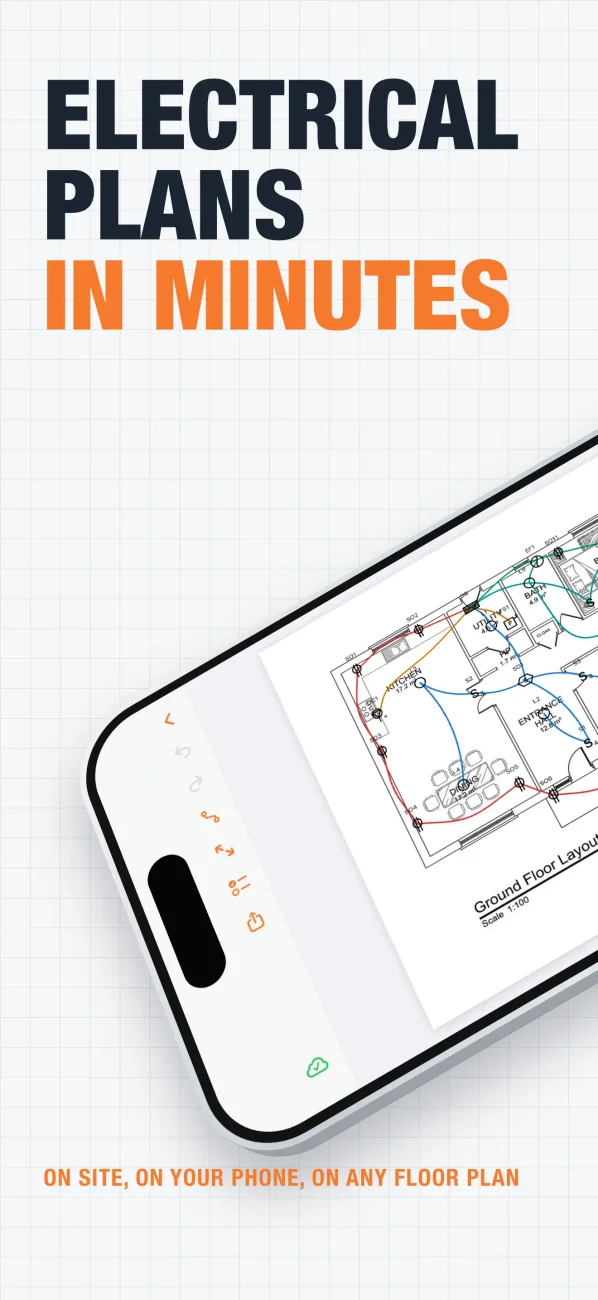
Draw & test wiring on plans
Designed for iPhone, iPad, Mac
Free · In-app purchases
- Age rating4+
- CategoryGraphics & Design
- DeveloperDavid Bodiu
- LanguagesEnglish+ 46 more
- Size7.9 MB
Links to the official App Store page
Download.org hosts no file of ePlan: Electrical Floor Plans. The button opens its official App Store page, published by David Bodiu. Listing last checked on Nov 24, 2026.
Screenshots
About
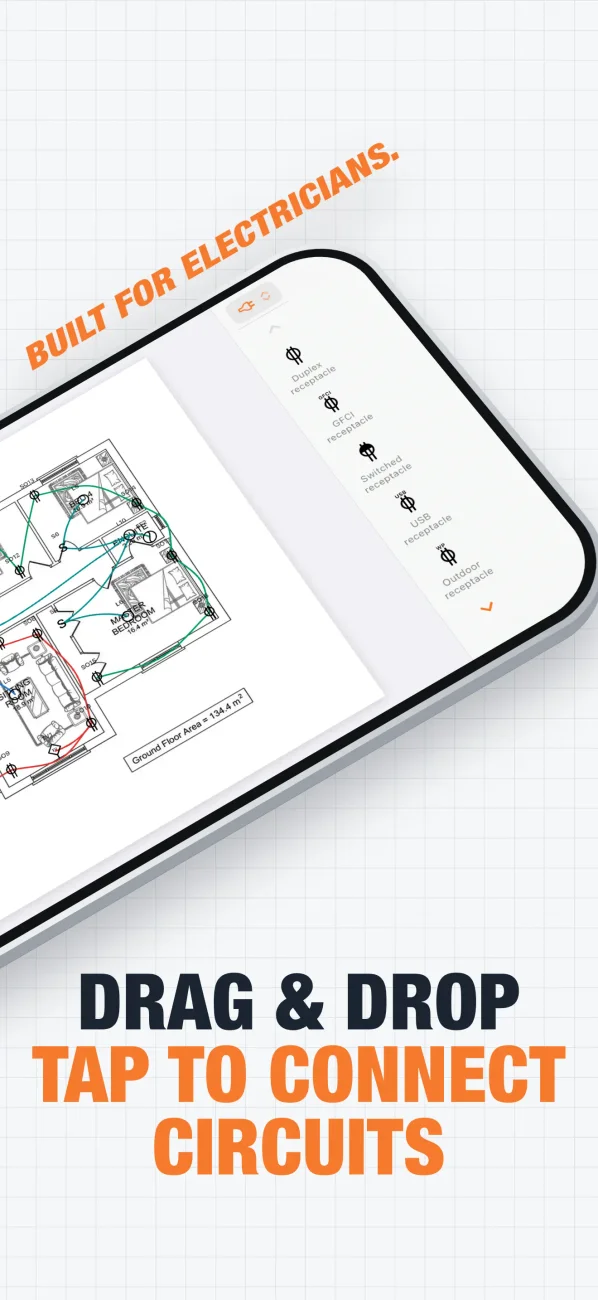
90+ SYMBOLS, DRAG AND DROP
US symbols with NEC terms, or international IEC 60617 symbols. Switch at any time.
• Power, switches, lighting: receptacles, switches, dimmers, ceiling, recessed and emergency lights.
• Fire and security: smoke, heat and CO detectors, pull stations, horns, motion sensors, cameras.
• Data, heating, appliances: data and TV outlets, Wi-Fi, heaters, ovens, washers, dryers.
• Energy and panels: EV chargers, solar, safety switches, meters, and a custom symbol you name yourself.
• Drag one out of the palette and it lands under your finger. Rotate in 90° steps, add a label, circuit and notes, resize one symbol or all.
CREATE OR IMPORT A PLAN
• Import a PDF, or a photo from your library or from Files.
• Or, scan several pages with your camera and each one becomes its own plan.
• Or, scan real-life rooms in 3D with your iPhone Pro or iPad Pro, and get the floor plan drawn for you instantly.
• No plan? Draw walls, doors and windows yourself from a blank template.
RUN THE CIRCUITS
• Tap a symbol, tap another, and a smooth curved run joins them.
• Runs stay attached: move an outlet and the wire moves with it.
• Pick the circuit as you draw. Every circuit gets its own color, and it is the same color in the editor, in test and on the PDF.
• Eraser mode, delete a symbol and its runs go with it, and undo/redo while you work.
CHECK YOUR WORK
• Check: traces the wiring out from every panel and flags anything unpowered or left dangling.
• Simulate: tap switches on and off and see which lights come on.
• Loads: per-circuit VA and amps (at 120/240 V with US symbols) against the breaker rating you set.
These are indicative aids for catching mistakes on a drawing. They are not certified design or verification calculations, and they do not replace inspection, testing, certification or the electrical code that applies to your job.
LEGEND AND PDF
• A legend of every symbol type and circuit used is built for you and added to every export.
• Export a PDF in the plan's shape, or on US Letter or A4, or save it as an image.
BUILT FOR THE JOB SITE
• Lose signal mid-job and keep working. Changes save on the device and sync to your account when you are back in coverage.
• iPhone: turn it sideways and the plan fills the screen, tools on side rails.
• iPad: a symbol panel beside the plan.
SHARE WITH THE CREW
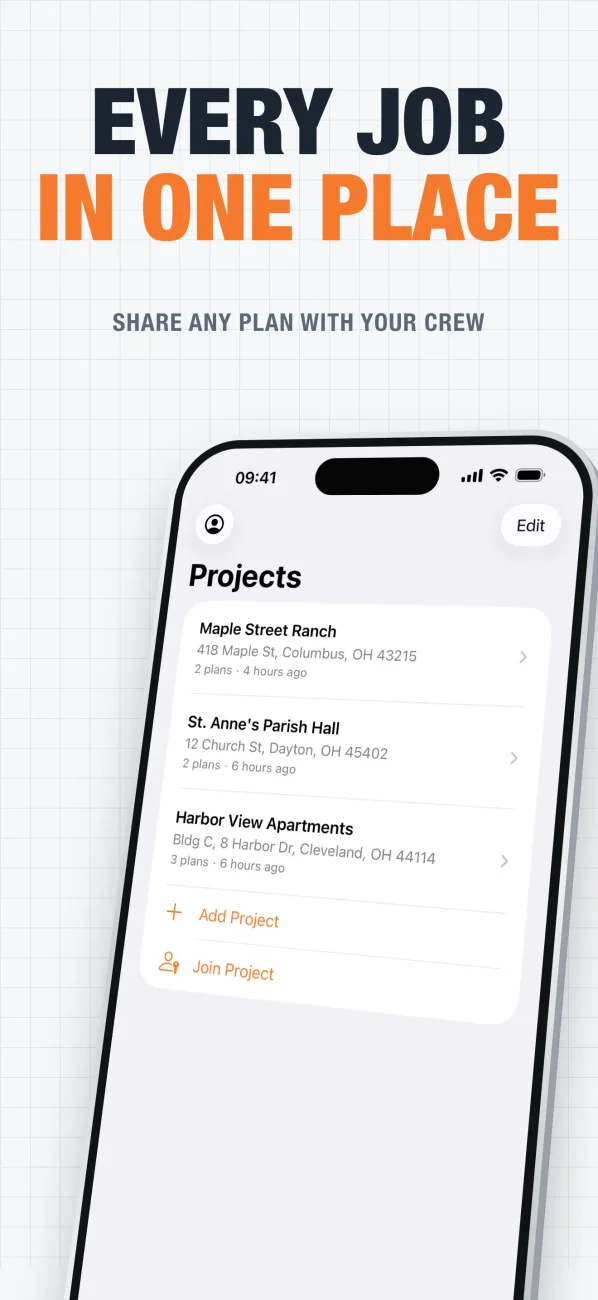
• Invite a teammate with an 8-character code and they can open and edit the project's plans on their own iPhone or iPad.
WHO IT'S FOR
Independent electricians and crews doing residential and commercial work: rewires, rough-in, additions, panel changes, build-outs. Anyone who has to hand a customer, a builder or a general contractor a drawing showing where the outlets, switches and lights actually went.
QUESTIONS OR IDEAS
Contact support or request a feature from the account menu. You get a fast reply, straight from the developer.
Sign in with Apple or Google. You can delete your account and everything in it from inside the app at any time.
SUBSCRIPTION
ePlan Premium is a monthly, auto-renewing subscription. The price for your country is shown in the app before you buy.
Premium gives you unlimited projects and plans, unlimited symbols, team invites, the wiring test tools and watermark-free PDF export.
Payment is charged to your Apple Account when you confirm the purchase. It renews every month at the same price unless auto-renew is turned off at least 24 hours before the current period ends, and renewal is charged within 24 hours of that. Manage or cancel it in Settings > Apple Account > Subscriptions.
Terms of Service: https://electricalfloorplans.com/terms
Privacy Policy: https://electricalfloorplans.com/privacy
What’s new
Version 4.0 · Nov 10, 2026
• Bend a wire: tap it and drag its dots.
• My symbols: add your own symbols from an SVG file or a picture, under Advanced in the account menu.
• Highlight symbols makes devices stand out on busy or white plans.
• Wires now connect furniture and shapes too.
• Show lengths: turn wall lengths off on drawn walls and scanned rooms.
• Save Image in four sizes, from Low to Maximum.
• Bug fixes and performance improvements.
App privacy
What David Bodiu declares on the App Store about how this app handles data.
-
Data linked to you
May be collected and linked to your identity.
- Purchases
- Location
- Contact info
- User content
- Identifiers
- Usage data
- Diagnostics
-
Data not linked to you
May be collected but is not linked to your identity.
- Usage data
Privacy practices may vary, for example with the features you use or your age.
Information
- Seller
- David Bodiu
- Category
- Graphics & Design
- Version
- 4.0
- Updated
- Nov 10, 2026
- Released
- Aug 18, 2026
- Size
- 7.9 MB
- Requires
- iOS 17.0 or later
- Age rating
- 4+
- Price
- Free
- In-app purchases
- Yes
- Languages
- English, Arabic, Bengali, Bulgarian, Catalan, Croatian, Czech, Danish, Dutch, Finnish, French, German + 35 more
- Copyright
- © 2026 David Bodiu
You might also like
-
 Electrical Panel DesignerSwitchboard Wiring Diagram
-
 BuildCAD - Design & DWG ViewerBlueprints, CAD & Floor Plans
-
 Floor Plan AI Home 3DHouse Design & Room Planner
-
 Floor Plan Creator - RoomPlot3D Room Scan & Home Design
-
 RoomSketch3D Floor PlannerHome Design & 3D Room Plan
-
 Floor Plan & AI Home - CamPlanInterior Design, LiDAR Scanner
-
 Morpholio Trace - Sketch CADDesign & Architecture Drawing
-
 Sweet Home 3D: Plan Your HouseRoom Planner & Interior Design
-
 uMake: AI 3D Modeling & CADArchitecture & Interior Design
-
 House DesignerSimple & Powerful