Epoch Camera
Film camera meets AI art
Designed for iPhone, iPod touch
Free · In-app purchases
- Age rating4+
- CategoryPhoto & Video
- Developermasafumi matsumoto
- LanguagesEnglish
- Size148.1 MB
Links to the official App Store page
Download.org hosts no file of Epoch Camera. The button opens its official App Store page, published by masafumi matsumoto. Listing last checked on Nov 17, 2026.
Screenshots


About
Every shot becomes a work of art.
Seconds after you press the shutter, AI transforms your photo into a masterpiece.
That's the Epoch Camera experience.
■ Shoot → Instantly transformed by AI
Choose a style before you shoot, then press the shutter.
AI turns your photo into art right on the spot.
· Oil Painting / Watercolor / Pencil Sketch / Illustration
· Renaissance / Impressionism
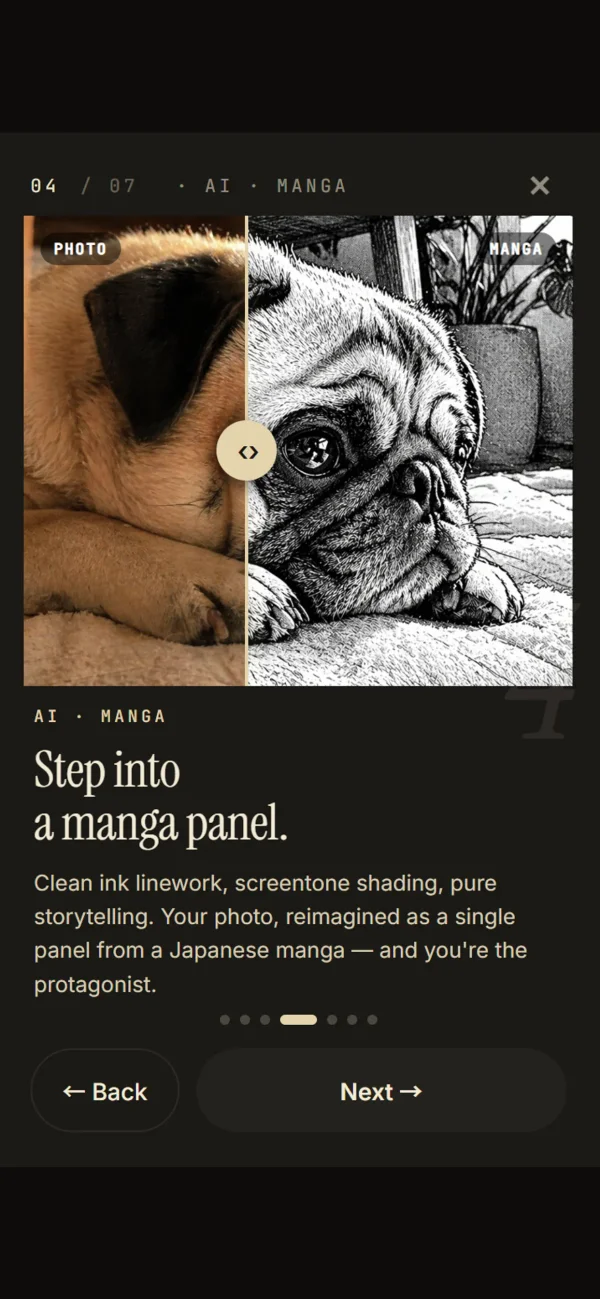
· Manga / Soft Anime / Retro Anime / Comic Book / Caricature
· Ukiyo-e / Ink Wash
· Showa Street / 80s Neon City / Futuristic Cyberpunk
· Pixel Art / Block Toy / Stained Glass / Mosaic / Crayon / Cubism
· Turn food photos into professional menu-style shots
26 styles in total. Quickly browse with filters: Popular / People / Landscape / Anime / Sketch.
■ AI editing — right on the spot
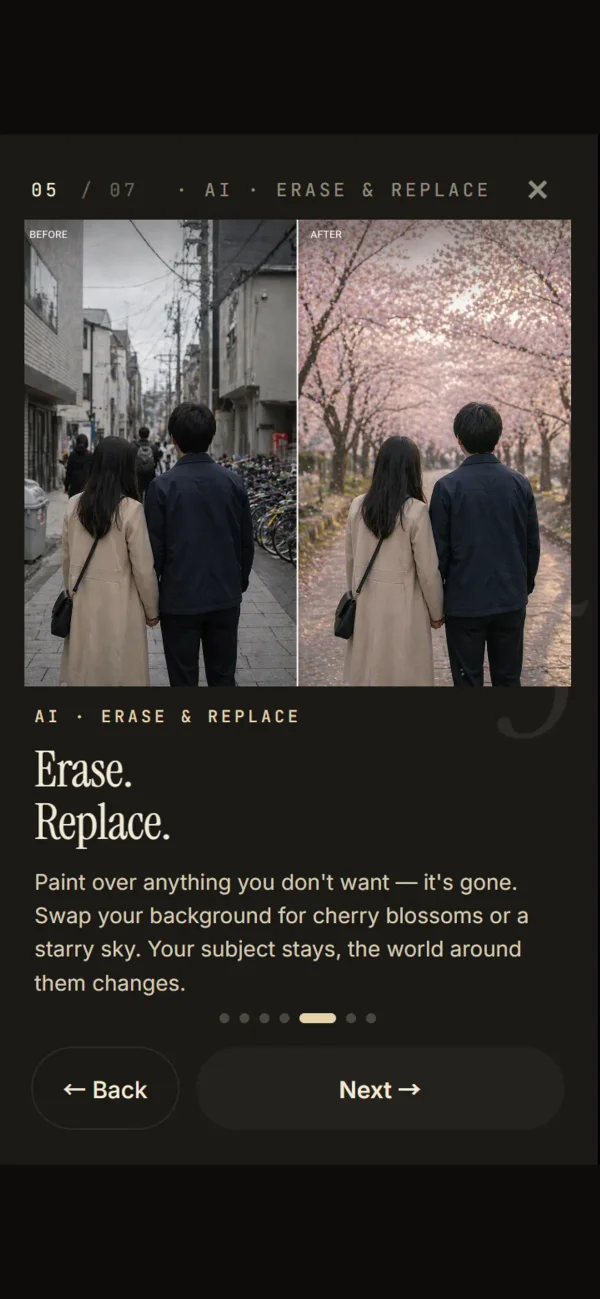
· Erase unwanted subjects by tracing with your finger
· Swap backgrounds with 12 scenes: Cherry Blossoms, Autumn Forest, Snowy Mountain, Sunset Beach, Aurora, Starry Sky, Neon City, and more
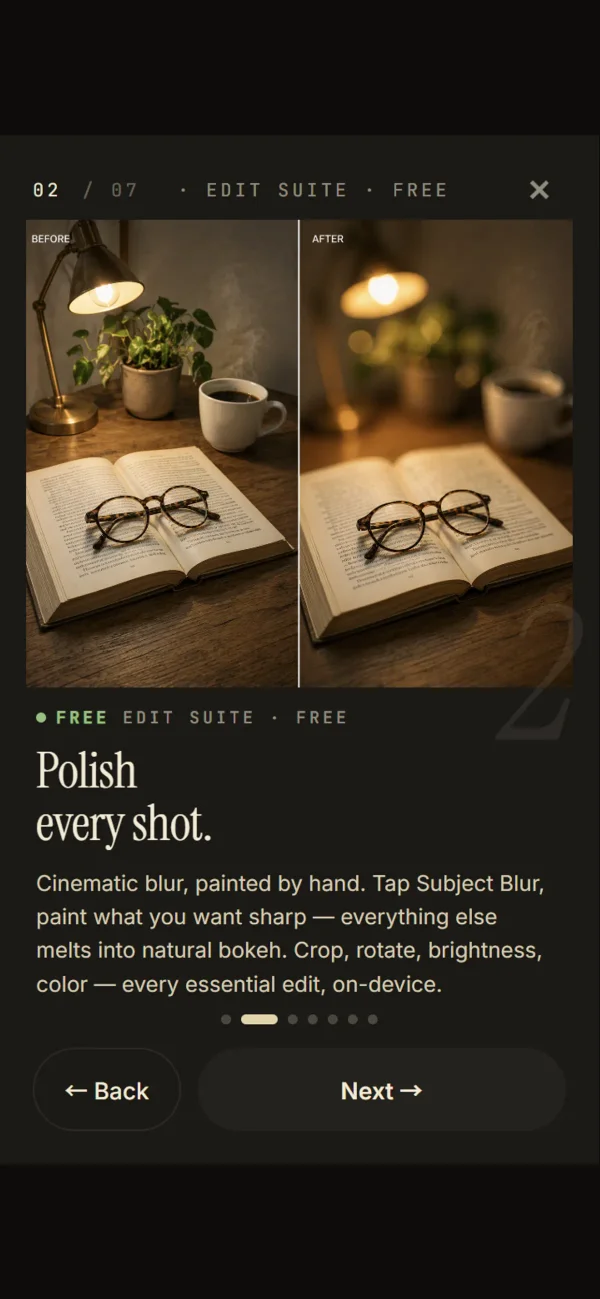
· Subject Blur (on-device, free) for DSLR-style background bokeh
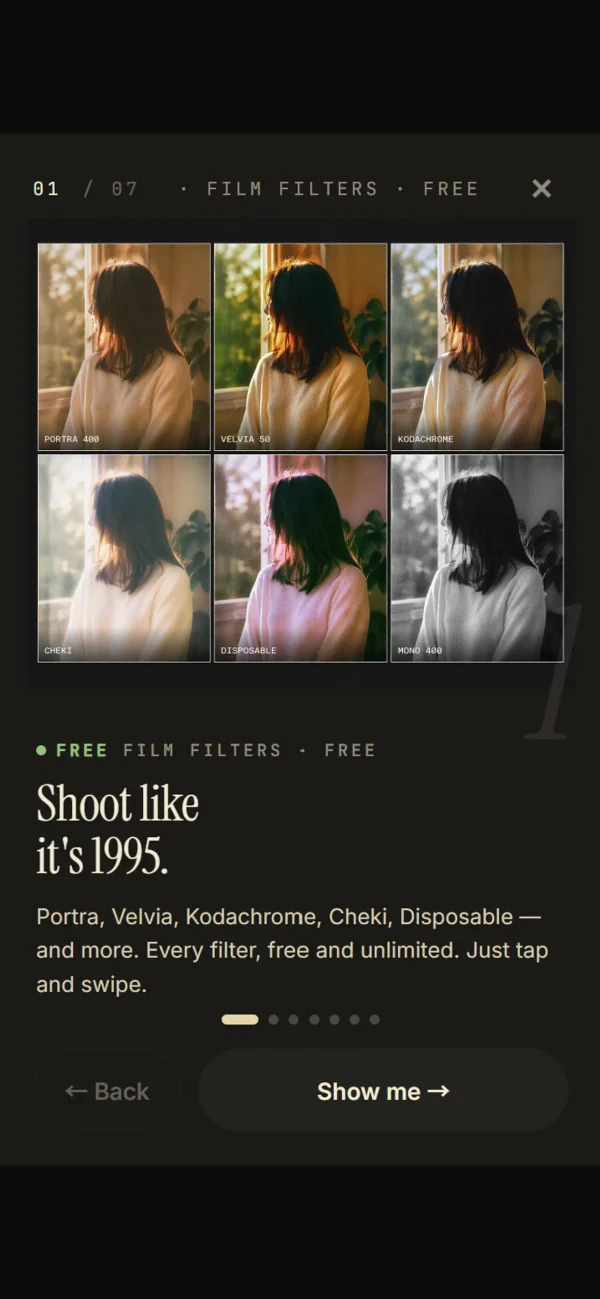
■ 17 retro filters — free at capture
Even without AI, capture the texture of the film era instantly.
Warm Showa tones, 80s neon, cinematic look, Cheki style, and silver-halide film recreations including Portra, Velvia, Kodachrome, and Superia — all 17 filters, unlimited and free.
■ Pricing
Standard shooting, retro filters, basic editing, and on-device blur are free.
AI features (style transfer, background replacement, object removal) require a monthly plan — one free trial included. Choose from Light, Standard, or Pro. Cancel anytime from the App Store.
■ Privacy
A consent dialog always appears before any AI processing begins.
Photos are stripped of EXIF data (including location) before transmission. Requests are sent with a header that prevents fal.ai from retaining them, and generated images are automatically deleted within 1 hour at most. See the Privacy Policy in-app or on our website for full details.
— Every shot is already a creation. Epoch Camera.
Subscriptions auto-renew unless canceled at least 24 hours before the end of the current period. Manage and cancel in your App Store account settings.
Privacy Policy: https://yaneyuka.com/epoch-camera-privacy-policy/
Terms of Use: https://yaneyuka.com/epoch-camera-terms/
What’s new
Version 1.0.1 · May 7, 2026
- Improved messaging when AI processing is temporarily unavailable
- Fixed an issue where the "credits used" alert could appear incorrectly on app launch
- Fixed price display wrapping in the subscription screen for certain currencies
App privacy
What masafumi matsumoto declares on the App Store about how this app handles data.
-
Data not linked to you
May be collected but is not linked to your identity.
- Purchases
- User content
- Identifiers
Privacy practices may vary, for example with the features you use or your age.
Information
- Seller
- masafumi matsumoto
- Category
- Photo & Video
- Version
- 1.0.1
- Updated
- May 7, 2026
- Released
- May 6, 2026
- Size
- 148.1 MB
- Requires
- iOS 15.1 or later
- Age rating
- 4+
- Price
- Free
- In-app purchases
- Yes
- Languages
- English
- Copyright
- © 2026 合同会社 slime
You might also like
-
 Create Photo Palettes HueprintColor Picker & Color Codes
-
 ちょいへん: 初心者のための写真編集Photo & Video
-
 emo. - 新体験フィルムカメラPhoto & Video
-
 かんたんカメラフィルター - 180種類以上のフィルターPhoto & Video
-
 CaptionEdge: Smart CaptionsPrivate Video & Photo Captions
-
 Mush80sMush80s
-
 voida camera | Portrait & FilmAI Bokeh & Film Photo Editor
-
 OHOO DICA: Retro CameraOld phone photos & videos
-
 ベリーフィルムPhoto & Video
-
 Wa Camera - Japanese FiltersPhoto & Video