EPUB Reader: eBook & FB2
Read the books you already own
Designed for iPhone, iPad, iPod touch
Free · In-app purchases
- Age rating4+
- CategoryBooks
- DeveloperZeroPlay Ltd.
- LanguagesEnglish+ 32 more
- Size104.1 MB
Links to the official App Store page
Download.org hosts no file of EPUB Reader: eBook & FB2. The button opens its official App Store page, published by ZeroPlay Ltd. Listing last checked on Nov 17, 2026.
Screenshots
About
EPUB Reader is an epub reader for the books you already own. Import your DRM-free EPUB, MOBI, AZW3, FB2 and TXT files into one local ebook library and read them offline, with no account and nothing uploaded.
An ebook reader that takes the file as it is. EPUB reflows to your settings. DRM-free MOBI, AZW, AZW3 and PRC open directly, with AZW3 read from its KF8 layer for better typography. FB2 arrives as .fb2, .fb2.zip or .fbz, and TXT is decoded as UTF-8 or GBK, with a long chapterless file split into chapters you can navigate. The format is read from the contents of the file, so a book that lost its extension in mail still opens; what will not open is reported as unsupported or damaged.
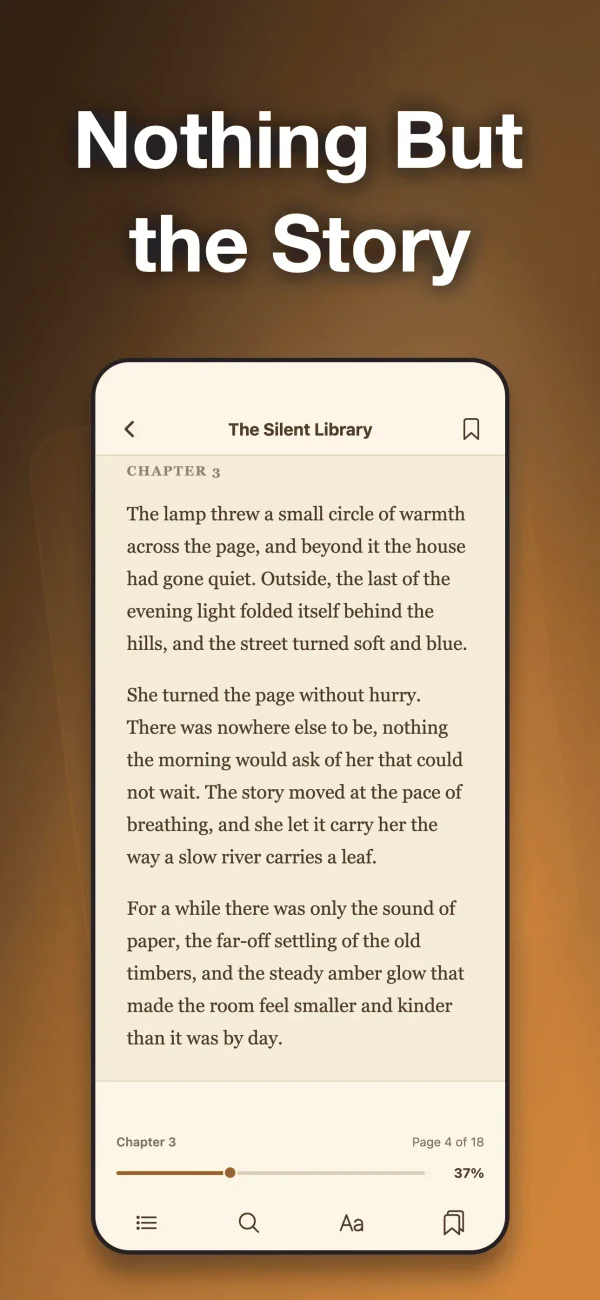
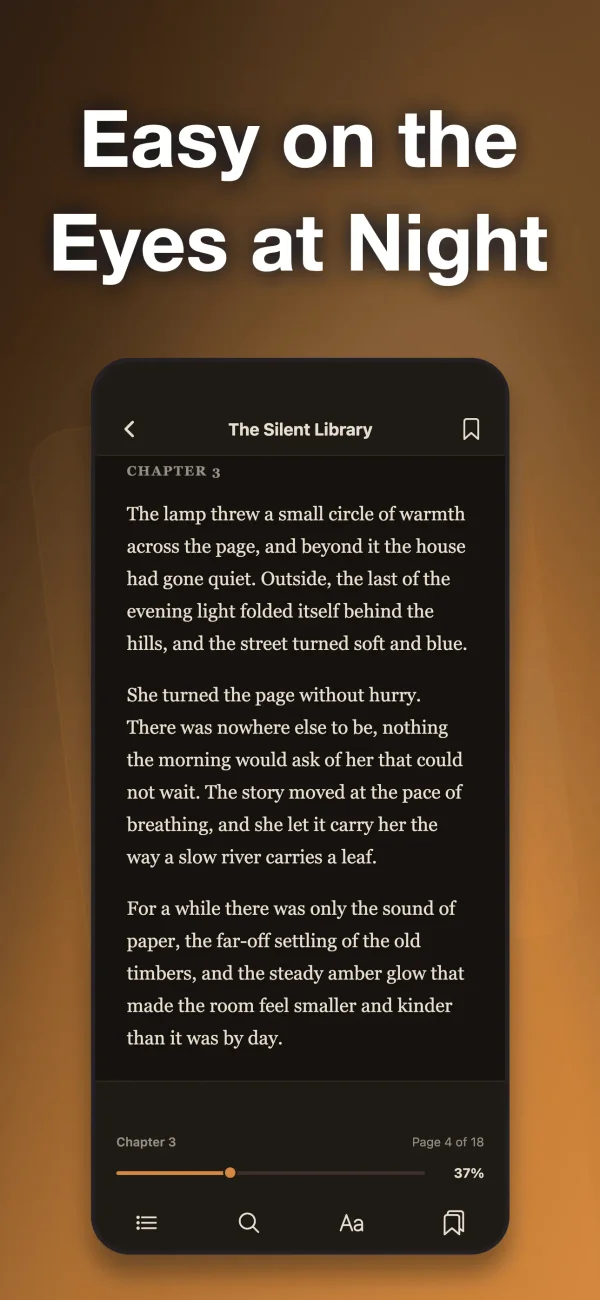
Reading is paginated, not an endless scroll: tap a side of the page or swipe. The contents list opens on the chapter you are in, the bottom bar carries the chapter name, page X of Y and your percentage through the book, and the progress bar jumps only when you let go. A reopened book starts on the page you left.
Search the whole book from two characters up. Every hit arrives with its chapter name and the words around it; tap one and the reader lands there with the match highlighted. Highlight any passage in one of four colors, attach a note or copy it. Bookmarks, highlights and notes share one panel and export as plain text.
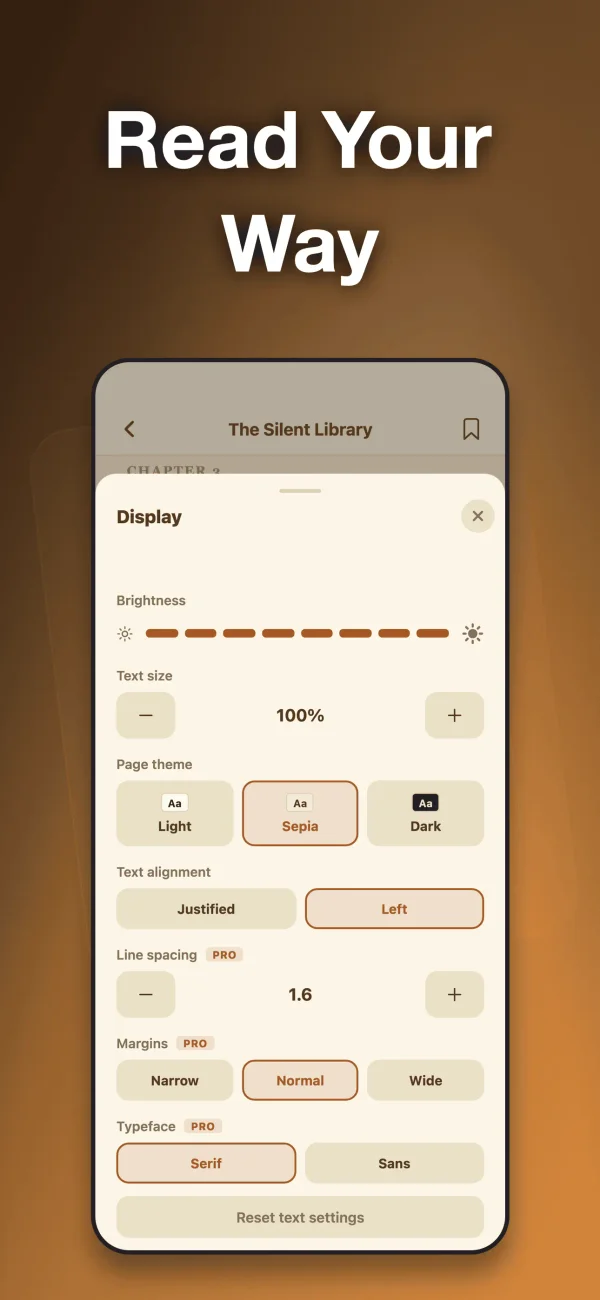
Type size, page brightness, justified or left-aligned text and the light, sepia and dark paper themes are all free, night reading included. Every pixel of the reader follows the paper theme, and a book's own CSS cannot turn sepia or dark into dark text on a dark page.
Offline books are the normal case here, not a mode you switch on: on a plane, in the subway, in a dead zone on the highway, the library and the book behave the same. At night the dark paper theme and the brightness slider let you read beside someone who is asleep. Studying, you highlight what matters, write your thought next to it, then export chapter, progress, passage and note into your notes app.
Most of what sits beside this app in search is a different product. Content platforms hand you a catalog and want you signed in. Converters turn one format into another. Borrowing apps need a library card. Read-aloud apps are built around a voice. This one opens the files that are already yours and stays out of the way.
• Open DRM-free EPUB, MOBI, AZW, AZW3, PRC, FB2 and TXT files
• Format read from file contents, even with a wrong extension
• TXT in UTF-8 or GBK, long files split into navigable chapters
• Import several files in one go and get a single summary
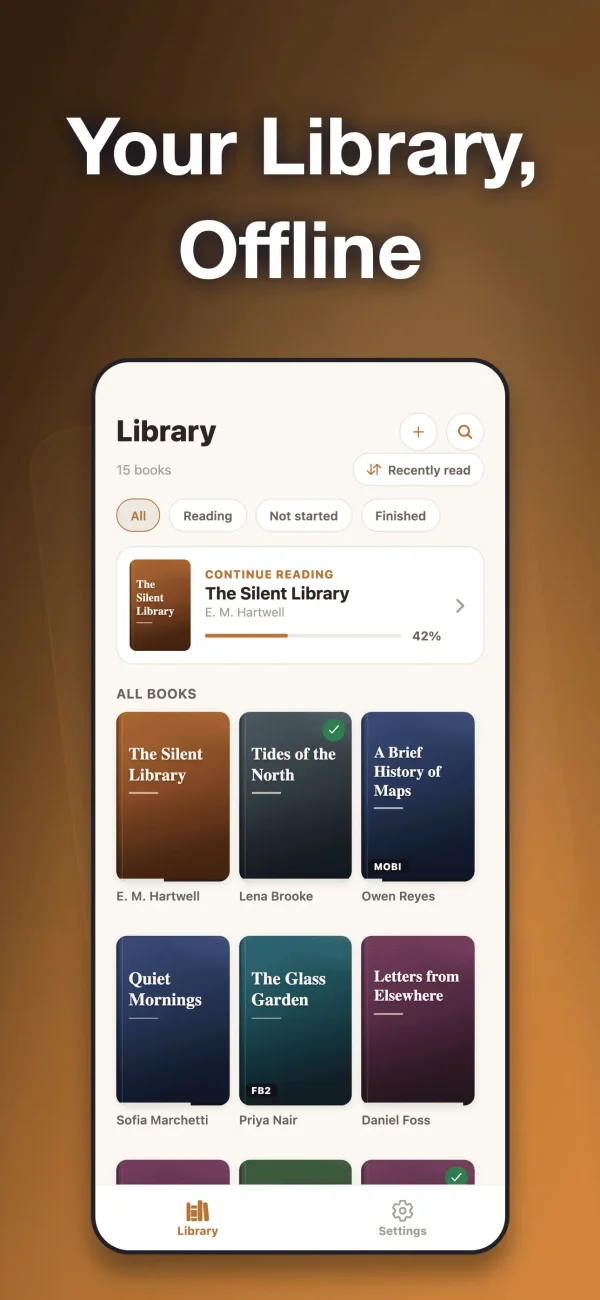
• Ebook library as a cover grid, three to six columns
• Search by title or author, filter by reading, not started or finished
• Sort by recently read, recently added, title or author to organize the shelf
• Continue Reading card for the book you had open last
• Page turns by tap or swipe, with a draggable progress bar
• Contents list, chapter name, page X of Y and whole-book percentage
• Full-book search with chapter name and context per hit
• Four highlight colors, notes and copy from the selection bar
• Bookmarks, highlights and notes in one panel, exportable as text
• Line spacing, page margins and font family (Pro)
Your books and your reading position stay in this app's storage on the device: no account, no sync, no record of what you read. To be clear about the edges: no PDF, no comic archives, no DOC or CHM, no conversion between formats, no way into books locked by another store's DRM, no text-to-speech, no audiobooks, no translation, no dictionary.
The free library holds three books; EPUB Reader Pro lifts that limit and unlocks line spacing, page margins and font family. Bring your own files, drop them in and start reading.
Terms of Use: https://zeroplay.io/docs/legal/terms-of-service
Privacy Policy: https://zeroplay.io/docs/legal/privacy-policy
What’s new
Version 1.1 · Aug 18, 2026
Bug fixes and performance improvements for a smoother experience.
App privacy
What ZeroPlay Ltd. declares on the App Store about how this app handles data.
-
Data used to track you
May be used to track you across apps and websites owned by other companies.
- Identifiers
- Usage data
-
Data not linked to you
May be collected but is not linked to your identity.
- Identifiers
- Usage data
Privacy practices may vary, for example with the features you use or your age.
Information
- Seller
- ZeroPlay Ltd.
- Category
- Books
- Version
- 1.1
- Updated
- Aug 18, 2026
- Released
- Jun 19, 2026
- Size
- 104.1 MB
- Requires
- iOS 15.1 or later
- Age rating
- 4+
- Price
- Free
- In-app purchases
- Yes
- Languages
- English, Arabic, Catalan, Croatian, Czech, Danish, Dutch, Finnish, French, German, Greek, Hebrew + 21 more
- Copyright
- © ZeroPlay Ltd.
You might also like
-
 EpubReader: Ebook Reader & TTSRead EPUB Books Offline
-
 ePub ProPowerful, private eBook reader
-
 JustReader: EPUB & FB2 ReaderNative offline book reader
-
 ZRead - EPUB ReaderPDF, TXT & Comic Books
-
 leaf: eBook ReaderEPUB & Classics, Read Aloud
-
 Epub Reader - EBUKThe ebook reader for you
-
 eReader: EPUB, PDF Book ReaderRead Aloud with Text to Speech
-
 Fablum: EPUB, PDF & AudiobooksRead it or listen. No account
-
 BookWave: EPUB & PDF ReaderText to Speech & Audiobooks
-
 EPUB Reader - BunkoeBook Library, Offline Reading