
Equilibrium: AI Task Planner
Private AI for tasks & goals
Designed for iPhone, iPad, Mac
Free · In-app purchases
- Age rating12+
- CategoryLifestyle
- DeveloperAlexander Bangert
- LanguagesEnglish
- Size103.8 MB
Links to the official App Store page
Download.org hosts no file of Equilibrium: AI Task Planner. The button opens its official App Store page, published by Alexander Bangert. Listing last checked on Nov 25, 2026.
Screenshots
About
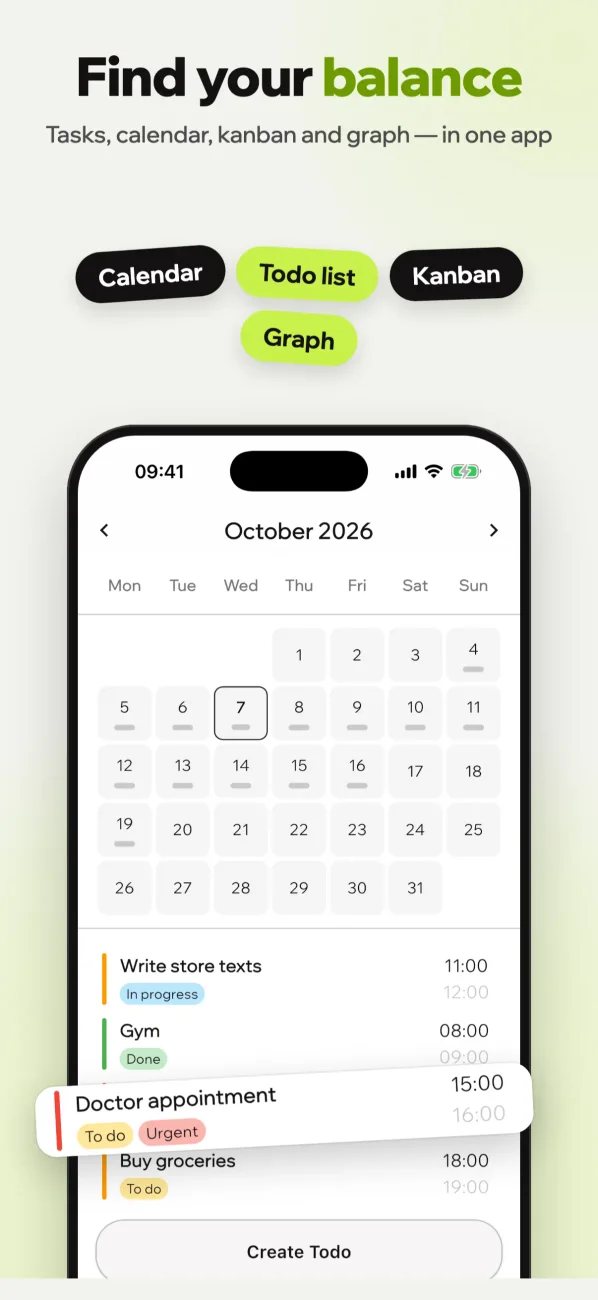
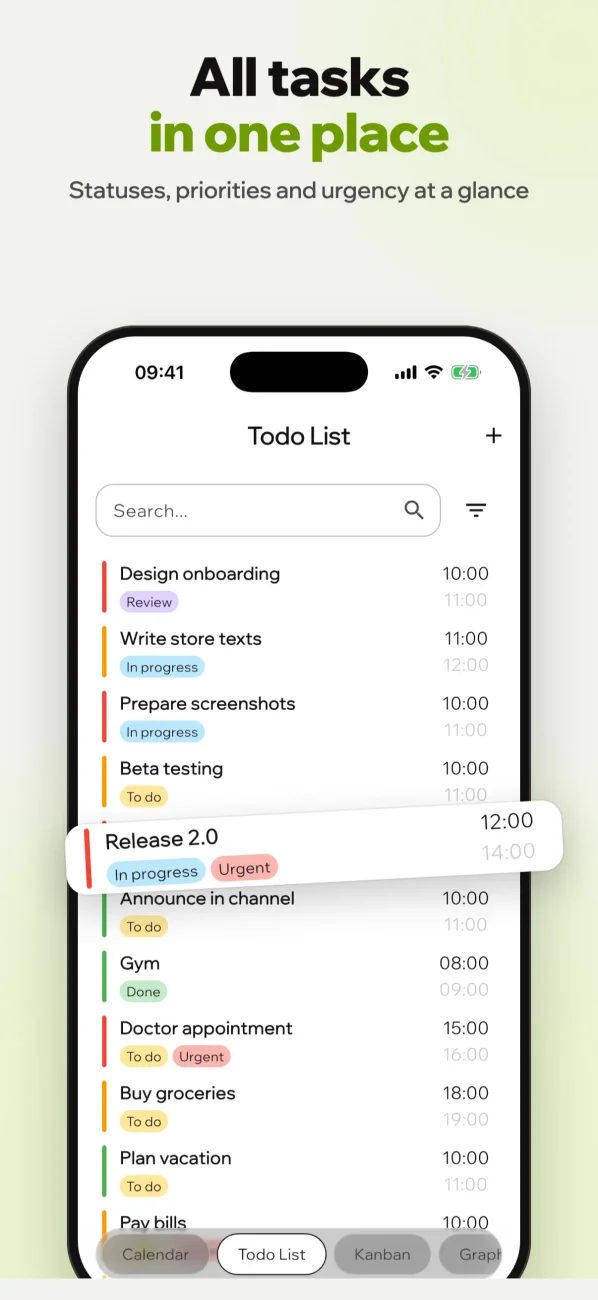
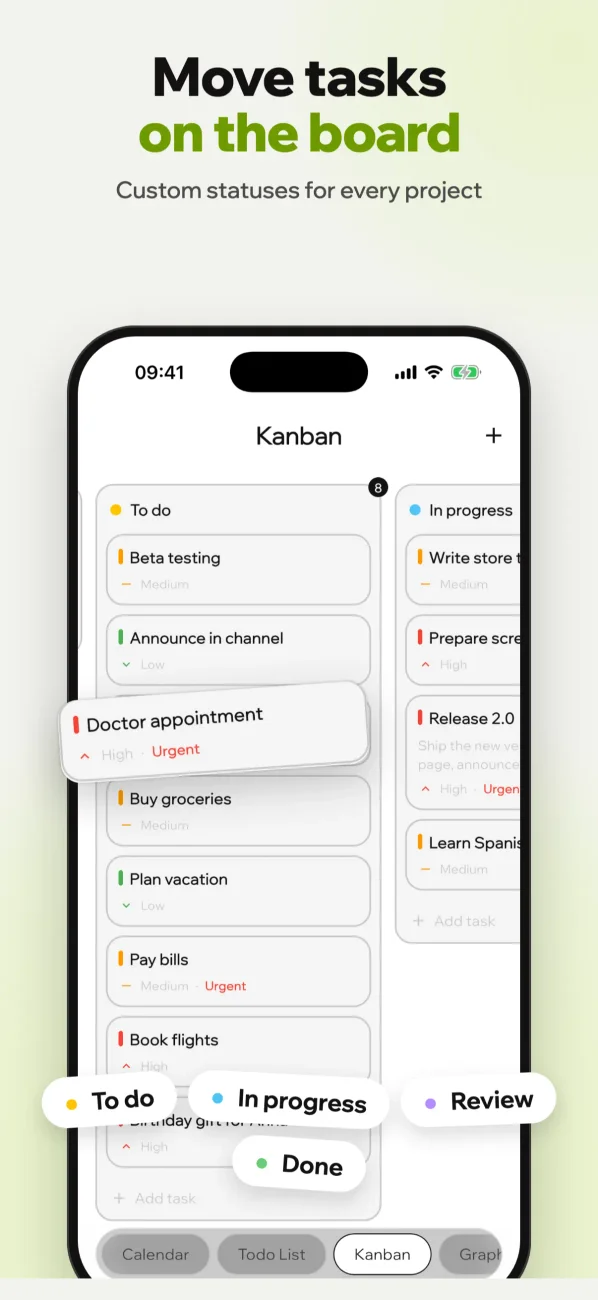
Equilibrium is a task planner that helps you find balance in your daily life. Calendar, list, Kanban board and task graph — all your tasks in one place.
No account needed: your data stays on your device.
NEW IN 2.0
• 15 widgets: tick off tasks, add new ones, and see your next task, day timeline, streak, goals and yearly activity
• Repeating tasks: daily, weekly, monthly or yearly, with an end date or a set number of times
• Day view: your tasks on an hourly grid
• Statistics: trends, goal progress and your busiest days
AI THAT CREATES TASKS
• Describe a task by voice or text and AI fills in the fields; you can download models that run on your device
ALL TASKS IN ONE PLACE
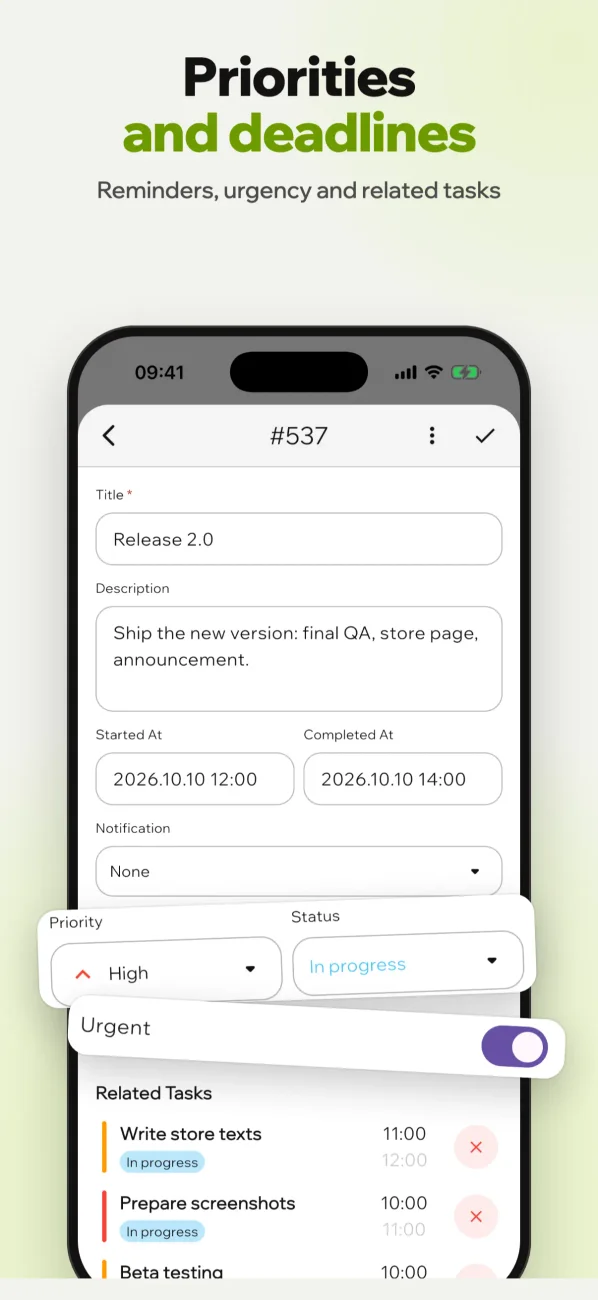
• Title, description, start and end date and time
• Priority: low, medium or high
• An "urgent" flag for things that can't wait
• Reminders so nothing slips through the cracks
• Linked tasks — see what depends on what
PICK YOUR VIEW
• Calendar — a month grid with tasks for every day
• Todo list — search and filter by priority, status and urgency
• Kanban — move tasks on the board across your own statuses
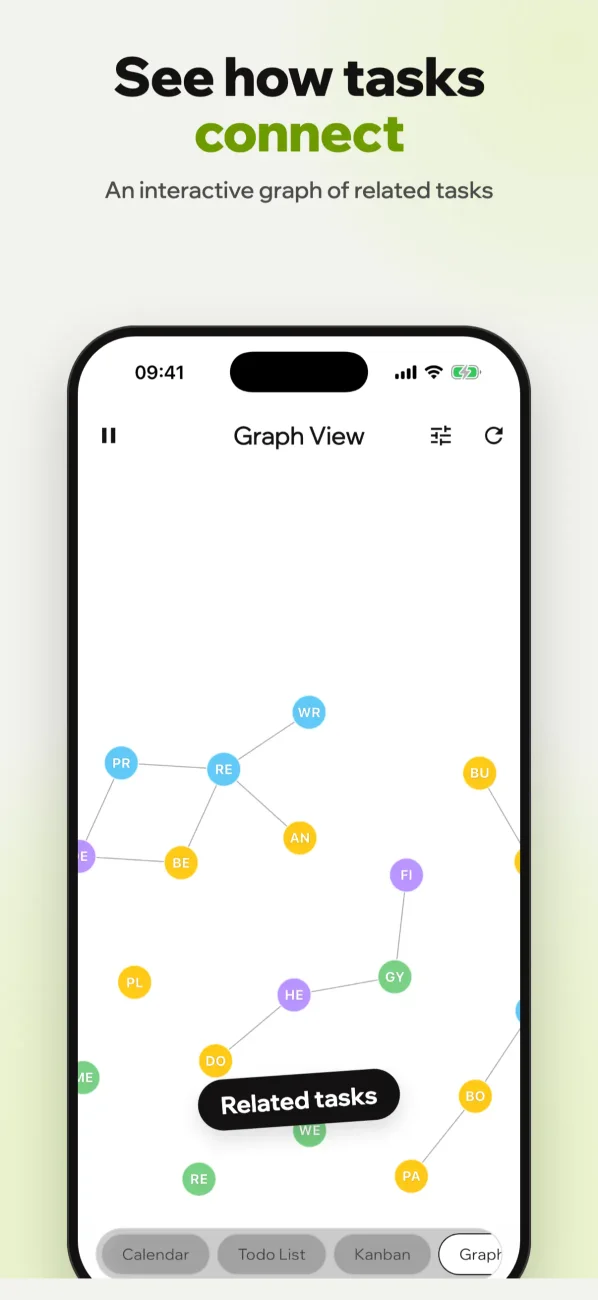
• Graph — see how tasks connect in an interactive map, colored by status or priority
Show only the views you actually use.
PROJECTS AND STATUSES
• Multiple projects — for work, study and personal life
• Custom statuses with a name and color for each project
• Quick project switching with search
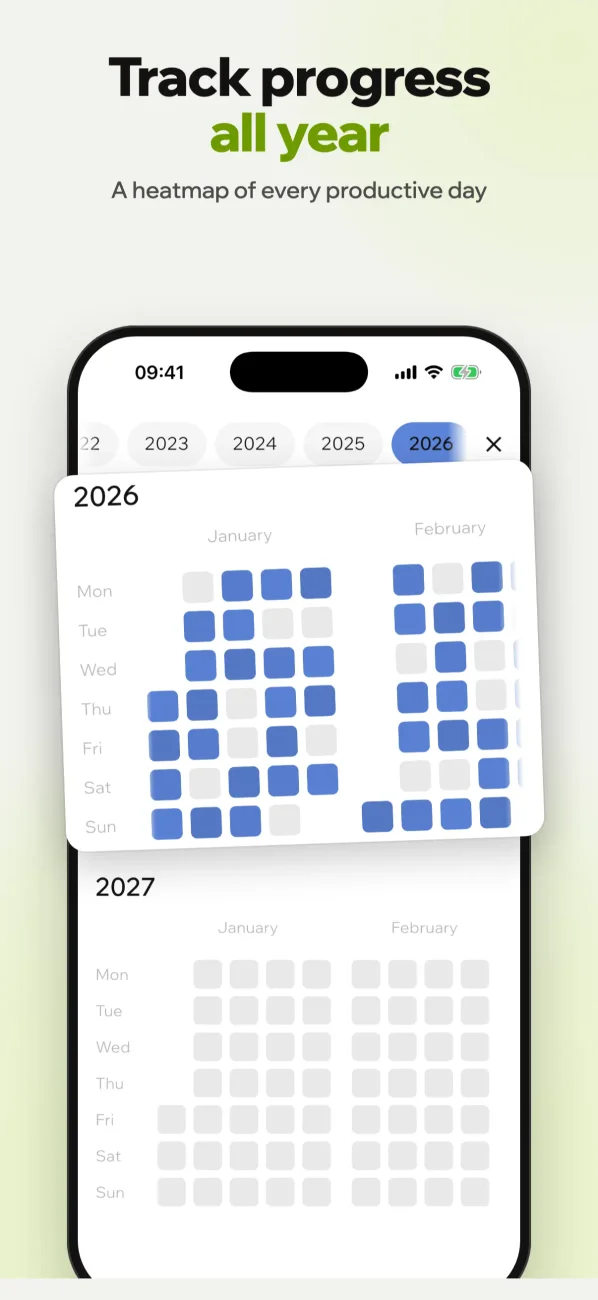
TRACK PROGRESS ALL YEAR
• A yearly heatmap of your activity, day by day
COMFORTABLE ON ANY SCREEN
• Light and dark theme
• Adaptive layout for iPhone, iPad and Mac
• English, Russian, Kazakh, Spanish and Portuguese — plus a playful Cat language: meow!
Equilibrium is free. If you enjoy it, you can support the developer with an optional in-app purchase.
What’s new
Version 2.1.0 · Nov 25, 2026
New in 2.1:
• Eisenhower Matrix: a new view that sorts your tasks into Do, Schedule, Delegate and Drop by their priority and the Urgent flag
• Drag a task to another quadrant to change its priority and urgency
• Tap a quadrant to see all of its tasks, soonest first
• Matrix widget: your four quadrants on the Home Screen or desktop, for any project
• Sidebar on wide screens: pages that don't fit move to "More"
• Stability improvements and bug fixes
App privacy
What Alexander Bangert declares on the App Store about how this app handles data.
-
Data not collected
The developer does not collect any data from this app.
Privacy practices may vary, for example with the features you use or your age.
Information
- Seller
- Alexander Bangert
- Category
- Lifestyle
- Version
- 2.1.0
- Updated
- Nov 25, 2026
- Released
- Nov 10, 2025
- Size
- 103.8 MB
- Requires
- iOS 16.4 or later
- Age rating
- 12+
- Price
- Free
- In-app purchases
- Yes
- Languages
- English
- Copyright
- © Bangert Alexander 2003
You might also like
-
 DayscribeWe helps record daily life
-
 MoodLog - For LifeYour Daily Mood Journal
-
 WeedCentral: Cannabis JournalReflect. Know your highs.
-
 Memory AI - Assistant & ChatMessenger, calendar, AI agents
-
 Dresso AILifestyle
-
 Iqama BahrainBahrain's Mosques Directory
-
 TimeApp — нетворкинг рядомLifestyle
-
 BRUNQ: Plant Care ReminderWatering, light & pet safety
-
 Achiva – Achievement TrackerRecord wins, find challenges
-
 SagiBonusLifestyle