
Erase Objects: Remove Object
Retouch remove unwanted object
Designed for iPhone, iPad
Free · In-app purchases
- Age rating4+
- CategoryPhoto & Video
- Developerout thinking limited
- LanguagesEnglish+ 2 more
- Size359.5 MB
Links to the official App Store page
Download.org hosts no file of Erase Objects: Remove Object. The button opens its official App Store page, published by out thinking limited. Listing last checked on Nov 12, 2026.
Screenshots



About
Remove Unwanted Objects - The Ultimate Photo Editor & Magic Eraser Tool
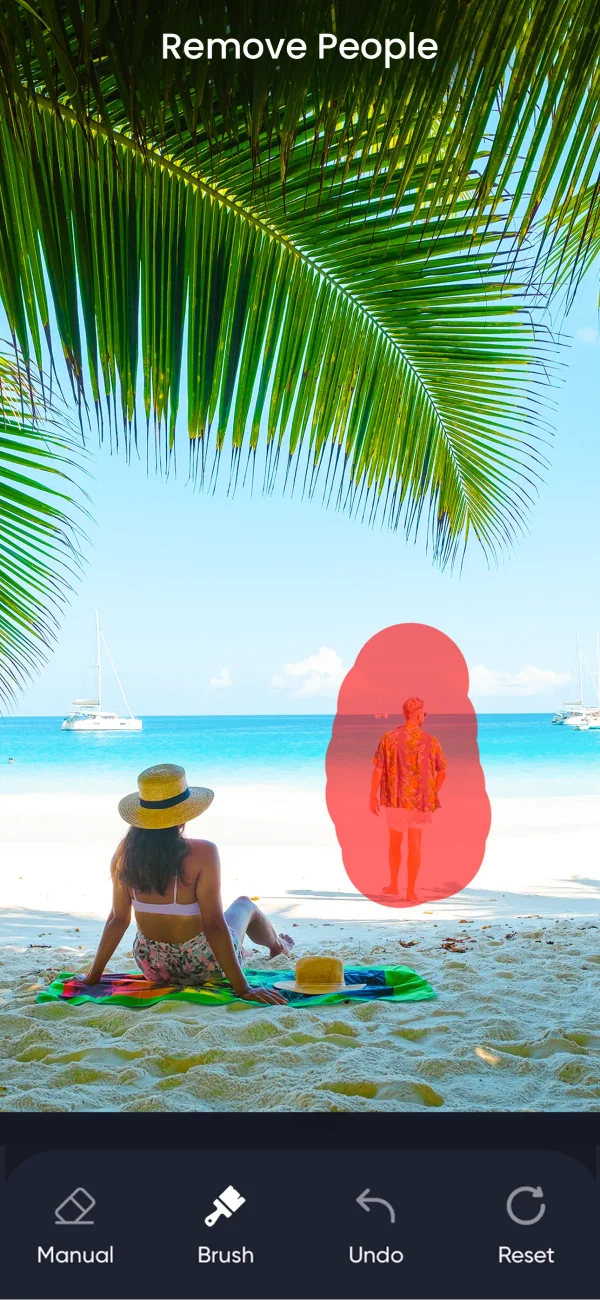
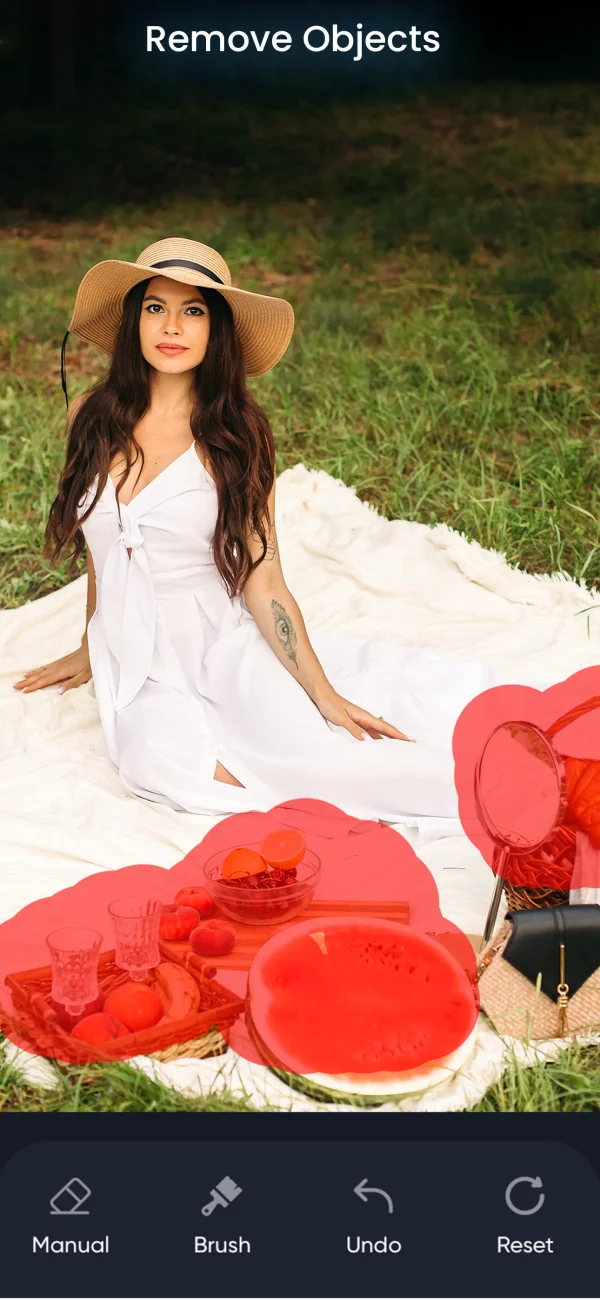
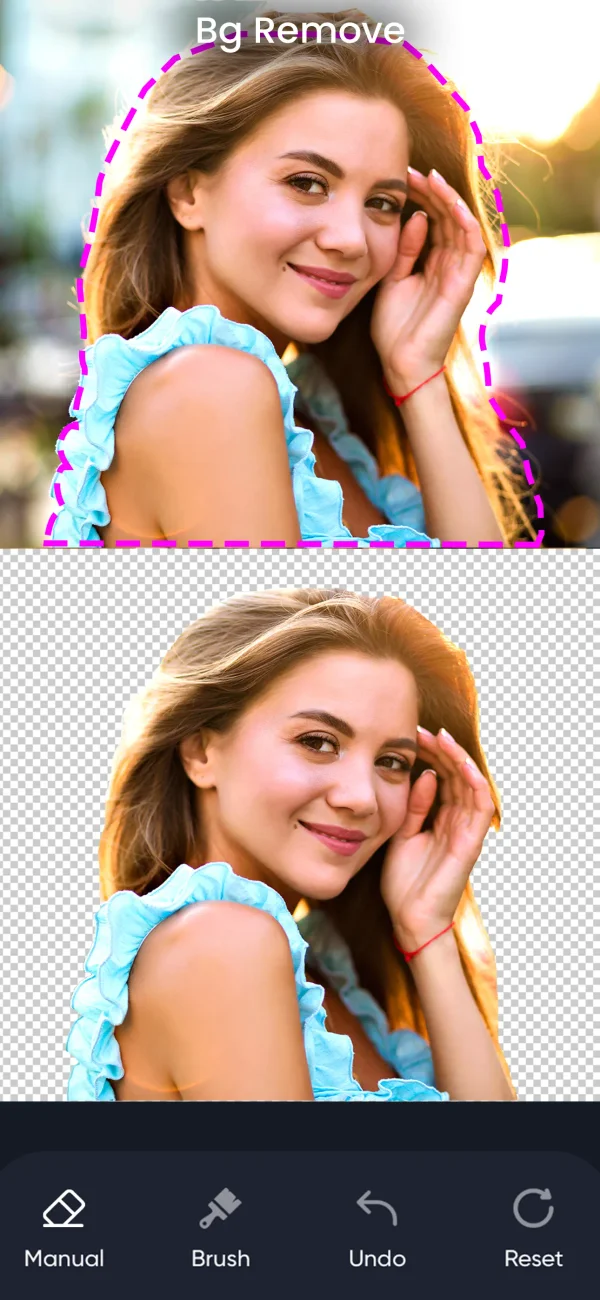
Transform your photos with the best-in-class photo editor designed to remove unwanted objects effortlessly! Our app leverages advanced AI technology to make your editing experience smooth and precise. Whether you're looking to remove people from photos, eliminate unwanted backgrounds, or simply retouch your pictures, we've got you covered.
Key Features :
- Photo Editor: Enhance your photos with powerful editing tools.
- Clear Background: Easily clear unwanted backgrounds from your photos.
- Picture Editor: A versatile picture editor suits all your photo editing needs.
- Background Eraser: Quickly erases backgrounds to create stunning visuals.
- Retouch: Smooth and retouch photos for flawless results.
- Eraser: Intuitive eraser tool to remove any part of your image.
- **Remove Watermark:** Effortlessly remove watermarks from your images.
- Remove Objects: Delete any unwanted objects from your photos seamlessly.
- Remove Background: Efficiently remove backgrounds from any picture.
- Watermark Remover: Eliminate watermarks to keep your photos clean.
- Erase Objects: Precisely erase objects from your images.
- Object Removal: Advanced object removal for a cleaner look.
- Remove People from Photo: Easily remove people and unwanted elements from your photos.
- Delete Photos: Clean up your photo library by deleting unnecessary photos.
- Remove: Quickly remove any unwanted elements from your pictures.
- Eraser Pic Remove Background: Powerful tool to remove backgrounds and isolate subjects.
- Object Eraser: Intuitive object eraser for seamless editing.
- Photo Remover: Your go-to app for removing unwanted objects.
- Remove Objects from Photo: Easily remove objects and enhance your photos.
- Photo Remove Object: Simplify removing objects from your photos.
- Retouch Photos: Professional retouching tools to enhance your photos.
- Erase Background: Remove and replace backgrounds with ease.
- BG: Edit and customize your photo backgrounds.
- Object Remover: Efficiently remove unwanted objects from your photos.
- Magic Editor: The magic editor for quick, professional edits.
- Remove Unwanted Objects: Eliminate unwanted objects with precision.
- Delete: Easily delete unwanted elements from your photos.
- Picture Eraser: Erase unwanted parts of your pictures effortlessly.
- Remove Object: Remove any object from your photos in a few taps.
- Delete Background from Photo: Cleanly delete backgrounds from your images.
- People Remover: Remove people from your photos for a perfect shot.
- AI Eraser: AI-powered eraser for smart and accurate object removal.
- Remove People: Remove people and unwanted objects from your photos.
- Erase Object: Quick and efficient object eraser for perfect photos.
- Clear Background: Clear any background with a single touch.
- Clean Background: Achieve a clean background for professional results.
- Unwanted Background: Remove unwanted backgrounds to highlight your subject
Download Remove Unwanted Objects today and experience the magic of professional photo editing at your fingertips.
Subscription Terms
- Subscribe to get unlimited video collage app access to all features.
- Upon confirmation of purchase, the payment will be charged to the iTunes account.
- Until you turn off the auto-renew at least 24 hours before the end of the current.
period it will be automatically renewed.
- If you decide to turn off auto-renewal, you can turn it off maybe by going to account settings after purchase.
-The renewal amount will be charged from the account within 24 hours before the end of the current period.
-As per the policy, cancellation of the current subscription is not allowed during the active subscription period. Once purchased, refunds will not be returned for any unused portion of the subscription period.
Terms of use - https://www.outthinkingindia.com/terms-of-use/
Privacy policy - https://www.outthinkingindia.com/privacy-policy/
What’s new
Version 2.1 · Sep 17, 2026
- Fresh, simpler design with improved navigation and user experience.
- Added improved brush controls with Undo/Redo and Zoom for more precise editing.
- Added Before & After comparison to easily preview changes.
- Improved overall performance, stability, and responsiveness.
App privacy
What out thinking limited declares on the App Store about how this app handles data.
-
Data used to track you
May be used to track you across apps and websites owned by other companies.
- Purchases
- Identifiers
- Usage data
- Diagnostics
-
Data linked to you
May be collected and linked to your identity.
- Purchases
- Identifiers
- Usage data
- Diagnostics
Privacy practices may vary, for example with the features you use or your age.
Information
- Seller
- out thinking private limited
- Category
- Photo & Video
- Version
- 2.1
- Updated
- Sep 17, 2026
- Released
- Jun 10, 2024
- Size
- 359.5 MB
- Requires
- iOS 18.0 or later
- Age rating
- 4+
- Price
- Free
- In-app purchases
- Yes
- Languages
- English, Japanese, Simplified Chinese
- Copyright
- © out thinking pvt ltd
You might also like
-
 AI Remove: Object EraserRemove objects from photo
-
 Magic Eraser - Remove ObjectsErase background, Photo Editor
-
 Magic Eraser - Remove PeopleErase People & Objects with AI
-
 Remove unwanted object RetouchApp remove unwanted objects
-
 AI Eraser - Object RemoverRetouch Photo - Erase Objects
-
 Remove Objects from Photos AIEraser, Retouch, Unwanted
-
 Photo Retouch - Remove objectAdd watermark to video picture
-
 Retouch Photos: Remove ObjectsPimple remover, remove people
-
 Background Eraser: AI MagicRemove Objects & Quick Retouch