
Escenio: Stage Remote
Lighting and sound control
Designed for iPhone, iPad, iPod touch
Free · In-app purchases
- Age rating4+
- CategoryUtilities
- DeveloperUNQUINTO
- LanguagesEnglish+ 1 more
- Size23.7 MB
Links to the official App Store page
Download.org hosts no file of Escenio: Stage Remote. The button opens its official App Store page, published by UNQUINTO. Listing last checked on Nov 28, 2026.
Screenshots


About
Escenio is not affiliated with or endorsed by any console or software manufacturer. Console and software names are used only to indicate compatibility.
A professional remote for working from the stage, not from the desk.
During focus, fit-up and rehearsal, the technician needs the console where the light is. Escenio puts it, with QLab and the desk, on a tablet or phone, over the theatre's local network.
WHAT IT TALKS TO
• ETC Eos consoles and MA Lighting grandMA3, over OSC.
• Figure 53 QLab, versions 5 and 4, over OSC.
• Behringer, Midas and Yamaha sound desks, over OSC and RCP.
WHAT IT DOES
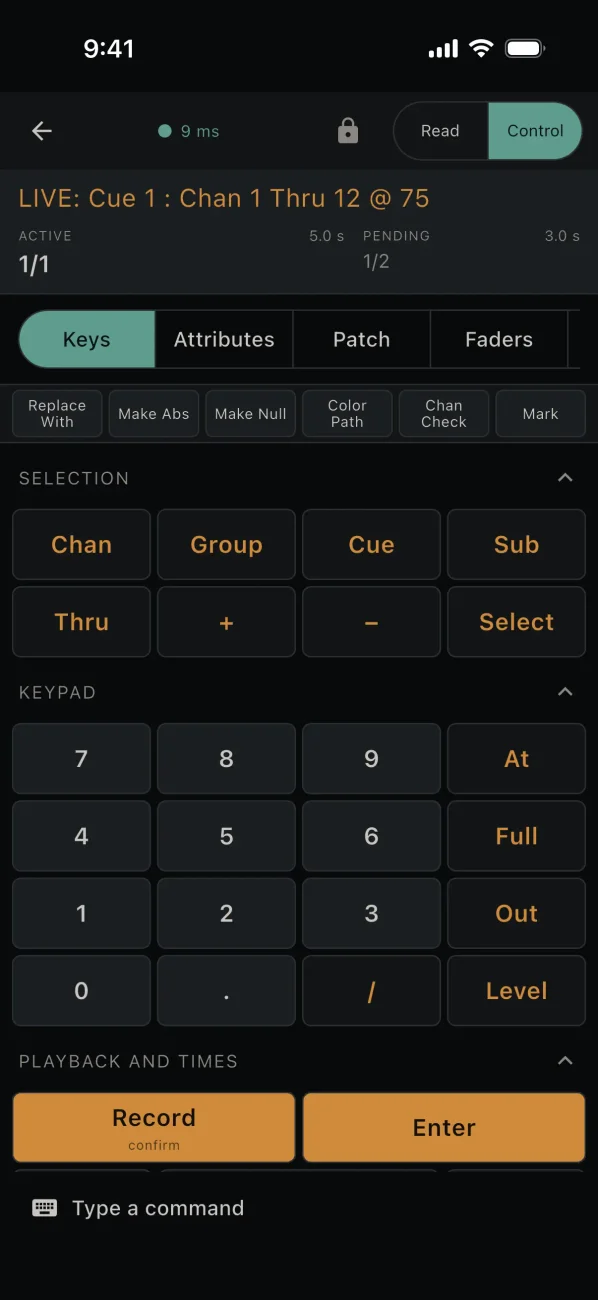
• Full command line with the console keypad.
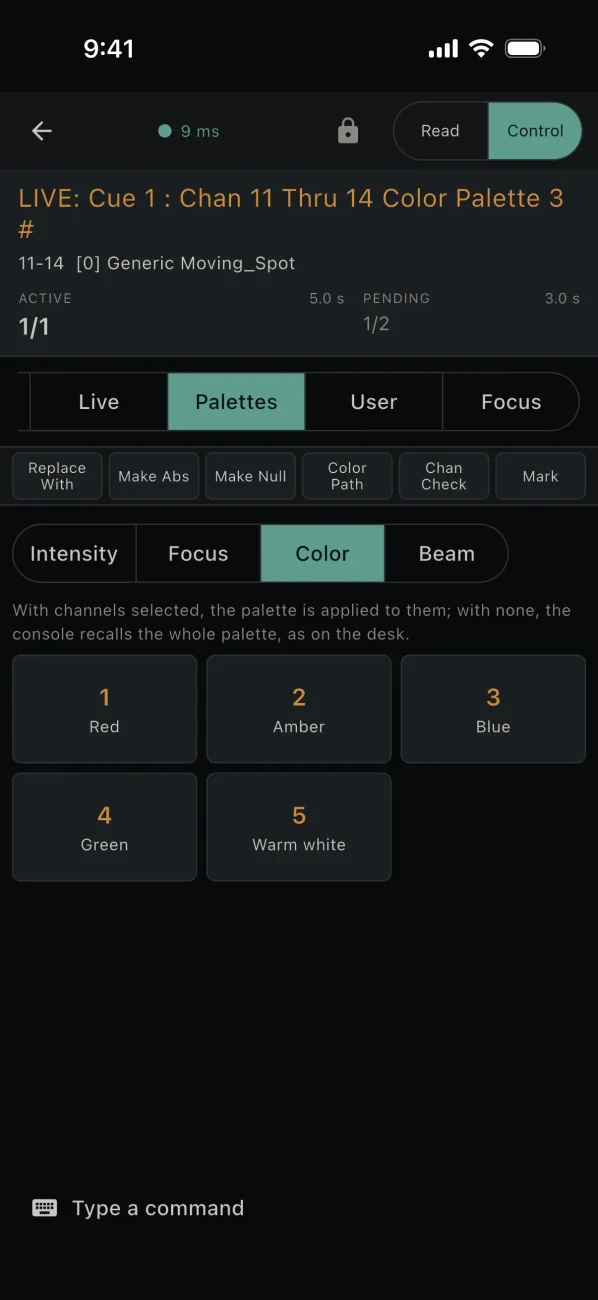
• Rigging: channels, groups, palettes and presets on big buttons; channel check with Highlight or Rem Dim; lamp preheat.
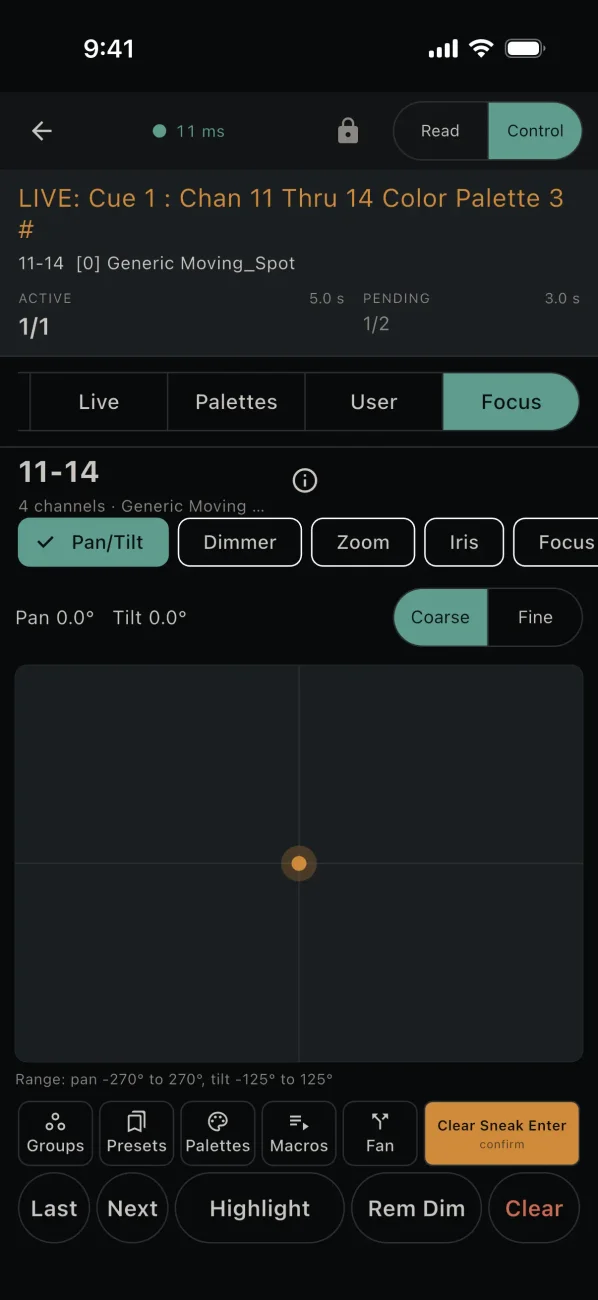
• Focus, on Eos and grandMA3: the pan and tilt pad, the dimmer, attributes, and groups, presets, palettes and macros at hand.
• Update, Record and Store palettes and presets from the stage.
• Cues with their names, their times and a fade meter while one is running.
• Patch with copies to compare, faders, master and executors.
• grandMA3 with the free Escenio plugin (the app installs it, or download it from unquinto.es/apps/escenio): the console confirms every command and shares its command line.
• User window on Eos and grandMA3: your own buttons.
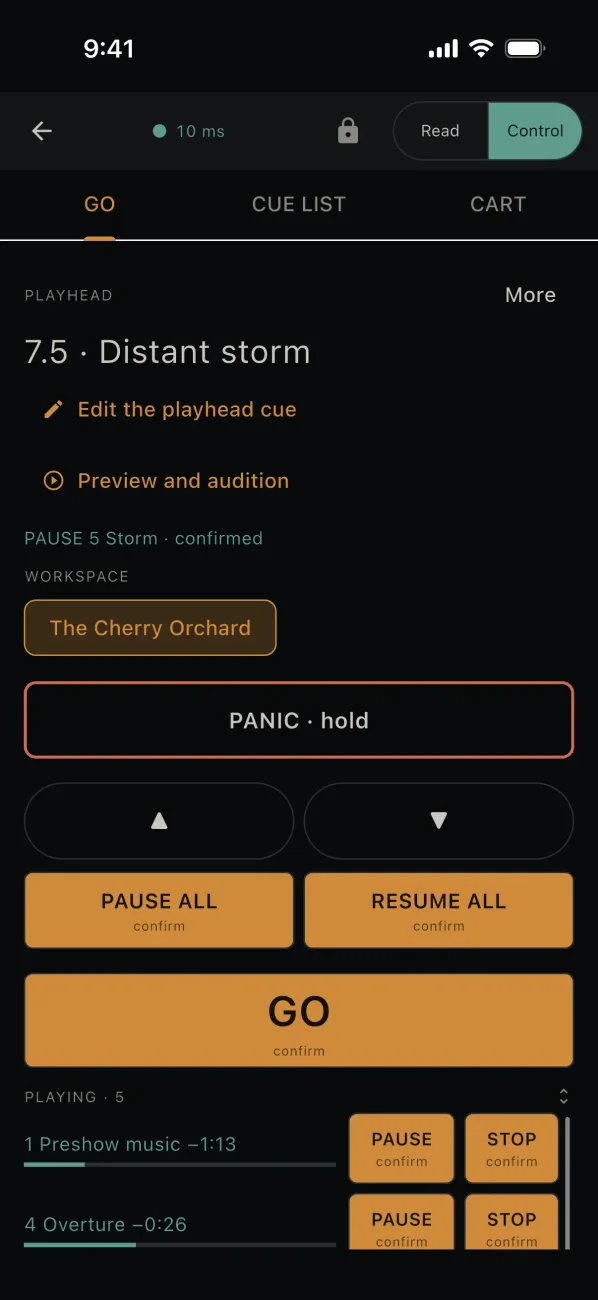
• QLab: GO, Carts, PAUSE ALL and RESUME ALL, PANIC, what is playing with its own pause and stop, the list with its times, Load to Time and Preview.
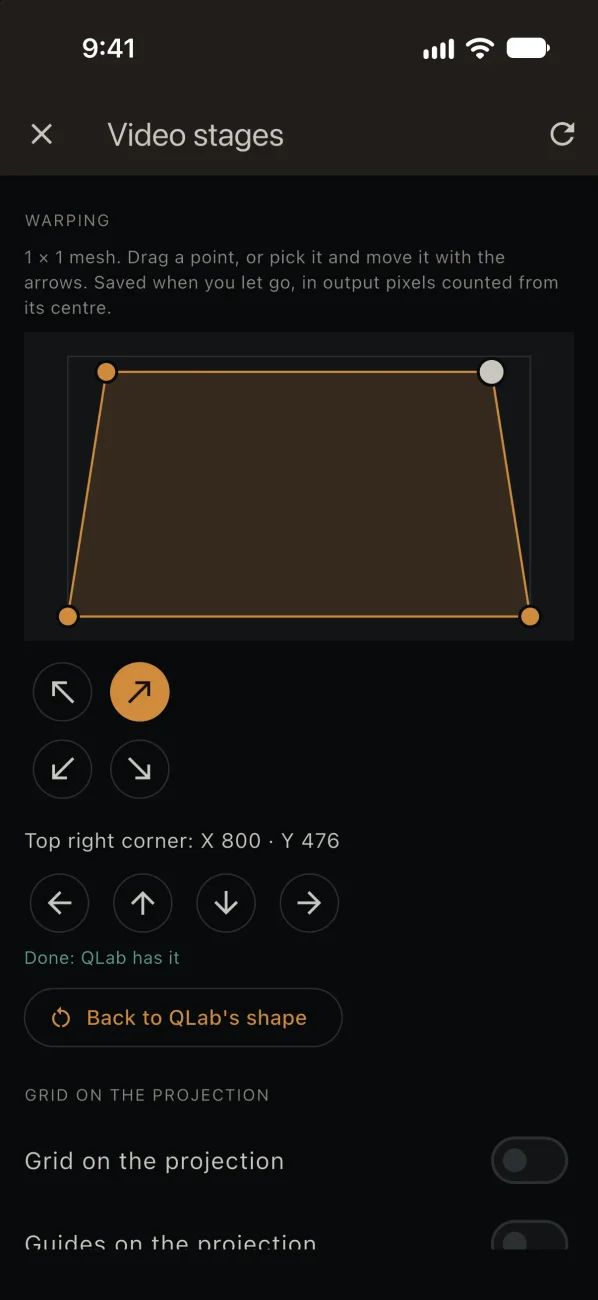
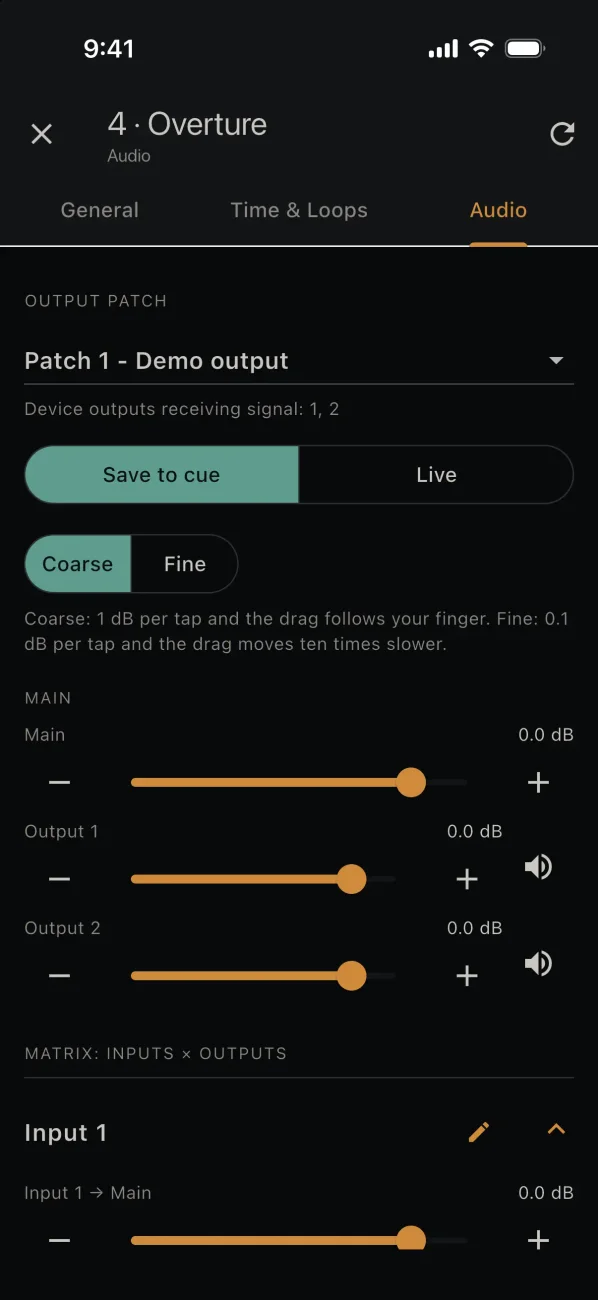
• QLab 5 Editing: cues, levels, Fades, Groups, Time & Loops, video and stages, lights and Dashboard.
• The console and QLab on the same screen, and console cues that start QLab cues.
SHOW, THE STAGE MANAGER'S STATION
With the Full version: lighting, QLab and the desk on one screen, in read mode to start, with what is on stage and what comes next, the show clock and the show report. And the prompt book: the cues in order, with their standby lines, reviewed before each performance.
SOUND DESKS
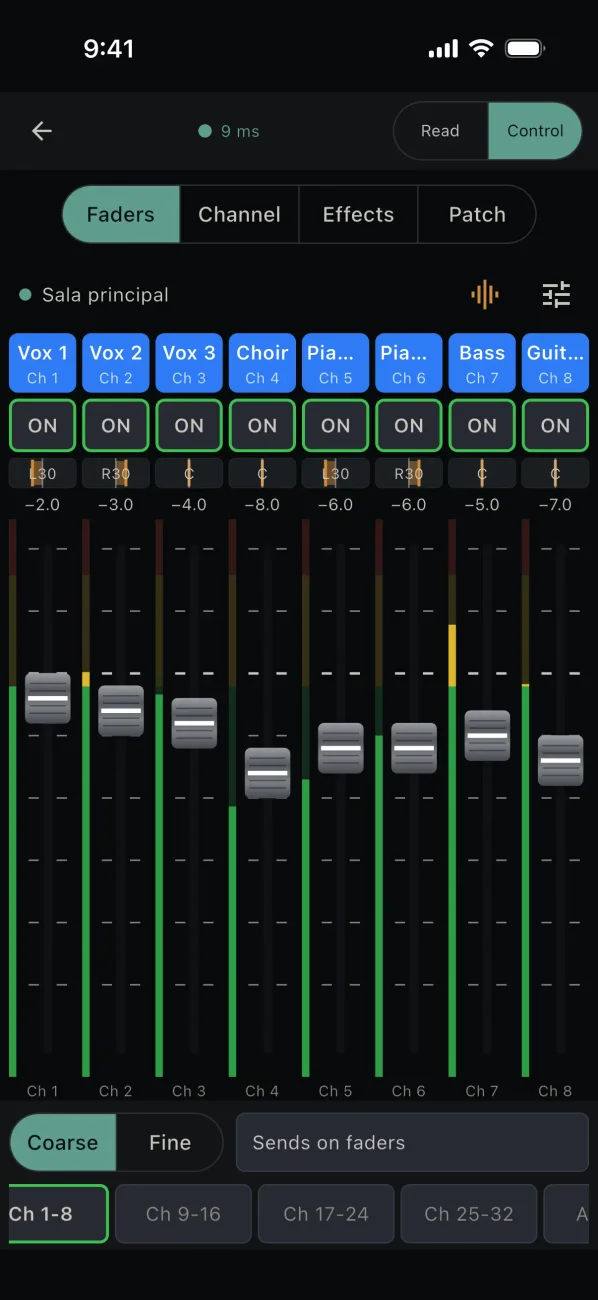
On all of them: faders with layers, mutes and names, and a Desk tab next to QLab and the console. Also:
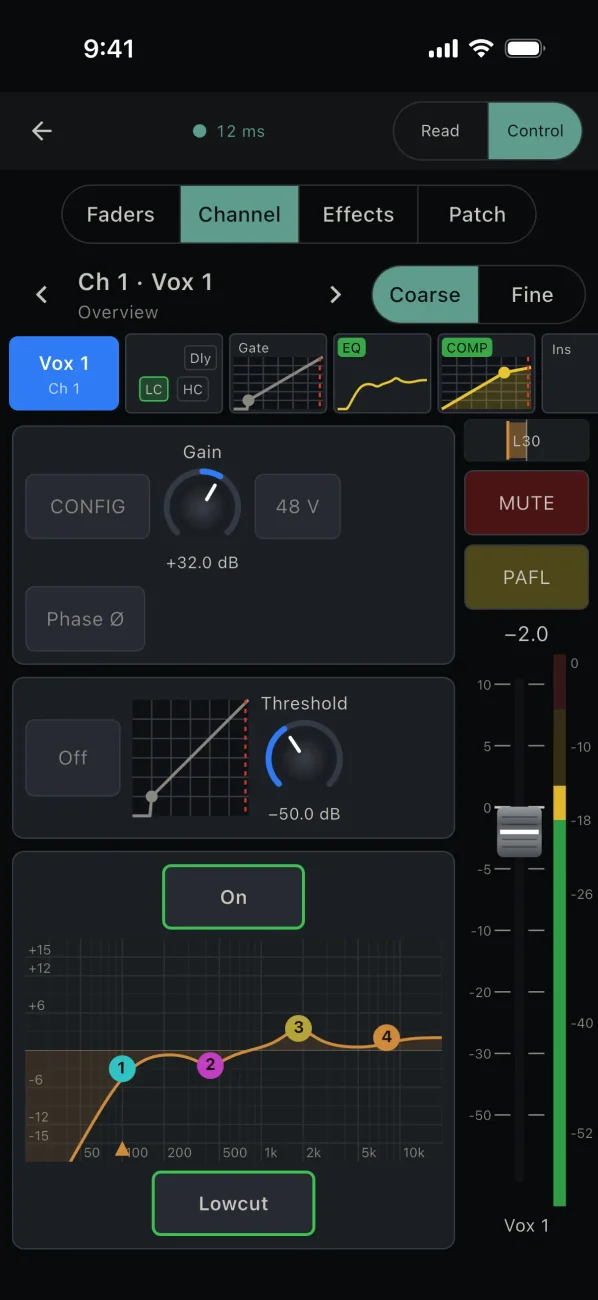
• Behringer X32 and Midas M32, X Air and Midas MR (OSC): the whole channel (preamp, filter, EQ, gate, compressor, sends and inserts), effects, meters, RTA and patch. X32 and M32 tested on a desk.
• Behringer WING (OSC): the same, with 6-band EQ and 16 effects. Tested on a desk.
• Yamaha DM7 and DM5 (OSC and RCP): DCAs, mixes, preamp, HPF, 4-band EQ and sends. No dynamics, 48 V or effects: the desk doesn't allow them to be changed remotely. Tested on a DM7 Compact.
• Yamaha DM3 (RCP, with the DM7 purchase): preamp with 48 V and sends. No DCAs or channel EQ.
• Yamaha CL and QL (RCP): DCAs, mixes, matrices, pan, preamp, dynamics threshold, sends and meters. No EQ, HPF or 48 V: they don't offer them over RCP.
• Yamaha Rivage PM (RCP): what the CL has, plus 4-band EQ, HPF, phase and delay.
HOW IT IS BUILT
• Local network only. No cloud, no account, no telemetry, no server.
• It opens in read mode; switching to control is a deliberate act.
• Keys that fire, record or release manual changes require arming.
• Finds QLab and Eos consoles on the network, or type the IP; latency in view and exportable diagnostics.
PURCHASES
The app is free and comes with a demo to try everything without a console. QLab control is free, for real. Eos, grandMA3 and the desks connect free in read mode, and their control is a one-time purchase, no subscription. QLab Editing is sold on its own or comes included with Eos, grandMA3 and the desk bundle. The Full version has it all, with the Show and the prompt book. Purchases work offline.
We collect no data: everything stays on the device.
Eos and ETC are trademarks of Electronic Theatre Controls, Inc. grandMA3 is a trademark of MA Lighting. QLab is a trademark of Figure 53, LLC. Behringer, Midas, X Air, X32, M32 and WING are trademarks of Music Tribe Global Brands Ltd. Yamaha, DM7, DM5, DM3, CL, QL and Rivage are trademarks of Yamaha Corporation.
What’s new
Version 1.4.2 · Nov 27, 2026
1.4.2 · Eos ML Controls, and QLab that finds the Mac again.
Eos: the Attributes tab works like the console's ML Controls. The families in their order (Intens, Focus, Color, Form, Image, Shutter), each with its Home, and every parameter on a card with its wheel, Min, Max and Home; slot wheels step from one slot to the next with Last and Next. Intensity Home and Min take two taps while the safety is on.
QLab: if the Mac changes IP, the app finds it again by its name on the network, connects and saves the new address. In Connections, «QLab on this network» shows the QLab Macs around and connects with one tap.
Video stages (QLab Editing): warping shows every point, including the sixteen of each Bézier cell with their handles, and the projection follows your finger. Stages with many regions or large meshes now load over Wi-Fi too.
The QLab GO stays at the bottom, whole on small iPhones too, with PAUSE ALL and RESUME ALL in one row above it. CUE LIST has a small PANIC, away from the GO, and CART a bar with its PANIC, PAUSE ALL and RESUME ALL.
App privacy
What UNQUINTO declares on the App Store about how this app handles data.
-
Data not collected
The developer does not collect any data from this app.
Privacy practices may vary, for example with the features you use or your age.
Information
- Seller
- UNQUINTO ESTUDIO EDITORIAL Y SONORO SOCIEDAD LIMITADA
- Category
- Utilities
- Version
- 1.4.2
- Updated
- Nov 27, 2026
- Released
- Oct 3, 2026
- Size
- 23.7 MB
- Requires
- iOS 15.0 or later
- Age rating
- 4+
- Price
- Free
- In-app purchases
- Yes
- Languages
- English, Spanish
- Copyright
- © 2026 UNQUINTO ESTUDIO EDITORIAL Y SONORO, S.L.
You might also like
-
 FollowSightSight for followspot
-
 m-BERThe Original sACN Device App
-
 A3d Scanner3D AR Modeling Tool
-
 Lab MonkeyQLab Stage Monitor
-
 oscRFRFocus remote for Eos and MA3
-
 Live Tech ToolkitAudio & video test tools
-
 s-NIFThe Original sACN sniffer app
-
 PIDTunerUtilities
-
 Rigging ToolsUtilities
-
 DarkReader WebComfortable for every website.