Eta: Smart Expense Tracker
Know where your money goes
Designed for iPhone
In-app purchases
- Age rating4+
- CategoryFinance
- DeveloperDat Nguyen
- LanguagesVietnamese+ 1 more
- Size10.0 MB
Links to the official App Store page
Download.org hosts no file of Eta: Smart Expense Tracker. The button opens its official App Store page, published by Dat Nguyen. Listing last checked on Nov 21, 2026.
Screenshots
About
Ever check your account at the end of the month and wonder where it all went? Eta helps you find out, without spreadsheets or tedious forms.
JUST TYPE IT
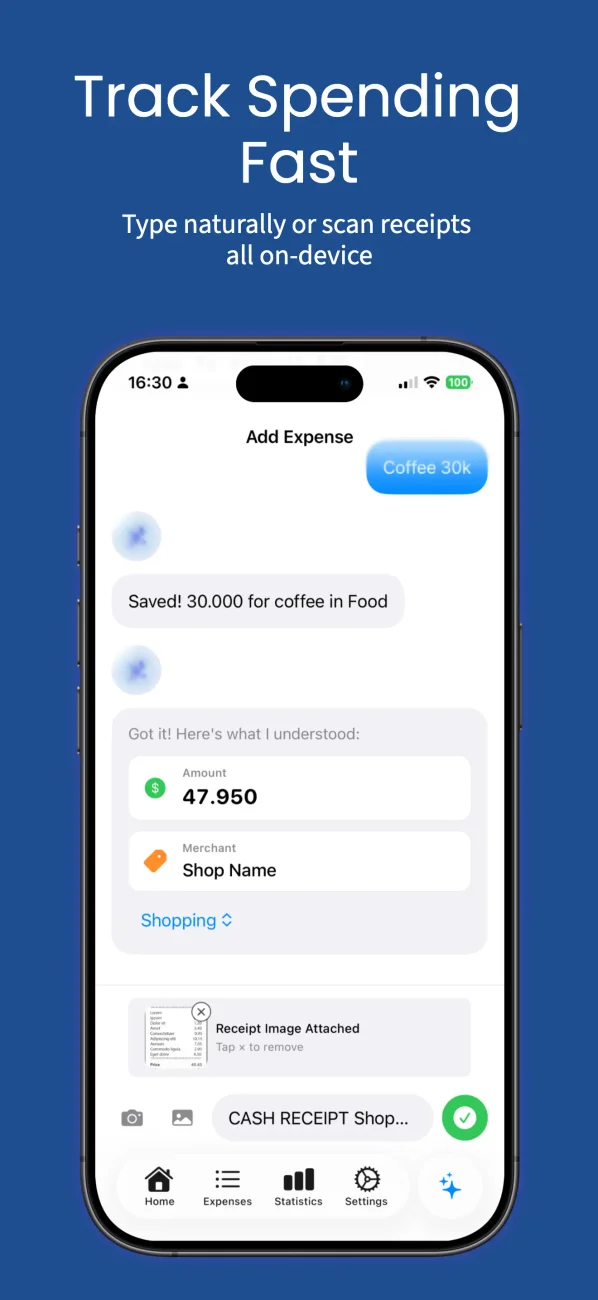
Tell Eta what you spent the way you'd text a friend: "coffee 30k" or "lunch 150k yesterday." Eta picks out the amount and the place, then files it in the right category. Got a paper receipt? Snap a photo and Eta reads it for you.
GETS SMARTER AS YOU GO
Eta remembers the category you choose for places you visit often, so next time it's already right. Add your own rules and notes to teach Eta how you like things sorted.
SEE THE BIG PICTURE
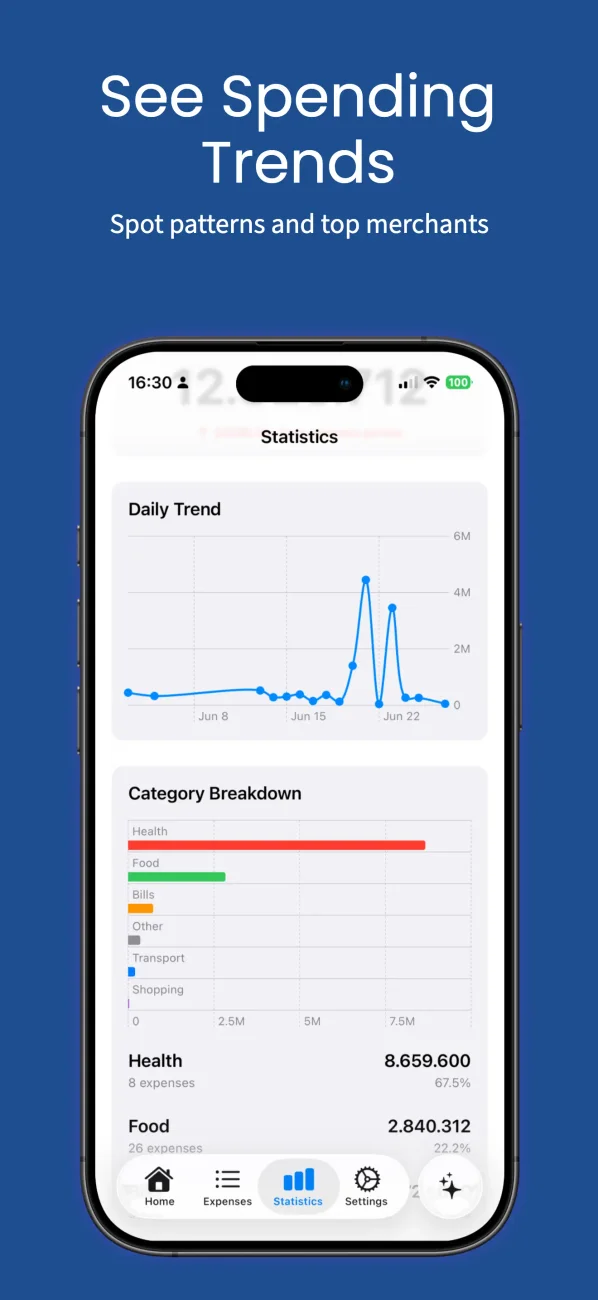
Set a monthly budget for each category and see at a glance how much is left. Clear charts show your trends and where most of your money goes.
KEY FEATURES
• Log expenses in plain words, in seconds
• Scan receipts with on-device text recognition
• AI Memory that learns your favorite places
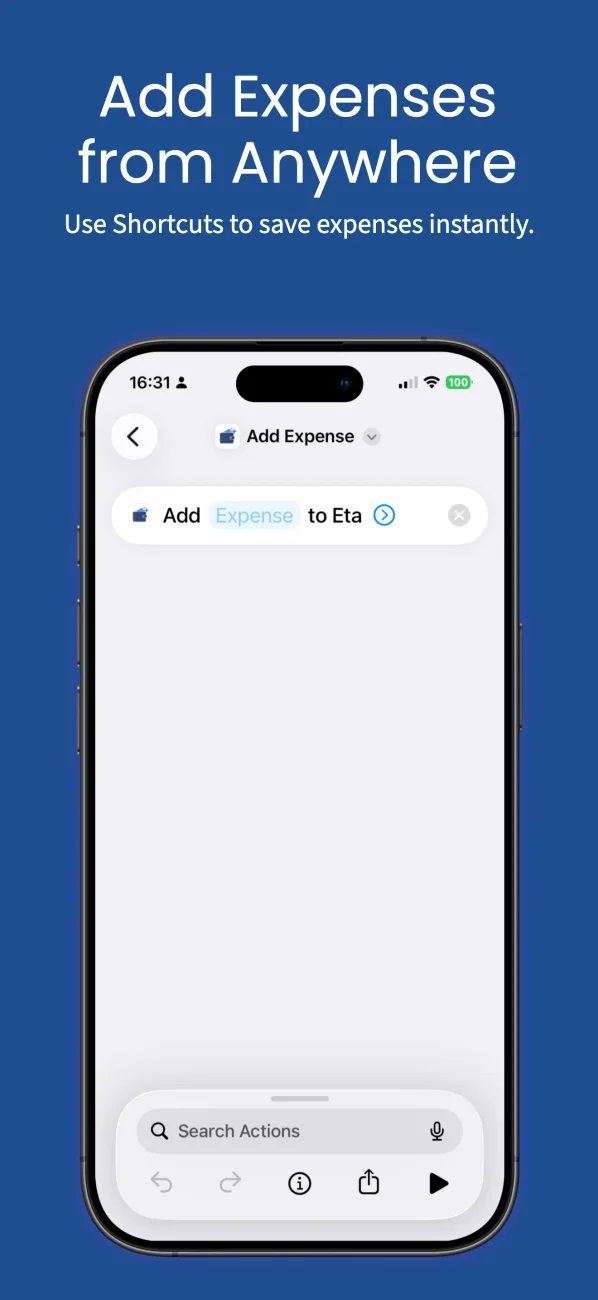
• Automated logging using Shortcuts
• Monthly budgets and custom categories
• Spending trends and top merchants
• Search, filter and edit your full history
• Recurring expenses with optional reminders
• CSV export, plus JSON backup and restore
• Private iCloud sync across your Apple devices
• Light and Dark mode
• English and Vietnamese
YOUR DATA STAYS YOURS
No account needed. Your expenses live on your device and can sync through your own private iCloud.
Eta never sends your data to third-party AI services. Apple Intelligence (Apple's on-device Foundation Models) is used only for optional expense parsing and category suggestions. It is off by default and can be turned on in Settings. WhenEta uses local rule-based parsing instead.
Try everything free for 7 days. One purchase unlocks Eta forever, no sub
What’s new
Version 3.1 · Nov 16, 2026
Eta has a whole new look!
Meet the receipt sloth, Eta's new mascot, along with a fresh app icon and a cleaner, friendlier design.
NEW
• AI Memory: Eta now remembers the category you pick for places you visit often, so it gets it right next time. Add your own rules and notes in Settings.
• Light and Dark mode: follow your device or pick one. Dark mode has a warm new look that's easier on the eyes.
• A redesigned Eta tab that makes logging feel like a chat.
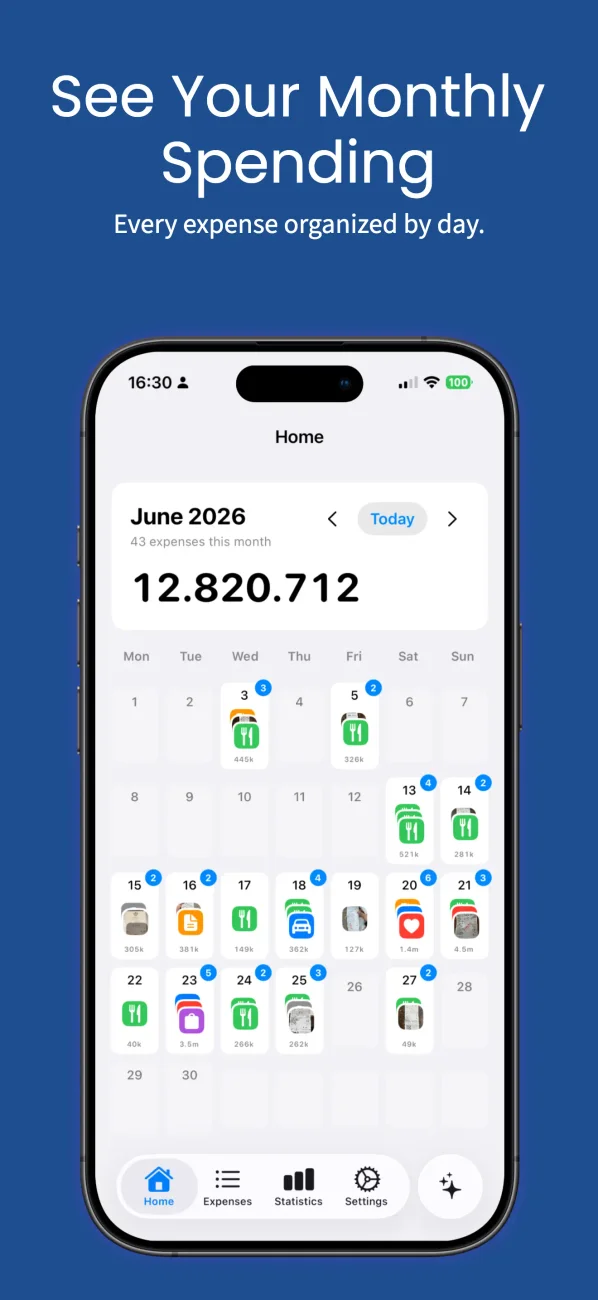
• Jump to any month right from the Dashboard.
IMPROVEMENTS
• Swipe to delete in all your lists.
• Eta now asks before deleting an expense, so nothing disappears by accident.
• Language and appearance options open as easy-to-reach bottom sheets.
FIXES
• Quick suggestions stay visible while you type.
• The input box no longer jumps around.
• Header buttons no longer overlap.
App privacy
What Dat Nguyen declares on the App Store about how this app handles data.
-
Data not collected
The developer does not collect any data from this app.
Privacy practices may vary, for example with the features you use or your age.
Information
- Seller
- Dat Nguyen
- Category
- Finance
- Version
- 3.1
- Updated
- Nov 16, 2026
- Released
- Jun 11, 2026
- Size
- 10.0 MB
- Requires
- iOS 26.0 or later
- Age rating
- 4+
- In-app purchases
- Yes
- Languages
- Vietnamese, English
- Copyright
- © 2026 Dat Nguyen
You might also like
-
 Sổ Hụi 4.0Finance
-
 Investment Calculator - CalcCompound interest, financial
-
 ACBS SMARTFinance
-
 FPTS EzTradeFinance
-
 Rolly: AI Budget Money TrackerExpense Receipt Planner Bill
-
 SSI iBoard ProSecurities trading and more
-
 Entrade X by DNSE: StocksSmart investment & finance
-
 Giá Vàng - Tỷ Giá Ngoại TệFinance
-
 UOB TMRW VietnamFinance
-
 digimi - Ngân hàng sốNgân hàng Bản Việt