- Age rating4+
- CategoryUtilities
- DeveloperPavel DEMIANOV
- LanguagesRussian
- Size18.8 MB
Links to the official App Store page
Download.org hosts no file of EUC Logger. The button opens its official App Store page, published by Pavel DEMIANOV. Listing last checked on Nov 20, 2026.
Screenshots


About
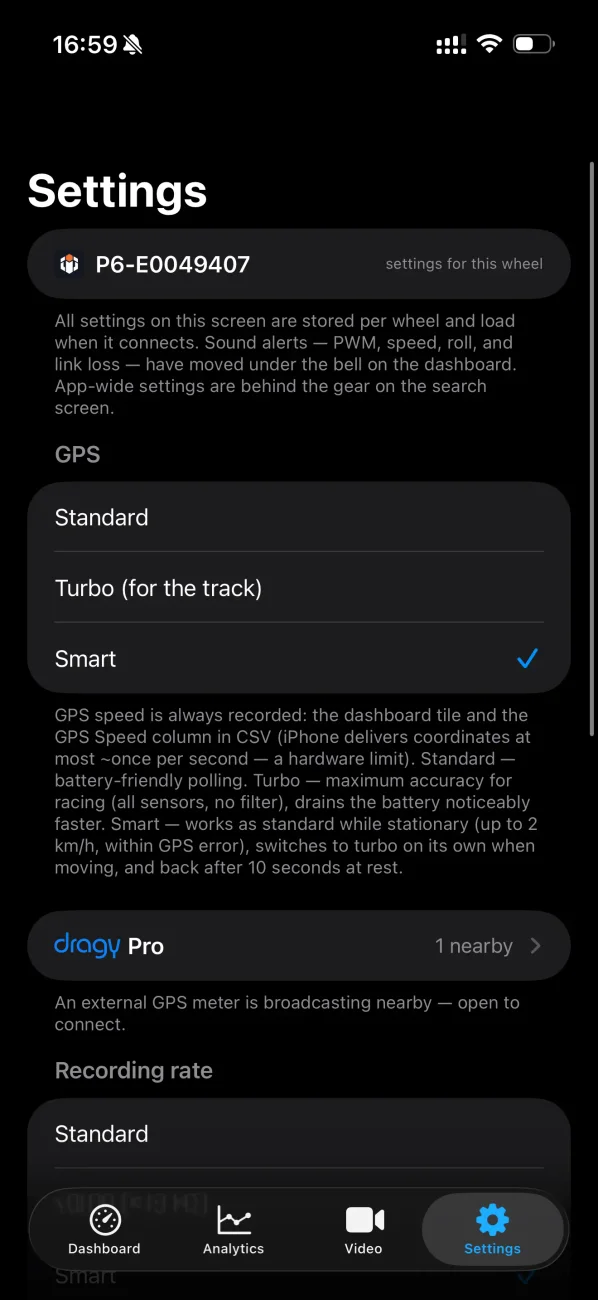
EUC Logger is a live telemetry dashboard and a black box for your electric unicycle. Connect over Bluetooth and ride: the app shows what the wheel is doing, warns you out loud when it matters and writes the ride to a file by itself. Afterwards, take it apart on charts and a map, or put its numbers onto your video.
WHILE YOU RIDE
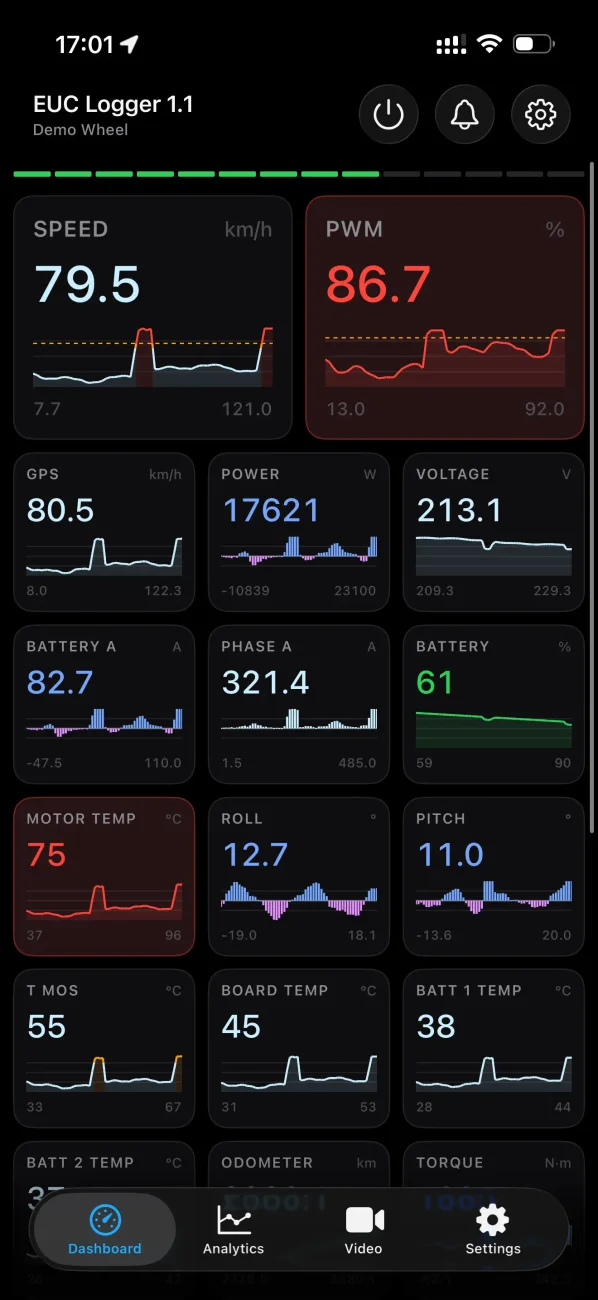
• 35 metrics as tiles — speed, PWM, power, voltage, currents, charge, temperatures, lean, odometer, both BMS packs — each with a chart and session min-max
• The dashboard learns your wheel: tiles it never fills hide themselves; a missing value is a dash, never a zero. Pinch to resize, hold to reorder, swipe between pages
• When the link drops the screen says so: dashes and a gap in the chart, not frozen numbers
• The same dashboard runs on Apple Watch
WHAT IT WARNS ABOUT
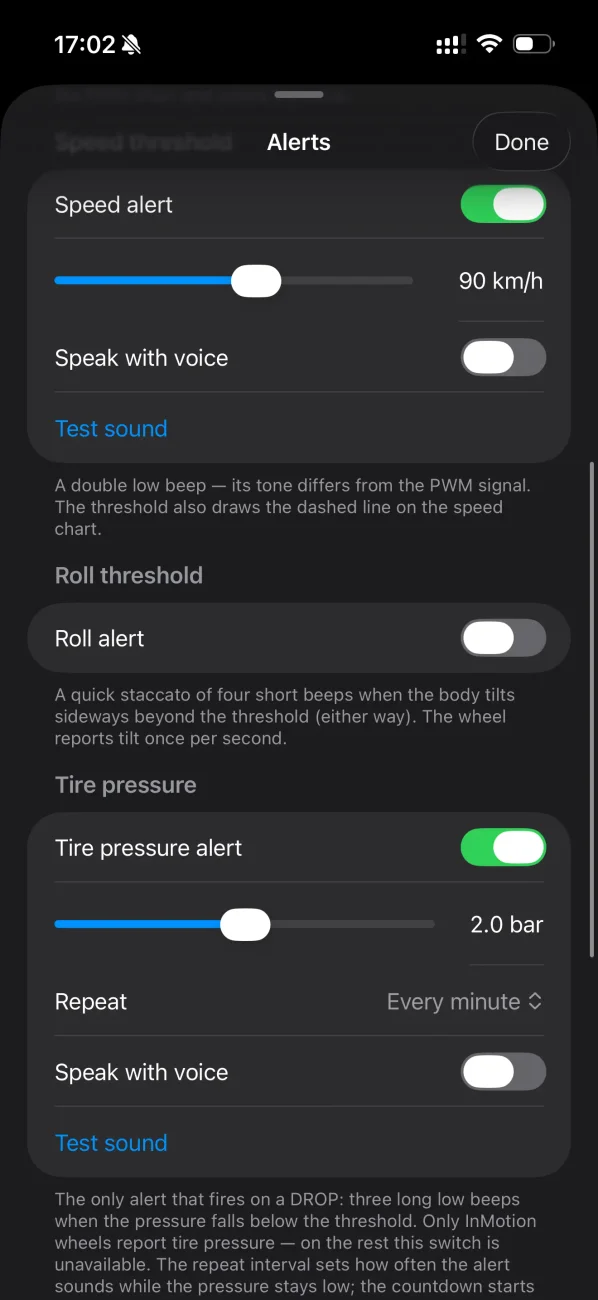
• Twelve kinds: PWM, speed, lean, motor and battery temperatures, both currents, two levels of low charge, tyre pressure (InMotion), link lost and restored. Thresholds are per wheel; PWM is on from the start, at 80 %
• Each kind has its own sound, so you know what fired without looking; your own spoken phrase can replace it
• Audible with the silent switch on and the screen locked; other audio is ducked only while an alert sounds
• This adds to the wheel's own tiltback and beeper, not replaces them
RECORDING RUNS ITSELF
• No start button: the file opens itself; a dropped link or a relaunch does not end the session
• One row per telemetry frame, 2 to 20 a second depending on the wheel
• 63 CSV columns, the first ten exactly the DarknessBot layout, so analysers of its logs open the file
• Share a ride as a file with a privacy zone around home, sealed by the phone's secure chip: the receiver sees if it was altered. Trim a spare piece into its own file
AFTER THE RIDE
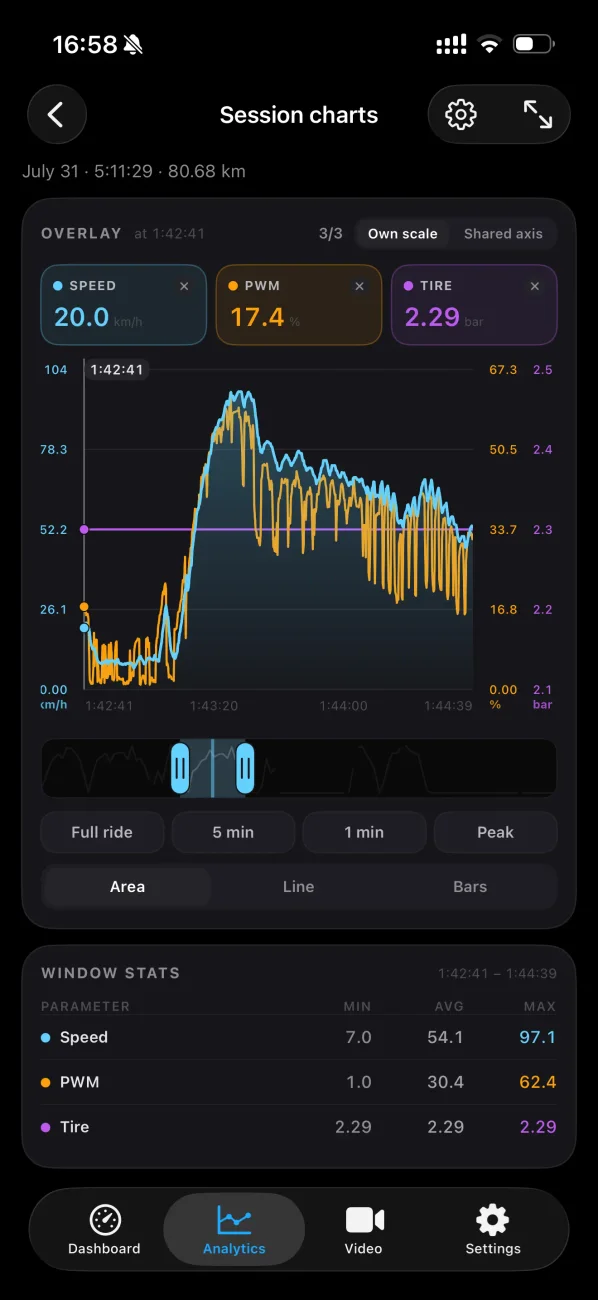
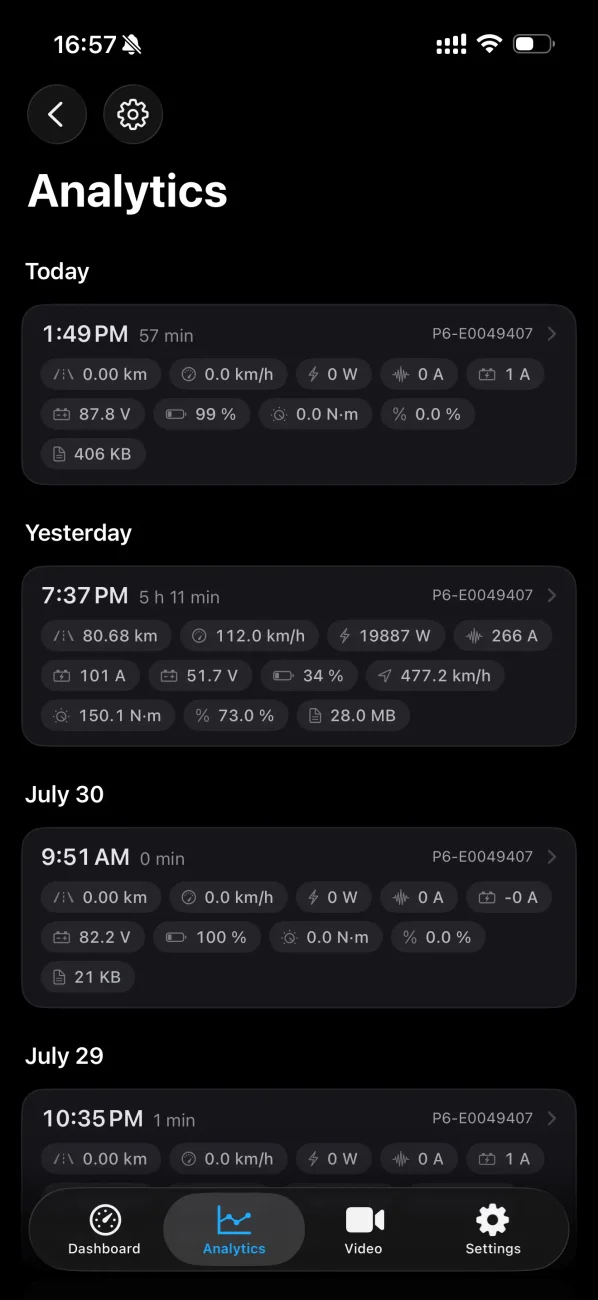
• Charts: up to three metrics at once, pinch to zoom, hold for a ruler, landscape for full screen; line, area or bars, and a break where telemetry went silent
• The route on a map, coloured by speed, with ride playback. On a track the app finds laps itself, times them and shows the best one
• 0–60 and 0–100 km/h from a standstill, or your own pair of targets — by the wheel, GPS and dragy, every run of the ride in a table
• Heart rate from Apple Watch: a column, a tile and a chart
TELEMETRY OVER VIDEO
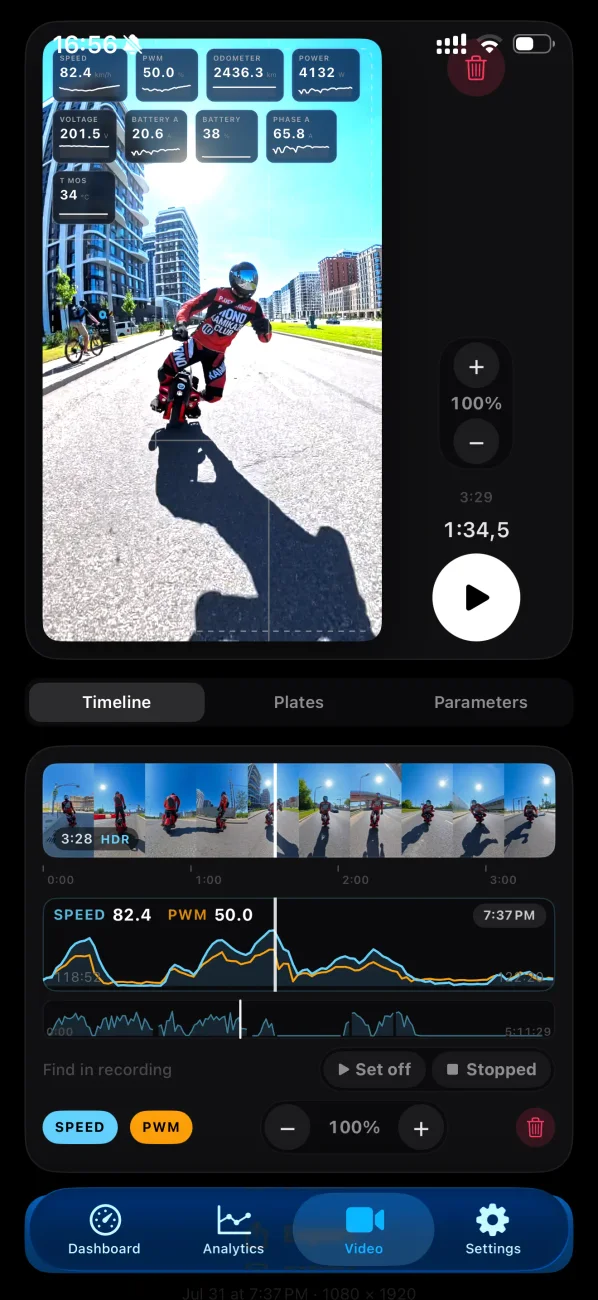
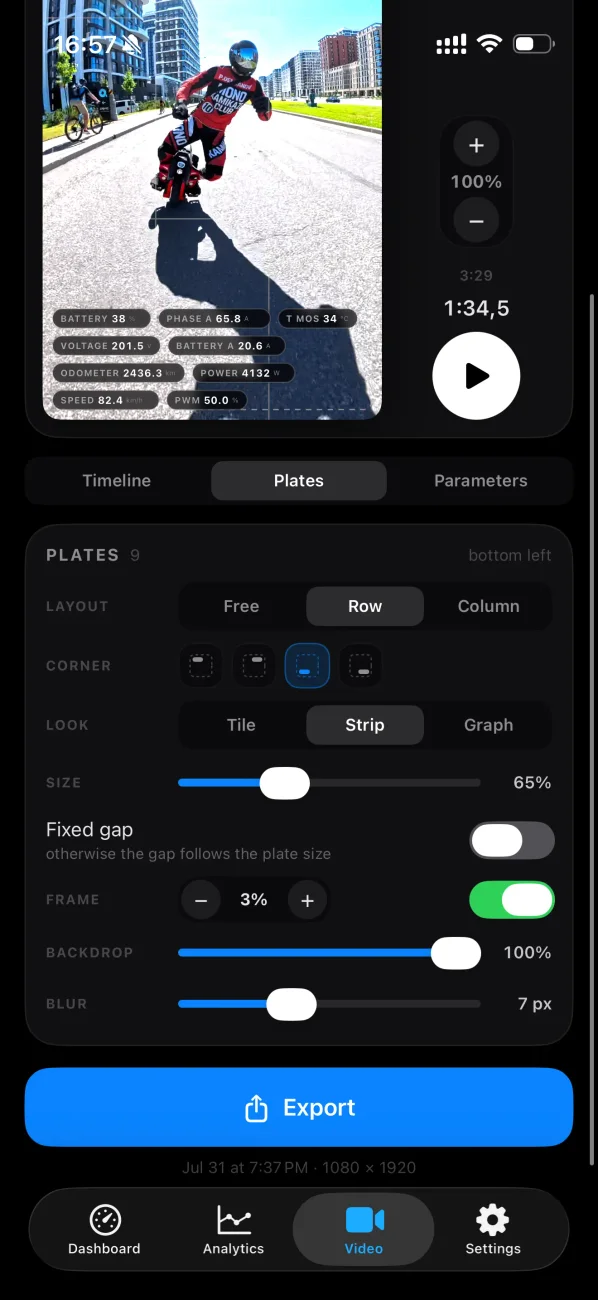
• A clip plus your recording — numbers land on the frame: tiles, bars, sparklines, speed and lean arcs
• Where the footage runs past the recording or the link was silent, the plate shows a dash
• Show the app's sync QR code to the camera, and the clip lines up with the ride by itself
• Projects are saved. Export up to 4K, H.264 or HEVC, Reels and YouTube presets
YOUR WHEELS
• Each wheel keeps its own thresholds, layout, name and archive; a wheel that is off opens as a frozen dashboard
• Six protocol families. Three verified on hardware we own: InMotion V2 (P6), Begode-compatible (SV168), Veteran-compatible (NOSFET Aero). Three more — KingSong with Rockwheel, InMotion V1 (V5–V10), Ninebot Z — decoded from open sources and riders' captures
• Your wheel not listed? Connect anyway: the protocol is recognised from the wheel itself
• The app changes nothing in the wheel. Exception: SmirnoV firmware settings, balance tuning behind a warning
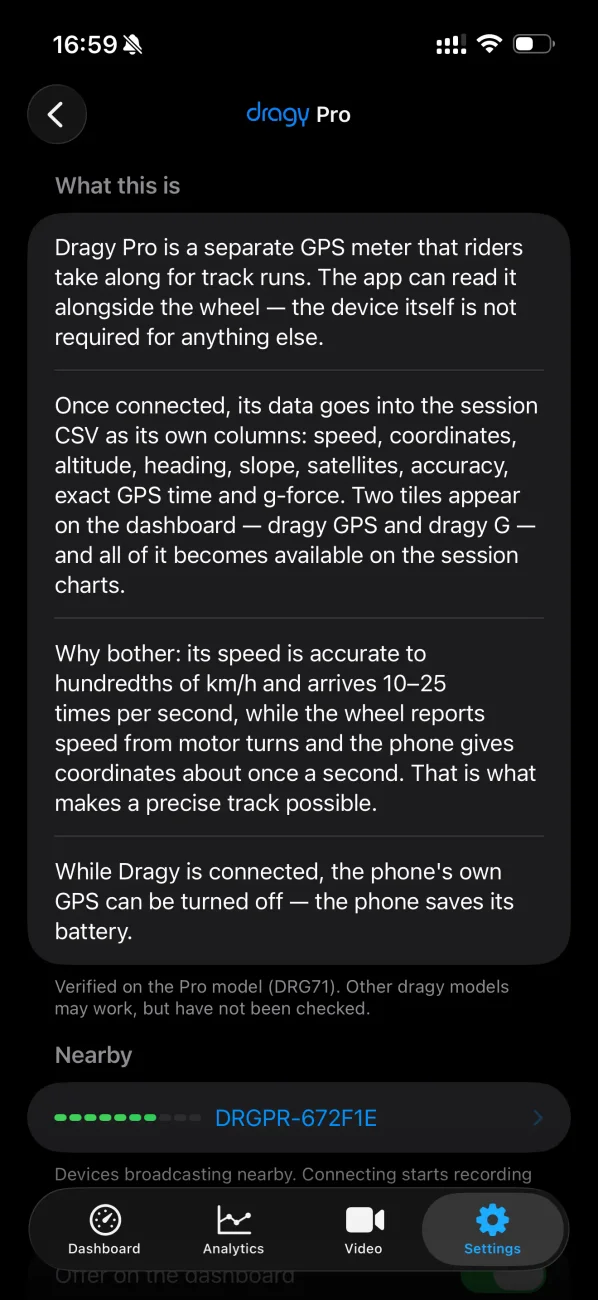
• An optional dragy DRG71 (Pro) GPS meter is read alongside: speed, g-forces, coordinates
• No wheel at hand? Demo mode behind the gear icon runs the app on a simulated ride
PRIVACY
• Free: no accounts, no ads, no analytics, no third-party SDKs
• Rides stay on the phone; optionally copied to iCloud Drive
• Location is used for speed and route: both go into the ride file and onto the map. Map imagery comes from Google's static maps — only the shown area goes into that request
• Each closed ride's seal — no ride data, no location — is registered on euclogger.com; this can be turned off. Diagnostic reports leave only on your command
iPhone, iOS 17+; watch dashboard needs watchOS 10+. English and Russian. Metric units only.
euclogger.com
What’s new
Version 1.9 · Nov 12, 2026
Speed and distance
• Speed calibration (formerly "Odometer calibration"): "Launch times only" or "Everywhere". With "Everywhere" the correction applies to the dashboard, charts, video, the watch and the devices on your hand, top and average speed and distance. Alerts still go by the wheel's own reading, and recordings are not changed.
• "Distance by speedometer" — for wheels whose firmware corrects the speed but not the odometer: a recording's distance is counted from the wheel's speed.
• GPS and dragy speed is checked against the wheel more strictly: a value more than 20 km/h above the wheel is dropped, while the wheel stands still the external speed is zero, and a stop on the track is a single point. Summaries of past recordings are recalculated on first launch.
New metrics
• "Altitude" (phone and dragy) and "Distance" since the start of the recording — on charts, the lap and route screens and video plates; altitude also as a dashboard tile.
• The route title shows the distance, and the run screen shows the distance covered.
Charge
• Custom 0 % charge: set the voltage of an empty cell (2.70–3.60 V) in the wheel settings — for wheels whose charge is calculated from voltage.
dragy
• The dashboard offers only your meter — the one you last connected to — and remembers it between launches. Other meters nearby are in the dragy settings, along with "Forget my device" and a switch that brings back every meter in range.
Dashboard
• Holding a finger on the maximum next to the number resets it on that tile only.
• Phase current and pack currents are coloured by sign — traction in one colour, braking in another; the peak box is shown on the currents too.
Wheels
• Leaperkim Sherman P and other 42-cell wheels: the charge no longer sticks at 100 % — the wheel's own battery reports the cell count. No false 100 % on Leaperkim and NOSFET right after connecting.
• Phase current above 400 A is no longer cut off (SmirnoV, Leaperkim) — the real peaks are shown.
Video
• While a clip is copied from the library, the frame shows "Loading the video…", and if adding fails, the reason is written under the frame.
• Old exports no longer pile up in the temporary folder eating storage.
iPhone Duo
• On the inner display: more tiles per row, a larger frame in Video, map and charts side by side on the lap screen, and a recording in Analytics in landscape in two columns.
Magic Hand 2
• Firmware MH2FW-20: the device button cycles the player's shortcuts, and the shake that opens the player is softer.
App privacy
What Pavel DEMIANOV declares on the App Store about how this app handles data.
-
Data not linked to you
May be collected but is not linked to your identity.
- Identifiers
Privacy practices may vary, for example with the features you use or your age.
Information
- Seller
- Pavel DEMIANOV
- Category
- Utilities
- Version
- 1.9
- Updated
- Nov 12, 2026
- Released
- Aug 13, 2026
- Size
- 18.8 MB
- Requires
- iOS 17.0 or later
- Age rating
- 4+
- Price
- Free
- Languages
- Russian
- Copyright
- © 2026 Pavel Demyanov
You might also like
-
 LeaperKimEasily connected
-
 EUC Pro: Unicycle SpeedometerBattery, PWM & Ride Tracker
-
 AimbeamUtilities
-
 CragerUtilities
-
 TOPFEELTOPFEEL
-
 MOTOEYE DMUtilities
-
 JuiceMeUpFind outlets & charge anywhere
-
 3D Topology OptimizerSIMP-Topologieoptimierung
-
 BTC Mining Profit CalculatorEstimate hardware ROI
-
 Car Bulb Finder: Size & GuideFind the Right Bulb for a Car