
- Age rating4+
- CategoryFinance
- DeveloperThomas Reinke
- LanguagesGerman+ 1 more
- Size8.8 MB
Links to the official App Store page
Download.org hosts no file of ChargeScope. The button opens its official App Store page, published by Thomas Reinke. Listing last checked on Nov 26, 2026.
Screenshots


About
Do you really know what your EV costs per charge?
You charge at home, at your wallbox, at public stations, sometimes with solar power from your own panels — each at different prices, with different losses, from different sources, often with a base fee on top. ChargeScope brings it all together. Not as a spreadsheet. As an analytics dashboard that answers.
Every figure adds up. Everywhere. And every figure shows how it is calculated.
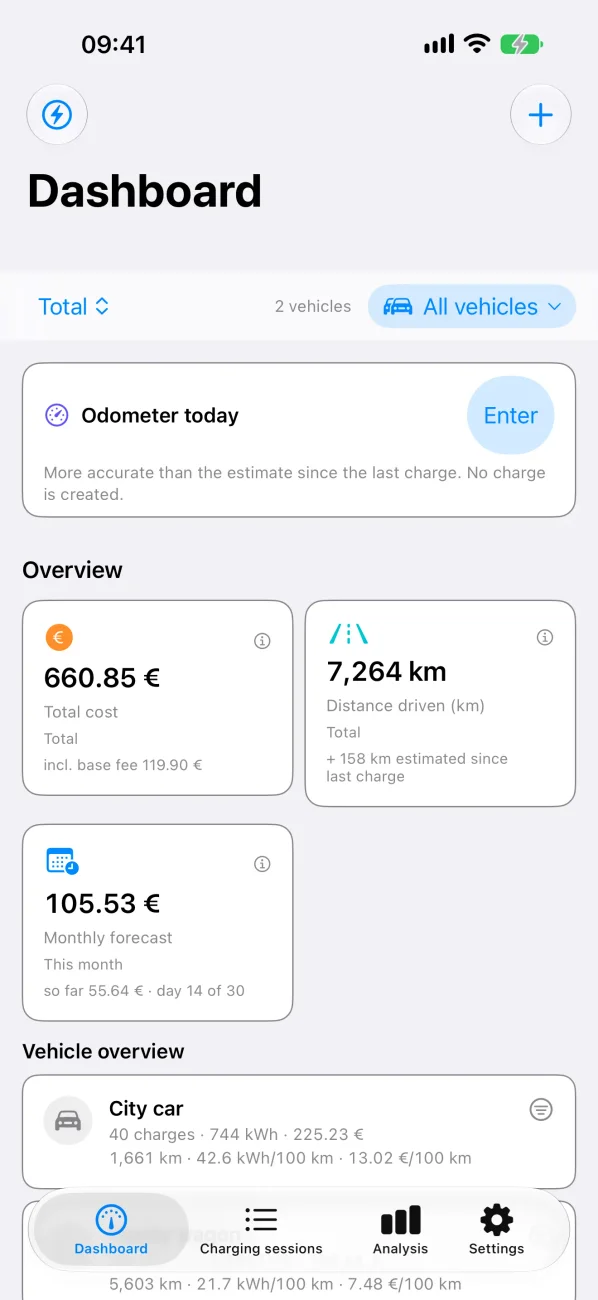
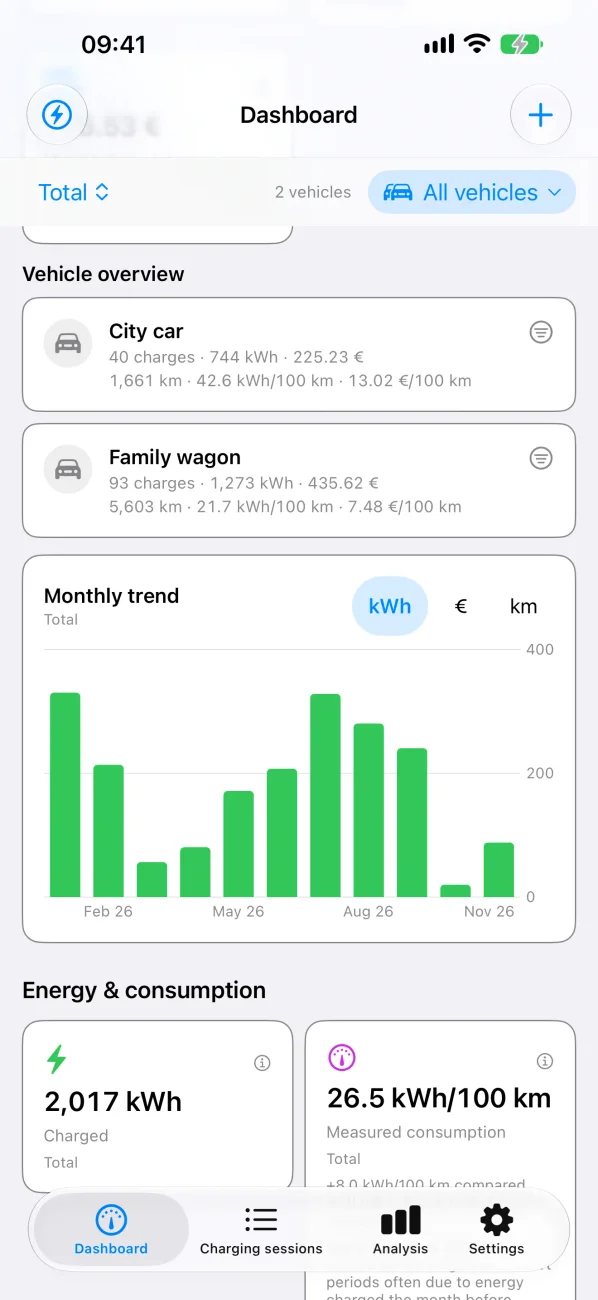
The dashboard — what's really happening with your charging:
- Measured consumption (kWh, mileage-weighted per vehicle)
- Charging mix by source: how much solar power actually reached the battery
- Seasonal efficiency — month by month over time
- Cost per 100 km apportioned — not averaged, the same figure everywhere
- Total cost including base fees, shown as a separate line
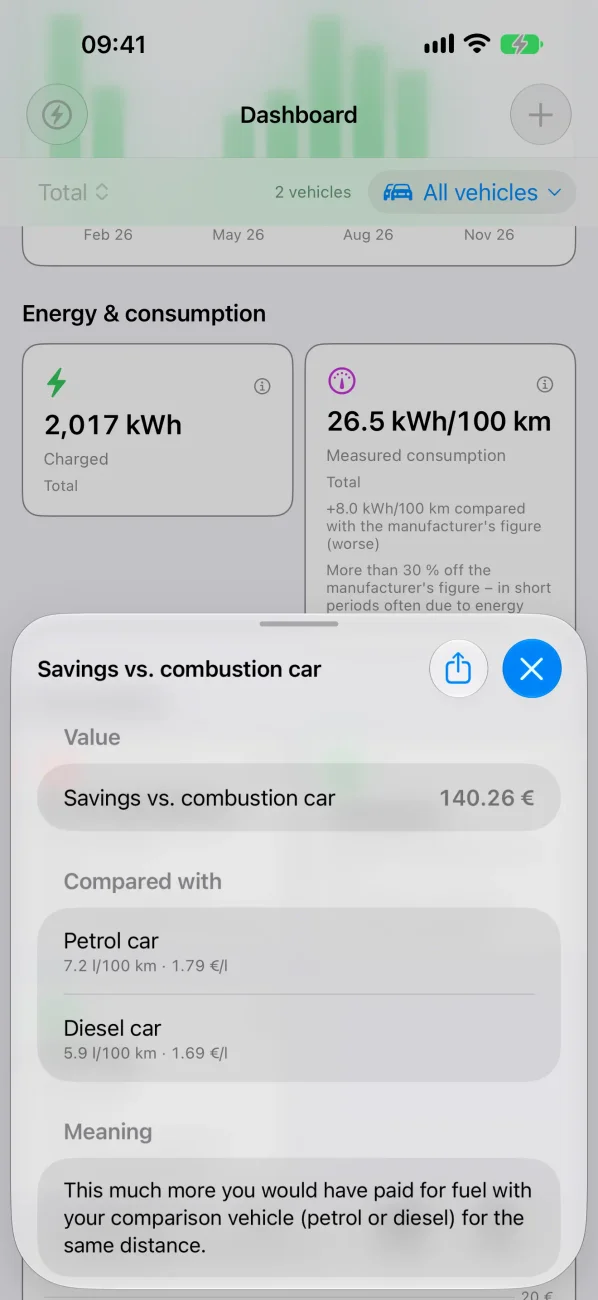
- Savings and CO₂ per EV against its comparison car (petrol or diesel), shareable as an image
- Price trend per kWh, weighted by energy charged
- Wallbox break-even comparison: does home charging actually pay off?
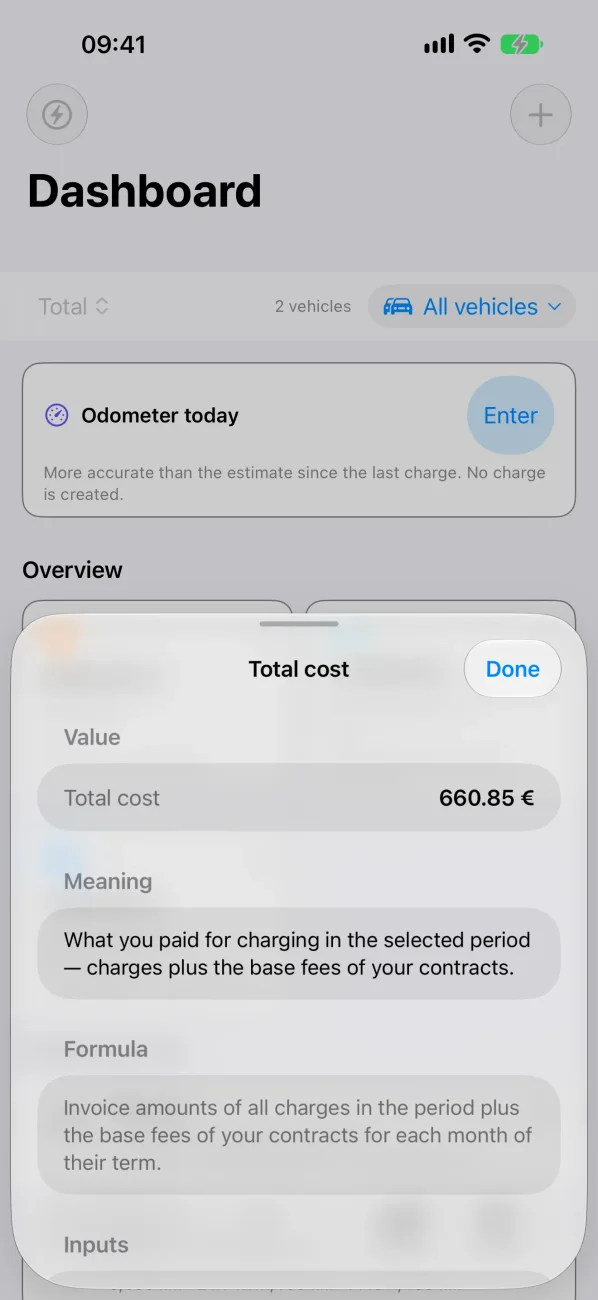
- How it is calculated, one tap on any tile — every number explained
- Monthly summary as a notification on the 1st, if you like
Log sessions in seconds:
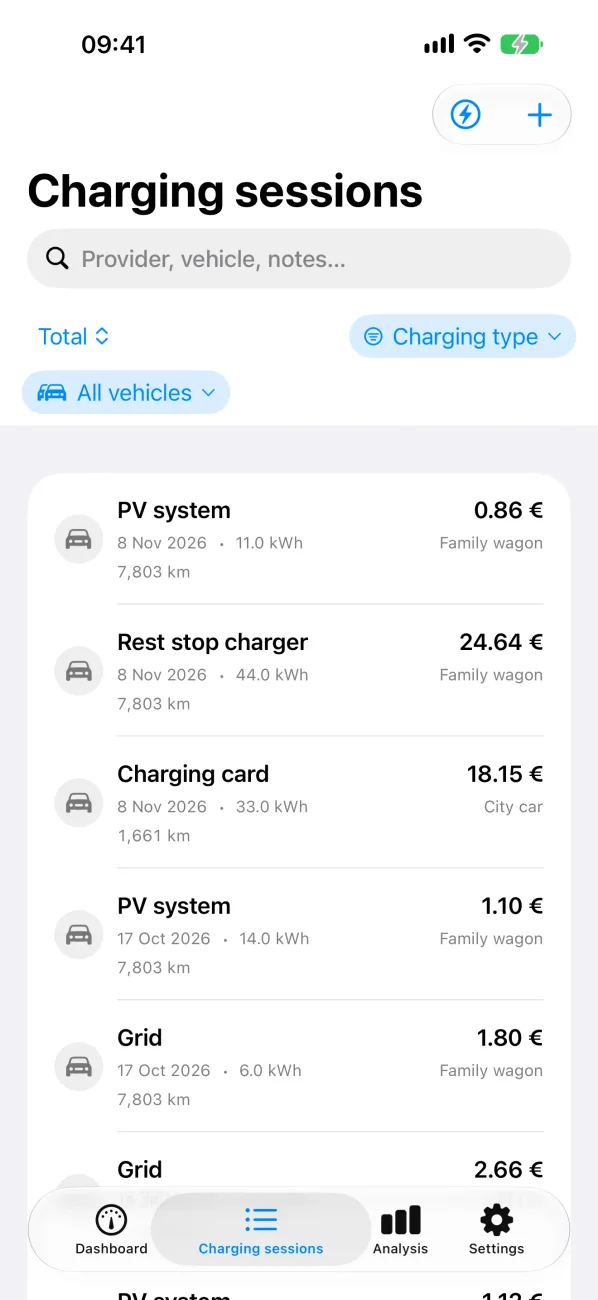
One tap on the plus button, and your provider's default tariff is suggested. Time of day, charging type AC or DC, mileage plausibility check, PV share for mixed sessions. The form flags errors right at the field. If your invoice differs, your invoice amount counts. Your charging history shows the odometer reading for every session, a deleted session comes back with "Undo", and on iPad it is a sortable table with the columns you choose.
Tariffs and contracts:
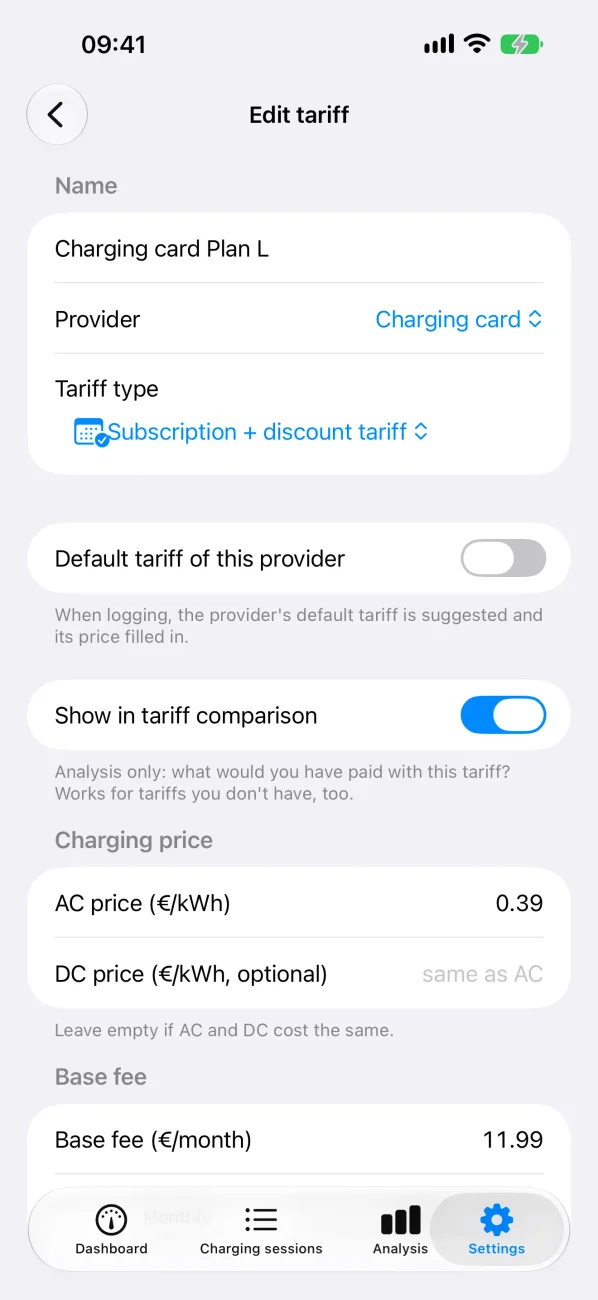
Every tariff belongs to its provider. Prices valid from a set date, separately for AC and DC. Contracts with a monthly or yearly base fee and a term. Earlier sessions keep the price they had. With several EVs, ChargeScope splits the base fee by energy charged or assigns it to one vehicle.
Analytics that answer questions:
- Previous month, previous quarter, previous year — direct comparison, no date picking
- Profitability: home charging (solar, grid) vs. public, fully separated
- Rate comparison: what would a flat-rate plan cost at your usage pattern?
- AC/DC as a filter, charging loss per charging type
- Kilometres or miles, applied everywhere
Multiple vehicles:
Battery profile, target consumption, vehicle photo and its own comparison car per EV. Every figure is calculated correctly per vehicle and combined by mileage weight.
Report and backup:
PDF report right on iPhone and iPad: pick a period and a vehicle, preview, share — for example as a record for tax or employer reimbursement. With Premium: automatic backup to your iCloud Drive — including vehicle photos, tariffs and contracts, no data lost on device migration.
Your data. Your device. Your control:
No account required. No tracking. No third-party sharing. All data stored locally on your device. With Premium, ChargeScope syncs through your personal iCloud — no external servers, no foreign cloud.
Logging, analysis and export without a subscription. Premium adds iCloud sync and automatic backups — 3 months free on the annual plan for new subscribers, directly through the App Store, no account needed.
Privacy: https://chargescope.ai/privacy
Terms: https://chargescope.ai/terms
What’s new
Version 4.13.0 · Nov 24, 2026
Version 4.13 gives you numbers you can trust: every figure comes from one calculation, matches across Dashboard, Analysis and PDF, and shows how it is calculated with a single tap.
NEW — The dashboard
Four clear sections, tiles in one consistent style, a vehicle overview and your charging mix by source. Enter your odometer reading right on the Dashboard. A tap on any tile or analysis section shows how the figure is made, clearly labelled for VoiceOver too. Trend charts show a dashed average line, and the monthly view comes as columns.
NEW — Numbers that add up
Cost per 100 km is the same everywhere. With several cars, every figure is calculated correctly per vehicle. Base fees and fixed costs are included, and when you confirm a contract the app warns you if flat-rate sessions would count twice. The price trend per kWh is weighted by energy charged.
NEW — Share and stay on track
Share your savings as an image, landscape or portrait, with exactly the amount on the tile. If you like, your monthly summary arrives as a notification on the 1st of each month at 9 am, and a tap opens the Dashboard.
NEW — Tariffs, providers, vehicles
Every tariff belongs to its provider, prices live on the tariff, and when you log a session the app suggests the provider's default tariff. Merge providers with similar spellings in one step. The tariff comparison spreads yearly base fees correctly, lists tariffs without a valid price at the bottom as "Price missing – not compared" and explains every figure with its formula. Tariffs you have signed up for are marked "Your tariff". On iPad, you edit vehicles, providers and tariffs right next to the list.
Redesigned
- Time of day for every session. Older sessions without a time stay as they are.
- AC or DC as a badge and filter in the session list and Analysis, plus charging loss per charging type.
- Kilometres or miles, applied everywhere, including the PDF.
- The form shows errors right at the field and only saves valid values, then closes with a short confirmation.
- Session list: delete with "Undo", your scroll position stays after editing, and you choose the columns per device.
- First launch without iCloud is ready right away, with a clear first step: add your vehicle.
- Importing a backup either succeeds completely or changes nothing, with a clear message.
- Premium: automatic backup and the backup list run in the background, so the app stays smooth. iCloud sync works more reliably.
- One name per language on your Home Screen, when sharing and in the PDF: ChargeScope in English, eLadung GO in German. The app icon now also comes in Dark and Tinted.
- All links and contact now lead to chargescope.ai.
Premium
Logging, analysis and export work without a subscription. Premium adds iCloud sync across your devices and automatic backups. New: the annual plan starts with 3 months free for new subscribers, directly through the App Store.
Questions or feedback: support@chargescope.ai
App privacy
What Thomas Reinke declares on the App Store about how this app handles data.
-
Data not collected
The developer does not collect any data from this app.
Privacy practices may vary, for example with the features you use or your age.
Information
- Seller
- Thomas Reinke
- Category
- Finance
- Version
- 4.13.0
- Updated
- Nov 24, 2026
- Released
- Apr 10, 2026
- Size
- 8.8 MB
- Requires
- iOS 17.6 or later
- Age rating
- 4+
- In-app purchases
- Yes
- Languages
- German, English
- Copyright
- © (c) torecon
You might also like
-
 EVkWhFinance
-
 EV vs Gas Cost CalculatorCompare EV & Fuel Costs
-
 MileIO - Fuel TrackerGas, EV & Car Expense Log
-
 SubsioFinance
-
 VerbrauchsrechnerFinance
-
 Divizend CompanionPersonalized Portfolio Tracker
-
 Financial calculator MarkMoneyFinance
-
 Codriver – Car Expense TrackerTrack Fuel Costs & Mileage
-
 ETF Calculator Pro SavingsplanCalculate your fund investment
-
 FuelUp: Fuel Log & MPG TrackerCar costs, mileage & service