
- Age rating4+
- CategoryProductivity
- DeveloperBrainpop GmbH
- LanguagesEnglish+ 1 more
- Size47.7 MB
Links to the official App Store page
Download.org hosts no file of Event Job. The button opens its official App Store page, published by Brainpop GmbH. Listing last checked on Nov 23, 2026.
Screenshots



About
Event Job is the app for everyone working at events: stewarding, security, catering, build-up and breakdown.
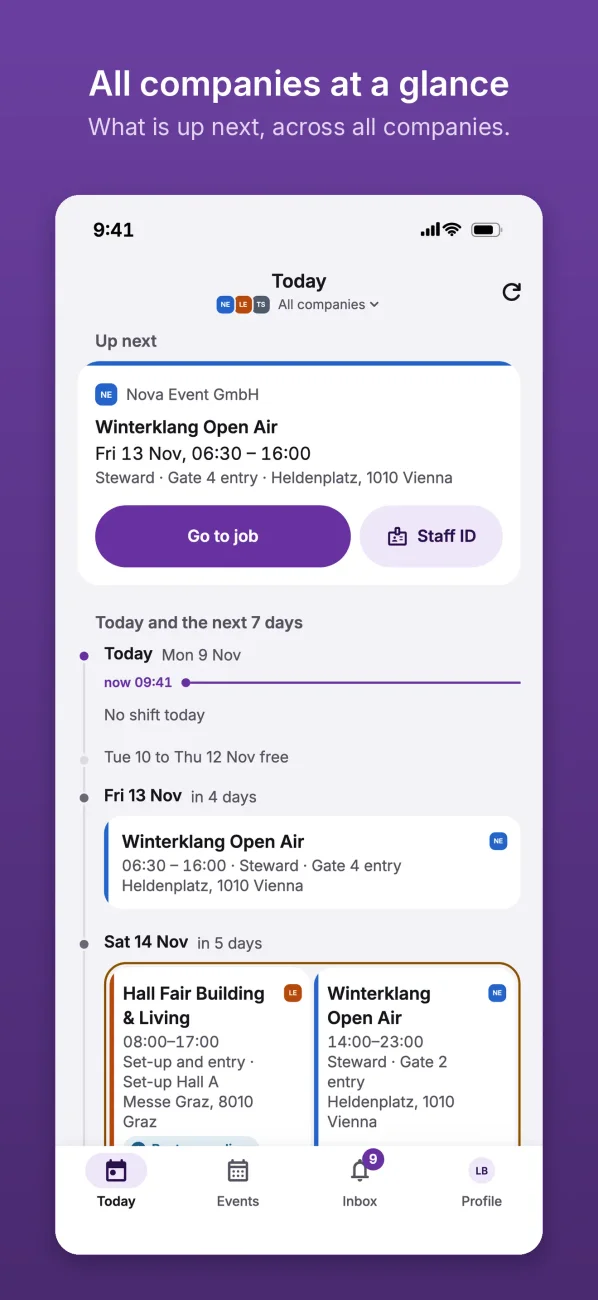
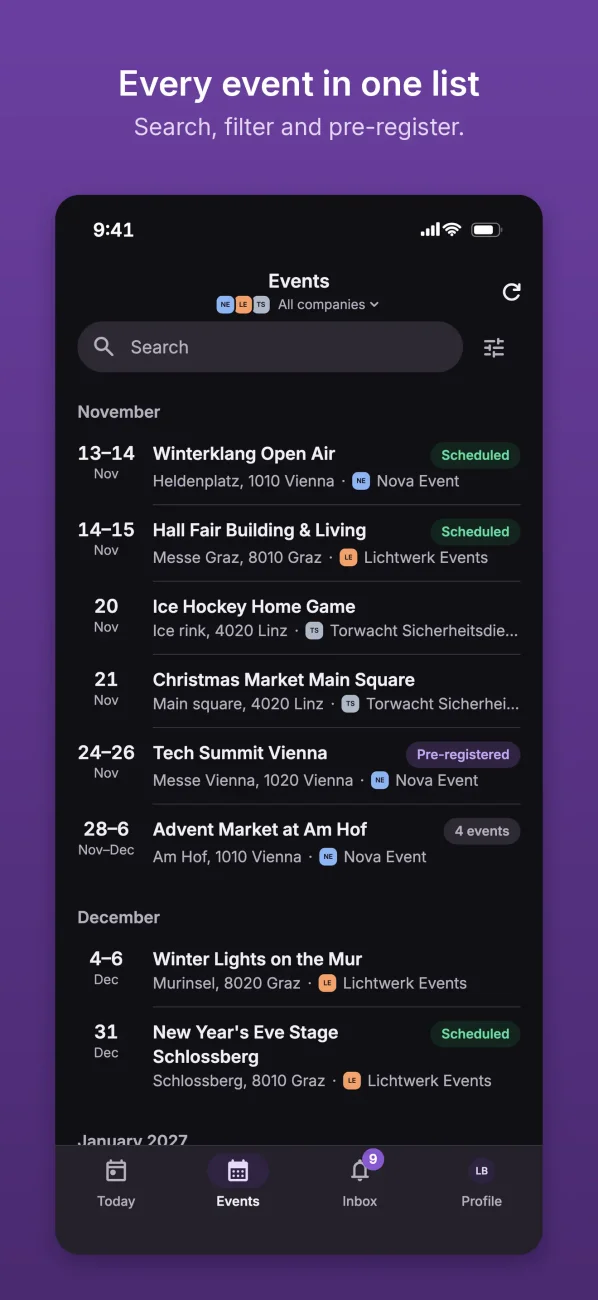
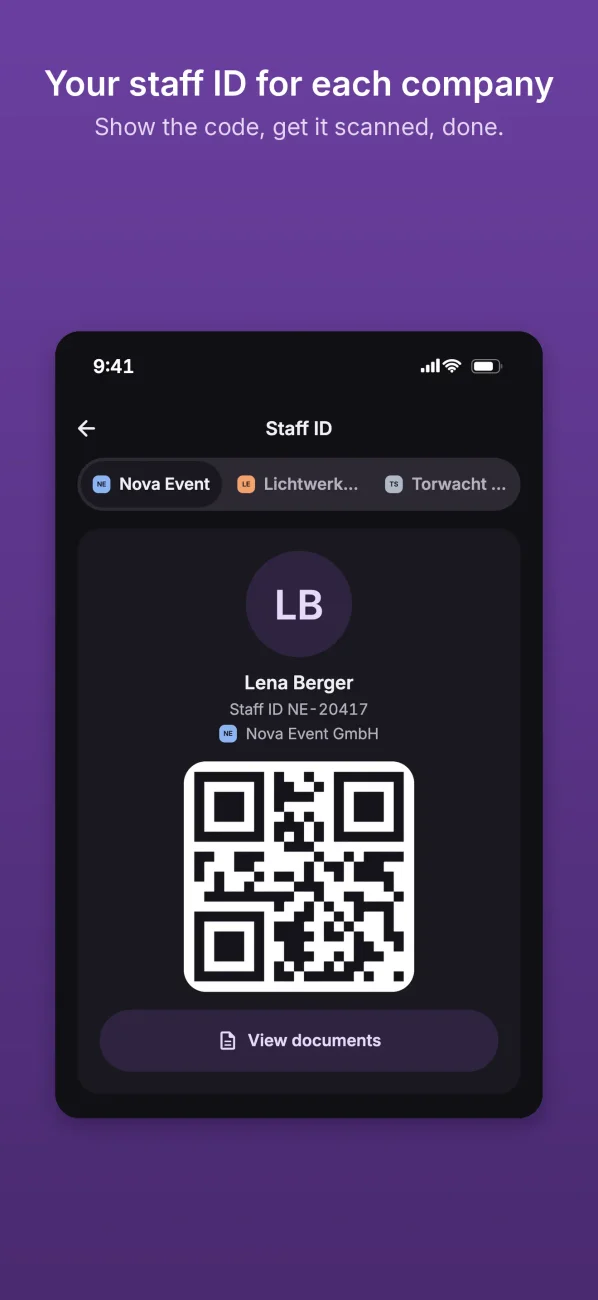
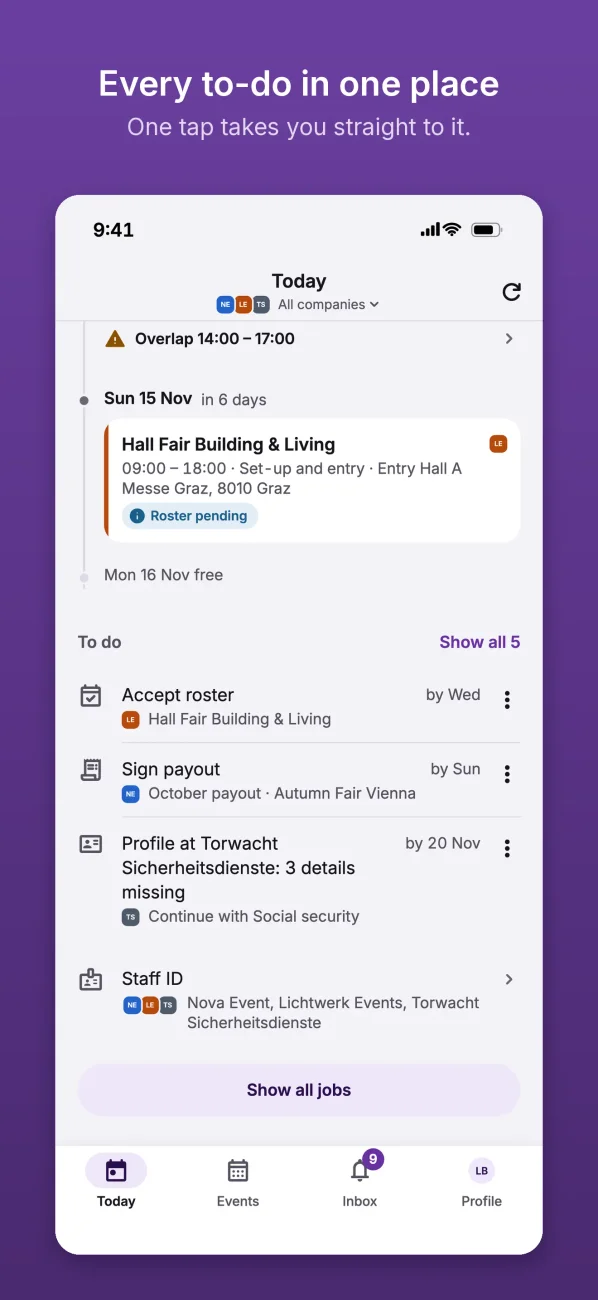
See which events are open, sign up with one tap, and carry your shifts with times, location and meeting point wherever you go. At the entrance you show your digital ID card, the code is scanned, done.
WHAT YOU DO WITH IT
• Create your account yourself, with your email address, a password and a code we send you by email
• Add profiles with companies, with an invitation, a company code or a QR code
• Apply with Event Job if you don't have a company yet: companies see your application and can invite you
• See open events and pre-register for them
• Keep track of the shifts you accepted, with start, end and hours
• Accept your roster and sign your contract
• Recognise the status of every shift: registered, assigned, on duty, settled
• Show the digital ID card at check-in
• Read your inbox by company and by job, swipe to mark as read or mute, and reply to your company
• See all your jobs, past ones too, for one company or for all
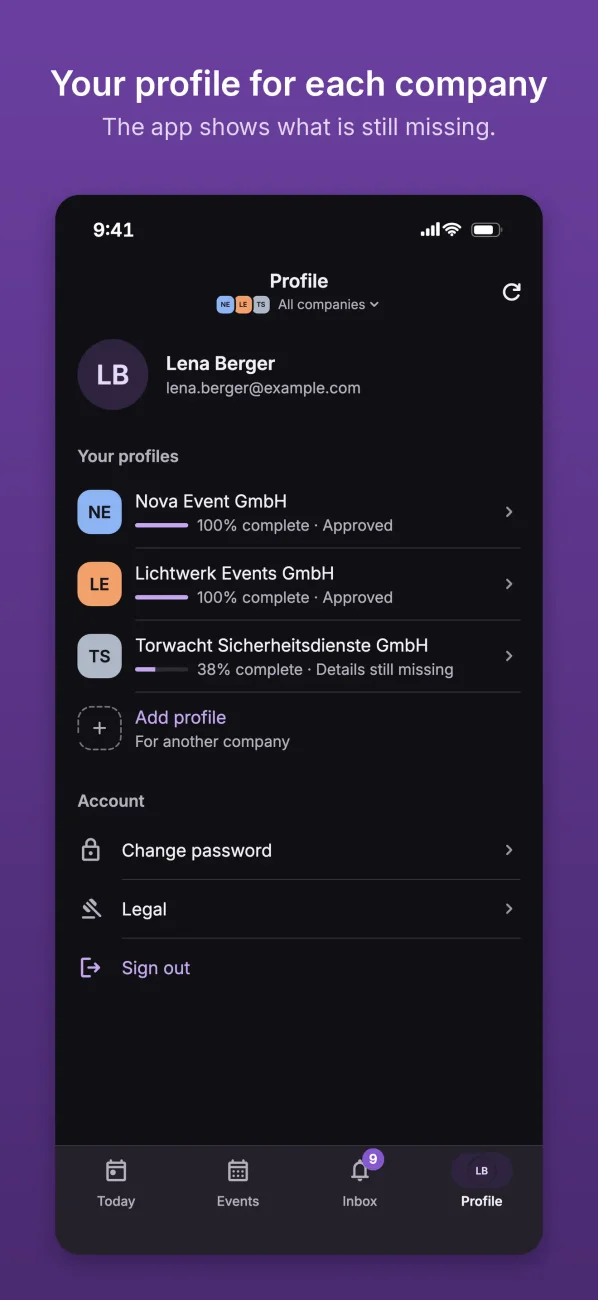
• Complete your profile: personal details, address, bank details, languages, documents
• Photograph and upload documents straight from the app
• Work for several companies: all companies at a glance or each one on its own, with a selector at the top
YOUR ACCOUNT
One account covers all your companies. You sign in in a few steps, reset a forgotten password with a code, change your email address and your password, choose the language and see which devices you are signed in on. If you like, you sign out single devices or all the others. You can delete your account in the app; beforehand the app shows you what happens.
APPLY WITH EVENT JOB
If you don't have a company yet, you describe in a few steps what you can do and when you are available, with a selfie and your CV as a PDF if you like. Companies on Event Job see your first name, the first letter of your last name, where you live and your details, not your email address. If a company invites you, you decide whether to accept. Only then your profile with that company is created, and it sees your email address. You can pause, change, extend or withdraw your application at any time and hide individual companies. Whether a company invites and schedules you is up to the company.
YOUR PROFILE GUIDES YOU
The app shows what is still missing so the office can assign and pay you. Every section says how far along it is. A document counts as done only once the office has approved it, so you see the real state rather than just your own upload.
EVEN WITH POOR RECEPTION
Reception on site is often weak. The app keeps your data at hand, a short dead spot does not throw it off, and as soon as you are back online whatever was pending is caught up.
You can pre-register and accept your roster without a connection, too: the app remembers what you did and sends it as soon as you're back online.
WHO THIS IS FOR
Event Job is used by staffing agencies and event organisers. You create your account yourself. For shifts you need a profile with a company: with an invitation, a company code or the company's QR code, or through your application with Event Job.
Questions? jobs@eventjob.at
What’s new
Version 2.1.2 · Nov 19, 2026
Supervisor view: the "on duty" and "not checked in" counts and the team list show who is checked in according to the portal – including the automatic check-in, a self check-in in the app or a booking by another supervisor. With a connection, the supervisor view refreshes by itself when you open it.
Notifications: on every start the app checks that the portal knows your device correctly for notifications.
New app version: when a newer version is in the store, the app shows it at the top of "Today" with a button to the store.
Pre-registrations: if a company doesn't let you withdraw a pre-registration, you see it right on the event and can message the company with one tap.
Rejecting a roster: you write the reason in your own words; the company reads exactly your text.
Documents: if you upload a new version of an approved document, the previous one stays valid until the company approves the new one. The app shows you that it is waiting.
Signing: the signature field reliably takes your first stroke again.
After checking out: you get a notification as soon as your payout is ready.
The app sends its version, the operating system and whether notifications and location are allowed, so problems can be solved faster. Your position is never sent.
App privacy
What Brainpop GmbH declares on the App Store about how this app handles data.
-
Data linked to you
May be collected and linked to your identity.
- Health and fitness
- Financial info
- Location
- Contact info
- User content
- Identifiers
- Other data
-
Data not linked to you
May be collected but is not linked to your identity.
- Usage data
- Diagnostics
Privacy practices may vary, for example with the features you use or your age.
Information
- Seller
- Brainpop GmbH
- Category
- Productivity
- Version
- 2.1.2
- Updated
- Nov 19, 2026
- Released
- Nov 3, 2023
- Size
- 47.7 MB
- Requires
- iOS 15.0 or later
- Age rating
- 4+
- Price
- Free
- Languages
- English, German
- Copyright
- © Brainpop GmbH
You might also like
-
 Gigs – Event Staffing JobsFind flexible work instantly
-
 eAusweiseProductivity
-
 ID AustriaProductivity
-
 PUSH MODELS MOBILEProductivity
-
 Eventee - Your Event BuddyEnjoy the smooth event flow!
-
 AutoScout24: Buying & leasingUsed & new cars for sale
-
 PrideStaff EdgeWork With Pridestaff
-
 Friday AI Email WriterPRO Letter, Mail & Text Writer
-
 UbeyaProductivity