
EventAssets
Event page, RSVP, guest photos
Designed for iPhone
Free · In-app purchases
- Age rating12+
- CategoryLifestyle
- DeveloperTristan Trommer
- LanguagesEnglish+ 15 more
- Size78.7 MB
Links to the official App Store page
Download.org hosts no file of EventAssets. The button opens its official App Store page, published by Tristan Trommer. Listing last checked on Nov 23, 2026.
Screenshots



About
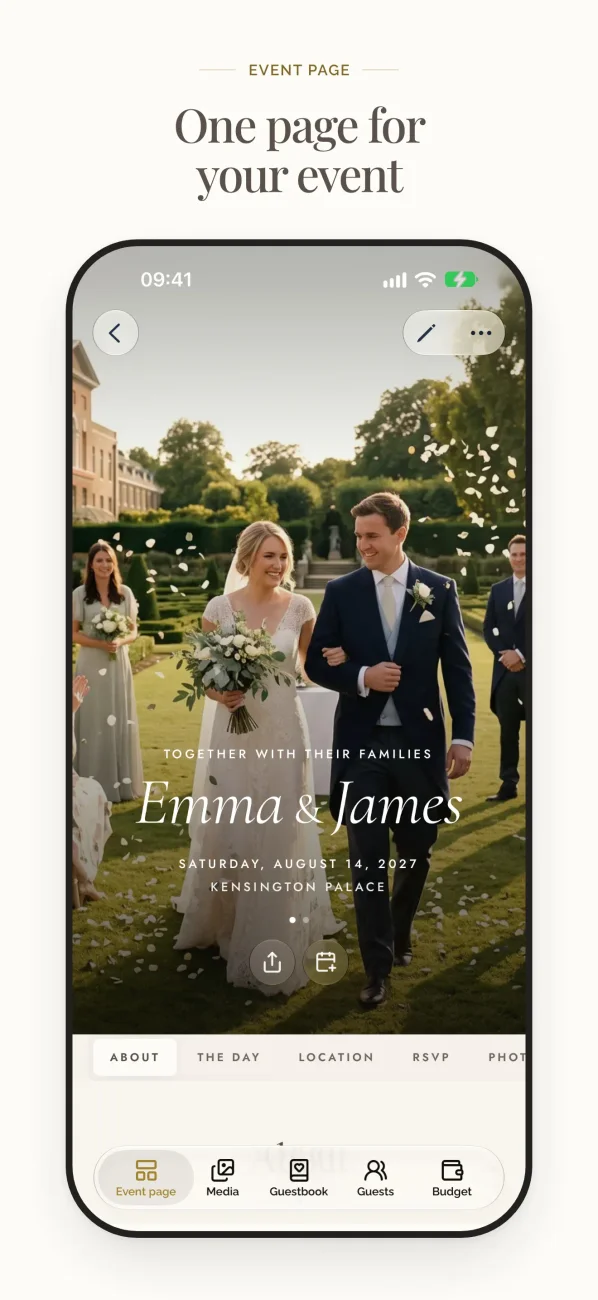
EventAssets gives your event one home: a page with every detail in a template made for the occasion, a guest list that fills itself in, a shared gallery for everyone's photos and videos, a guestbook for their wishes and a budget only you can see. Your guests need no app and no account. They open one link or scan one QR code.
For weddings, birthdays, anniversaries, family gatherings, company events and trips with friends.
EVENT PAGE
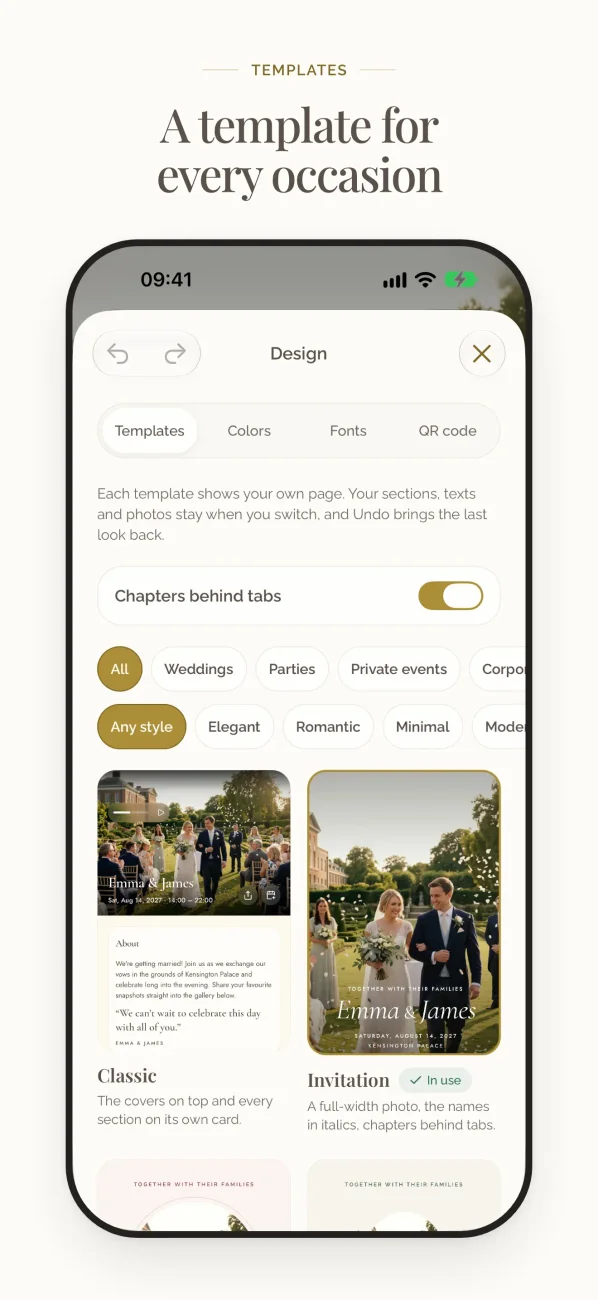
• 22 templates for every occasion, each with palettes made for it, or two colors of your own
• Try a template on your own page before you switch: your text, photos and sections stay
• 21 fonts: one for headings, one for text
• The date in the right time zone, the agenda, the location with a map and up to 10 cover photos
• Add text, a quote, a countdown, questions and answers, links or photos, in chapters behind tabs or on one long page
• Share by link or by a QR code in your page's colors, in five styles, with your logo if you like; guests add the date to their calendar with one tap
PRINT DESIGNS
• 38 designs for cards and signs with your QR code, in your page's colors and fonts: for the photos, the guestbook, the RSVP or the seating chart
• From business card to A3, as a PDF for a print shop or a sheet to print at home
PHOTOS AND VIDEOS
• Guests upload from any phone in seconds, in original quality, up to 1 GB per file
• Guests answer each other's photos and videos with an emoji or a comment, as you allow
• Review each upload before it appears, or show it at once
• Sort the moments into albums
• Download originals one by one, or the whole gallery as a ZIP file
• Uploads open on the date you choose and stay open for 3 months; the gallery stays online for a year
GUESTBOOK
• Guests write a message or record a voice note of up to three minutes, from the same link or QR code
• Each entry carries the guest’s name, or stays anonymous
• Review each entry before it appears, or show it at once; hide or delete it at any time
• Collect wishes before the day without showing them, or open the guestbook to guests afterwards
GUESTS AND RSVP
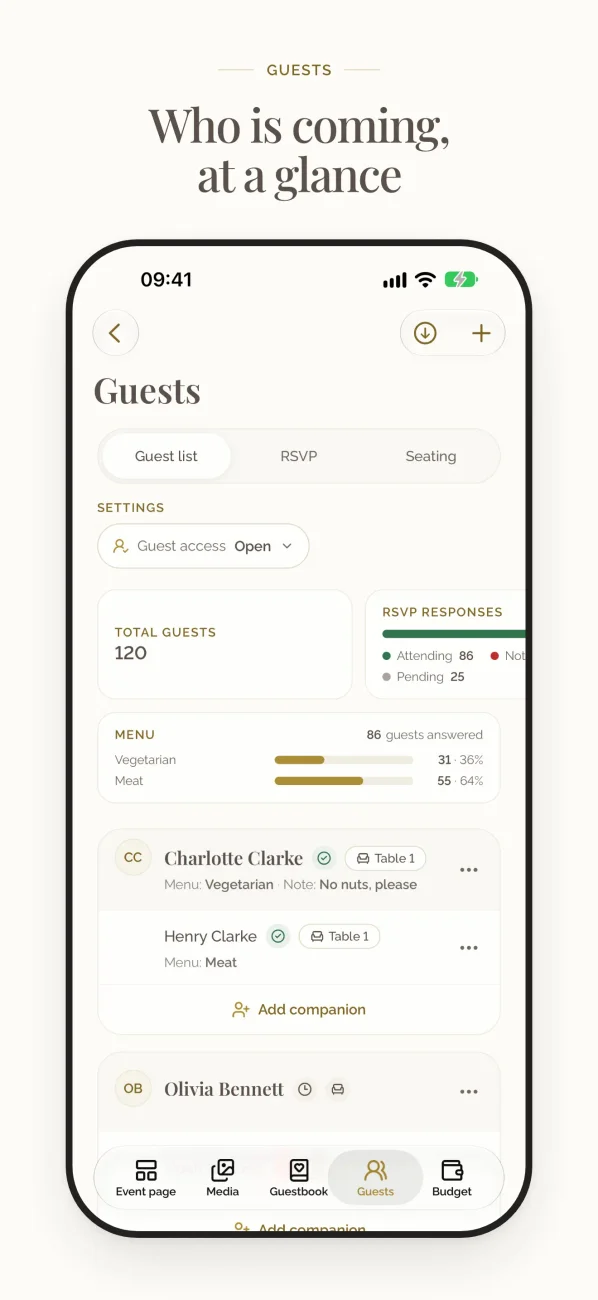
• Build your guest list with couples, families and companions
• Guests find their name on your page and reply for everyone in their party
• Ask up to 20 questions of your own: meal choice, allergies, seats on the shuttle
• Set a reply deadline and see live who is attending, who is not and who has yet to answer
• Add the tables of your room and seat each party together; guests look up their table on your page
• Export the list with every answer as a CSV file
BUDGET
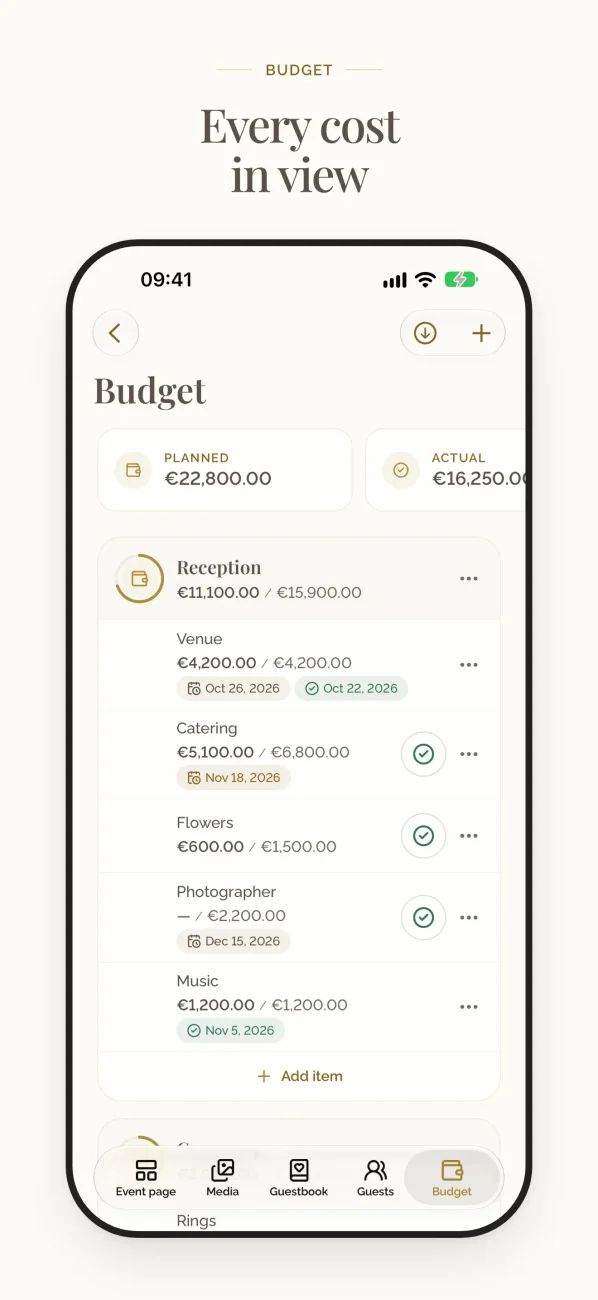
• Plan every cost in budgets and items, with planned and actual amounts
• Set due dates and mark items as paid; a reminder comes 3 days before and on the day
• See what is paid, what is due and where you are over budget
• Private: only you can see it
FREE, WITH ONE UPGRADE
Every feature and every template is free, for as many guests as you like. A free event holds 50 photos or videos, 500 MB and 10 voice recordings in the guestbook. If you expect more, upgrade that event once for unlimited photos, videos, recordings and storage. One payment per event, no subscription.
GOOD TO KNOW
• Reminders a week and a day before your event, and the morning after with what your guests shared
• Plan by chat: connect an AI assistant to your events
• In 17 languages
• Sign in with Apple, Google or a code sent to your email
• Your events are also at eventassets.com, with the same account
• Works with VoiceOver and large text
What’s new
Version 1.9.0 · Nov 19, 2026
New: print designs. In Design, under Print, choose from 38 cards and signs with your QR code, in your page's colors and fonts: for the photos, the guestbook, the RSVP, the seating chart or your page. Set the words and the size, from business card to A3, and download a PDF for a print shop, a sheet to print at home or an image. Every design is free. Also: small fixes and improvements.
App privacy
What Tristan Trommer declares on the App Store about how this app handles data.
-
Data linked to you
May be collected and linked to your identity.
- Purchases
- Contact info
- User content
- Identifiers
-
Data not linked to you
May be collected but is not linked to your identity.
- Usage data
- Diagnostics
Privacy practices may vary, for example with the features you use or your age.
Information
- Seller
- Tristan Trommer
- Category
- Lifestyle
- Version
- 1.9.0
- Updated
- Nov 19, 2026
- Released
- Nov 2, 2026
- Size
- 78.7 MB
- Requires
- iOS 16.4 or later
- Age rating
- 12+
- Price
- Free
- In-app purchases
- Yes
- Languages
- English, Czech, Danish, Dutch, Finnish, French, German, Italian, Japanese, Norwegian Bokmål, Polish, Portuguese + 4 more
- Copyright
- © 2026 EventAssets
You might also like
-
 IDoApp: Wedding & EventsGuest RSVP, schedule & photos
-
 Occasions: Event PlannerGuests, seating, budget, RSVP
-
 Wedding Invitations: Bir EvetDigital invite maker with RSVP
-
 shinieLifestyle
-
 Secret Santa 26 Gift exchangeChristmas draw names generator
-
 GardroidVegetable garden
-
 Lectio Divina Journaldaily spiritual reading
-
 Hooray! Party & Event PlannerInvite Guest RSVP Organization
-
 Der Hochzeitsplaner-WeddyPlaceLifestyle