- Age rating4+
- CategoryFinance
- DeveloperRoberto Bonfa
- LanguagesEnglish+ 1 more
- Size121.3 MB
Links to the official App Store page
Download.org hosts no file of EveryCent: Expenses. The button opens its official App Store page, published by Roberto Bonfa. Listing last checked on Nov 25, 2026.
Screenshots
About
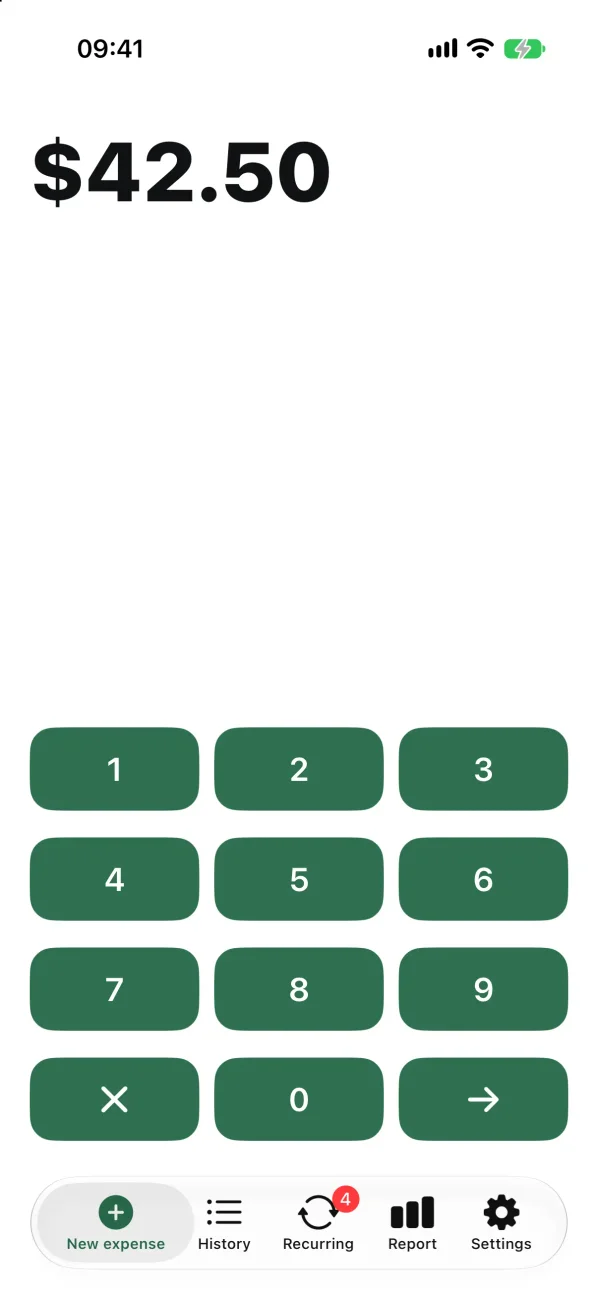
"EveryCent: Expenses" lets you record an expense the exact moment you make it, with as little hassle as possible.
No forms to fill out at the register: a large keypad, the payment terminal, your card, and a note you can skip. Five taps - four if you use a recent combination. It even works offline.
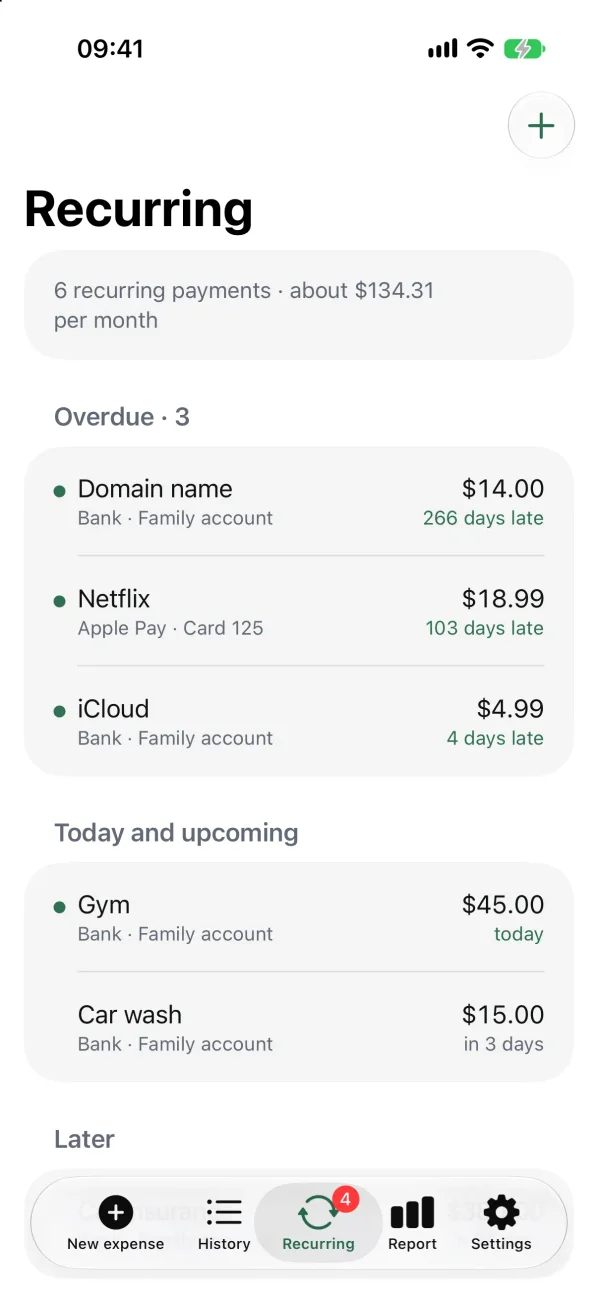
SUBSCRIPTIONS, FINALLY ALL IN ONE PLACE
Netflix, your SIM card, insurance: everything that comes up every month or year is on a single screen, showing how much it actually costs per month.
When a subscription is due, EveryCent doesn’t record anything on its own. It notifies you, and the expense is only added once you confirm it - with the due date, not the date of the tap. If the price has changed, it tells you: “It used to be €18.98; now it’s €1.01 more.” That’s why it’s worth keeping track of them.
For each subscription, you can see its history: when you paid for it, how much, and how much it’s cost you in total.
WHERE THE MONEY WENT
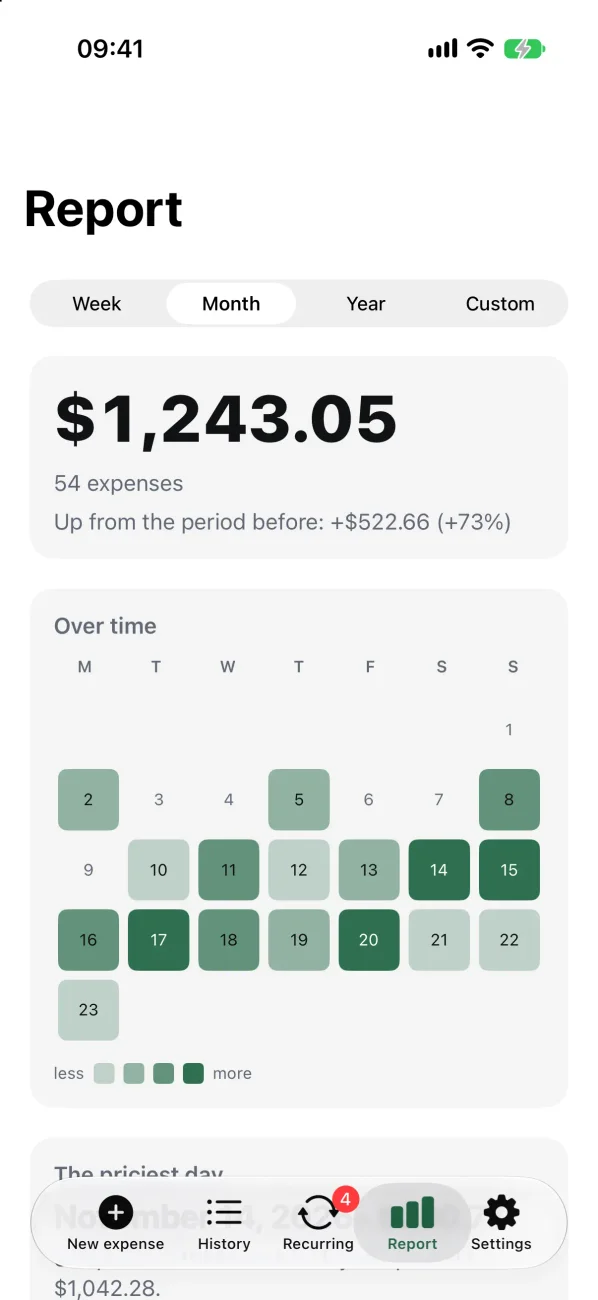
A calendar where every day is a square, deeper where you spent more: empty days and heavy weeks show up without reading a single number. Below it you get the priciest day, and what the month would have been without it - the way to tell whether it really went wrong or just had one big bill.
REALLY FAST
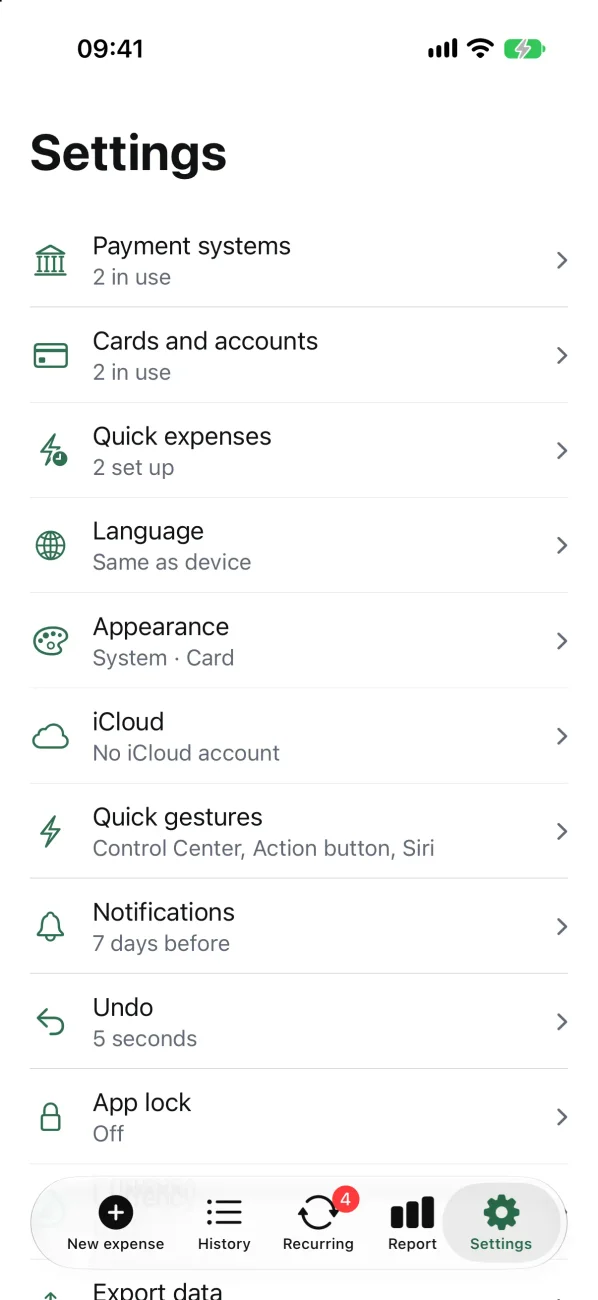
Log an expense using the Action button, the Control Center, or by double-tapping the back of your iPhone.
FORTY-FIVE LOOKS
Fifteen color palettes and three visual styles that can be mixed and matched: the classic card, translucent glass, and two-color print. Choose the one that suits you, and change it whenever you like.
YOUR DATA BELONGS TO YOU
No account to create, no registration, no ads, no tracking. Your data stays on your iPhone and syncs with your iCloud: the app’s developer can’t see it and has no way of seeing it.
You can lock the app with Face ID and export everything whenever you want into a file that you can open with any spreadsheet app.
ALSO
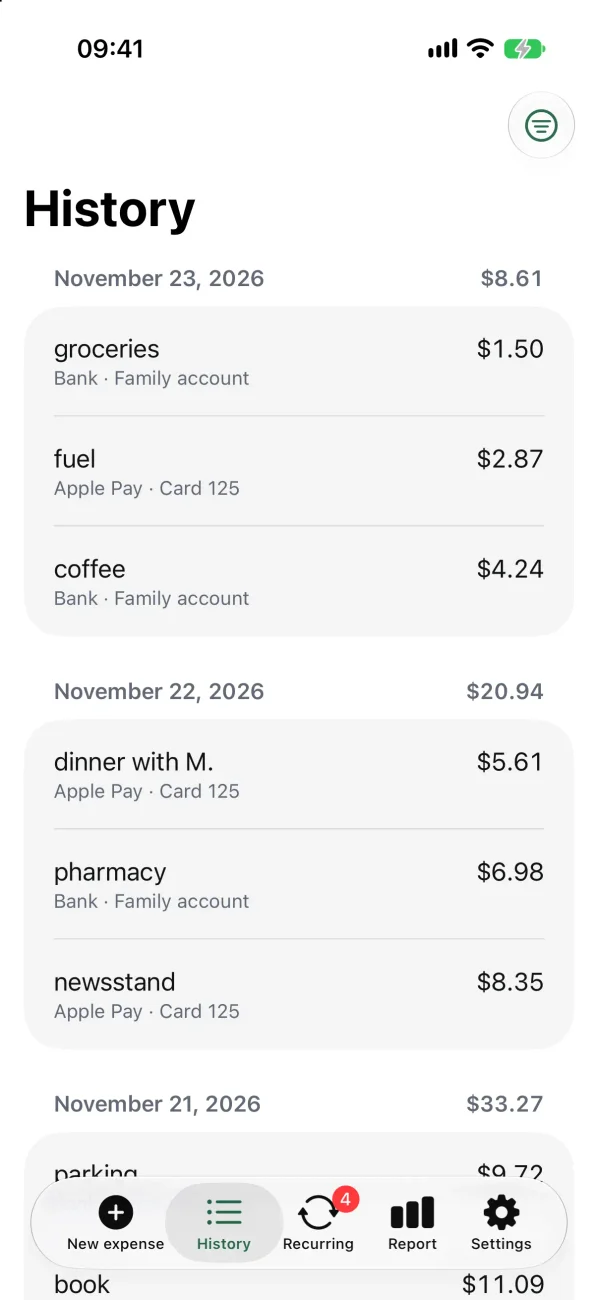
- Transaction history grouped by day, with searchable notes
- The same card linked to multiple payment systems, without counting it twice
- Reports by week, month, year, or custom period, with comparisons to a previous period
- Due-date reminders, with a lead time of your choice (from 1 to 90 days) and the time of day they ring. Each subscription can have its own.
- Italian and English
Free, with no in-app purchases.
What’s new
Version 1.4.4 · Nov 24, 2026
1.4.4
- NEW language picker in Settings: “Same as device”, English, Italiano. The language you pick takes effect when you reopen the app
- On a device set to a language EveryCent doesn't have, the app is now in English instead of Italian
- On the open iPhone Duo the five tabs move into a sidebar, each with its name next to the icon
App privacy
What Roberto Bonfa declares on the App Store about how this app handles data.
-
Data not collected
The developer does not collect any data from this app.
Privacy practices may vary, for example with the features you use or your age.
Information
- Seller
- Roberto Bonfa
- Category
- Finance
- Version
- 1.4.4
- Updated
- Nov 24, 2026
- Released
- Aug 12, 2026
- Size
- 121.3 MB
- Requires
- iOS 18.0 or later
- Age rating
- 4+
- Price
- Free
- Languages
- English, Italian
- Copyright
- © 2026 Roberto Bonfà
You might also like
-
 SharoFinance
-
 ForeSpend: Finanza PersonaleSoldi, risparmio e previsioni
-
 x.me: Trade BTC, ETH & CryptoAI Trading Bot, Futures & Spot
-
 SossoldiFinance
-
 SwegzAppGift Cards, Digital Assets
-
 Budget Hound: Expense TrackerMoney Manager, Finance Planner
-
 ANote Music: Earn royaltiesPassive income from royalties
-
 Kelo: Bill Organizer & BudgetSubscriptions, expense tracker
-
 Banca MarchFinance