Exam Creator: Test Maker
Typeset test papers offline
Designed for iPhone, iPad
Free · In-app purchases
- Age rating4+
- CategoryEducation
- DeveloperYung-Hsin Shieh
- LanguagesEnglish+ 15 more
- Size196.1 MB
Links to the official App Store page
Download.org hosts no file of Exam Creator: Test Maker. The button opens its official App Store page, published by Yung-Hsin Shieh. Listing last checked on Nov 24, 2026.
Screenshots

About
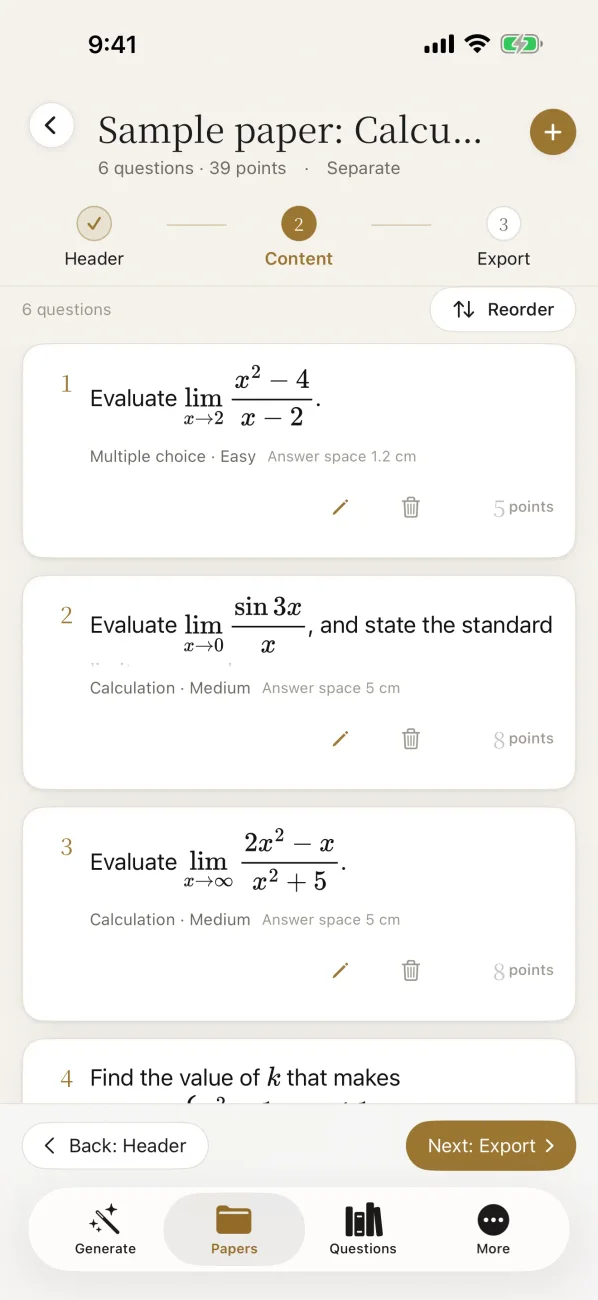
An exam-writing and typesetting tool for STEM teachers — and for students building their own practice papers. The questions, the exam paper and the PDF are all produced on your iPhone or iPad.
Typesetting Is Built In
The app carries a complete LaTeX typesetting engine and the fonts it needs, so it still sets a paper as an A4 PDF in airplane mode. Equations, tables, answer grids, headers and footers, a long proof that runs across a page break — the typesetting engine lays all of it out. Nothing here is a web page printed to PDF.
A Question Bank You Reuse
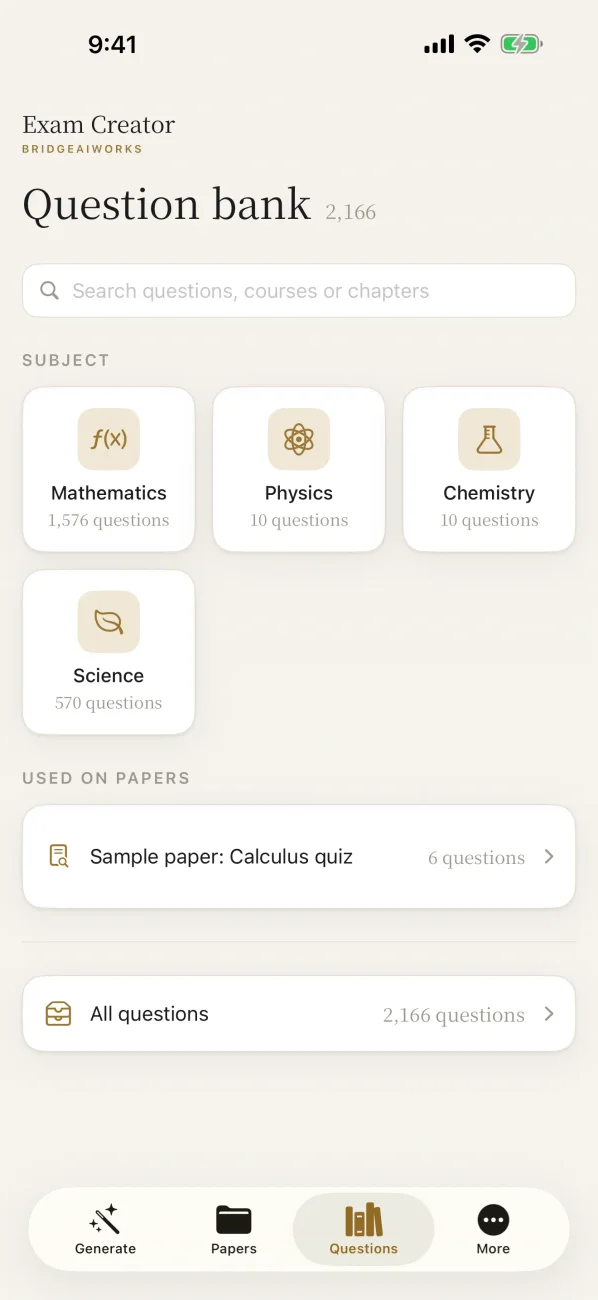
Questions live in the bank, filed under six levels: domain, subject, course, chapter, section, topic. Filter them by difficulty, question type, tags, source, academic year, or which paper they have already appeared on. This year’s paper is next year’s starting point: duplicate it, swap out a few questions, leave the rest.
Questions From Your Own Material
Paste your key points, import a PDF, or photograph the board or your own handouts. PDFs and photos are sent once, at import, to the AI service you chose, which reads them; the app then splits the text that comes back into passages on the device, retrieves what fits, and writes questions from that. Each question records the document and the page it drew from, so you can check it on the spot.
Solutions
Generate solutions only for the questions that do not have one, or redo a single question on its own — changing one question does not mean paying for the whole paper again. The solutions can be in a different language from the paper, and you can add a standing instruction of your own, such as “end each one with the mistake students usually make”.
Sixteen Languages
Traditional Chinese, Simplified Chinese, English, Japanese, Korean, German, French, Spanish, Portuguese, Italian, Dutch, Polish, Russian, Turkish, Vietnamese, Indonesian. The header wording printed on the paper follows.
Before export, the app checks that the fonts can actually draw every character on the paper. If one is missing, the export stops and names the character and the question it sits in. It does not print blanks.
Handoff to AI Grader Pro
The exported PDF carries four alignment squares and a QR code on every page, and the answer region coordinates are measured while typesetting and written into the file. AI Grader Pro crops straight to them and grades.
Your Data Stays Yours
No account, no cloud sync. The AI features use your own API key, and the key is kept in the system Keychain on this device. You can also point the app at an Ollama or LM Studio you run yourself, in which case nothing leaves your own network. Without AI, nothing needs a network: picking from the bank, writing your own questions and typesetting the PDF all happen on the device. Only the AI features go online — importing material sends the PDF or photos you attach, and generating sends the request for questions.
Subscription
Writing questions, the question bank, typesetting, and the full preview are free and unlimited. The only thing that needs a subscription is taking the finished paper out — saving it as a PDF, printing it, or sharing it. The subscription comes with a 14-day free trial.
Pro Monthly · Pro Yearly
Your local price is shown in the app and on this page.
The subscription renews automatically until you cancel it in your App Store account settings. Renewal is charged within 24 hours before the period ends.
Questions are still generated with your own API key, and the provider bills you for that directly, as it always has. The subscription does not cover those charges.
Terms of Use (EULA): https://www.apple.com/legal/internet-services/itunes/dev/stdeula/
What’s new
Version 1.4.3 · Nov 23, 2026
New: Personalized copies and seating chart. Import or paste a class list to get one copy per student, printed with name, student ID and seat. Hand out versions A–D by seat and print the whole class in seat order, each question paper followed by that student's answer sheet. Includes a seating chart, sign-in sheet and lists (CSV, Excel). The class list stays on this device. Bug fixes.
App privacy
What Yung-Hsin Shieh declares on the App Store about how this app handles data.
-
Data not collected
The developer does not collect any data from this app.
Privacy practices may vary, for example with the features you use or your age.
Information
- Seller
- Yung-Hsin Shieh
- Category
- Education
- Version
- 1.4.3
- Updated
- Nov 23, 2026
- Released
- Aug 24, 2026
- Size
- 196.1 MB
- Requires
- iOS 17.0 or later
- Age rating
- 4+
- Price
- Free
- In-app purchases
- Yes
- Languages
- English, Dutch, French, German, Indonesian, Italian, Japanese, Korean, Polish, Portuguese, Russian, Simplified Chinese + 4 more
- Copyright
- © 2026 BridgeAIWorks
You might also like
-
 AI Quiz & Question GeneratorCommon Core Aligned Quiz Maker
-
 QuizLens - Exam Paper MakerSnap Questions, Build Papers
-
 Paper Generator By 360ExamsQuick exam paper generator app
-
 MathPrint: Worksheet GeneratorPrintable Math Practice & PDF
-
 Exam Maker: AI Quiz GeneratorAI Test Maker from PDF, PPT
-
 Note Mplus - Math NotesWrite Math Notes Easily
-
 Question Maker AIAI Powered Question Generator
-
 Exam Generator AICreate tests and study with AI
-
 Java SE 25 Exam Prep1Z0-831, PSM I & PSM II
-
 Timetable, Score & GradePlan Time and Track Grades