Exam Timer
Timer for studying for exams.
Designed for iPhone, iPad, iPod touch
Free
- Age rating4+
- CategoryEducation
- DeveloperX-MORE, LTD.
- LanguagesEnglish+ 1 more
- Size29.4 MB
Links to the official App Store page
Download.org hosts no file of Exam Timer. The button opens its official App Store page, published by X-MORE, LTD. Listing last checked on Nov 12, 2026.
Screenshots

About
■ Overview
This is a timer application that can measure and count down the time spent on each question when solving past questions for people who are preparing for various tests such as entrance exams and certification exams.
■ Features
* Registration of multiple exams
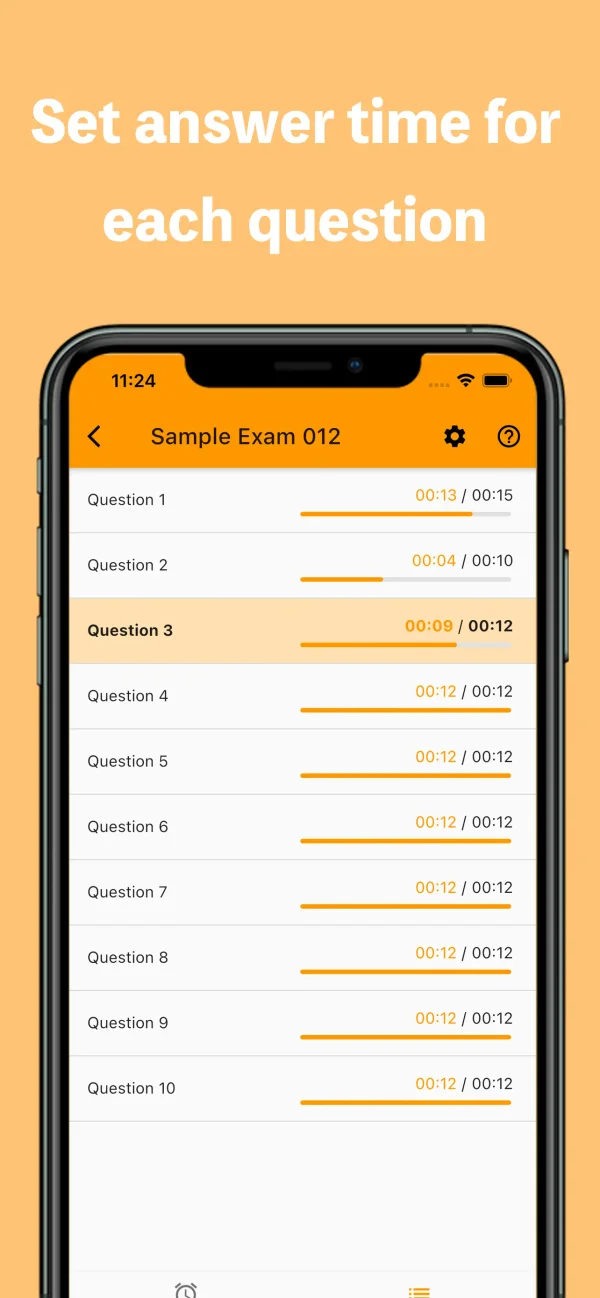
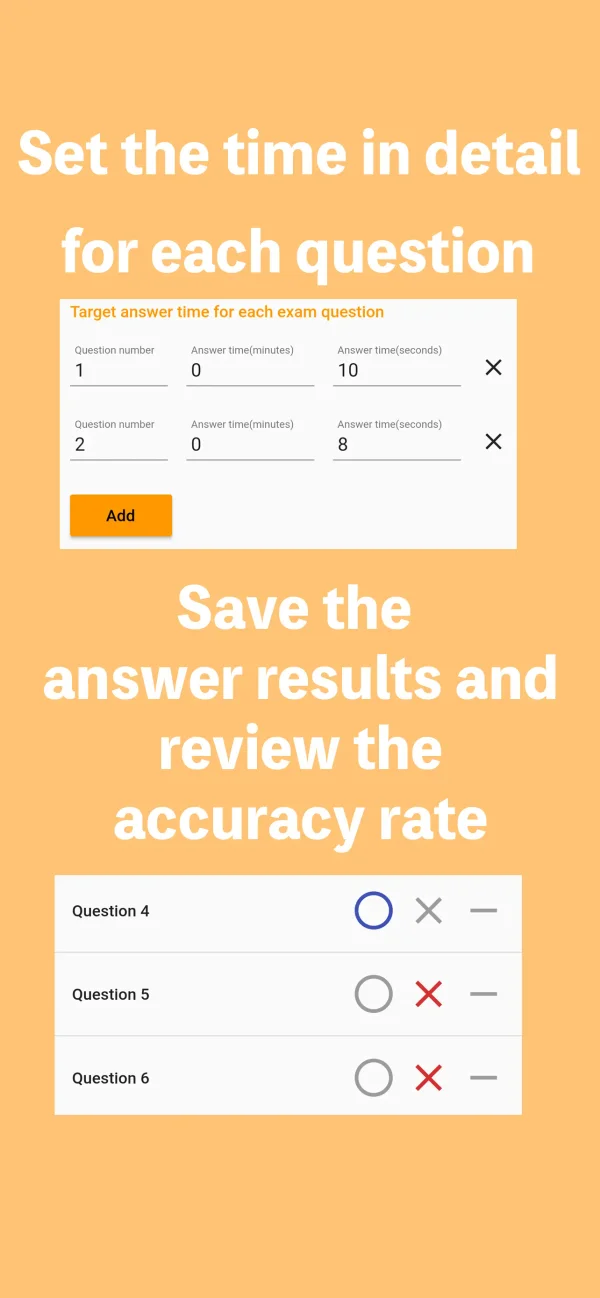
* Change the target time for a specific question number
* Countdown timer for the entire exam and for each question
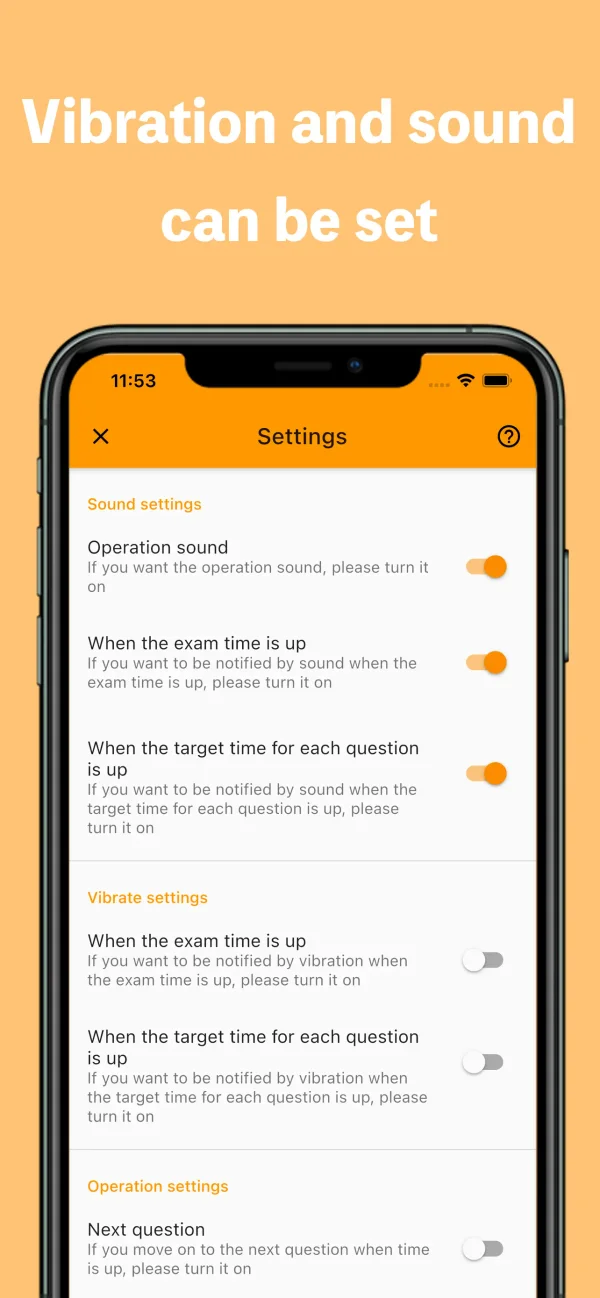
* Sound and vibration notifications when the target time for the entire exam or each question has expired
* Change the order in which questions are solved
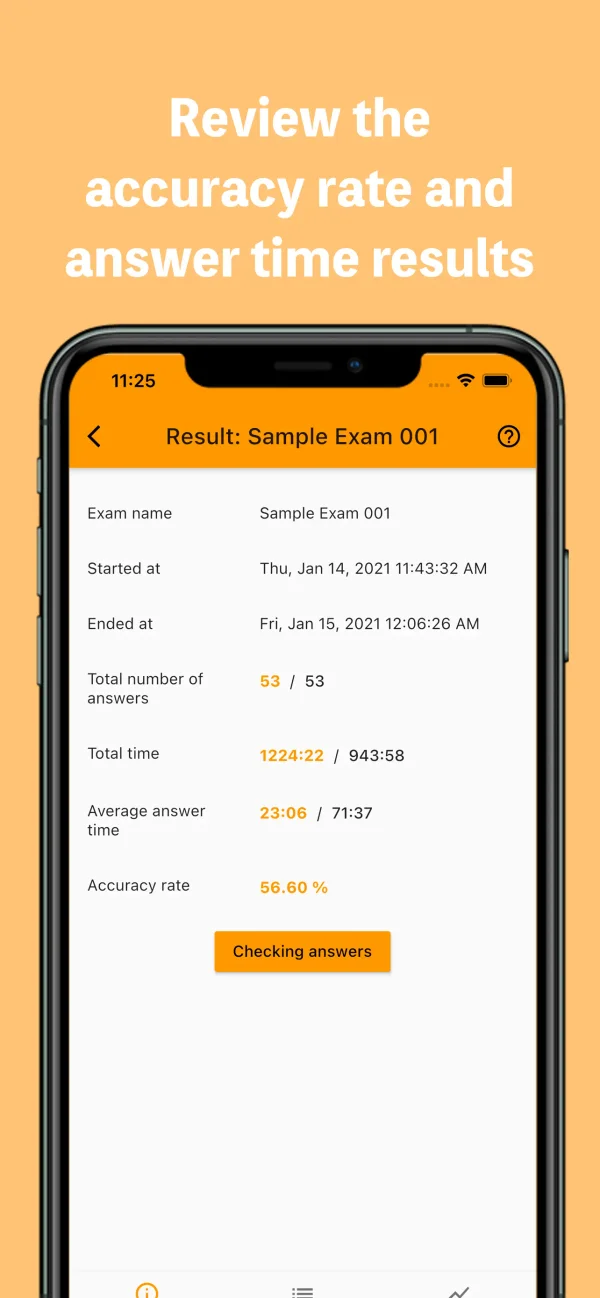
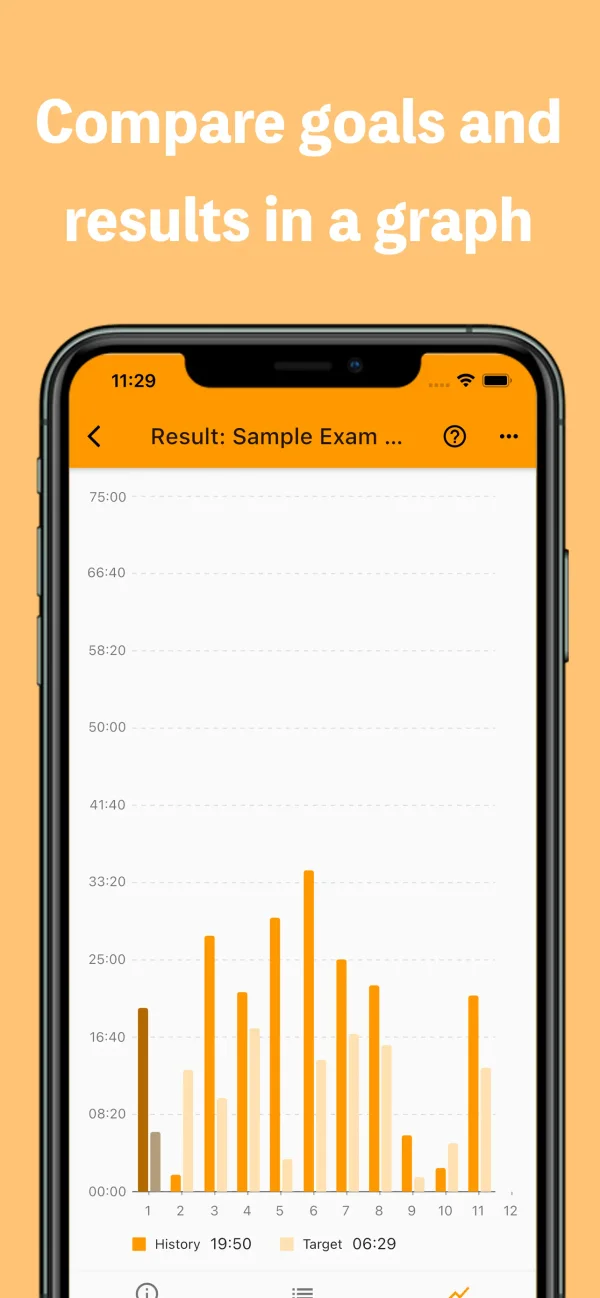
* Display of measurement history
* Save the results of answer matching
■ How to use
1) enter the exam name, number of questions, and exam time
2) click "Start" button to begin.
3) solve the questions, and click "Next" button after each question. 4.
4) click the "Finish" button when you have finished all the questions.
5) look at the results and see which questions are taking a long time, so you can work on them.
◆ Recommended for ◆
* Those who are preparing for entrance exams, qualification exams, mid-term exams, and final exams.
* Those who are studying to solve past exams.
* Students who know the time and number of questions.
■ Differences from normal timers:
* The time for the entire exam and the time for each question can be measured simultaneously in a countdown format.
* You can save your measurement history so that you can view it anytime you want.
* You can register the results of your answers, so you can look back on the percentage of correct answers.
* The order in which questions are solved can be determined in real time (see below)
Start with the third question.
↓
(2 minutes later)
↓
Change to the sixth question, which seems easier because it seems to be taking longer.
↓
After solving the 6th problem, I start the 3rd problem again.
↓
Count down from the 2 minutes that have elapsed before.
You can do something like this.
◆ Motivation for making this app ◆
If you have ever had the experience that you spent too much time on a particular problem in an exam and could not solve the whole problem before the time was up, this is the app for you.
I made this app to help those who have had such experiences and want to study and simulate with time in mind.
Of course, the exam is not something that can be solved by just being conscious of time, but I hope this will be of some help to you.
--
If you find a bug or have a request for more support, please send e-mail to info@x-more.co.jp.
What’s new
Version 4.0.11 · Nov 5, 2024
- Improved app reliability through internal system enhancements.
App privacy
What X-MORE, LTD. declares on the App Store about how this app handles data.
-
Data used to track you
May be used to track you across apps and websites owned by other companies.
- Identifiers
- Usage data
-
Data not linked to you
May be collected but is not linked to your identity.
- Identifiers
- Usage data
- Diagnostics
Privacy practices may vary, for example with the features you use or your age.
Information
- Seller
- X-MORE, LTD.
- Category
- Education
- Version
- 4.0.11
- Updated
- Nov 5, 2024
- Released
- Jan 26, 2021
- Size
- 29.4 MB
- Requires
- iOS 13.0 or later
- Age rating
- 4+
- Price
- Free
- Languages
- English, Japanese
- Copyright
- © X-MORE, LTD
You might also like
-
 Hachi - Exam Countdown TimerSimple Exam Countdown Timer
-
 TOEIC CLOCKEducation
-
 OSCE-TimerExam Timer & Revision Tool
-
 共通テスト対戦ゲーム 過去問・一問一答・英語リスニングEducation
-
 古文漢文 でた単 言の葉Education
-
 Plabable OSCE TimerPLAB 2 & PA OSCE Timer
-
 公共・倫理|アシストシステムEducation
-
 kiokuma: Flashcard MakerText, photo & handwriting deck
-
 ラクニマロ@古文単語暗記アプリEducation
-
 ラクニマロ@英熟語・イディオム暗記アプリEducation