
ExcalidrawZ
Whiteboard & Diagrams
Designed for iPhone, iPad, Mac
Free · In-app purchases
- Age rating4+
- CategoryProductivity
- DeveloperChocoford Tech
- LanguagesEnglish+ 17 more
- Size107.1 MB
Links to the official App Store page
Download.org hosts no file of ExcalidrawZ. The button opens its official App Store page, published by Chocoford Tech. Listing last checked on Nov 14, 2026.
Screenshots



About
ExcalidrawZ is a native Excalidraw client for Mac, iPad, and iPhone, designed for hand-drawn whiteboards, diagrams, sketches, visual notes, and technical explanations.
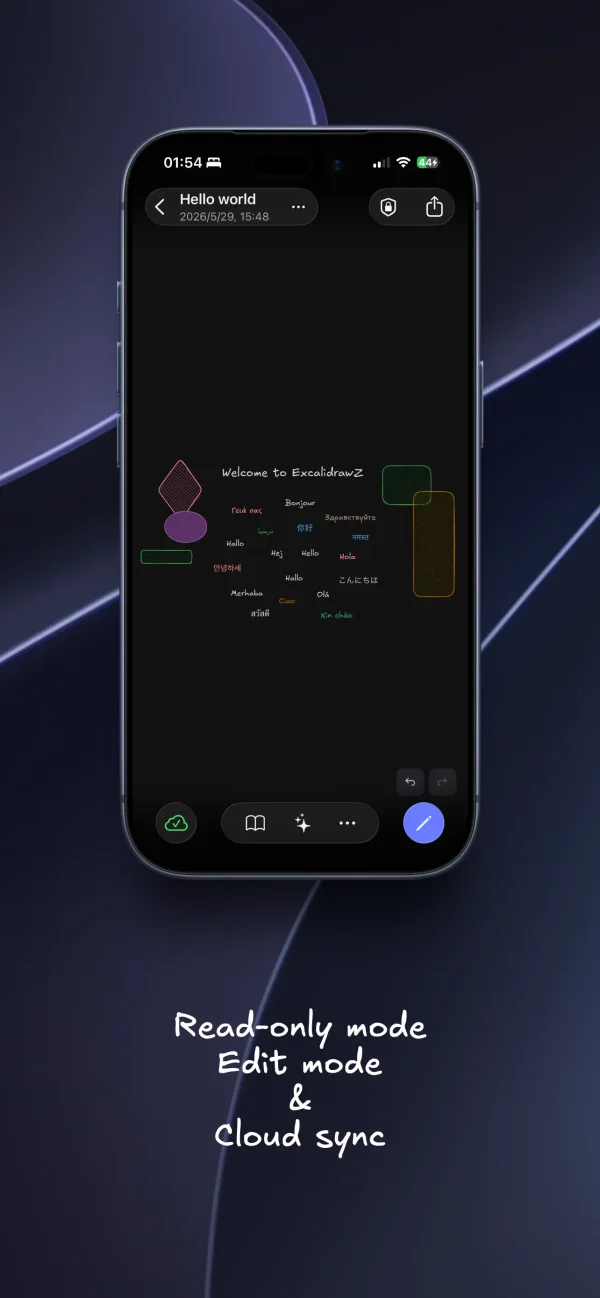
It keeps the familiar Excalidraw canvas experience, then adds native file management, iCloud sync, history, import and export tools, and Apple-platform interactions around it.
Hand-drawn whiteboards and diagrams
- Create flowcharts, architecture diagrams, wireframes, study notes, and visual sketches
- Work with the familiar hand-drawn Excalidraw style
- Use Apple Pencil, keyboard shortcuts, mouse, and trackpad controls
- Continue editing across Mac, iPad, and iPhone
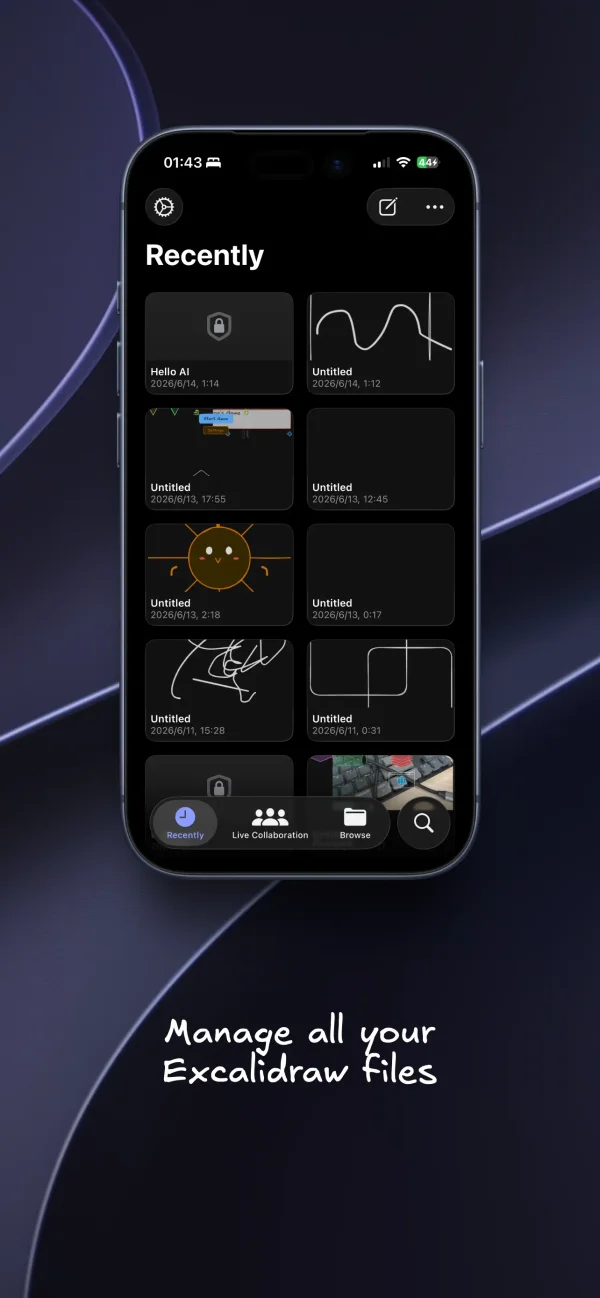
Manage Excalidraw files
- Autosave drawings managed inside the app
- Organize work with groups, sorting, and local folders
- Sync app-managed files across devices with iCloud
- Review file history and restore important versions
- Open and edit .excalidraw, .excalidraw.png, and .excalidraw.svg files
Import, export, and share
- Import PDFs and organize them on the canvas
- Convert Mermaid diagrams into editable Excalidraw content
- Insert LaTeX formulas and function graphs
- Export images, PDFs, Excalidraw files, and editable PNG/SVG files
- Share through the clipboard, system share sheet, and backup archives
More advanced tools
- Use Excalidraw collaboration when drawing with others
- Ask AI to understand, create, and revise canvas content
- Preview AI-generated proposals before applying them to your real canvas
- Lock sensitive files and control which content is visible to AI
- Expose MCP services for compatible AI clients
ExcalidrawZ is useful for product design, engineering notes, study diagrams, teaching, documentation, brainstorming, and everyday whiteboard work.
Privacy Policy
https://excalidrawz.chocoford.com/privacy/
Terms of Use
https://www.apple.com/legal/internet-services/itunes/dev/stdeula/
What’s new
Version 2.4.6 · Oct 14, 2026
- Fixed an issue that made AI Chat, subscription purchases, and restoring purchases unavailable.
App privacy
What Chocoford Tech declares on the App Store about how this app handles data.
-
Data not collected
The developer does not collect any data from this app.
Privacy practices may vary, for example with the features you use or your age.
Information
- Seller
- Shenzhen Chocoford Technology Co., Ltd.
- Category
- Productivity
- Version
- 2.4.6
- Updated
- Oct 14, 2026
- Released
- Sep 11, 2024
- Size
- 107.1 MB
- Requires
- iOS 17.0 or later
- Age rating
- 4+
- Price
- Free
- In-app purchases
- Yes
- Languages
- English, Arabic, Dutch, French, German, Hindi, Italian, Japanese, Korean, Polish, Portuguese, Russian + 6 more
- Copyright
- © Chocoford Technology
You might also like
-
 Xcalidraw Whiteboard DiagramFlowchart, Mind Map, Sketch
-
 LogseqProductivity
-
 AFFiNE: Notes, Whiteboard AIDocs, Tasks, Markdown & AI
-
 Canvs.io whiteboardReal-time collaboration
-
 Obsidian Web ClipperSave the web. Own your data.
-
 AppFlowyPlan, Organize & Write
-
 Möbius SyncFile sync with Syncthing
-
 Raycast: Keyboard, AI and moreProductivity on the go
-
 TaskForge: Obsidian TasksMarkdown To-Do List & Widgets
-
 Actions For ObsidianYour notes + Shortcuts.