
Excerpta: Reading Journal
Book Tracker & Quote Saver
Designed for iPhone, iPad
Free · In-app purchases
- Age rating4+
- CategoryBooks
- DeveloperTrevor Tarakjian
- LanguagesEnglish
- Size71.6 MB
Links to the official App Store page
Download.org hosts no file of Excerpta: Reading Journal. The button opens its official App Store page, published by Trevor Tarakjian. Listing last checked on Nov 18, 2026.
Screenshots

About
Excerpta is a book tracker that doubles as a reading journal.
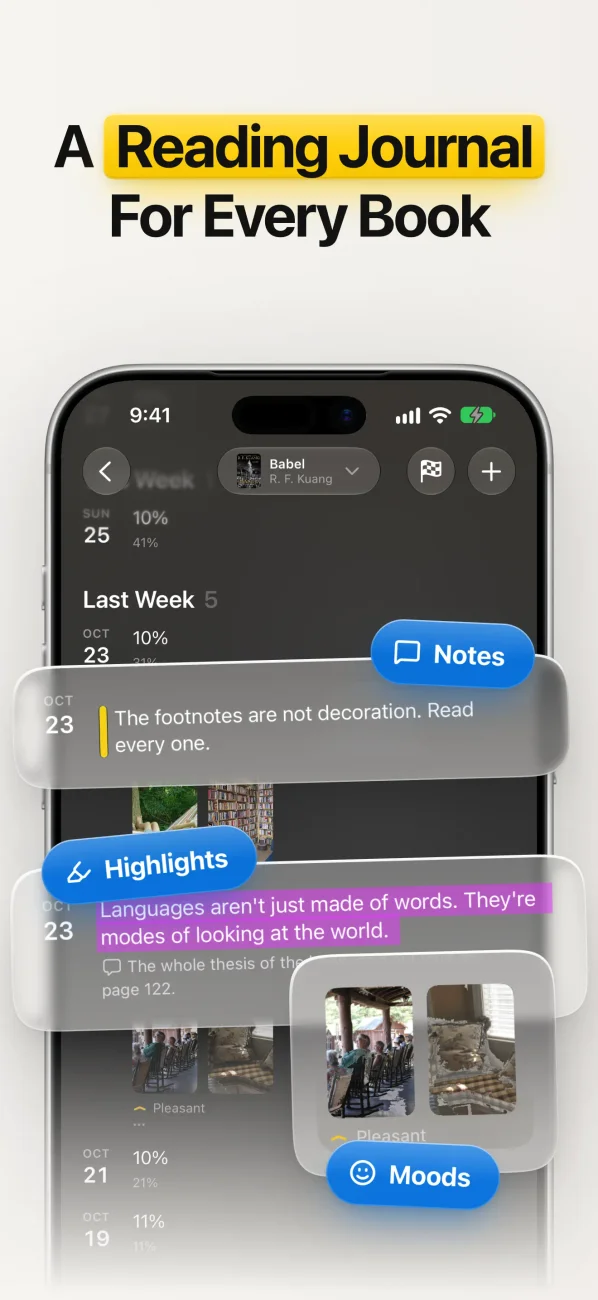
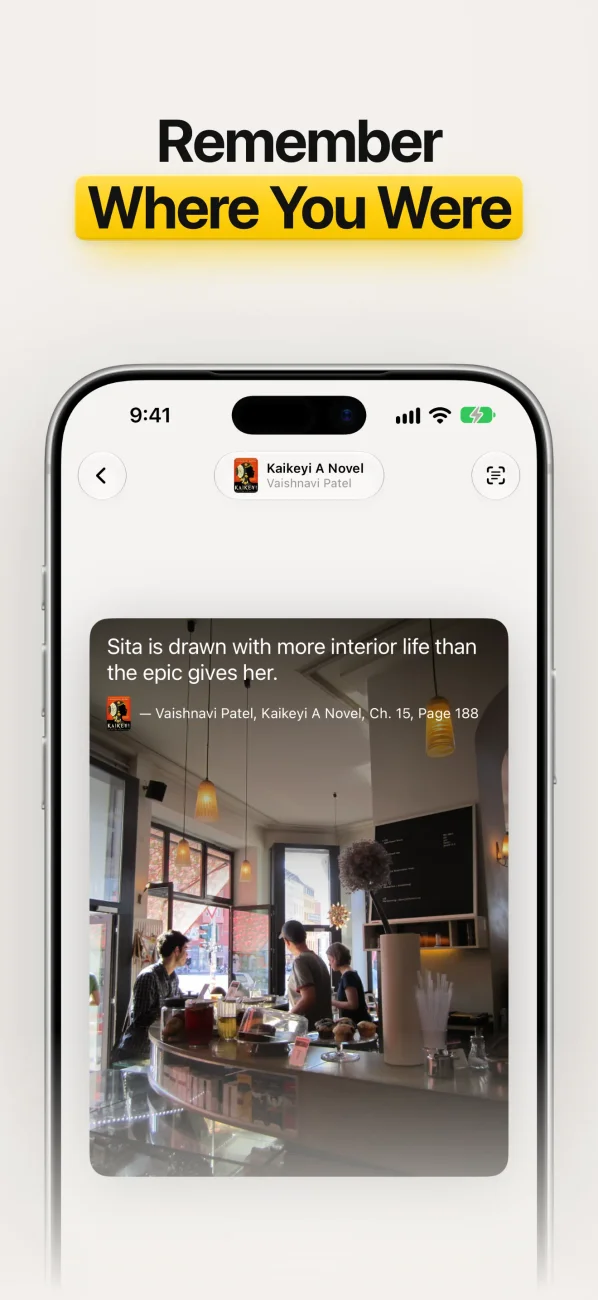
Every book gets its own timeline: the lines that stopped you, the notes you wrote, the pages you read each day, and how it all felt. Point your camera at a page to keep a quote. It keeps the rest too: your shelves, where you left off, and how your year in reading is going.
KEEP THE WORDS
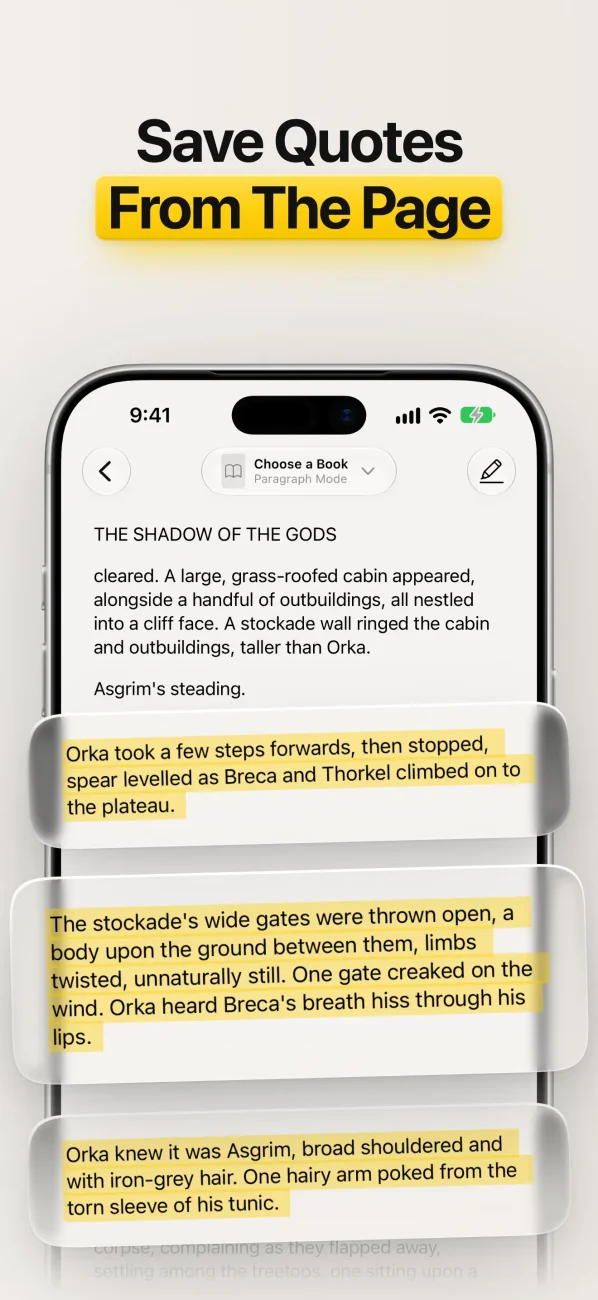
– Capture quotes with the camera, from photos (a few pages at once), or by typing. The text is read on your phone.
– Tap a paragraph to keep it whole, or drag the highlighter across just the words you want.
– Pick one of six highlight colors, add a note, and mark the page or chapter.
– Tag the character who said it and add how it made you feel. Your moods can go to Apple Health too.
– Quotes that don't belong to any book land in your Commonplace book.
READ YOUR EPUBS AND COMICS
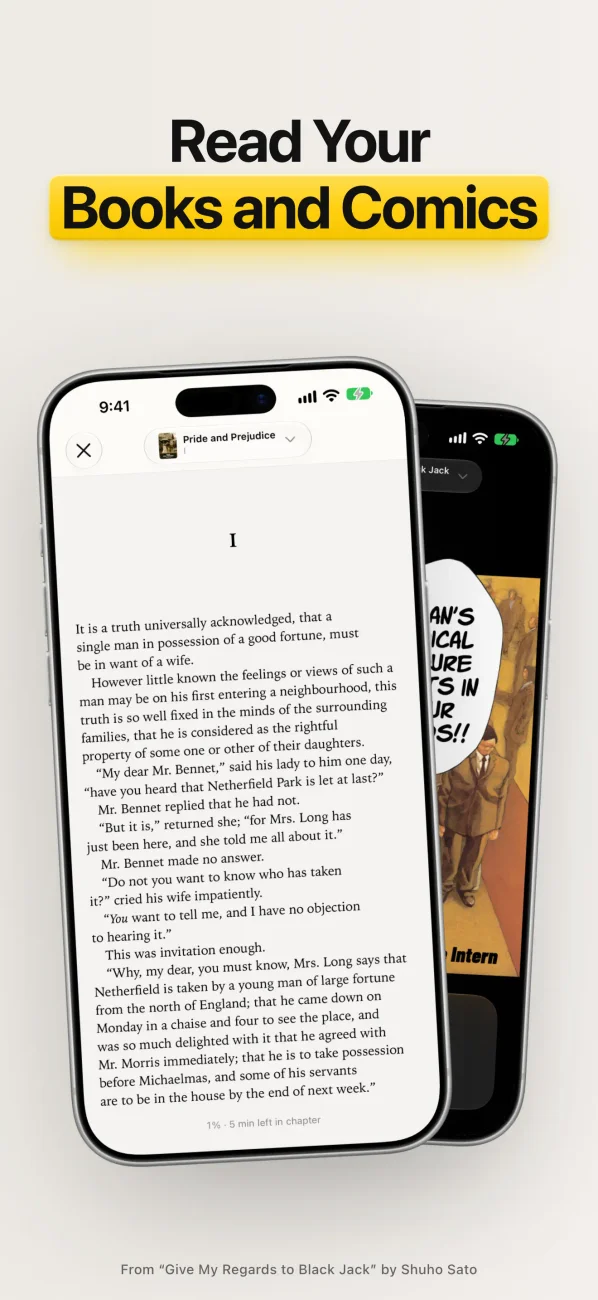
Add an EPUB or a comic (CBZ, CBR) to any book and read it here, with search, six themes, and your own font. Manga reads right to left. Keep a passage or a panel as a quote, and the reader logs your reading for you.
HOWEVER YOU READ
Print, e-book, or audiobook. Owned, borrowed, or gifted. They all share the same shelves.
– Add books by searching, scanning the barcode, or typing them in yourself.
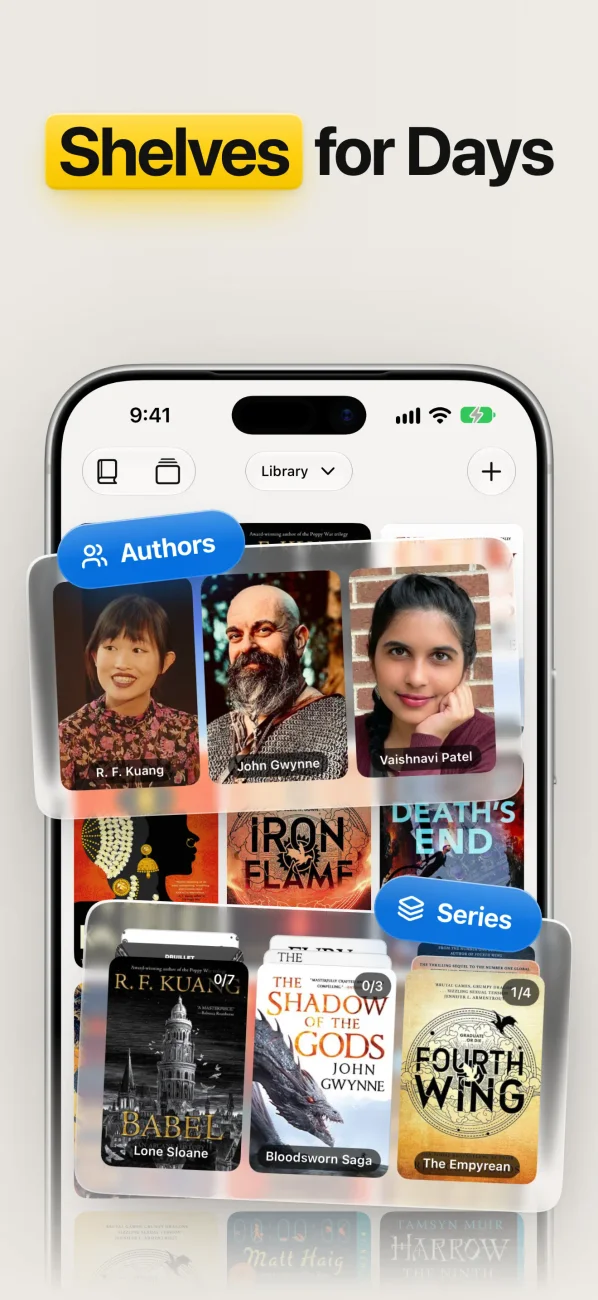
– Browse by book, author, character, or series. Series fill themselves in, or build your own.
– Make as many shelves as you like. A book can sit on several.
– Rate in half or quarter stars, write a review, and start a reread with a fresh timeline.
– Add a new release as Upcoming and get a note the day it's out.
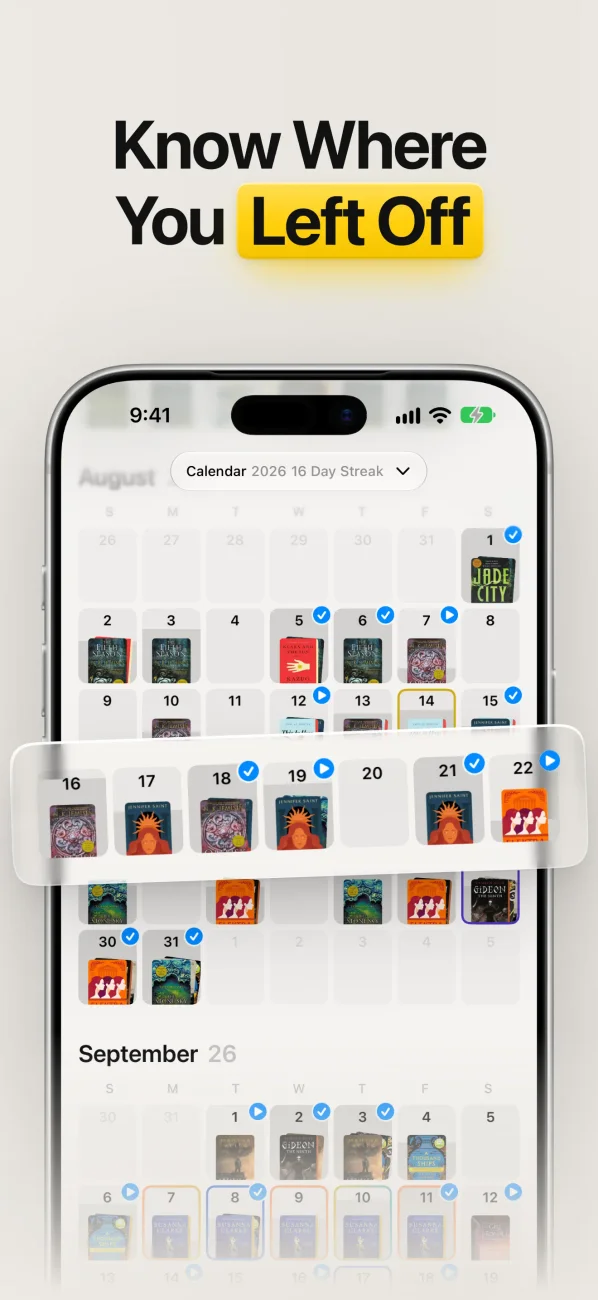
KNOW WHERE YOU LEFT OFF
– Start the reading timer and pause it from the Lock Screen, or set your page, your percent, or the time left in an audiobook.
– Give a book a finish date, or your whole year a goal.
– The Calendar shows each day you read as a cover, ringed by your mood, with your streak up top.
SEE HOW THE YEAR IS GOING
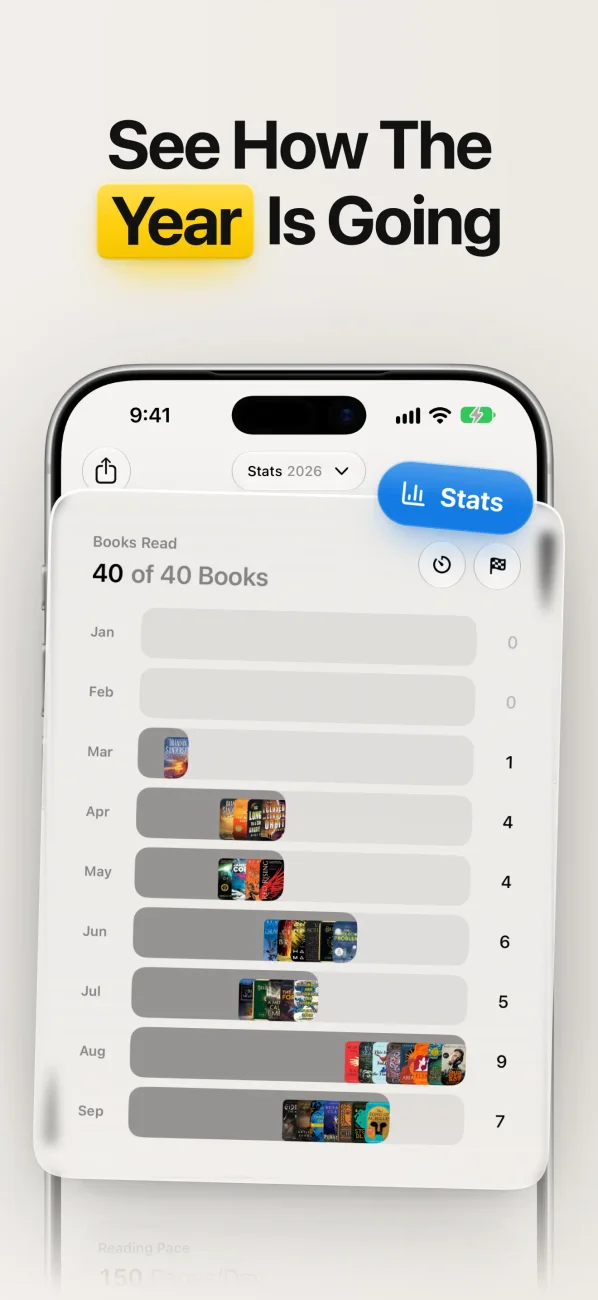
Stats shows what your reading looked like: Books Read, Pages Read, Genres, Mood, Top Authors, and more. Reading Nooks gathers the photos you took and maps the places you read. Pick the cards, then look at a month, a year, or all time.
FIND THE NEXT ONE
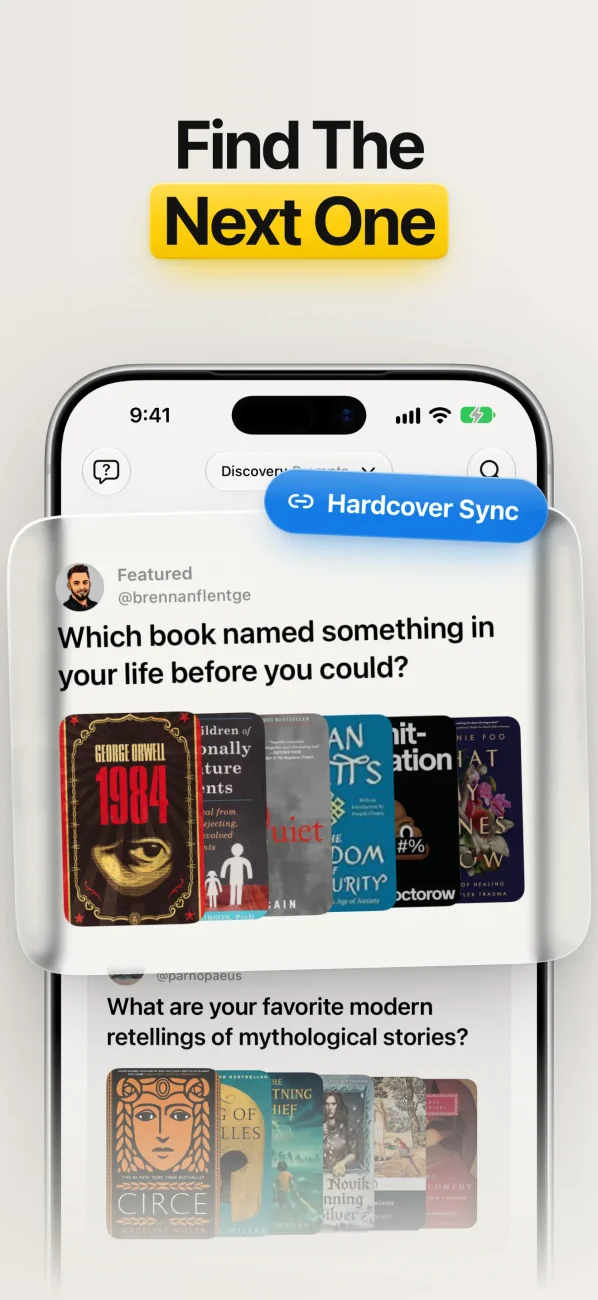
Discovery brings in the Apple Books charts, by genre. Connect Hardcover for what's trending, the most anticipated books, and your own Vibes, plus each book's moods and similar books.
BRING YOUR BOOKS ALONG
– Import from Goodreads, StoryGraph, Kindle highlights, Kobo, Apple Books, or a spreadsheet.
– Sync between your devices with iCloud.
– Sync your library and shelves both ways with Hardcover, and your progress with KOReader.
– Export any time, as one Markdown file per book, ready for Obsidian, Bear, or Notes. Export is always free.
AROUND YOUR PHONE
– Widgets for a quote, your current book, and your reading calendar, on the Home Screen and Lock Screen.
– Screen Saver plays your quotes on a slow loop while your phone charges.
– Capture a quote from Shortcuts or the Action button.
– Share a quote as an image card, or send a friend a link to a book.
– Ten reading fonts and an app icon in your highlight color.
YOURS TO KEEP
Your library lives on your phone and in your own iCloud. Pick a plan and add your first book. That's the whole sign-up.
Your next favorite quote is waiting to be remembered.
EXCERPTA UNBOUND
Excerpta Unbound opens up everything above. Try it free for 7 days with the yearly plan, go monthly, or pay once and keep it for good. Family Sharing included. If your plan ends, your library stays readable and export stays free.
Payment is charged to your Apple Account when you confirm the purchase. Subscriptions renew automatically unless auto-renew is turned off at least 24 hours before the end of the current period. Manage or cancel your subscription in your Apple Account settings. Any unused part of a free trial ends when you buy a subscription.
Terms of Use: https://www.apple.com/legal/internet-services/itunes/dev/stdeula/
Privacy Policy: https://excerpta.ink/privacy
What’s new
Version 1.3.1 · Nov 10, 2026
Excerpta no longer freezes on iPhone when you tap Continue during setup.
Browse your book server. Switch the library to Catalogs, beside Authors and Series, and add a Calibre-Web, Komga or Stump server, or any OPDS catalog. Stream comics as you read, or download any book.
Turn the page your way. Books can now turn with a page curl. Pick it beside the text size in Reading Settings. Page-Turn Areas sets where a tap turns, in books and comics.
Share a whole shelf. Touch and hold a shelf in Filter by Shelf, then Share Shelf. Your friend gets one link and adds every book at once, in your order.
Quote a speech bubble. In a comic, touch and hold a bubble, then Select Bubble and Save as Quote. The quote keeps the panel the words came from.
Let the quote fill the widget. A reader asked for widgets that put the quote first. Edit a Quote widget and set Book Info to Hidden, and the quote takes the space.
Sign in with Hardcover. Connect Hardcover with your account in Settings → Hardcover, and it stays signed in. Used a token before? Sign in once and your sync carries on.
Also: Discovery shows Apple Books charts, one for every genre, and marks books you already have. Comics gain a Book preset that turns two pages one leaf at a time. A quote from a photo takes the day the photo was taken. Set a quote's date as you write it, from the calendar in the editor. Photos in quotes and Reading Nooks open full size, with a page bar. Turn off Show in Library under Settings → Library → Commonplace to hide its tile.
App privacy
What Trevor Tarakjian declares on the App Store about how this app handles data.
-
Data not collected
The developer does not collect any data from this app.
Privacy practices may vary, for example with the features you use or your age.
Information
- Seller
- Trevor Tarakjian
- Category
- Books
- Version
- 1.3.1
- Updated
- Nov 10, 2026
- Released
- Oct 20, 2026
- Size
- 71.6 MB
- Requires
- iOS 26.2 or later
- Age rating
- 4+
- Price
- Free
- In-app purchases
- Yes
- Languages
- English
- Copyright
- © 2026 trevware
You might also like
-
 BookWorm: Track your libraryYour reading life, organized
-
 Marka: Book Tracker & GoalsTBR, Reading Log & Stats
-
 Biblio.ink: 3D LibraryEPUB & PDF reader and tracker
-
 Now ReadingBook Journaling
-
 Readgio: EPUB & PDF Readerwith Lo-fi reading timer
-
 Shelvd: Smart Book TrackerTrack reading, keep Goodreads
-
 Readwise BooksReading & Book Tracking
-
 Must Read – The Book TrackerReading Log & Bookshelf
-
 Actually Read: Focus ReaderBook tracker & Reading Timer
-
 Understory: Reading TrackerLog books. Grow trees.