
- Age rating4+
- CategoryPhoto & Video
- Developer炜成 王
- LanguagesEnglish+ 4 more
- Size8.3 MB
Links to the official App Store page
Download.org hosts no file of ExifMap. The button opens its official App Store page, published by 炜成 王. Listing last checked on Nov 24, 2026.
Screenshots



About
Your photos. Their places.
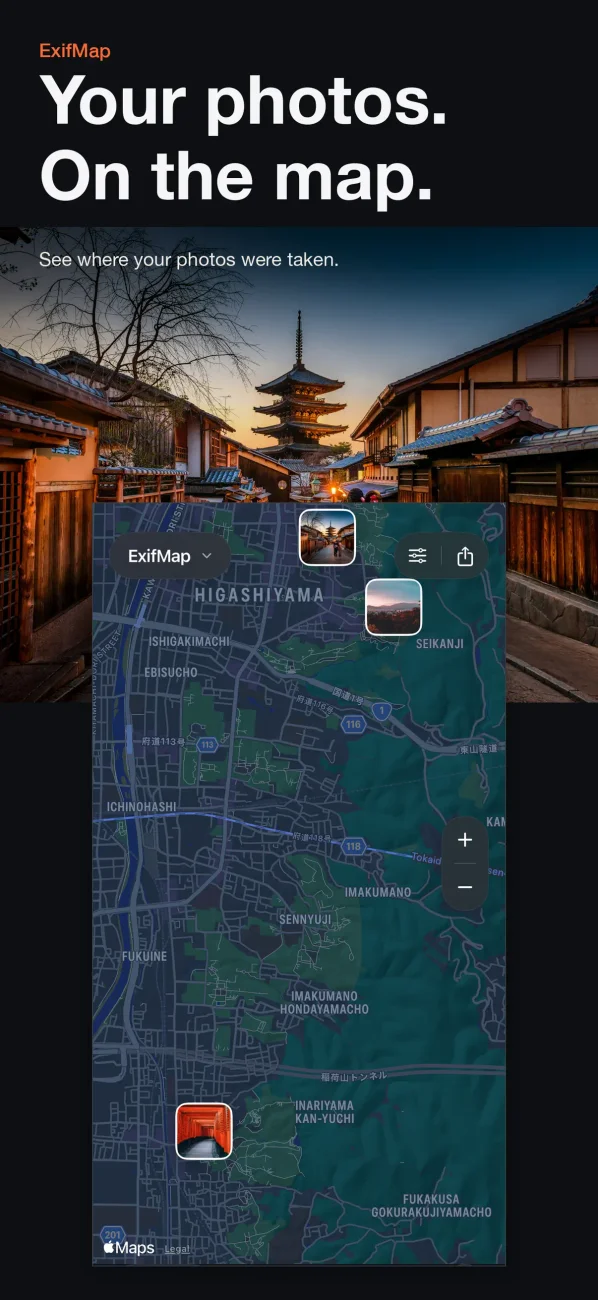
ExifMap turns a photo album or folder into a personal map. Rediscover a weekend away, revisit a favorite street, or find the place behind a photo you want to see again.
EXPLORE YOUR PHOTO MAP
Choose an album or a folder and browse photos that already contain location information. See photo thumbnails on the map, zoom in, and open a photo for a closer look.
REVISIT A DAY
Filter your map by capture date and browse the photos from that day. Show or hide the photo strip to give the map more room.
FIND YOUR WAY BACK
Open a photo location in Apple Maps to plan a route back. The destination is the photo's recorded coordinate, which may differ from a building entrance or business location.
SHARE PHOTOS WITH THEIR PLACES
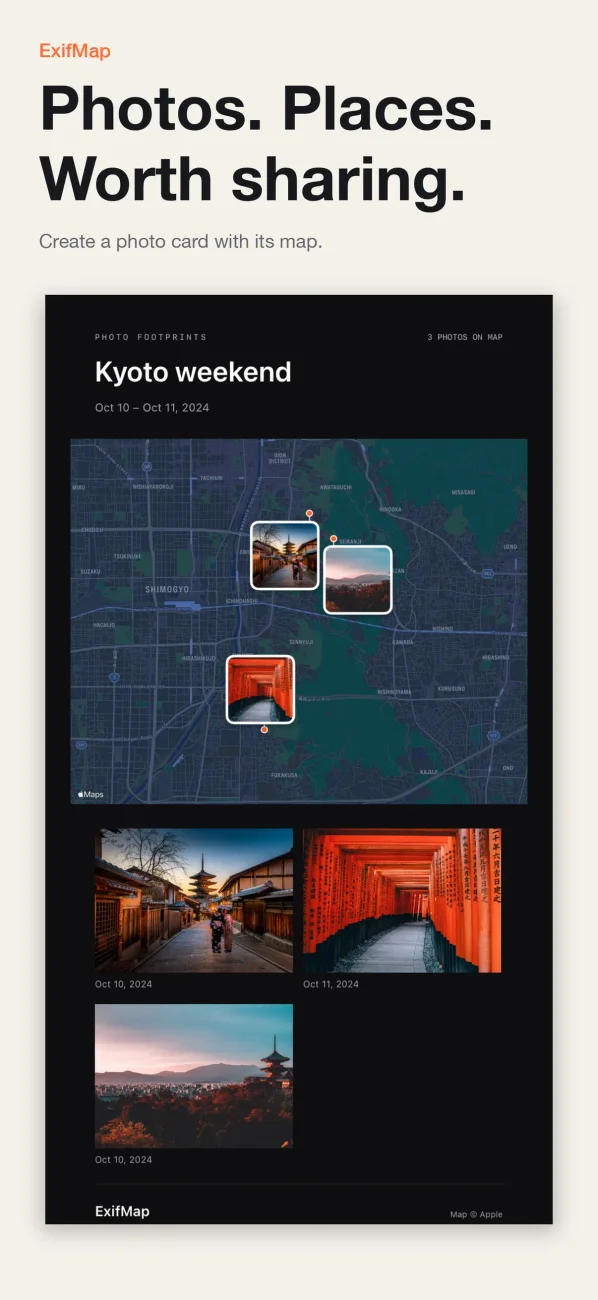
Choose up to four photos with location information, add a title and a short note, and create a photo card with its map. Preview the result before sharing it as an image.
START WITH YOUR OWN PHOTOS
Import an album from Photos or open a folder through Files. Your most recent photo map is saved on your device so you can return to it later. Supported Live Photos from your photo library can be played in the photo viewer.
A FOCUSED, LOCAL EXPERIENCE
No account is required. Photo metadata and thumbnails are processed on your device, and ExifMap does not upload your photos to a developer-operated server. Apple Maps, iCloud photo downloads, cloud file providers, and services you choose for sharing may use the network.
A FEW THINGS TO KNOW
Photos need existing GPS information to appear on the map. ExifMap does not infer locations from image content or write GPS information back to your originals. Optional time connections join photo locations in capture order; they do not represent a recorded travel route. Folder-based photo and video pairs are not currently recognized as Live Photos.
Try the sample journey to explore the map before importing your own photos.
What’s new
Version 1.1 · Nov 23, 2026
ExifMap now speaks Simplified Chinese, Traditional Chinese, Japanese and Korean.
Also in this update: photo counts now use the correct singular or plural form.
App privacy
What 炜成 王 declares on the App Store about how this app handles data.
-
Data not collected
The developer does not collect any data from this app.
Privacy practices may vary, for example with the features you use or your age.
Information
- Seller
- 炜成 王
- Category
- Photo & Video
- Version
- 1.1
- Updated
- Nov 23, 2026
- Released
- Nov 4, 2026
- Size
- 8.3 MB
- Requires
- iOS 17.0 or later
- Age rating
- 4+
- Price
- Free
- Languages
- English, Japanese, Korean, Simplified Chinese, Traditional Chinese
- Copyright
- © 2026 Cris Wang
You might also like
-
 MapPic: Photo Map GalleryPhoto Travel Timeline & Places
-
 Pet Painter: Get Daily Pet ArtTurn dog/cat photos into art
-
 Map Pilot ProSupports Air3, Mini5, Mavic3
-
 Video Splitter - Long StoryStory Splitter & Story Maker
-
 Panasonic LUMIX SyncPhoto & Video
-
 OpusClip - AI video clippingTurn long videos into shorts