Expenderino: Expense Tracker
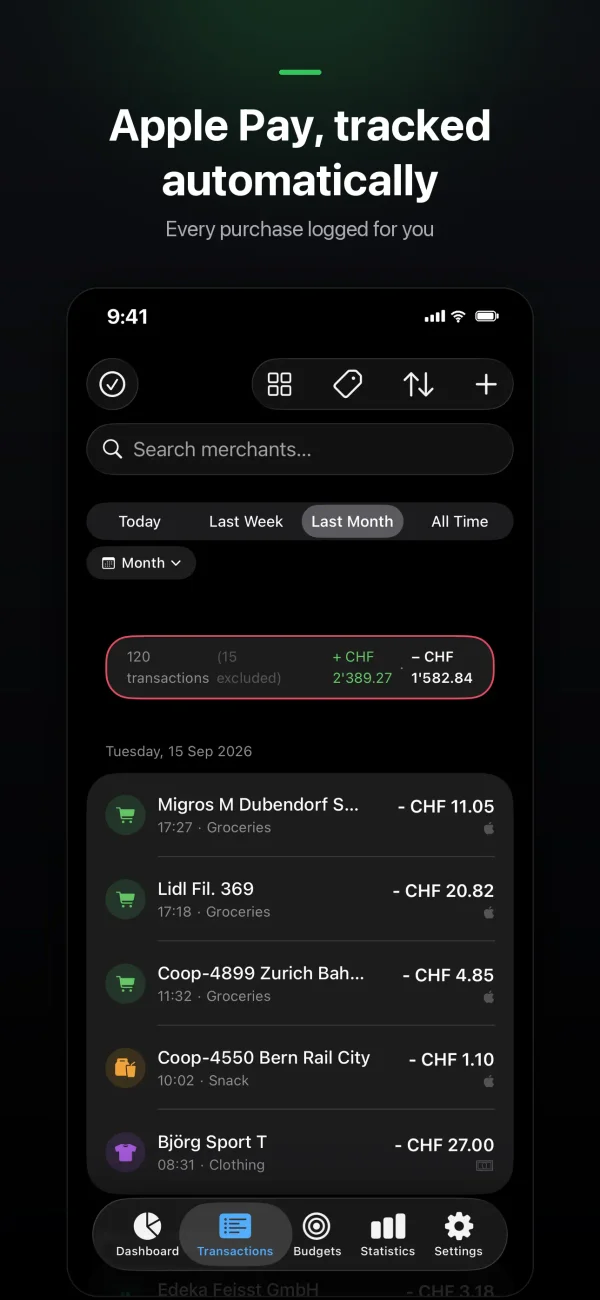
Auto-Track Apple Pay Spending
Designed for iPhone
Free · In-app purchases
- Age rating4+
- CategoryFinance
- DeveloperAalohan Thileepan
- LanguagesEnglish
- Size15.0 MB
Links to the official App Store page
Download.org hosts no file of Expenderino: Expense Tracker. The button opens its official App Store page, published by Aalohan Thileepan. Listing last checked on Nov 23, 2026.
Screenshots
About
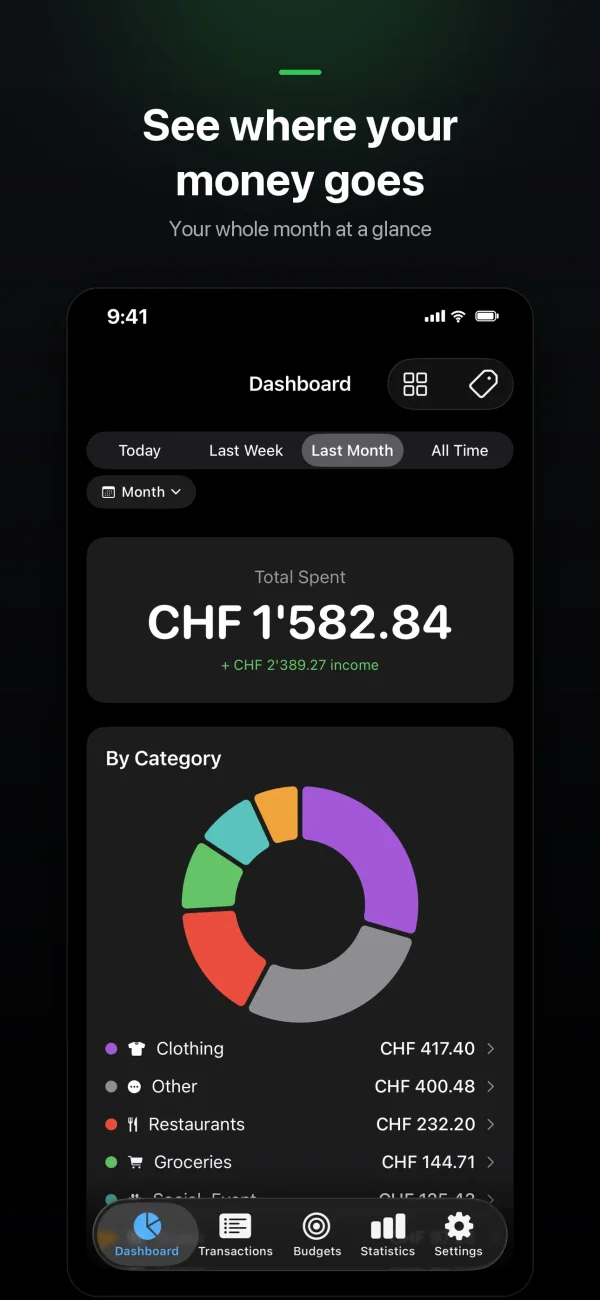
See where your money goes, automatically. Pay with Apple Pay and the purchase logs itself. Import your bank statement and everything lands in one place, sorted into categories. No typing, no accounts, and your data never touches our servers.
EFFORTLESS TRACKING
- Apple Pay purchases log themselves. Set up a Shortcuts automation once, and every payment is recorded, optionally with where it happened.
- Categorize from the notification: after each payment, hold the notification and tap a category. Done.
- Import from your bank: camt.053/.052, MT940, OFX/QFX, CSV and PDF. Map any CSV in seconds.
- Smart duplicate detection: when a bank statement overlaps your Apple Pay entries, matches are shown side by side so you decide what to merge.
- Balance check: compare your tracked spending with your bank statement balance and spot what's missing.
SEE WHERE YOUR MONEY GOES
- A clean dashboard with your total spending and a breakdown by category.
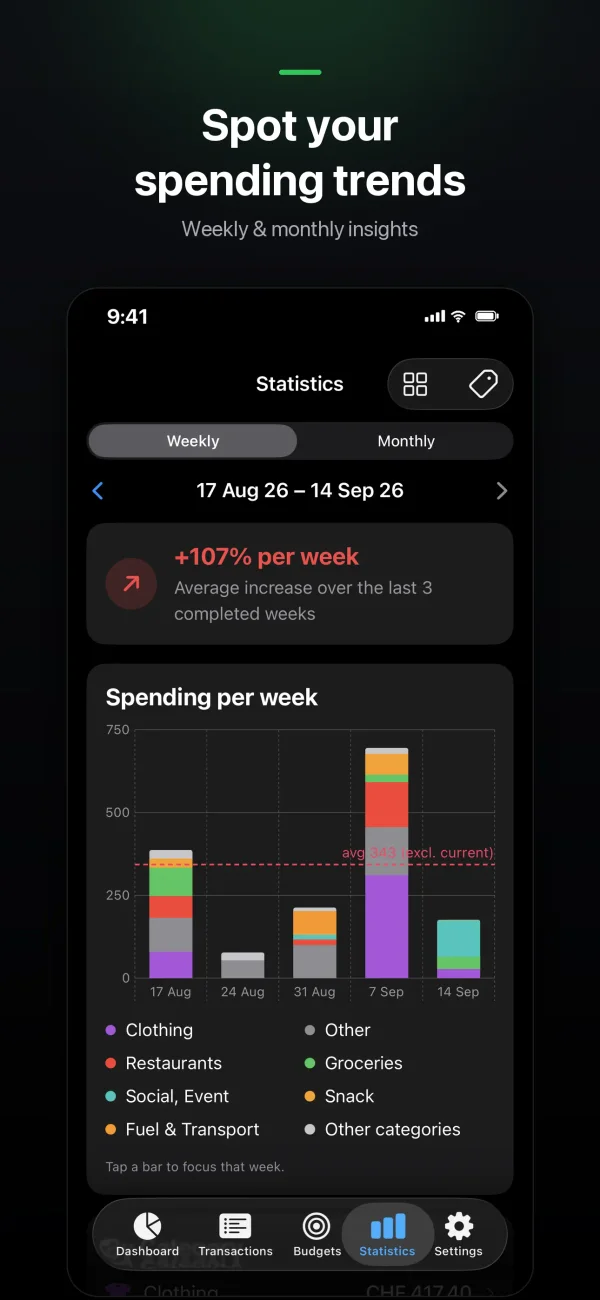
- Monthly statistics with trends and projections, plus weekly insights with Pro.
- Home Screen widgets for today, this week or this month, with your budgets at a glance.
STAY ON TRACK
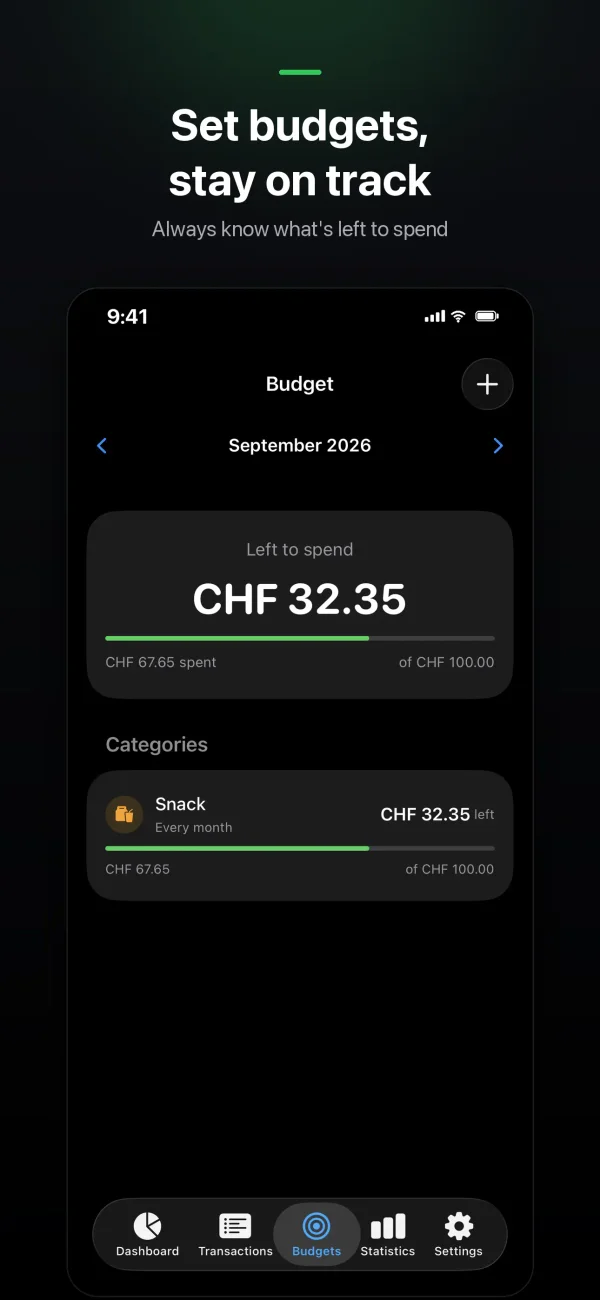
- Monthly budgets per category or tag, so you always know what's left to spend.
- Categories sort new transactions automatically using keywords you control.
- Tags for anything that cuts across categories, like trips, projects or gifts.
- AI category setup: let AI suggest keywords for your merchants. Your first run is free.
PRIVATE BY DESIGN
- Your data lives on your device and syncs only through your own iCloud. The developer cannot see it.
- No sign-up, no ads, no analytics, no third-party trackers.
- Lock the app with Face ID.
- AI suggestions are off by default. When you turn them on, only merchant and category names are sent, never amounts, dates or account details.
EXPENDERINO PRO
Unlock unlimited budgets, weekly statistics, Home Screen widgets, statement scanning with the camera, and unlimited AI category suggestions. Free users get 2 budgets and one AI run.
Built for people who want to understand their money, not be tracked by it.
Terms of Use (EULA): https://aalo28.github.io/expenderino-site/terms.html
Privacy Policy: https://aalo28.github.io/expenderino-site/privacy.html
What’s new
Version 1.3 · Nov 8, 2026
New in 1.3
- Categorize payments right from the notification: hold it and tap a category
- Balance check: compare your tracked spending with your bank statement balance
- More import formats and smarter duplicate detection
- Categories now start clean, and you get a free AI run to set them up for the shops you actually use
- Bug fixes and improvements
App privacy
What Aalohan Thileepan declares on the App Store about how this app handles data.
-
Data not collected
The developer does not collect any data from this app.
Privacy practices may vary, for example with the features you use or your age.
Information
- Seller
- Aalohan Thileepan
- Category
- Finance
- Version
- 1.3
- Updated
- Nov 8, 2026
- Released
- Oct 14, 2026
- Size
- 15.0 MB
- Requires
- iOS 27.0 or later
- Age rating
- 4+
- Price
- Free
- In-app purchases
- Yes
- Languages
- English
- Copyright
- © 2026 Aalohan Thileepan
You might also like
-
 Axle Tax IFTAIFTA, DVIR & Trip Tracking
-
 Scary BudgetMoney makes more sense here
-
 Manor: Voice Expense TrackerSpeak, log, and share budgets
-
 FreedomPilotFinance
-
 Bonsave: Net Worth TrackerInsights, Budget & Retirement
-
 Pibo Money: AI Expense TrackerBills, Debt & Savings Planner
-
 cinder.fi: Budget & RetirementEvery $ moves your timeline
-
 Squirl - Stash it awayStop Impulse Buying. Save More
-
 Apex Trade ProPortfolio Intelligence
-
 TrackSmart: Net Worth TrackerSavings, Budget & Expenses