
Expenditi Expense Manager
Track your expenses offline
Designed for iPhone, iPod touch
- Age rating4+
- CategoryFinance
- DeveloperNeumeral Technologies
- LanguagesEnglish
- Size55.9 MB
Links to the official App Store page
Download.org hosts no file of Expenditi Expense Manager. The button opens its official App Store page, published by Neumeral Technologies. Listing last checked on Nov 12, 2026.
Screenshots

About
Expenditi is a privacy focused expense manager built for freelancers, creators, and solopreneurs. Enjoy a completely ad free experience as you scan receipts, see exactly what you pay in subscriptions every month, and export clean reports — with no account and no login. Your records live on your phone, not in someone's cloud.
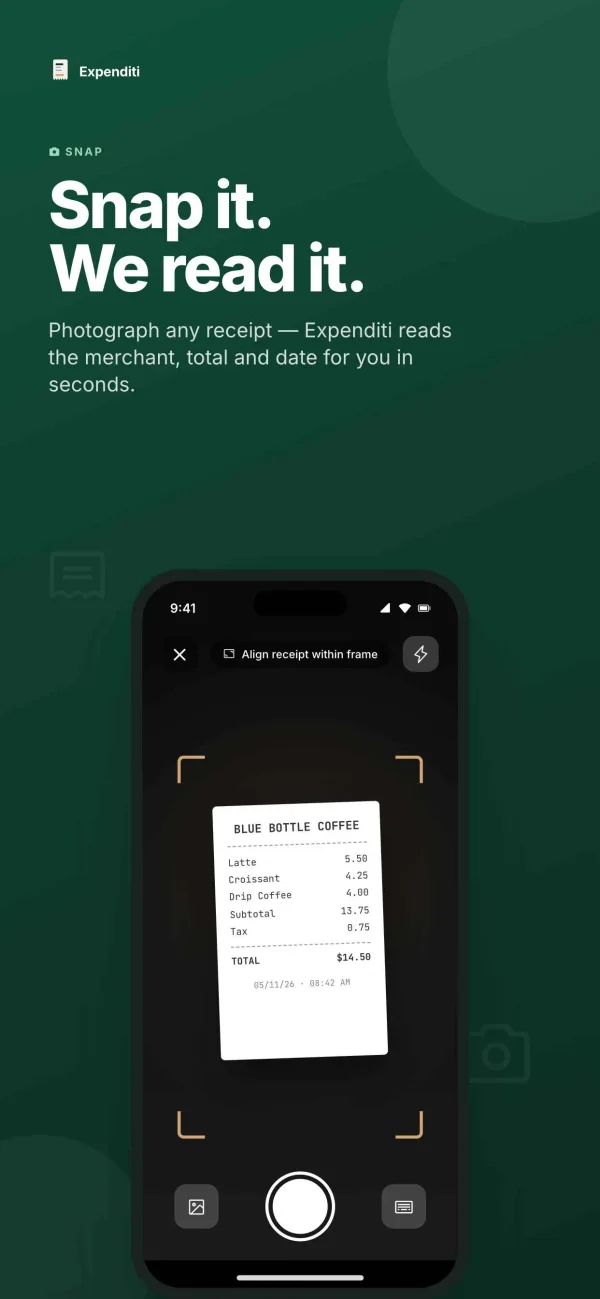
SCAN RECEIPTS IN SECONDS
• Snap a photo — Expenditi reads the merchant, total, tax, and date for you
• Scanning uses our secure parsing service to turn the photo into text; the image is processed and discarded, never stored on our servers
• The finished record — and the receipt image — is saved only on your device
• Review and fix any field before saving; low-confidence fields are flagged
• Search the actual text on every receipt — find "that AWS bill from August" instantly
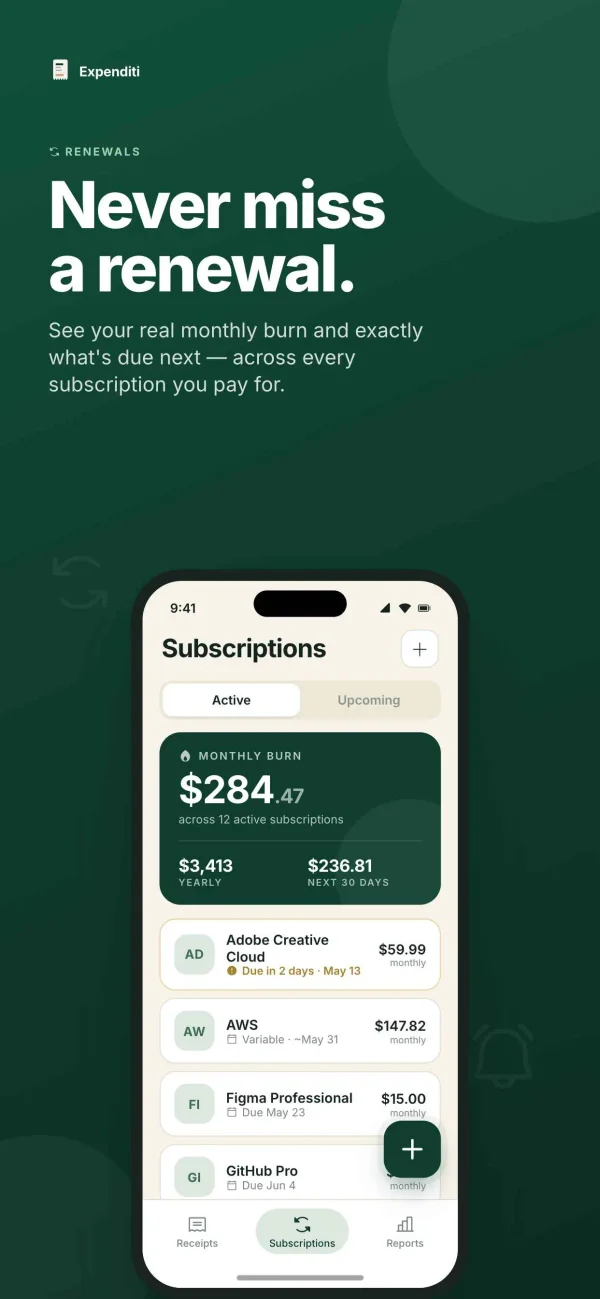
KNOW YOUR RECURRING PAYMENTS
• See your true monthly burn — every recurring app and service in one place
• Yearly plans amortised to a monthly figure, plus a "next 30 days due" total
• Reminders before each renewal so nothing surprises you
• One tap on a reminder logs the payment — no receipt photo needed
• Track loan EMIs and instalments next to your subscriptions, filtered separately when you want them apart
• Tap through to a service's cancellation page when you're done paying for it
ORGANIZE FOR WORK & CLIENTS
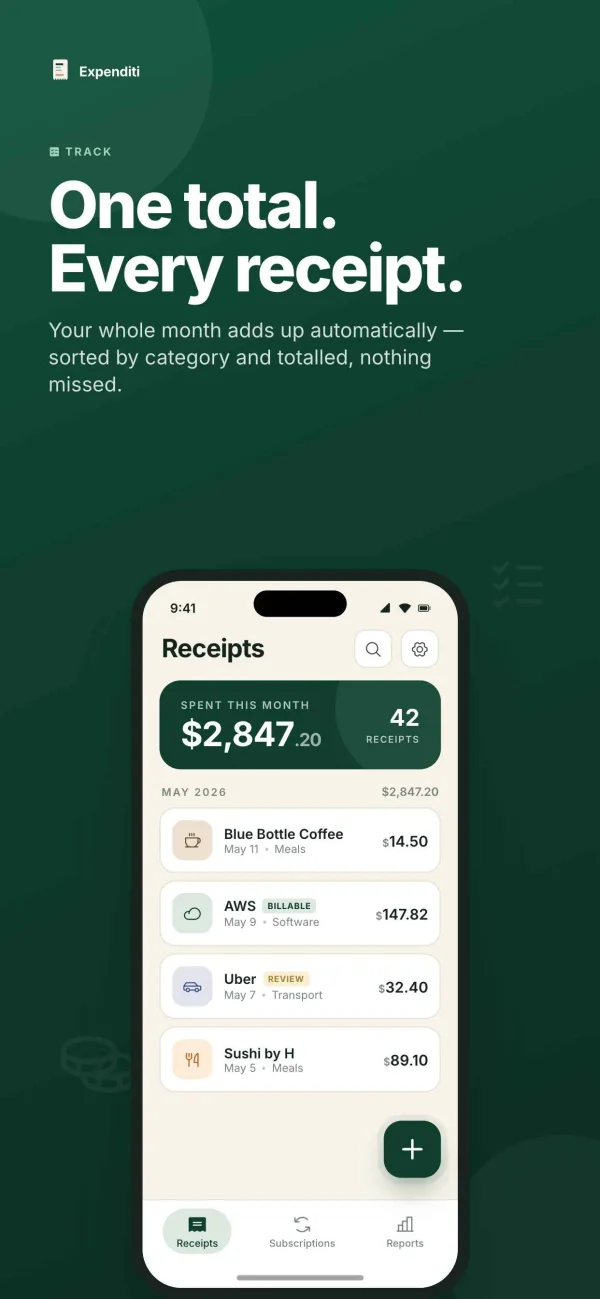
• Tag expenses by project, billable status, and payment method
• Manual mileage logging with custom rates
• Auto-categorization that learns — correct a category once and it sticks forever
• Lend money and track it — log a loan, mark it received when repaid
• Filter reports by project to separate client spend from your own
• Export to CSV for your accountant, or a polished PDF summary with charts
SEE WHERE MONEY GOES
• Category breakdown pie chart for any date range
• 6-month spending trends with top movers highlighted
• Quick filters: today, this month, last month, custom range, and more
PRIVATE BY DESIGN
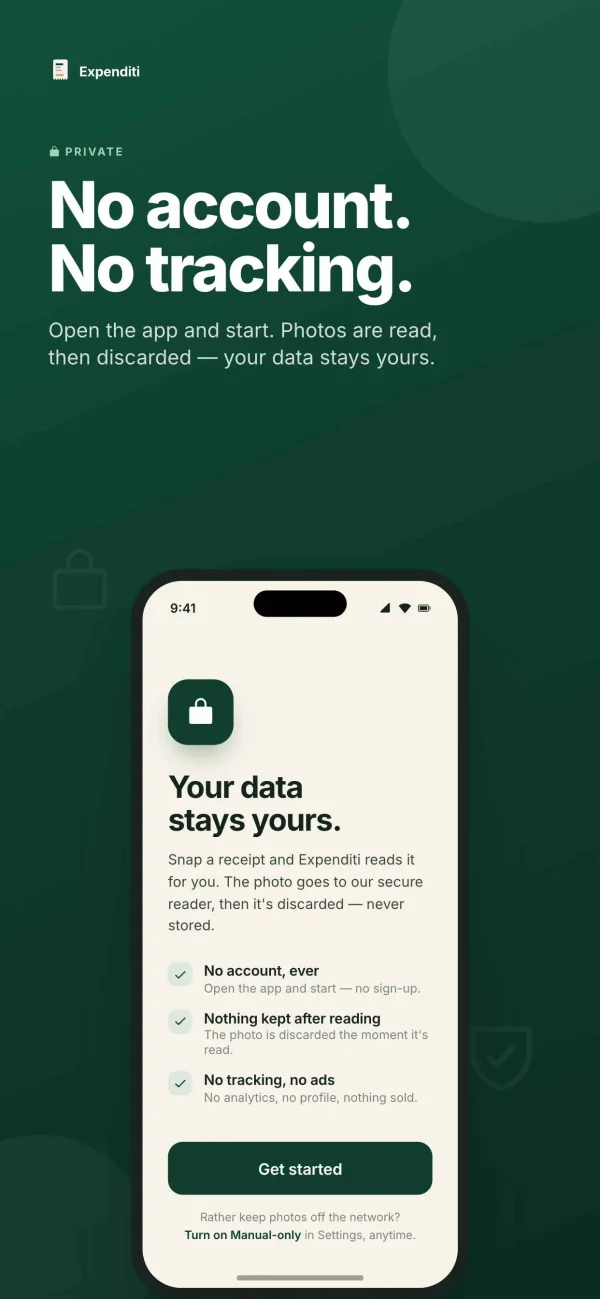
• 100% ad free, no account, no login, and no usage tracking
• As a truly privacy focused expense manager, your receipts and financial records are stored only on your device
• Receipt photos are sent for parsing but never kept on our servers
• Optional biometric lock (fingerprint / face)
• Exports go only where you send them — your own Drive, email, or Files
• Free. No in-app purchases, no paywall, no trial.
BACKUP & RESTORE
• Back up your data to your own Google Drive and restore it on a new phone. The backup goes to your Drive account — we never see it and it never touches a server of ours.
• For manual exports, export your data as CSV to your device.
Privacy focused expense manager. Receipt scanner. Subscription tracker. Mileage log. 100% ad free and private.
What’s new
Version 1.2.4 · Aug 18, 2026
Expenditi v1.2.4 is here!
Thanks for choosing your favorite privacy friendly expense manager. We are committed to keeping your data on your device and 100% ad-free.
What's New:
• Recurring Payments: Subscriptions is now Recurring Payments — track loan EMIs and instalments right alongside your apps and services, in one monthly burn figure.
• Filter by Type: Switch between All, Subscriptions, and EMIs on both the Active and Upcoming views.
• Loans: Log money you've lent out, then mark it received when it comes back. No more mental accounting.
• Reports by Project: Filter any report by project, so client work and personal spend never get mixed up.
• Google Drive Backup: Back up, sync, and restore your data from your own Google Drive. Switch phones without losing a thing — the backup sits in your Drive, under your account, never on our servers.
App privacy
What Neumeral Technologies declares on the App Store about how this app handles data.
-
Data not collected
The developer does not collect any data from this app.
Privacy practices may vary, for example with the features you use or your age.
Information
- Seller
- NEUMERAL TECHNOLOGIES (OPC) PRIVATE LIMITED
- Category
- Finance
- Version
- 1.2.4
- Updated
- Aug 18, 2026
- Released
- Jul 22, 2026
- Size
- 55.9 MB
- Requires
- iOS 15.1 or later
- Age rating
- 4+
- Languages
- English
- Copyright
- © Neumeral Technologies
You might also like
-
 Money ToolkitLoan Tracker & Finance Tools
-
 Fiinny: Expense & Split MoneyTrack expenses, split bills
-
 Spendle - Expense TrackerExpense Tracker
-
 MySpend: Expense TrackerTake Control of Your Finances
-
 Kiso Money: Finance TrackerPersonal Finance & Budget
-
 iLekka - Expense TrackerBank SMS Expense Tracker
-
 Sales Tax Calculator: DiscountState & Local Rates by ZIP
-
 Receipt Scanner: ReceetoExpense Tracker & Manager
-
 Debt Manager: Debt TrackerTrack IOUs & get paid back
-
 Scanomy: AI Expense TrackerScan receipts, export to Excel