Expense Tool
Smart Expense Tracker
Designed for iPhone, iPad, Mac, iPod touch
Free · In-app purchases
- Age rating4+
- CategoryFinance
- DeveloperJuerg Otter
- LanguagesEnglish+ 4 more
- Size35.2 MB
Links to the official App Store page
Download.org hosts no file of Expense Tool. The button opens its official App Store page, published by Juerg Otter. Listing last checked on Nov 14, 2026.
Screenshots

About
Organize your own and shared expenses.
Do you and your partner want to log how much you're spending for your household and merge the expenses entered on your individual devices?
Are you on holidays with friends and want to know how much you are spending? If you are sharing your expenses, do you need a tool to document your balances and debts to one another?
Are you sharing a holiday or a household with others and would you like everyone to log their own expenses into one common list, each on their own device?
Do you want to know how much you're spending for your hobby, on your business trip, or any other expenses?
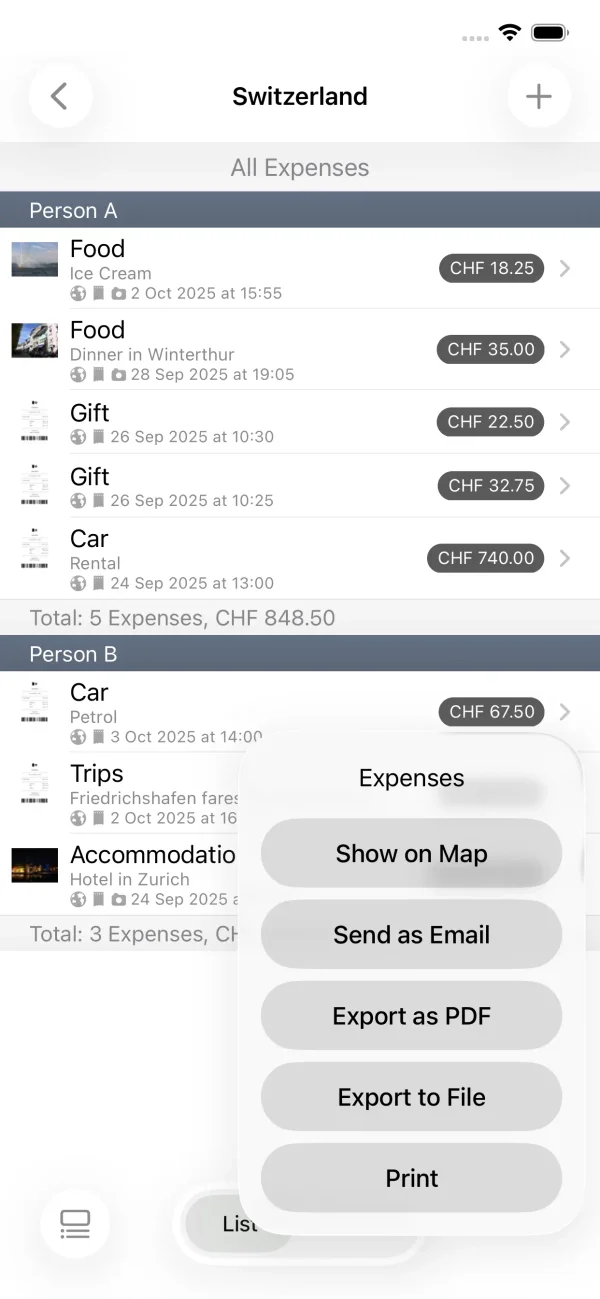
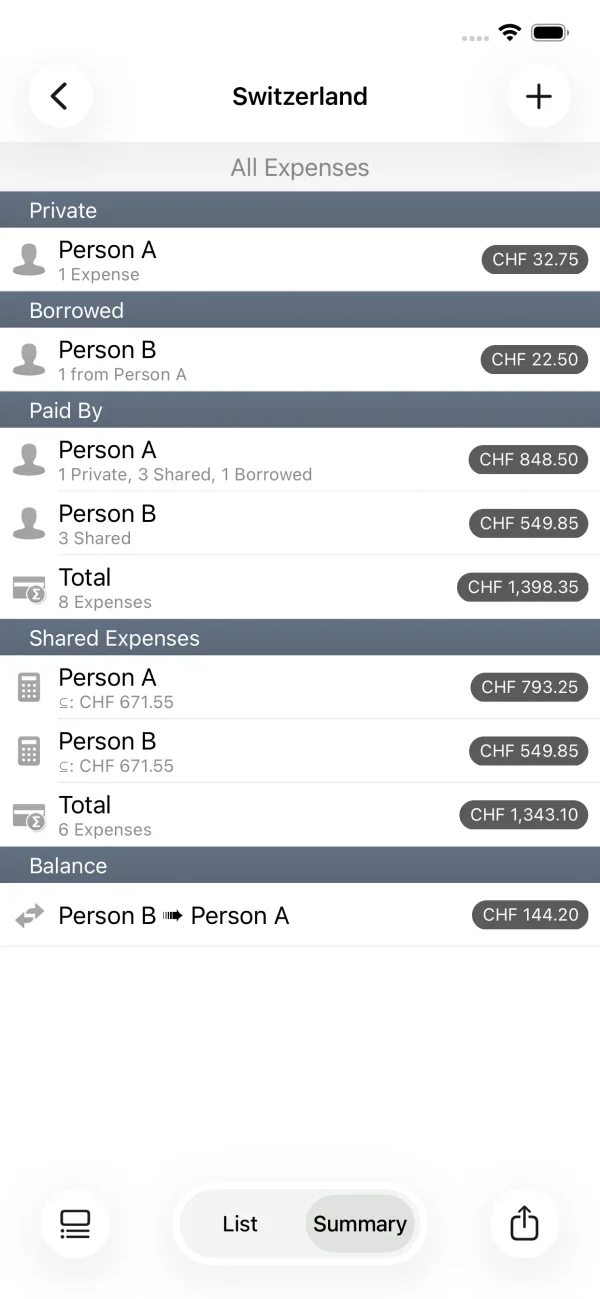
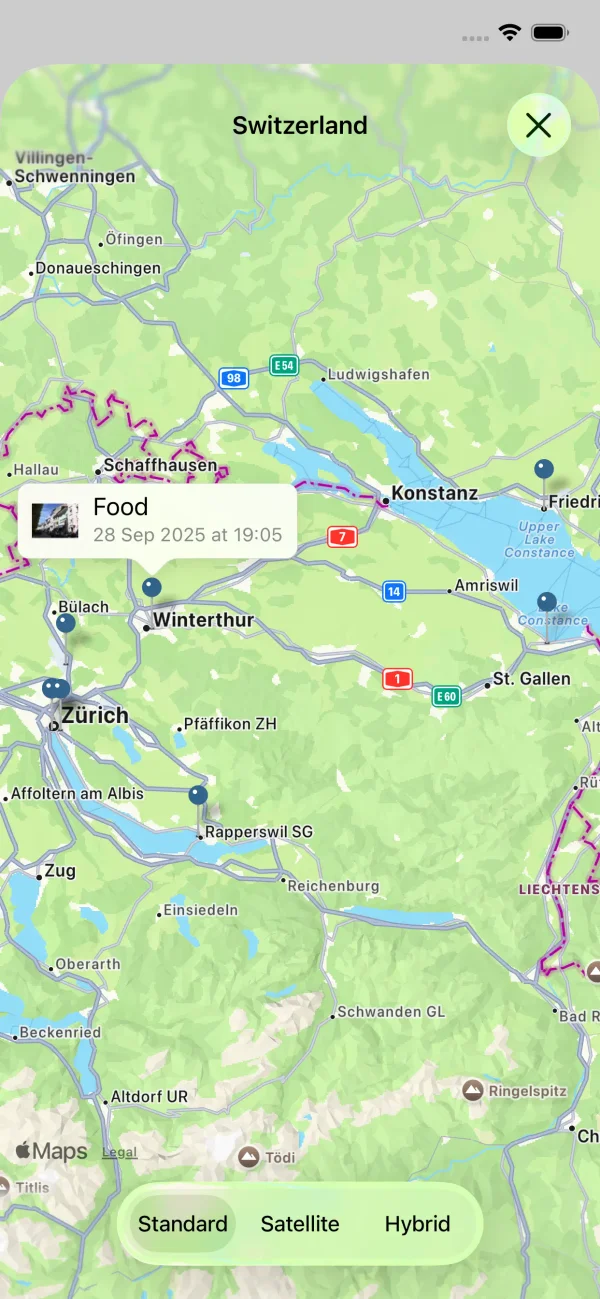
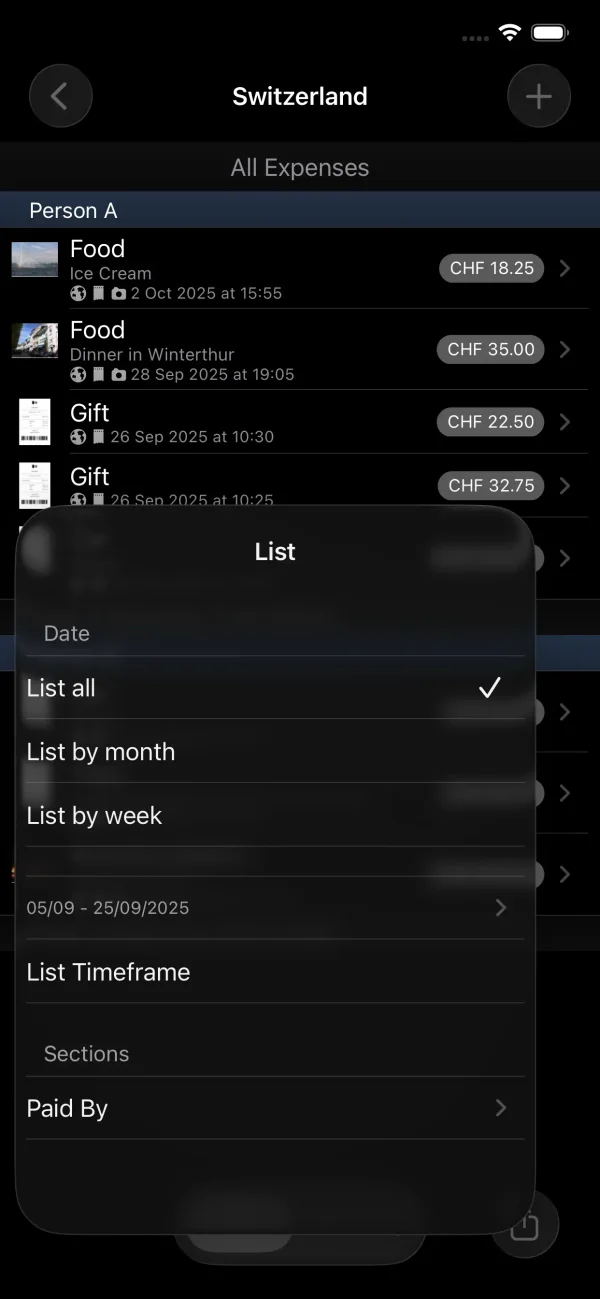
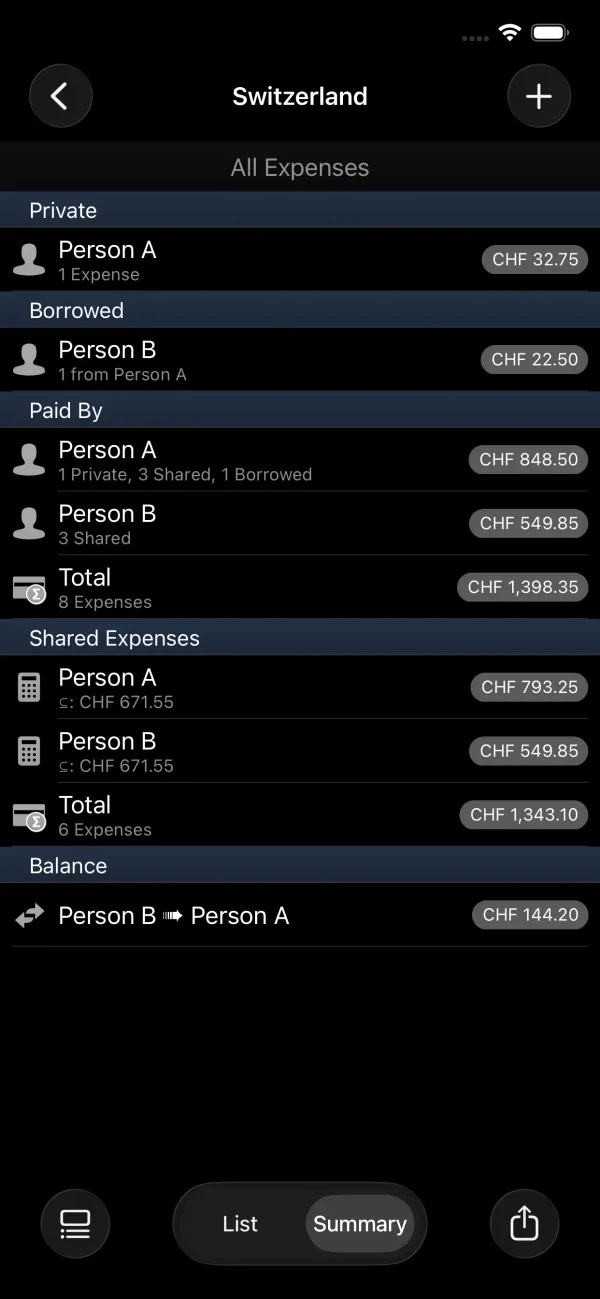
Use Expense Tool, create an expense set and start entering your data. Your expenses can be listed, shown on a map, exported (by email or to a file) and printed. Expense Sets can be synced across your own devices via iCloud, shared with other people, or transferred directly from device to device. If more than one person is part of an expense set, you get a summary showing the total of all individual expenses and the balance of the shared expenses.
Features:
• Define Expense Sets with custom settings
• Add expenses and optionally attach receipts, photos and locations
• Fast data capture: Select with autocompletion what you've already entered
• List your expenses: all, by year, by month, by week or within a custom timeframe
• Expense list sections: by person, by expense caption
• Summary and Balance of shared expenses
• Overview of all expense sets
• iCloud Synchronization — enable per Expense Set
• iCloud Sharing — share an Expense Set with others
• Export your data: email, PDF, or save to a file (CSV with receipts and photos, bundled as a .zip)
• Receipts: Document Scanner (iOS only)
• Printing
• Data Exchange between iPhone, iPad and Mac
• Geocoding and map integration
• Backup and Import
• Passcode Lock (iOS only)
• iPhone, iPad, Mac
• Languages: English, German, Italian, French, Spanish
Terms of Use (EULA):
https://www.apple.com/legal/internet-services/itunes/dev/stdeula/
Terms and Conditions:
https://www.jo-tools.ch/expense-tool/terms_and_conditions.html
Privacy Policy:
https://www.jo-tools.ch/expense-tool/privacy_policy.html
Support / FAQ:
https://www.jo-tools.ch/expense-tool/
What’s new
Version 3.4.0 · Oct 27, 2026
List by year — show expenses and the Overview per calendar year
Various improvements
Expense Tool 3
- Available on iPhone, iPad and Mac
- Free to download — with optional subscriptions
- iCloud Synchronization — enable per Expense Set, share with others
- iCloud Sharing — share an Expense Set with family, friends or travel companions
App privacy
What Juerg Otter declares on the App Store about how this app handles data.
-
Data not linked to you
May be collected but is not linked to your identity.
- Purchases
Privacy practices may vary, for example with the features you use or your age.
Information
- Seller
- Juerg Otter
- Category
- Finance
- Version
- 3.4.0
- Updated
- Oct 27, 2026
- Released
- Oct 25, 2010
- Size
- 35.2 MB
- Requires
- iOS 15.0 or later
- Age rating
- 4+
- Price
- Free
- In-app purchases
- Yes
- Languages
- English, French, German, Italian, Spanish
- Copyright
- © Jürg Otter, All rights reserved
You might also like
-
 No Spend Tracker - Save MoneyStop impulse buying & save
-
 Tip Bucket ProTrack Tips. Know Your Worth.
-
 Saving Money Box-Savings GoalsSaved Money & Track deposits
-
 Simple-model Loan CalculatorPayments, interest, schedule
-
 MillionFed: Retirement TrackerTSP Balance & Goal Tracker
-
 Smeta - Expense TrackerIncome, Spending, Budget
-
 Kairoku - Expense TrackerRemaining budget at a glance
-
 DebtPro: Debt TrackerTrack payments and balances
-
 Money: track income & expensesFocused on simplicity!
-
 Budgets Pro - Expense TrackerGet Back In Control