Expense Tracker by SupportMemo
Receipt organizer, photo notes
Designed for iPhone, iPad, iPod touch
Free · In-app purchases
- Age rating4+
- CategoryFinance
- DeveloperNilCraft Inc.
- LanguagesEnglish+ 1 more
- Size87.9 MB
Links to the official App Store page
Download.org hosts no file of Expense Tracker by SupportMemo. The button opens its official App Store page, published by NilCraft Inc. Listing last checked on Nov 23, 2026.
Screenshots
About
Track everyday expenses with photos and simple notes.
SupportMemo is an expense tracker and receipt organizer for purchases you want to remember. Save an amount, store, item and photo, then revisit your spending in a calendar, list or chart. Use it as a personal spending diary, an allowance log, or a temporary shopping memo before updating a paper ledger or computer spreadsheet.
Bought a drink without a receipt? Forgotten what a cash payment was for? Record it while it is fresh. A short note and photo give an amount context, making small daily purchases easier to recall.
SIMPLE MANUAL ENTRY
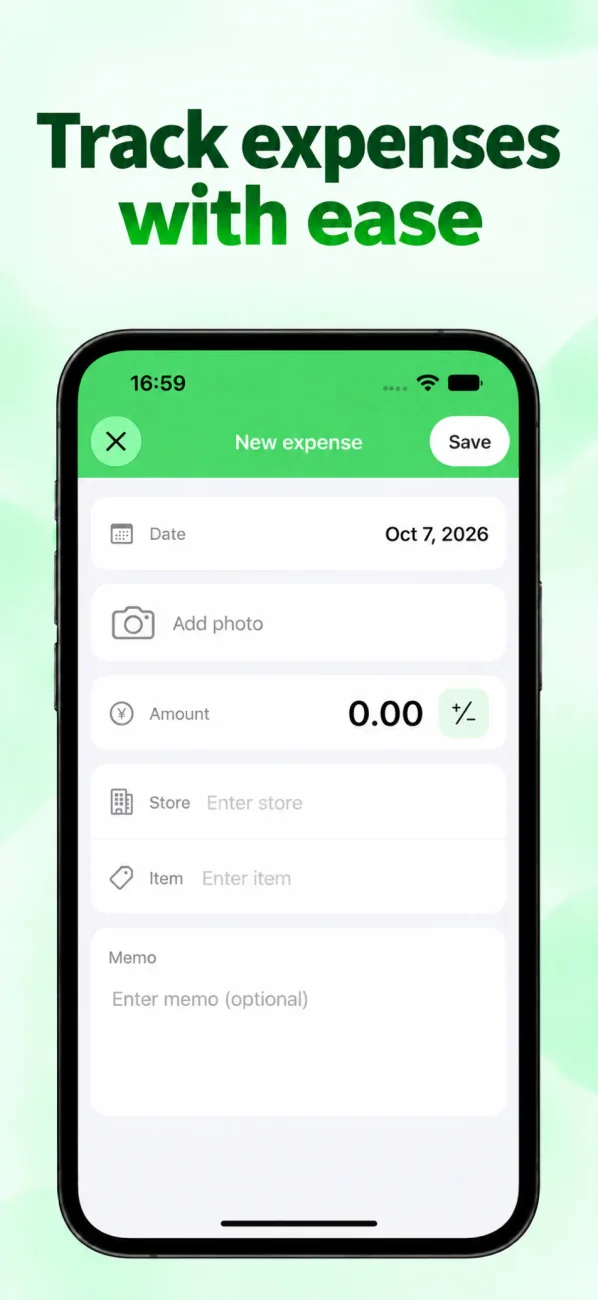
Choose a date and enter the amount. Add a store, item, memo or photo when useful; you do not need a long description for every purchase. Start with groceries, lunch, household supplies or vending-machine drinks. After saving, use continuous entry to record the next expense without starting the flow again.
Keep an amount first and add details later. Edit a saved entry when you remember the store or want a clearer note.
PHOTOS THAT HELP YOU REMEMBER
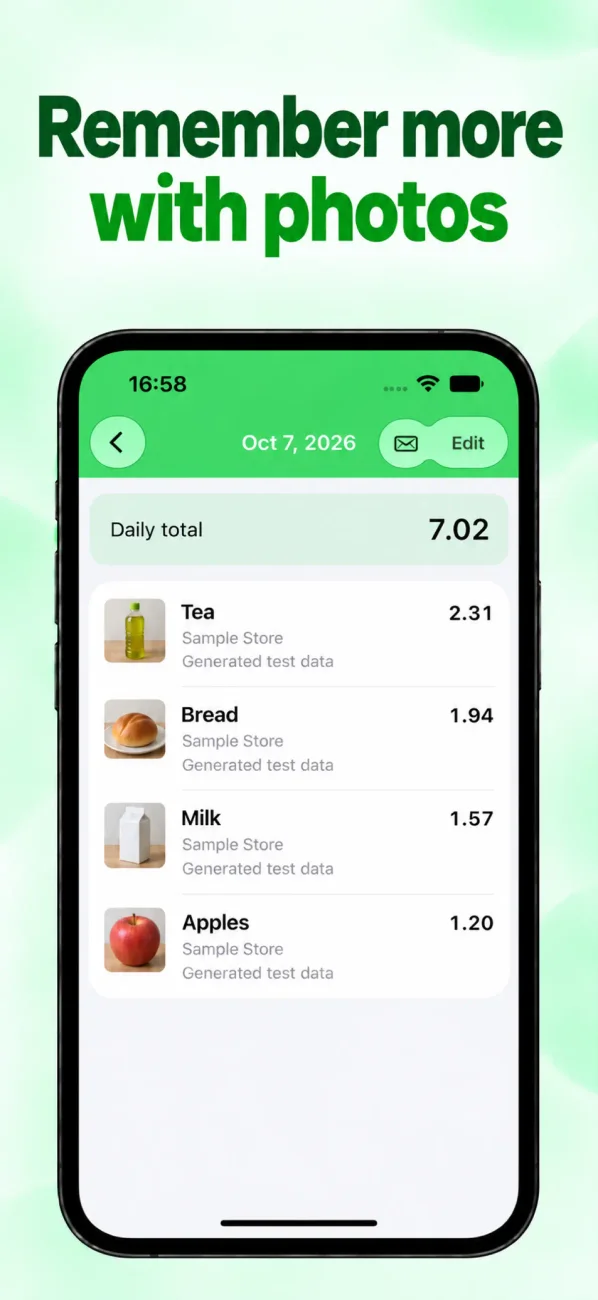
Take a receipt or purchase photo, or select one from your photo library. Keep it alongside the amount and a note. A photo of an item can help when no receipt is available.
Enter amounts yourself. To find words from a receipt later, also type them in the store, item or memo fields. Notes such as “lunch” or “weekend groceries” can distinguish purchases with similar amounts.
CALENDAR AND DAILY DETAILS
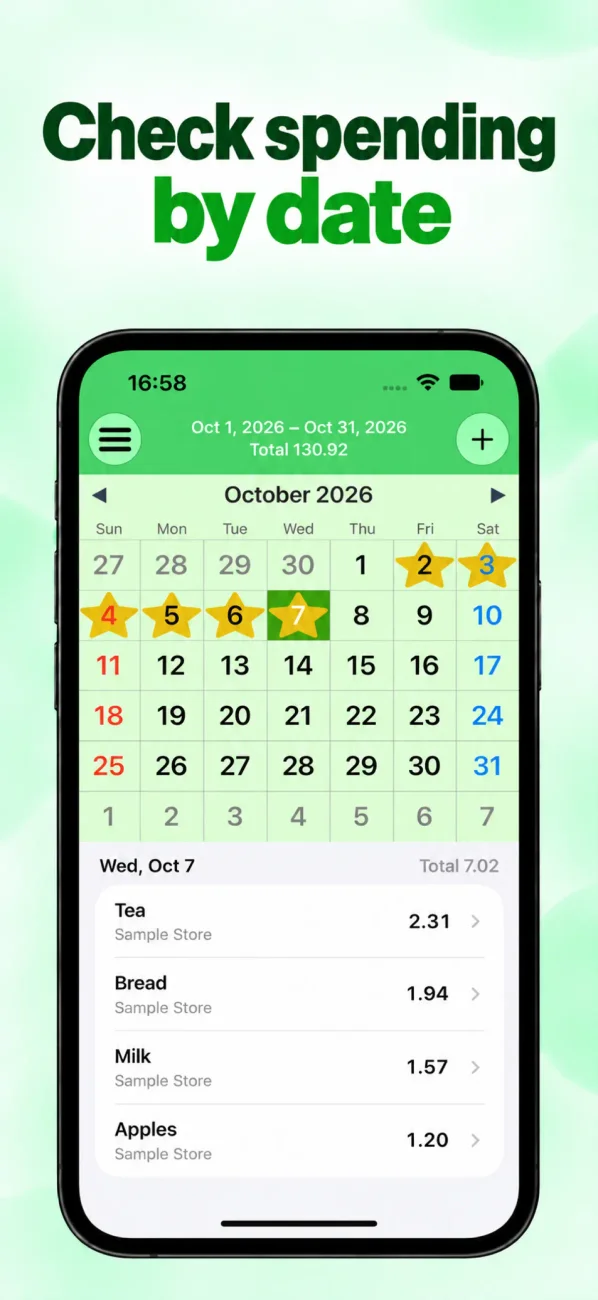
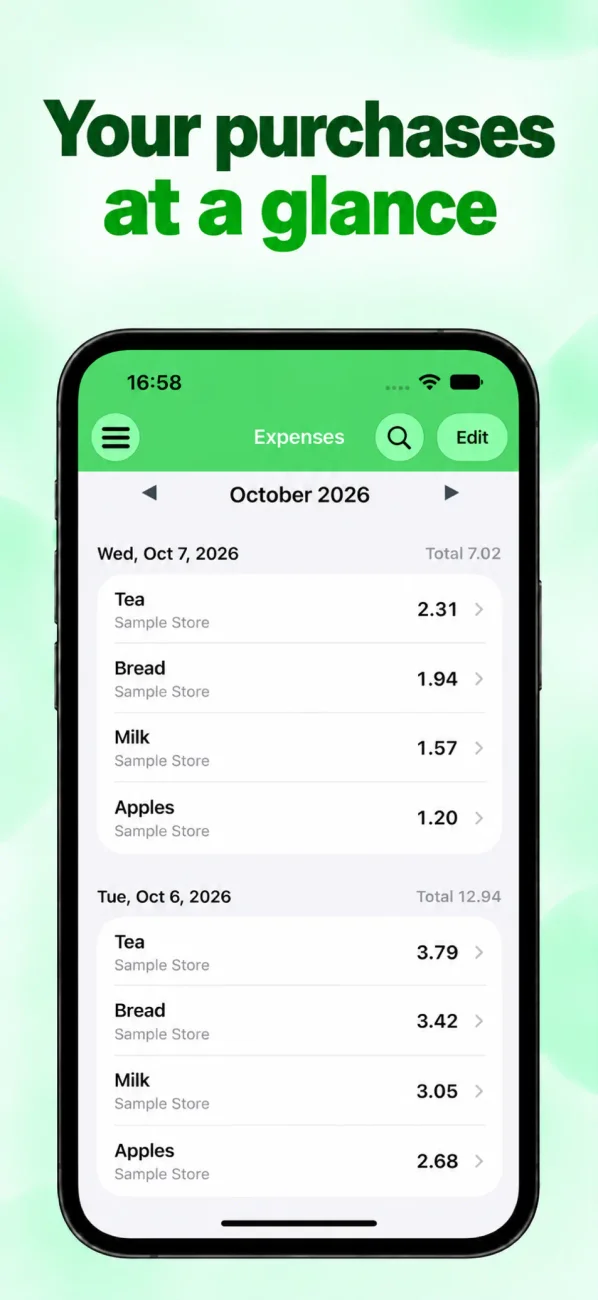
See recorded expenses by date and open a day's details. Review yesterday's spending or the purchases made over a weekend. A configurable closing date helps you review records around the period you use for household accounts.
LISTS, SEARCH AND CHARTS
Browse your purchase history or search all records by store, item or memo. Find an earlier purchase before transferring notes to your regular accounts.
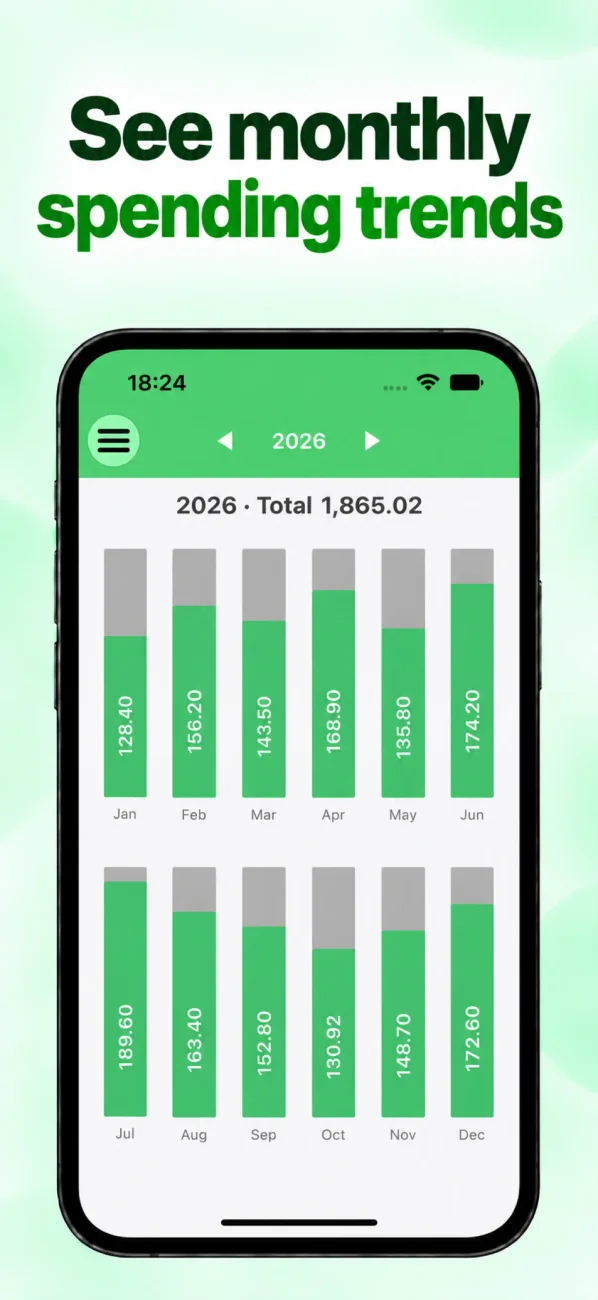
The yearly chart shows monthly expenses from January to December and the annual expense total. Use the bars to spot months you want to revisit, then check the underlying records in the list. Use your spending records as a starting point for considering everyday purchases and the habits you want to change.
LESS REPEATED TYPING
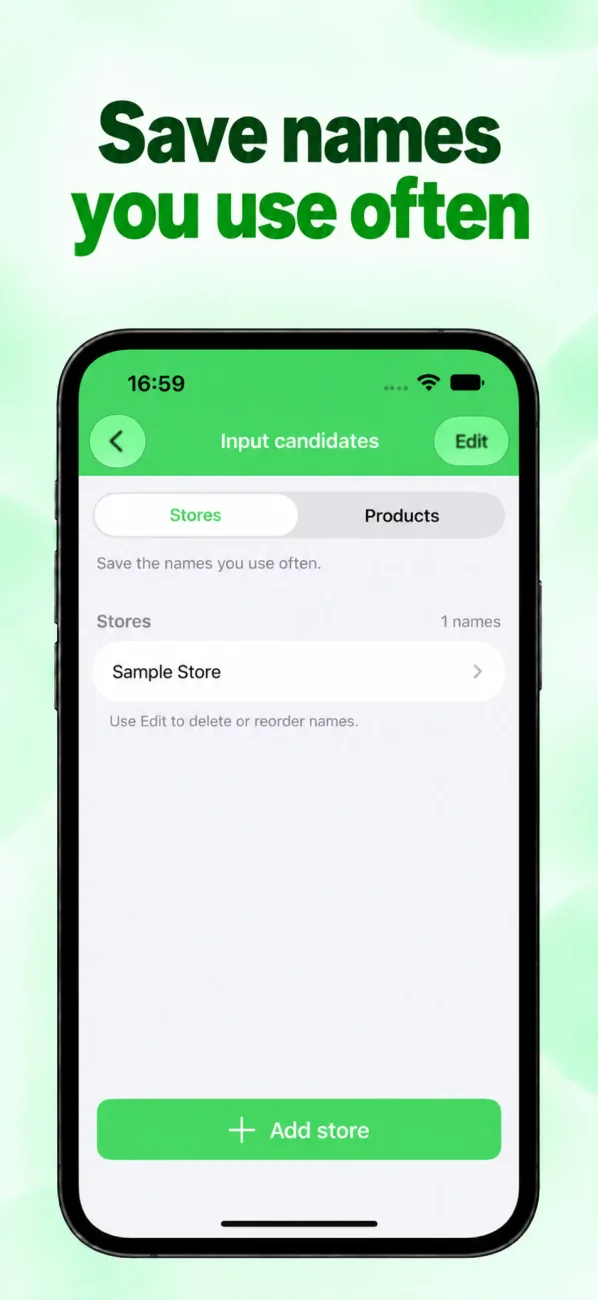
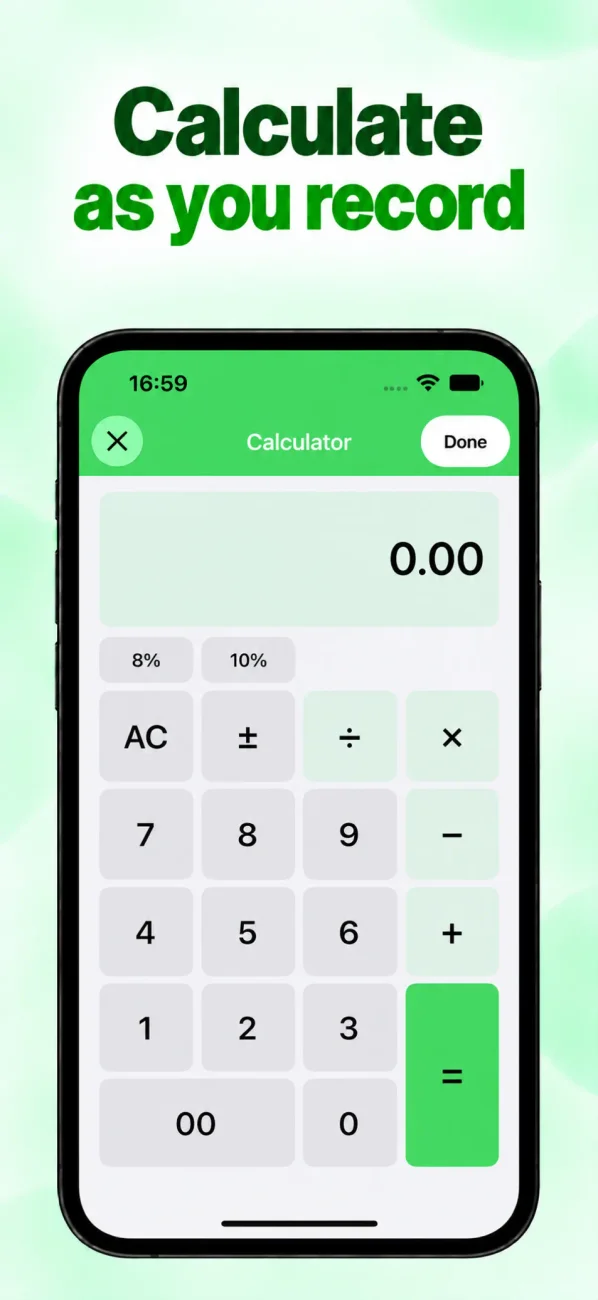
Register frequently used store and product names as input suggestions. Choose names you use often and keep their spelling consistent for later searches. Open the calculator during expense entry, work out an amount and use the result in your record.
SETTINGS FOR YOUR ROUTINE
Choose a currency number format, including whole amounts or two decimal places. This controls amount entry and display; it is not exchange-rate conversion. Adjust the saving sound, calendar icons and colors to suit your preferences.
ICLOUD BACKUP
Open the backup screen in Settings to back up or restore expense data. When a backup exists, check its date and size. Sign in to iCloud and enable iCloud Drive on your device to use this feature.
Restoring replaces your current records with the data from the backup. Check for records you want to keep before proceeding. Follow the on-screen guidance and review the backup's details before choosing an action.
ON IPHONE AND IPAD
Use portrait or landscape on iPad, with layouts adapted to the available space. Split View lets you enter or review expenses beside another app. Calendar, list, chart and entry screens adapt to the window width.
MAKE A SMALL START
1. Record a purchase: confirm its date and amount, then add any useful details.
2. Review the day: check the calendar and daily list, add missed purchases or edit a note.
3. Look back: use search and charts to understand the records you have collected.
Keep your paper household ledger if it works for you. SupportMemo can hold the shopping details you would otherwise forget until you get home. Begin with one cash expense or a small purchase, and choose how much detail to save. With a receipt or without one, make today's spending easier to remember.
Terms https://www.apple.com/legal/internet-services/itunes/dev/stdeula/
What’s new
Version 3.1.0 · Nov 21, 2026
Thank you for using SupportMemo.
We've added a Premium plan that gives you a closer look at your spending.
- See in charts how your spending changes from day to day and how it adds up over time.
- Review your spending by store or item and see your average spending for each day of the week.
- Use the app without ads with Premium.
You can preview examples of the detailed charts in the app before you buy.
App privacy
What NilCraft Inc. declares on the App Store about how this app handles data.
-
Data used to track you
May be used to track you across apps and websites owned by other companies.
- Usage data
-
Data not linked to you
May be collected but is not linked to your identity.
- User content
- Identifiers
- Usage data
- Diagnostics
Privacy practices may vary, for example with the features you use or your age.
Information
- Seller
- NilCraft Inc.
- Category
- Finance
- Version
- 3.1.0
- Updated
- Nov 21, 2026
- Released
- May 17, 2012
- Size
- 87.9 MB
- Requires
- iOS 15.6 or later
- Age rating
- 4+
- Price
- Free
- In-app purchases
- Yes
- Languages
- English, Japanese
- Copyright
- © NilCraft