
Expensense: Expense Tracker
Budget Planner & Money Manager
Designed for iPhone
Free · In-app purchases
- Age rating4+
- CategoryFinance
- DeveloperSultan Irkaliyev
- LanguagesEnglish+ 1 more
- Size61.5 MB
Links to the official App Store page
Download.org hosts no file of Expensense: Expense Tracker. The button opens its official App Store page, published by Sultan Irkaliyev. Listing last checked on Nov 26, 2026.
Screenshots
About
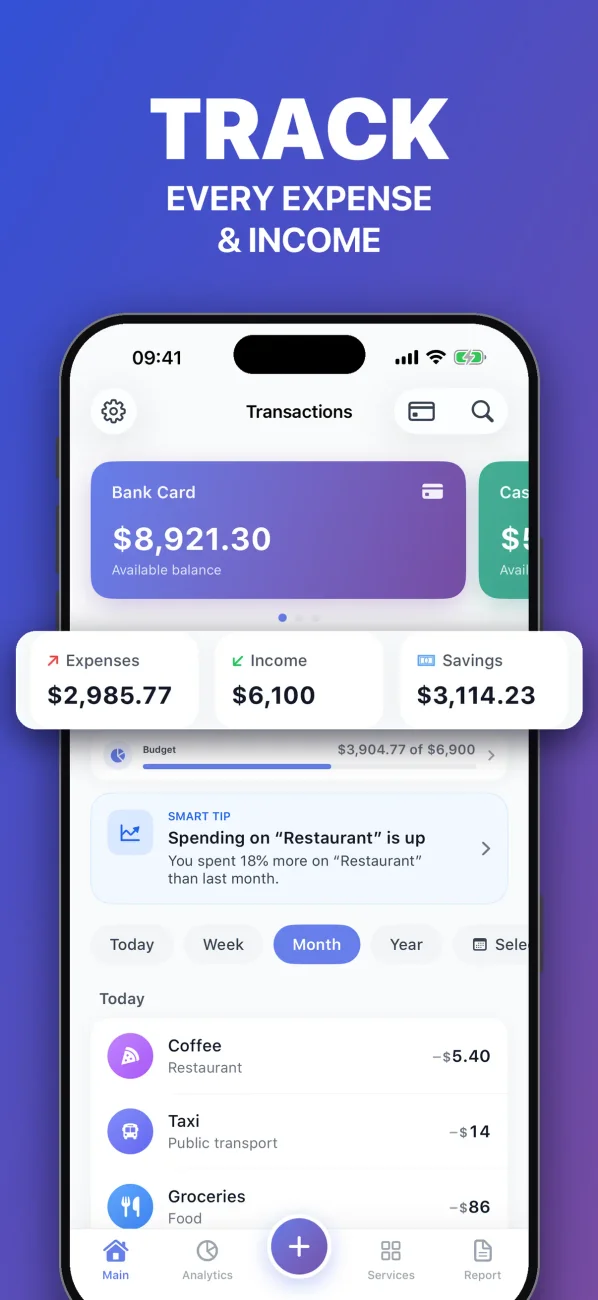
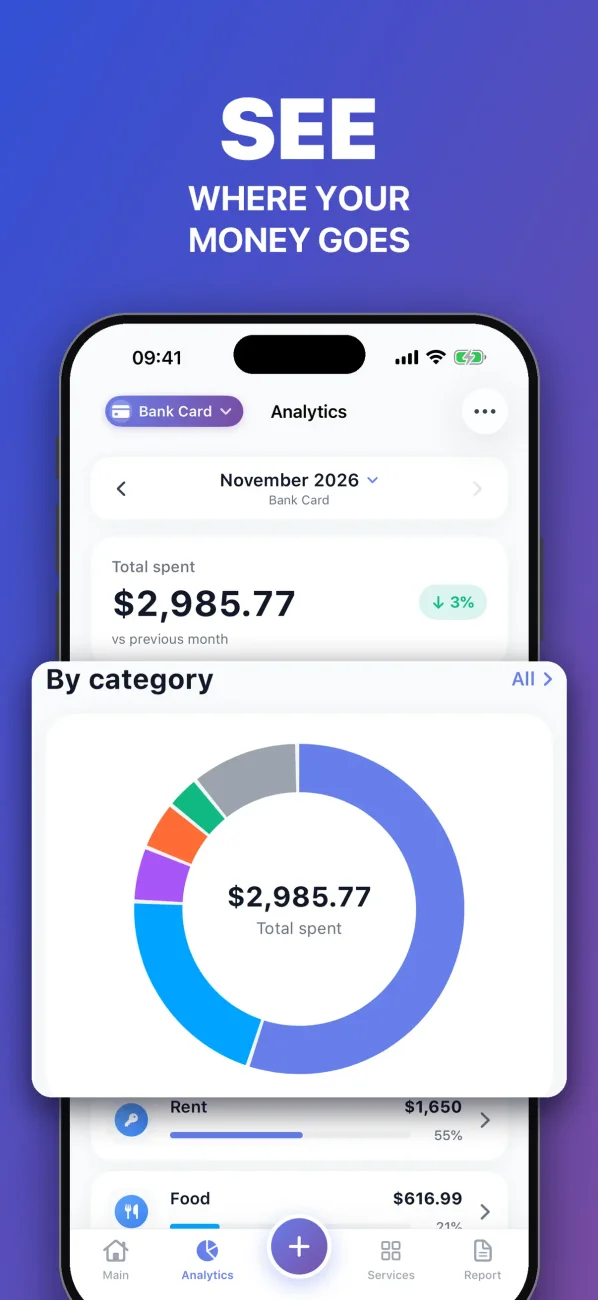
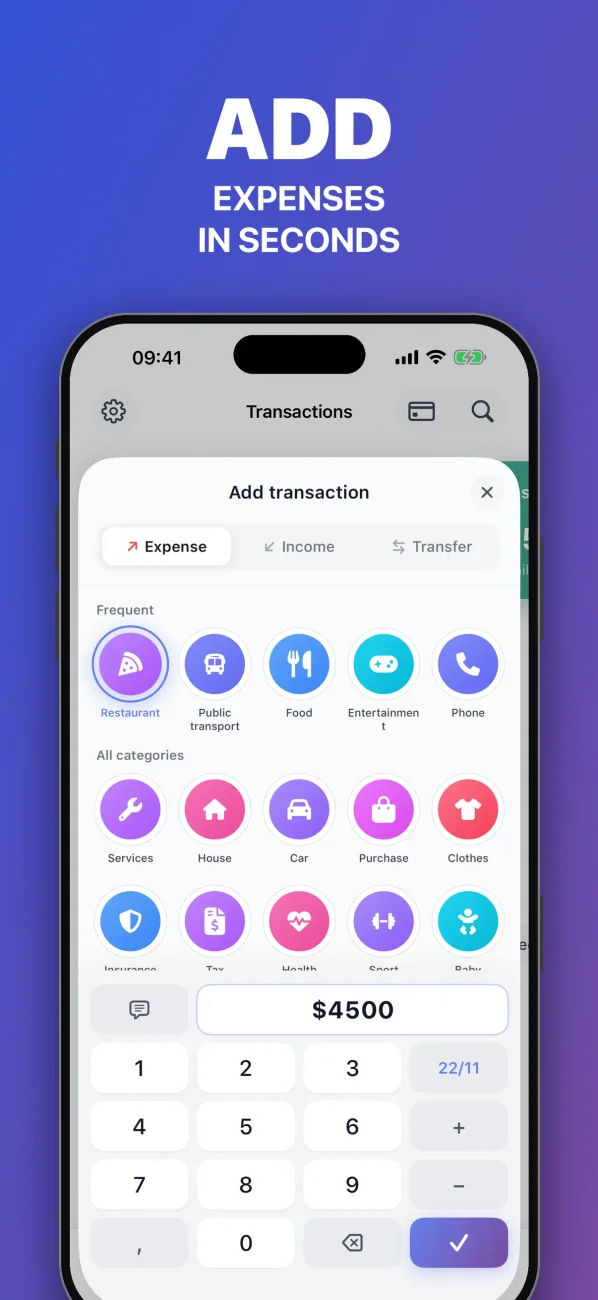
Expensense is an expense and income tracker that shows where your money goes and helps you spend smarter.
ACCOUNTS AND TRANSACTIONS
• Cards, cash and savings in different currencies
• Transfers between accounts with currency exchange
• Expenses, income and savings for a day, week, month or year
ANALYTICS AND REPORTS
• Where the money went — by category and compared with the previous period
• Trends and tips on where you can save
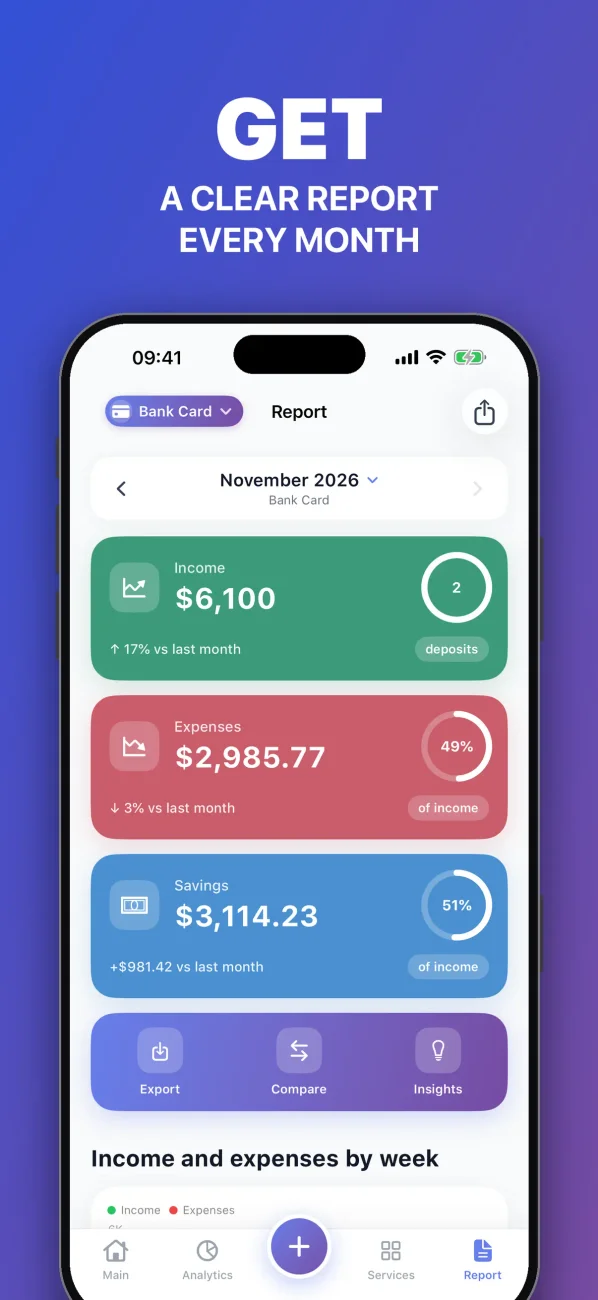
• A monthly report with key insights and CSV export
PLANNING
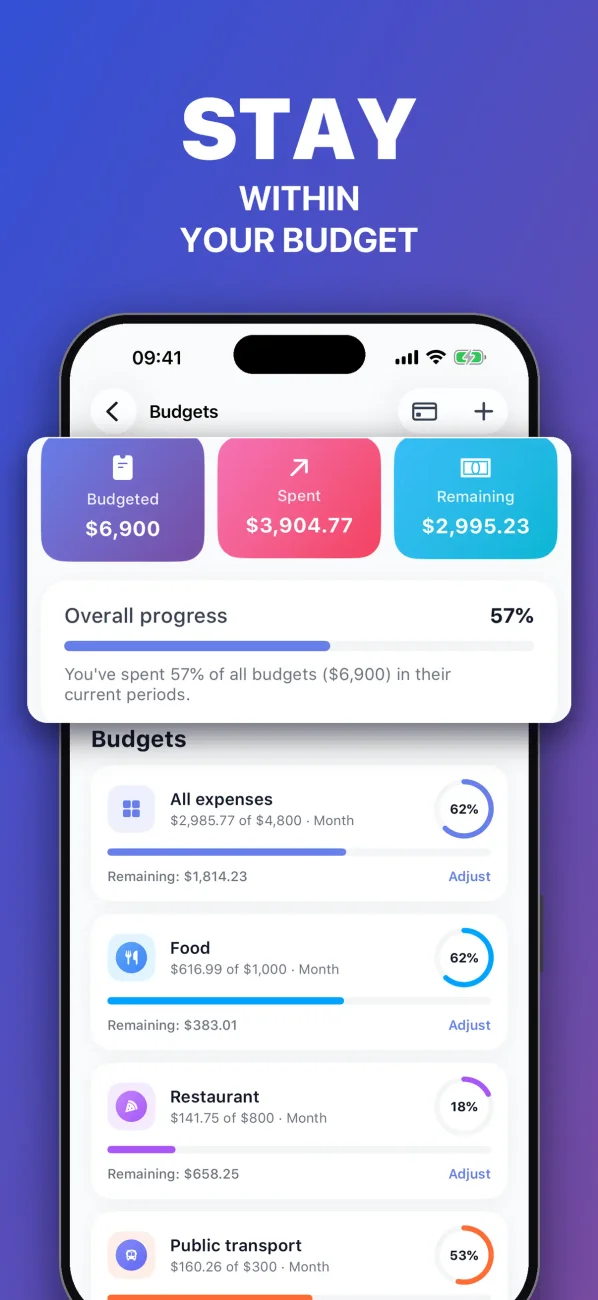
• Daily, weekly or monthly budgets — and how much is left to spend today
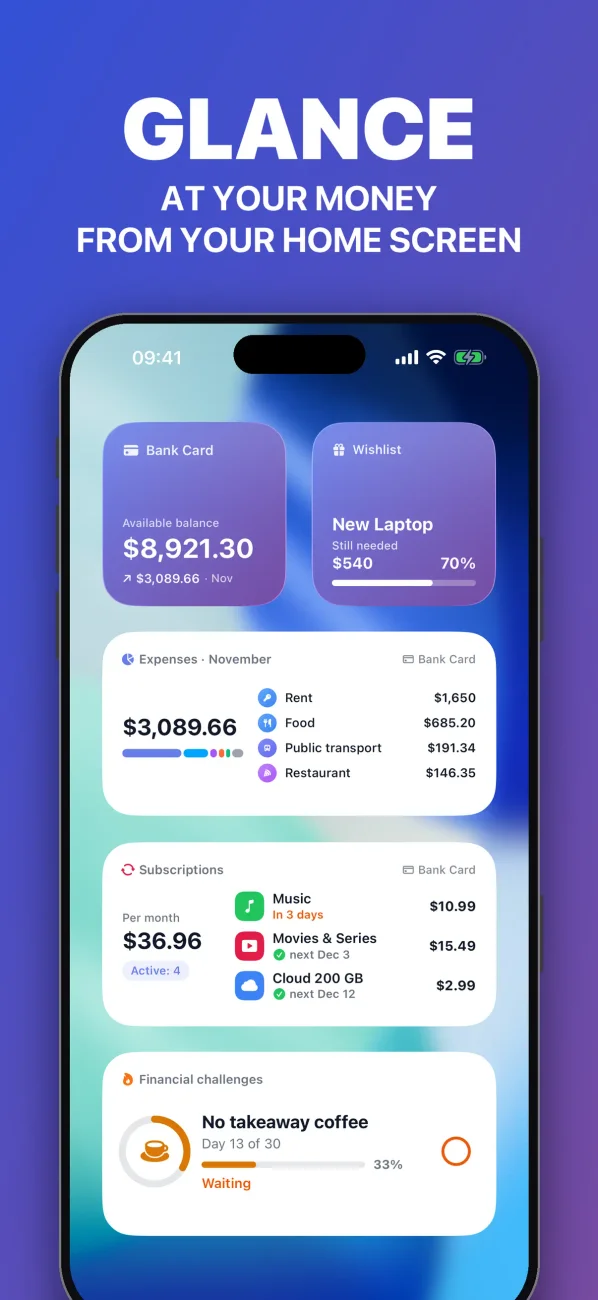
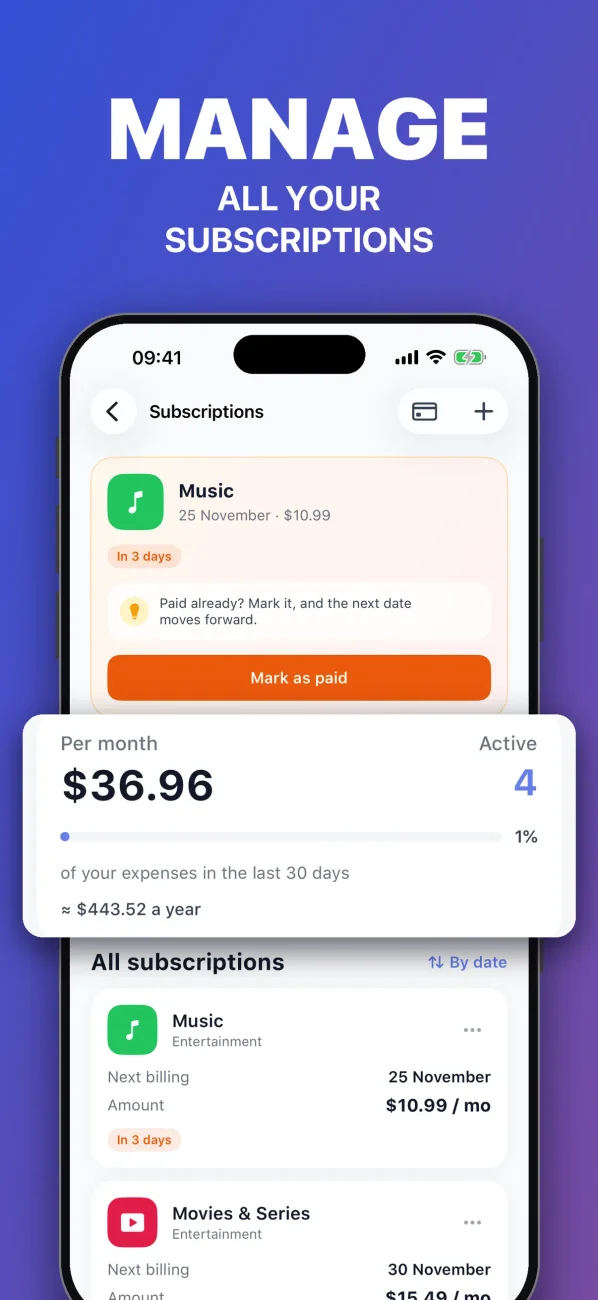
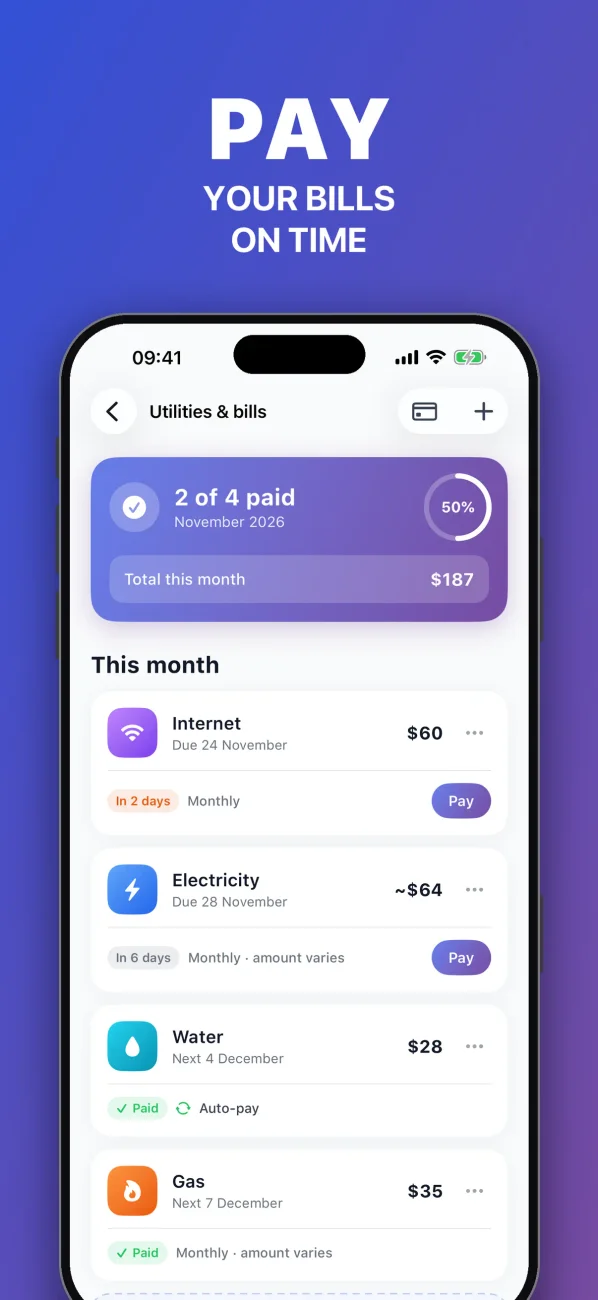
• Subscriptions and utility bills with reminders before each charge
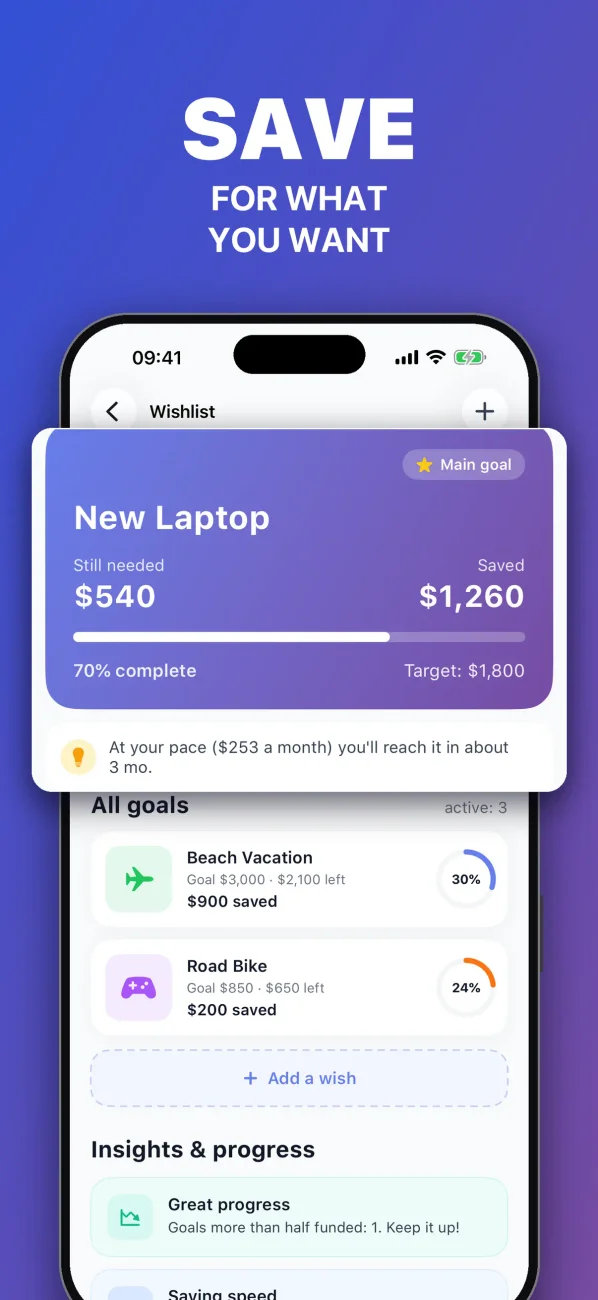
• Debts, savings goals and financial challenges
SAFE AND PRIVATE
• Free iCloud sync: on a new iPhone your data comes back by itself
• No sign-up, works offline: your data stays on your device and in your iCloud
• Face ID lock and dark mode
EXPENSENSE PREMIUM
Unlimited accounts, transactions and entries, advanced analytics with tips and Face ID lock.
Expensense Premium is an auto-renewable subscription. Payment is charged to your Apple ID at confirmation of purchase. The subscription renews automatically unless auto-renew is turned off at least 24 hours before the end of the current period. Your account is charged for renewal within 24 hours before the end of the current period. You can manage the subscription and turn off auto-renew in your Apple ID settings after purchase.
Terms of Use: https://www.apple.com/legal/internet-services/itunes/dev/stdeula
Privacy Policy: https://app.websitepolicies.com/policies/view/sqwryhrm
Ideas and questions: expensense.app@gmail.com
What’s new
Version 2.1.0 · Nov 25, 2026
Expensense - new update:
• Added Lock Screen widgets
• Option to hide tips on individual screens
• Refined dark mode, UI polish, and bug fixes
Thank you for staying with us!
App privacy
What Sultan Irkaliyev declares on the App Store about how this app handles data.
-
Data not linked to you
May be collected but is not linked to your identity.
- Identifiers
Privacy practices may vary, for example with the features you use or your age.
Information
- Seller
- Sultan Irkaliyev
- Category
- Finance
- Version
- 2.1.0
- Updated
- Nov 25, 2026
- Released
- Jan 25, 2024
- Size
- 61.5 MB
- Requires
- iOS 16.0 or later
- Age rating
- 4+
- Price
- Free
- In-app purchases
- Yes
- Languages
- English, Russian
- Copyright
- © 2024 Sultan Irkaliyev
You might also like
-
 Expenses: Spending TrackerBill & Subscription Manager
-
 CTZPayCTZPay
-
 Expenses OK - expenses trackerPersonal finance
-
 Myanmar Market PriceView Up-To-Date Market Price
-
 Spending TrackerTake Control Of Your Money
-
 uabpayuabpay powered by uab
-
 AYA Mobile BankingAYA Mobile Banking
-
 Money Manager Expense & Budget20M+DN,Budget&Expense Tracker
-
 AYA PAY WalletAYA PAY
-
 Monefy: Bills & Money TrackerTrack income, budget, expenses