
- Age rating4+
- CategoryFinance
- Developerchewang wu
- LanguagesJapanese+ 3 more
- Size2.3 MB
Links to the official App Store page
Download.org hosts no file of ExpensesList. The button opens its official App Store page, published by chewang wu. Listing last checked on Nov 14, 2026.
Screenshots


About
1. Always display the income/expenditure details and balance for the current month on the homepage, providing a clear overview. (How much money is available to spend this month?)
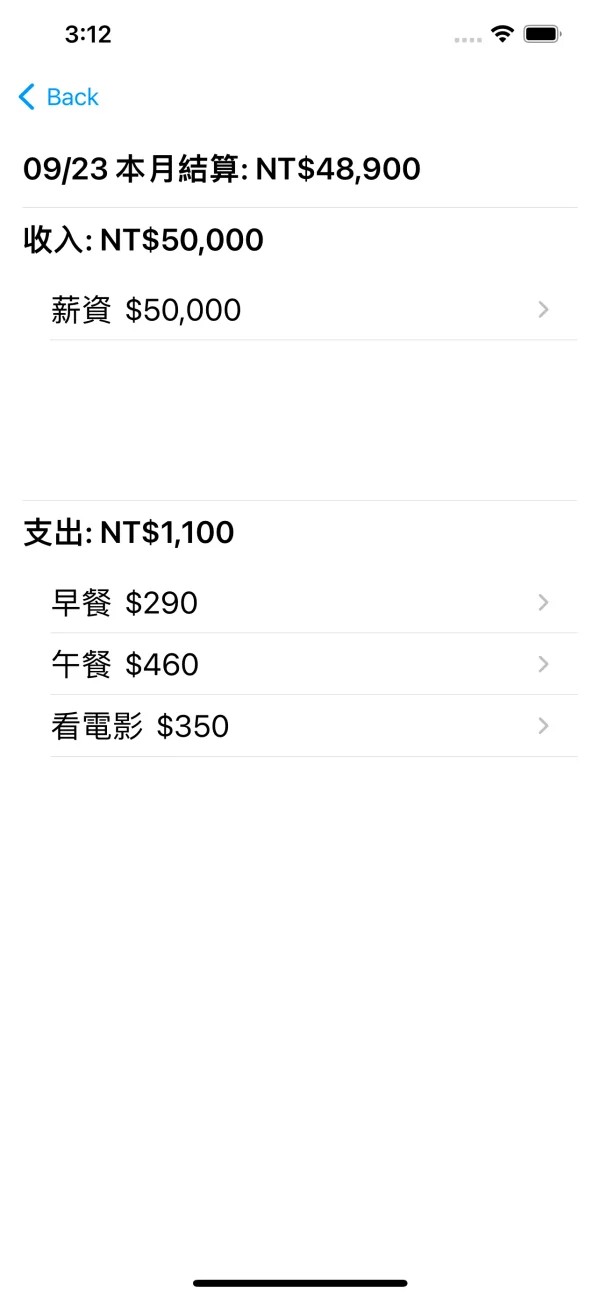
2. The homepage shows the total income and expenditure for the current month, as well as the types and amounts of each income/expenditure category. (Where did the money go?)
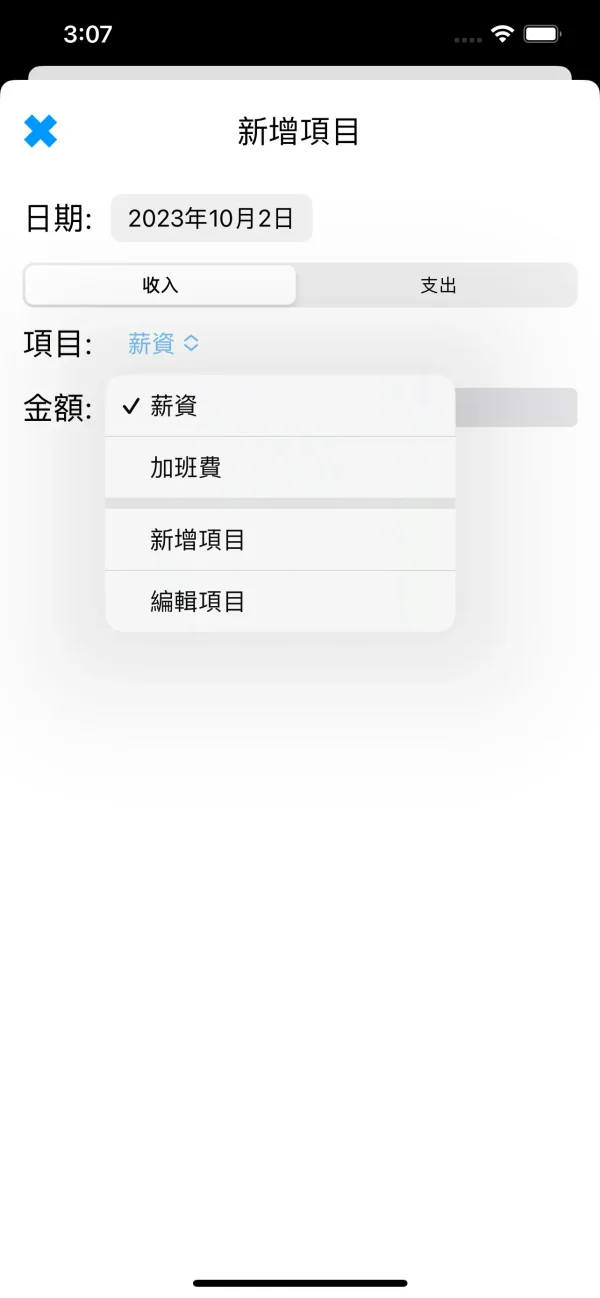
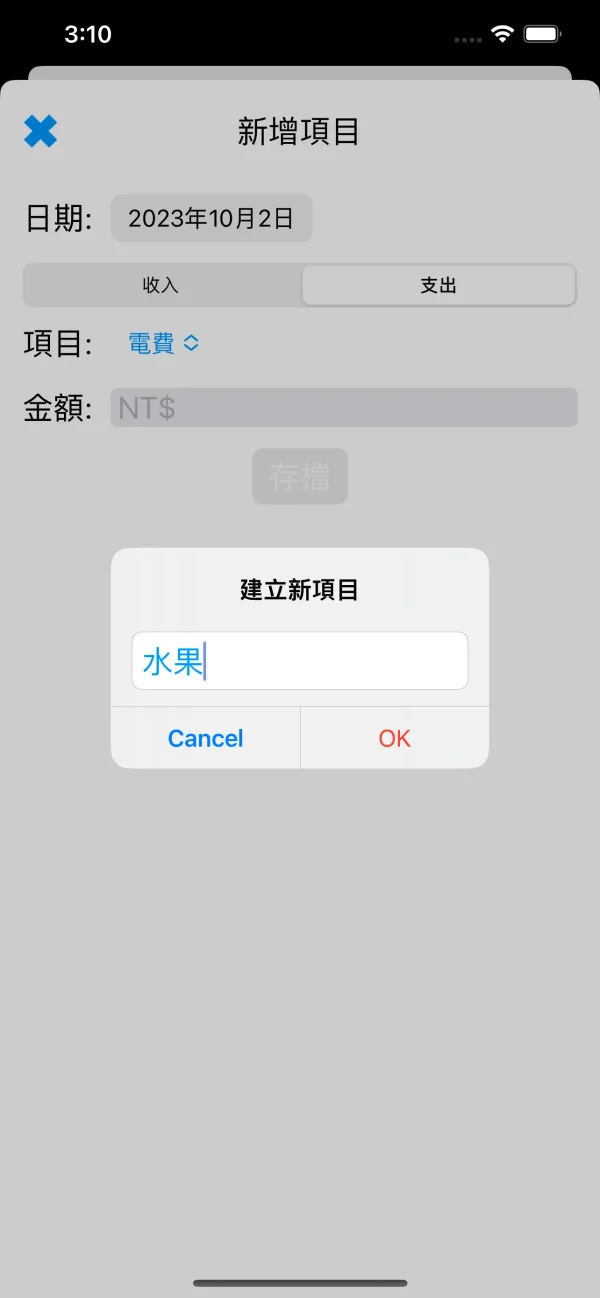
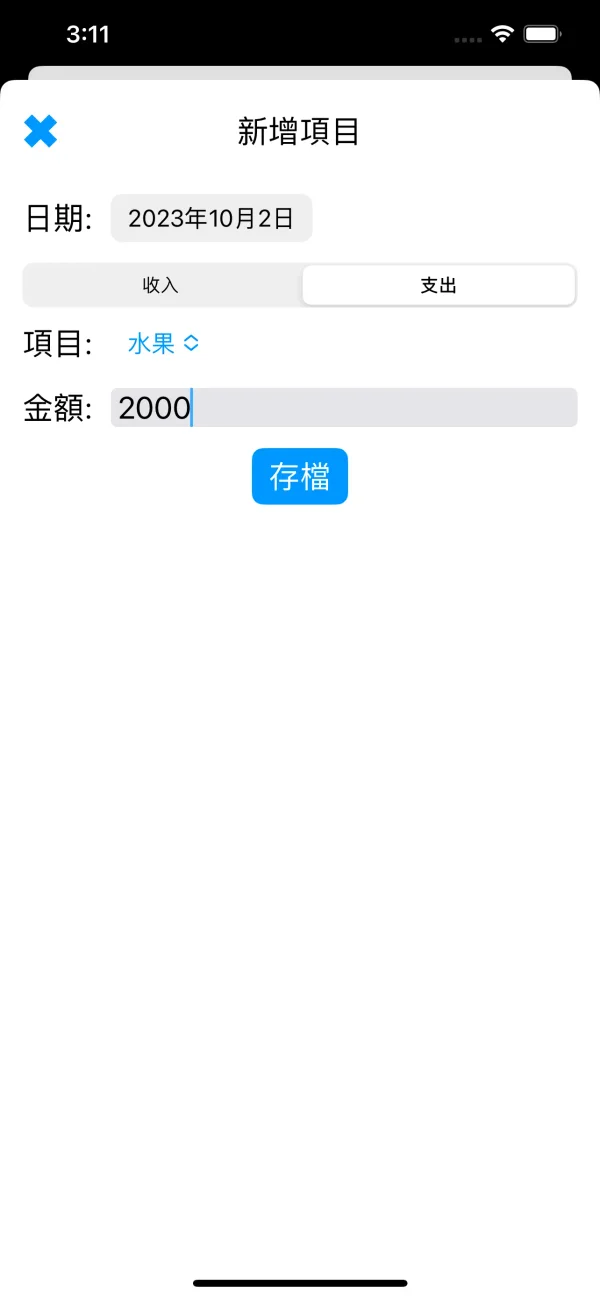
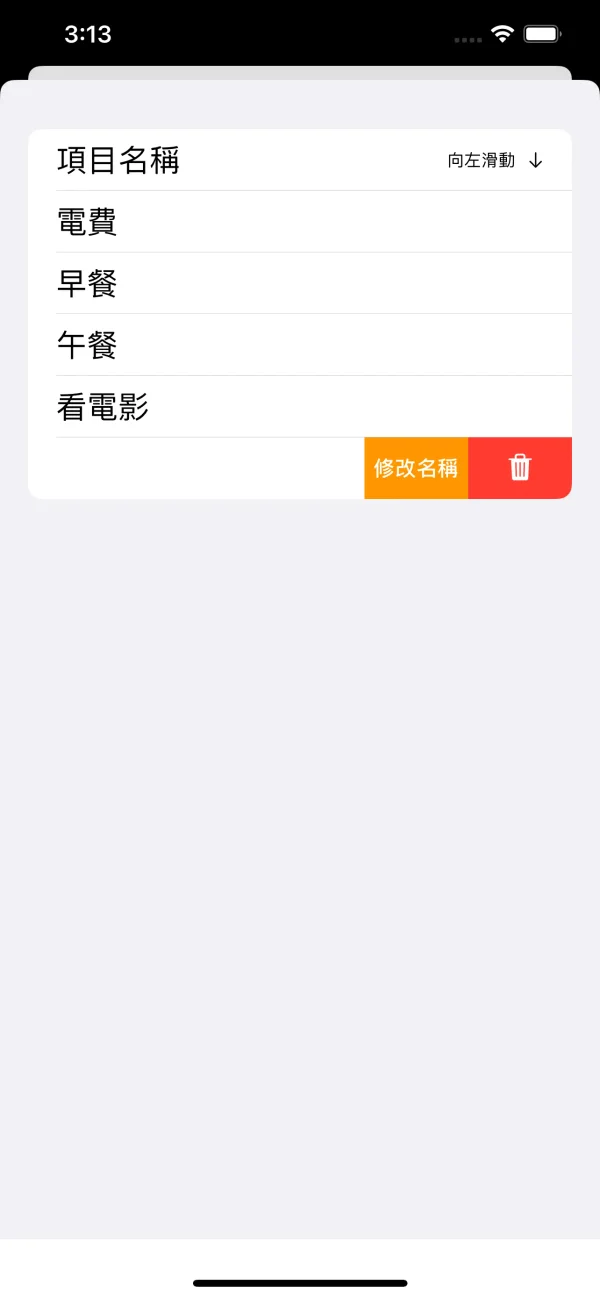
3. Customize and edit the text of income/expenditure categories. (What are the details of income and expenditure?)
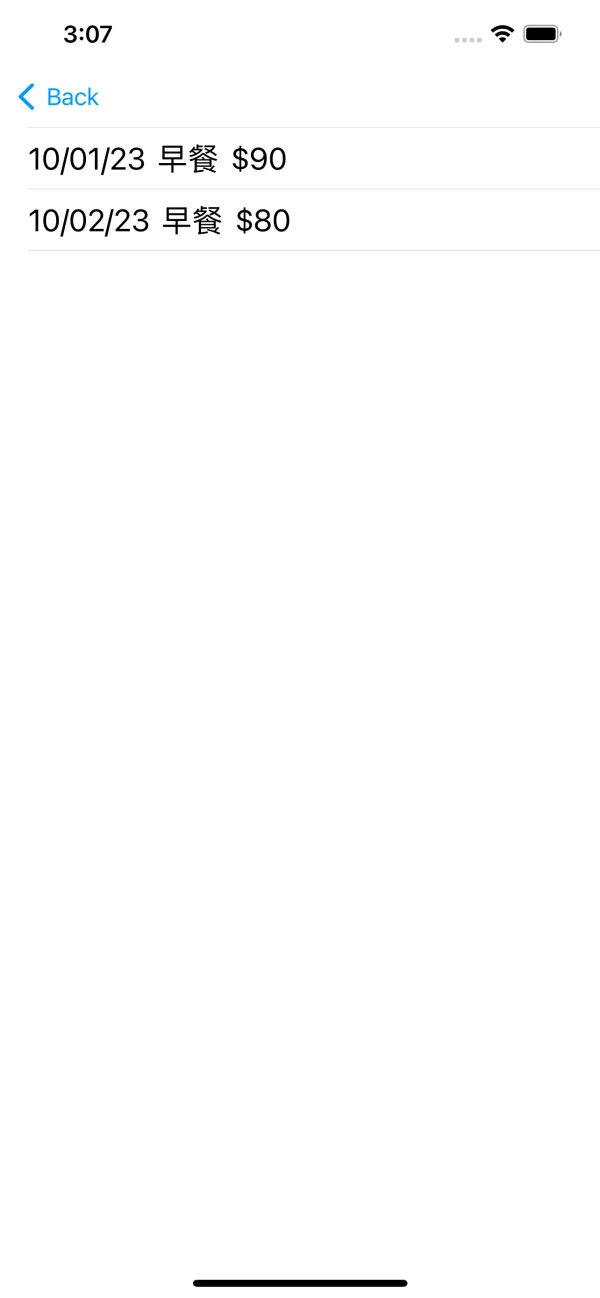
4. Clicking on an income or expenditure category reveals the details of each item for that category in the current month. (You can check data from several months ago.)
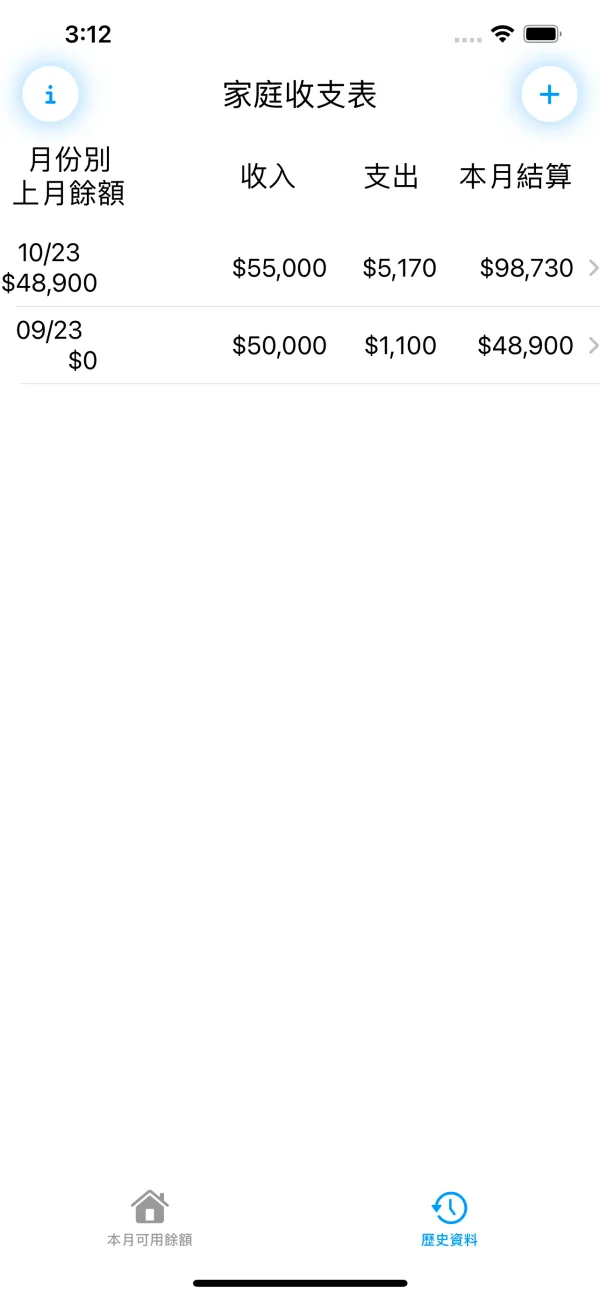
5. Historical data is statistically organized by month, showing income/expenditure details for each month, and can be updated at any time. (You can see which month you spent more and here the money went.)
6. The settlement balance for the current month is automatically carried over to the next month. (Save a little more this month, and you can spend a little more next month.)
7. If the expenditure exceeds the income for the current month, expenditure items are displayed in red. (Red indicates overspending and serves as a warning.)
8. If the settlement balance for the current month is negative, the entire row for that month turns red. (An entirely red row is a severe warning indicating overspending.)
What’s new
Version 1.31 · Feb 19, 2025
Fix Statistics List
1.Fix the display of the detailed list for each item in statistics.
2.Submit a rating request.
App privacy
What chewang wu declares on the App Store about how this app handles data.
-
Data not collected
The developer does not collect any data from this app.
Privacy practices may vary, for example with the features you use or your age.
Information
- Seller
- chewang wu
- Category
- Finance
- Version
- 1.31
- Updated
- Feb 19, 2025
- Released
- Oct 3, 2023
- Size
- 2.3 MB
- Requires
- iOS 16.6 or later
- Age rating
- 4+
- Languages
- Japanese, Simplified Chinese, Traditional Chinese, English
- Copyright
- © 2025 吳哲旺 徐瑞芬
You might also like
-
 Handy Expense Trackerbest personal money manager
-
 Simple Spender 2Organize your expense easily
-
 3Q Money Note-Simple FinanceFinance
-
 Money Tracker-IFEC Chin FamilyFinance
-
 MyAsset Accounting V3double entry accounting system
-
 GuGuFin: Asset & Money TrackerManage Stocks, Crypto & Forex
-
 PennyDay: Expense TrackerBudget Calendar & Cash Flow
-
 Budgeting: Monthly PlannerPlan Spending, Trips & Goals
-
 Finote - Expense TrackerBudget, Spending & Money
-
 Bekke - Budget Planner TrackerSpending Manager, Money Saving