Expensnap: Receipts for Taxes
Small Business Expense Tracker
Designed for iPhone
Free · In-app purchases
- Age rating4+
- CategoryBusiness
- DeveloperRyota Yashima
- LanguagesEnglish+ 1 more
- Size10.6 MB
Links to the official App Store page
Download.org hosts no file of Expensnap: Receipts for Taxes. The button opens its official App Store page, published by Ryota Yashima. Listing last checked on Nov 28, 2026.
Screenshots

About
Expensnap is a simple receipt scanner and expense tracker for freelancers, small business owners, and anyone who wants to organize receipts without spreadsheets.
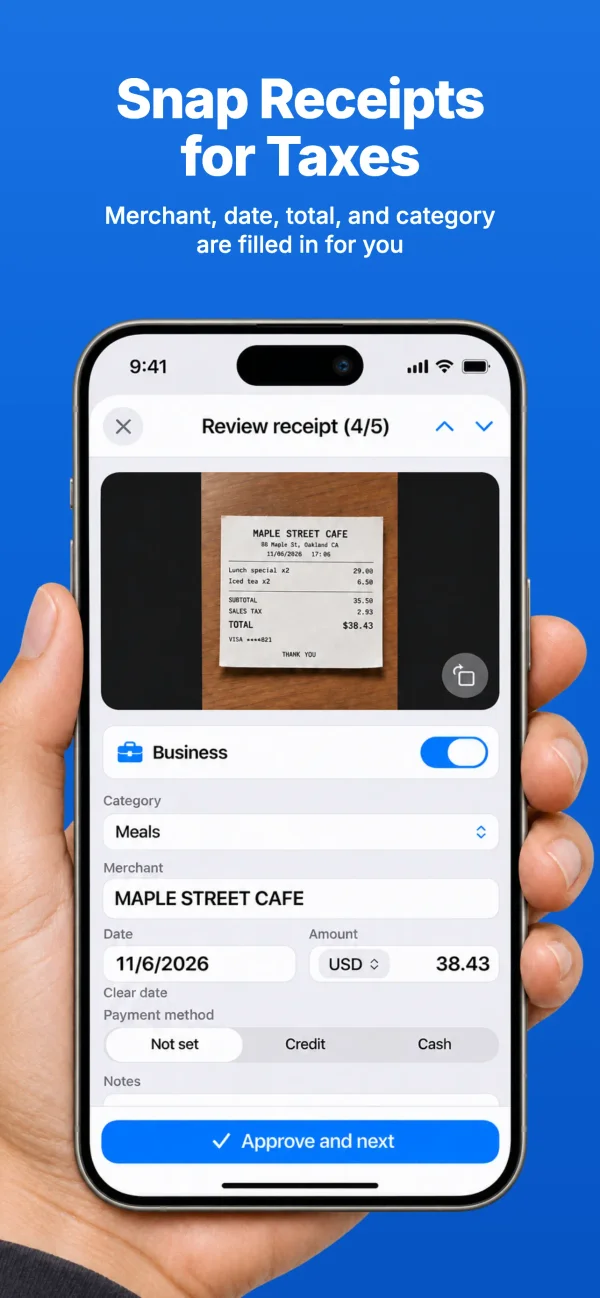
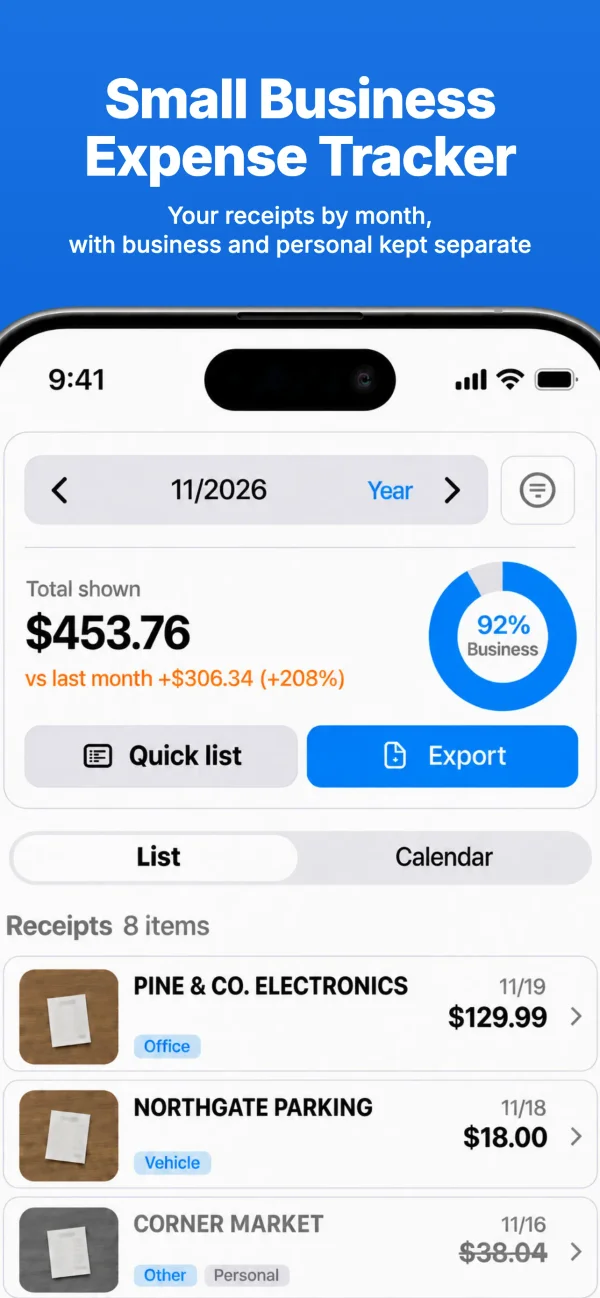
Snap a receipt or import a photo. Expensnap reads the merchant, date, and total amount, then turns the receipt into organized expense data. Review monthly spending, separate business and personal receipts, and export PDF or CSV files when you need them.
Why Expensnap?
- Scan receipts quickly
Take a photo or import receipt images from your library. Expensnap extracts the key details so you can spend less time typing.
- Track expenses by month
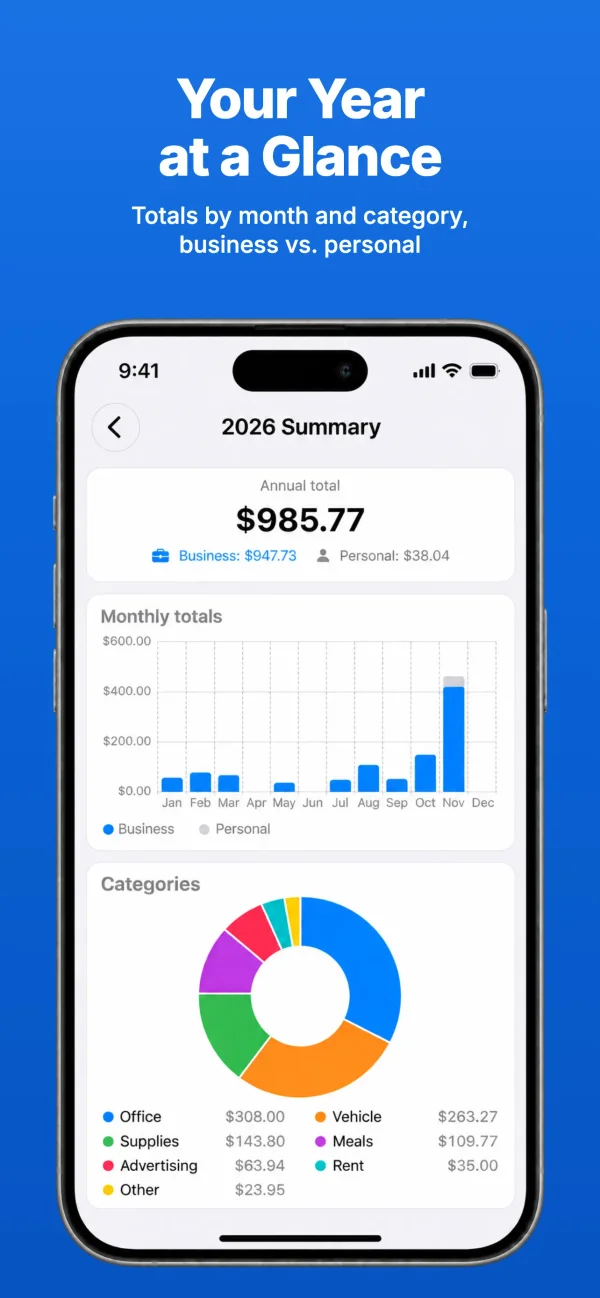
Receipts are grouped and totaled by month. Open the app to check your spending at a glance.
- Export PDF and CSV reports
Create monthly export files that include receipt images, PDF summaries, CSV data, and a readme file.
- Separate business and personal receipts
Mark each receipt as business or personal. Export business receipts only when you want a cleaner report for tax prep, reimbursement, or your own records.
- Use receipt categories
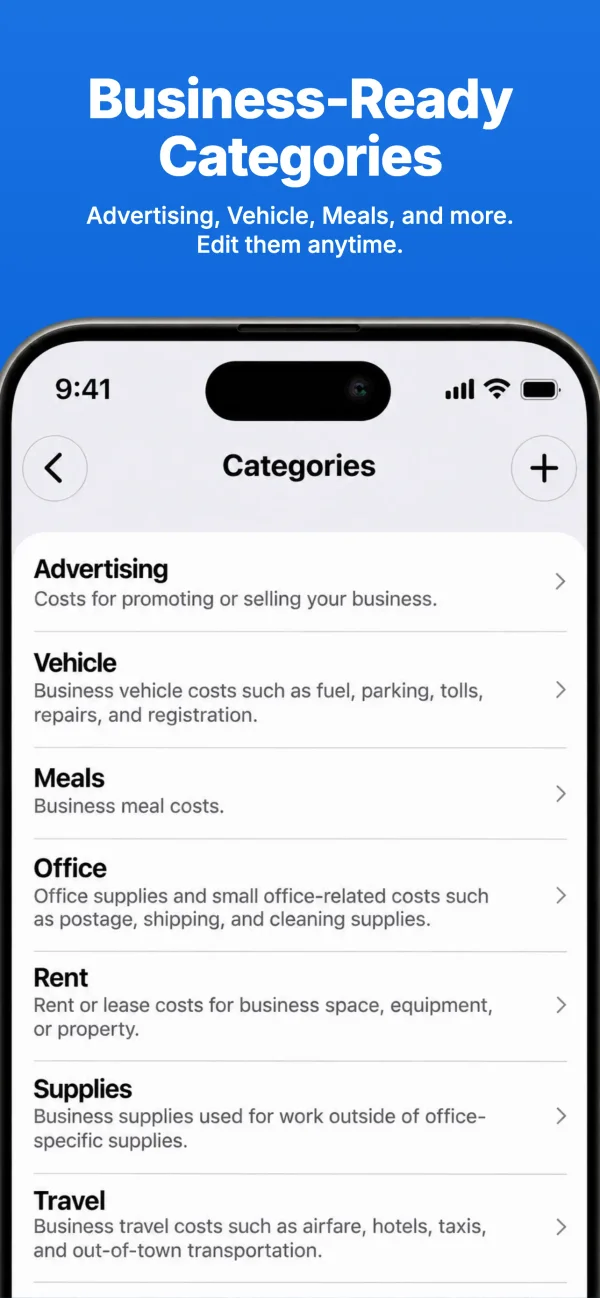
Expensnap can assign default categories such as Meals, Vehicle, Supplies, and Other. You can edit categories to match your own workflow.
- No account required
Start using Expensnap without creating an account or setting up a profile. Your saved receipt data stays on your device.
Great For
- Freelancers preparing expense records
- Sole proprietors getting ready for tax season
- Small business owners organizing receipts by month
- Anyone who needs simple PDF or CSV expense reports
- People who want to digitize paper receipts
- Users who prefer receipt management without account registration
Start for free and turn your receipts into organized expense records.
Terms of Use (EULA): https://www.apple.com/legal/internet-services/itunes/dev/stdeula/
What’s new
Version 1.15.6 · Nov 26, 2026
When you read a receipt in Japan, the invoice registration number (T + 13 digits) printed on it is now added to Notes.
App privacy
What Ryota Yashima declares on the App Store about how this app handles data.
-
Data linked to you
May be collected and linked to your identity.
- Purchases
- User content
- Identifiers
-
Data not linked to you
May be collected but is not linked to your identity.
- Purchases
- Usage data
- Diagnostics
Privacy practices may vary, for example with the features you use or your age.
Information
- Seller
- Ryota Yashima
- Category
- Business
- Version
- 1.15.6
- Updated
- Nov 26, 2026
- Released
- Jan 6, 2026
- Size
- 10.6 MB
- Requires
- iOS 17.0 or later
- Age rating
- 4+
- Price
- Free
- In-app purchases
- Yes
- Languages
- English, Japanese
- Copyright
- © 2025 Ryota Yashima