ExplainThisDoc: PDF & Archive
Explain letters & test results
Designed for iPhone, iPad
In-app purchases
- Age rating12+
- CategoryProductivity
- DeveloperJulian Heger
- LanguagesGerman+ 23 more
- Size91.4 MB
Links to the official App Store page
Download.org hosts no file of ExplainThisDoc: PDF & Archive. The button opens its official App Store page, published by Julian Heger. Listing last checked on Nov 17, 2026.
Screenshots



About
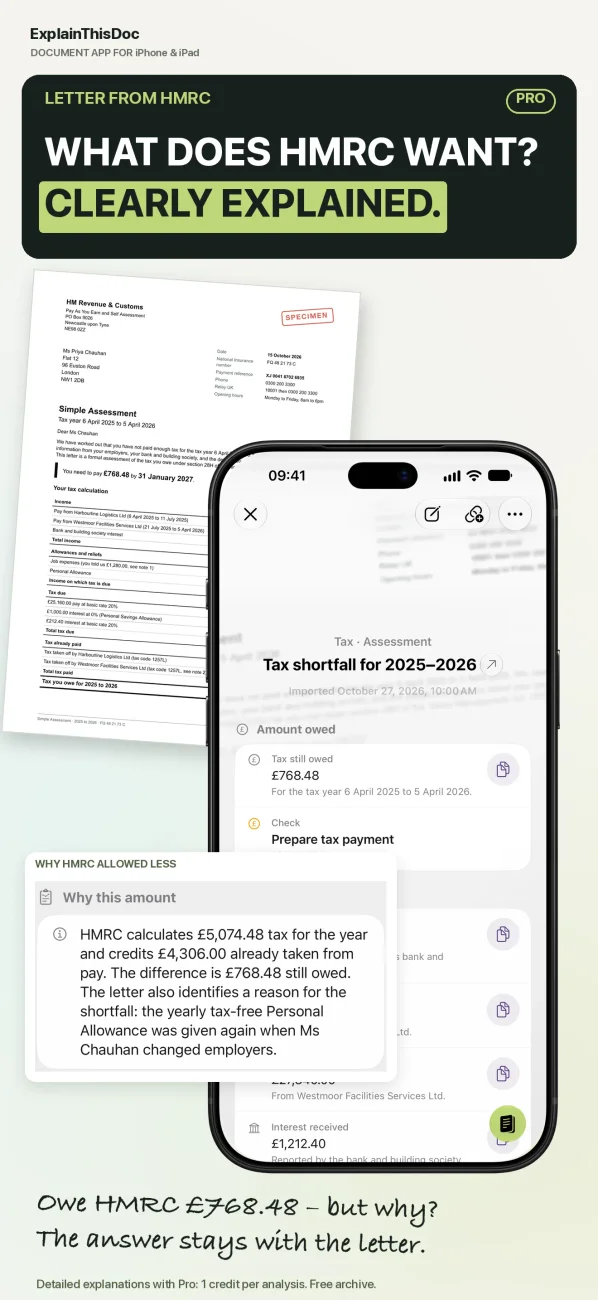
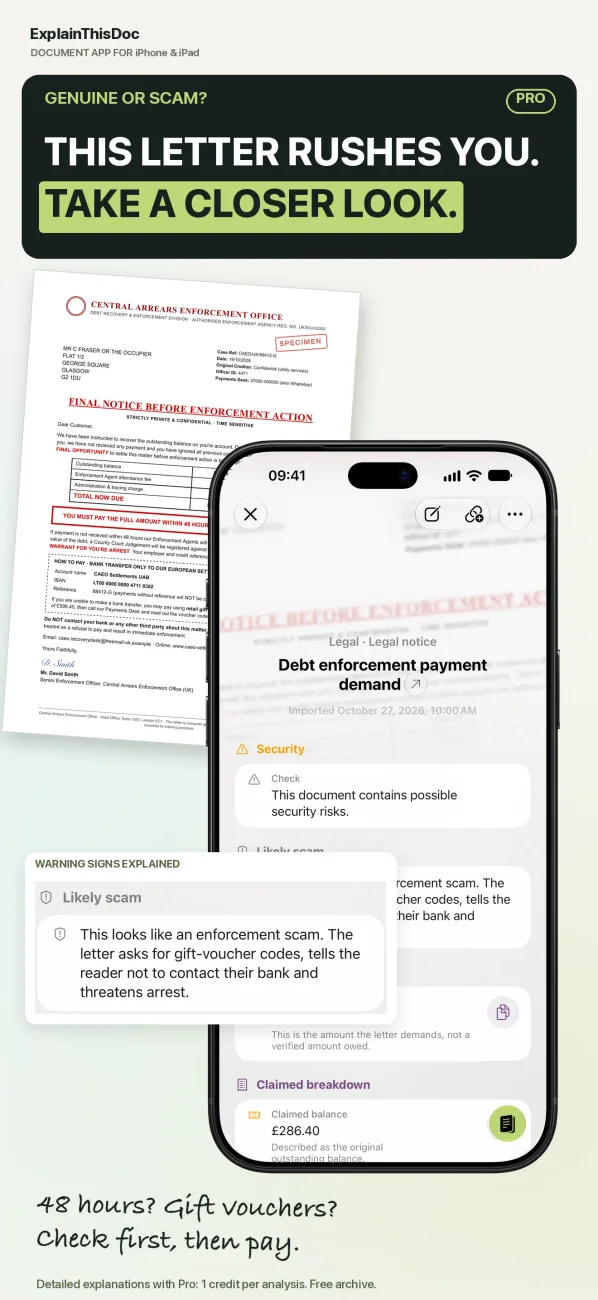
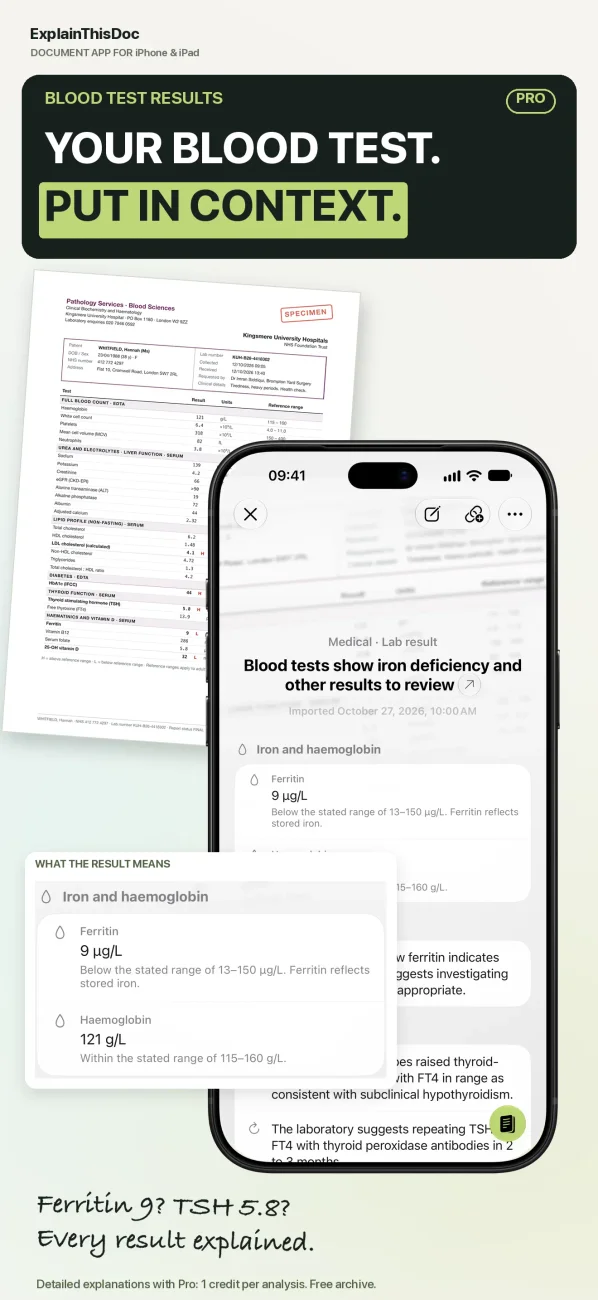
A letter from the tax office or a government agency: why are they writing, and do you need to reply? A payment reminder, a lawyer's letter or a court notice? Blood test results or an MRI report full of jargon? A debt collection letter that doesn't look right?
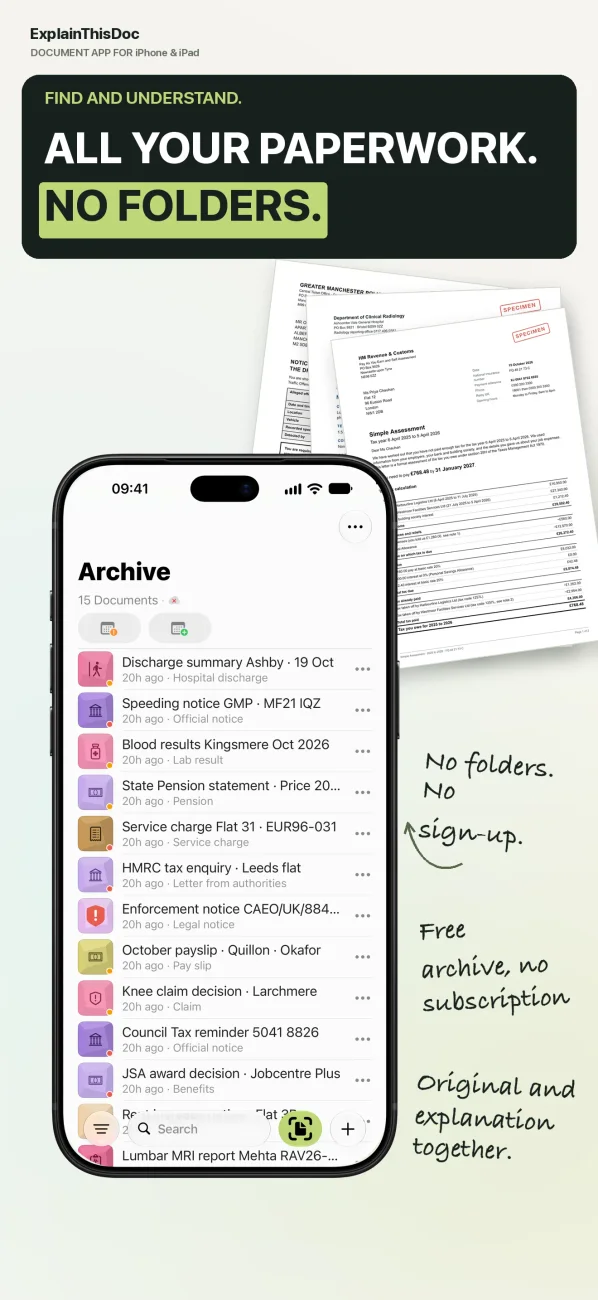
ExplainThisDoc explains your paperwork in plain language and keeps it within reach: letters, notices, bills and PDFs in one place, with no folders to set up and no sign-up. Explanations appear in your app language, whatever language the document is in.
Your archive and everyday document tools are free. Only Pro explanations use credits: one credit per analysis. No subscription.
UNDERSTAND WHAT IT SAYS
• On your device: free short summaries and key details with Apple Intelligence, on supported devices and in supported languages, including English.
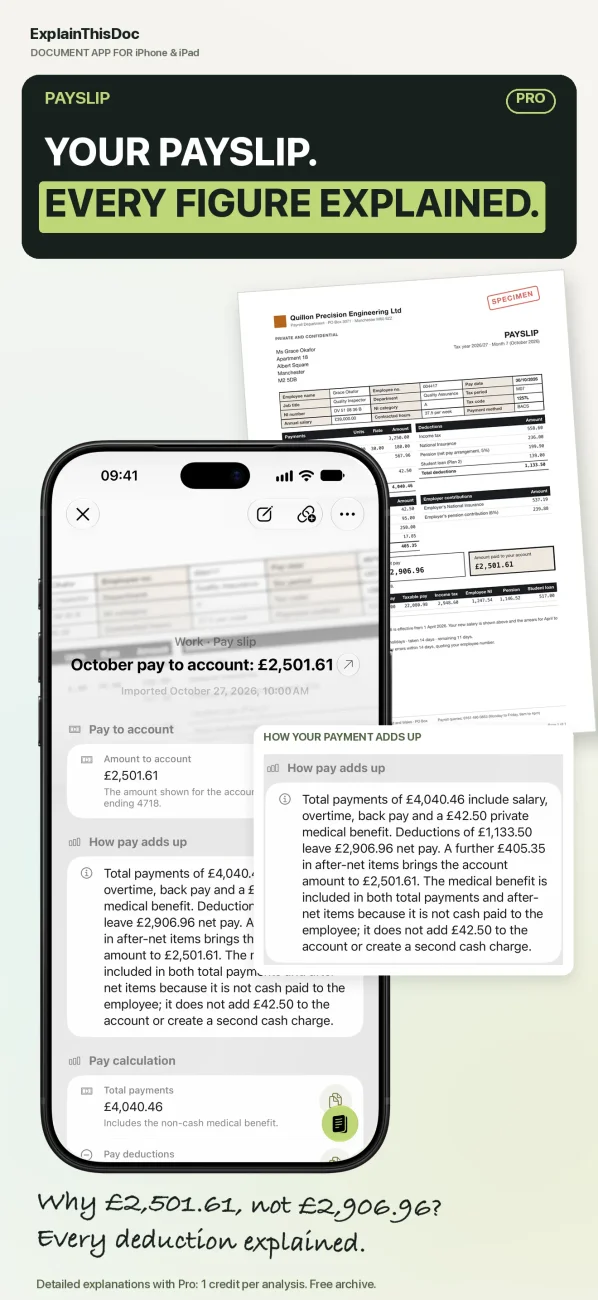
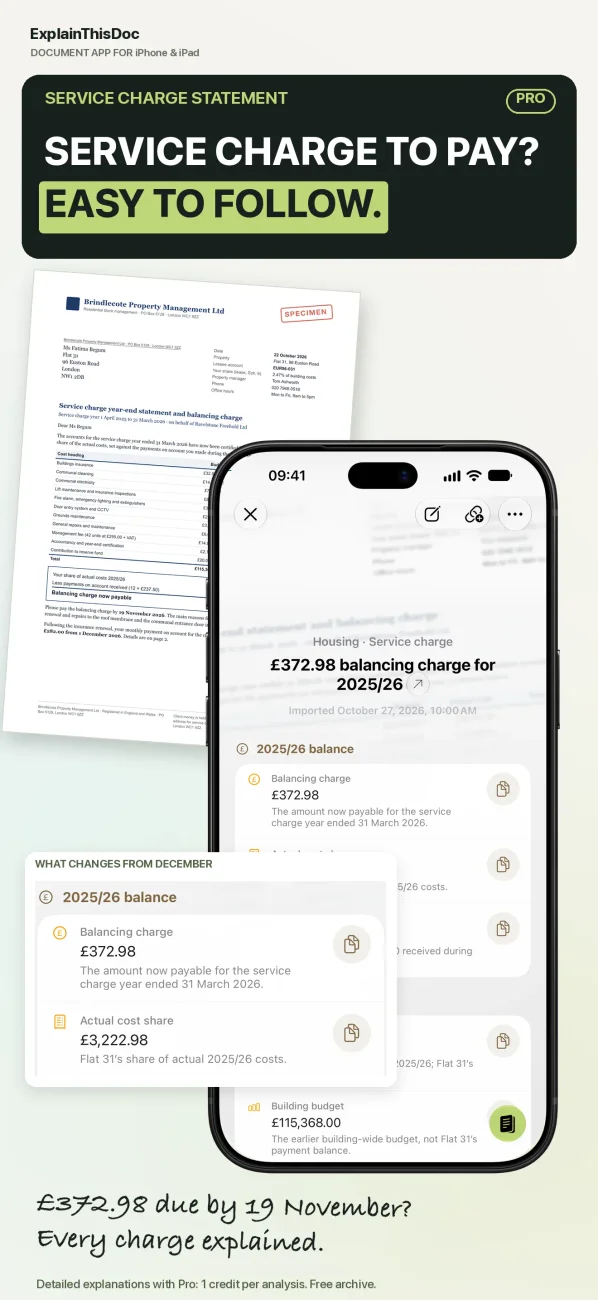
• Pro: a more detailed explanation – what the sender wants, whether you need to pay or reply and by when, amounts and key conditions.
• With Pro, ExplainThisDoc also points out possible signs of a scam or phishing, so you can check independently before you pay or click.
Tax letter, benefits decision, court summons, parking fine, energy bill or payslip: the explanation stays next to the original. It helps you understand, but it does not replace advice from a doctor or a lawyer. Prefer no AI? Use ExplainThisDoc as an archive only.
COLLECT AND FIND
Scan letters with your camera, import PDFs, photos and supported files from Mail, Files and other apps, or add text from the clipboard. Search and filters find a document when you need it, without sorting first: last year's tax letter or the blood test results for your next doctor's appointment. Link related documents, such as a letter and your reply.
WORK WITH THE ORIGINAL
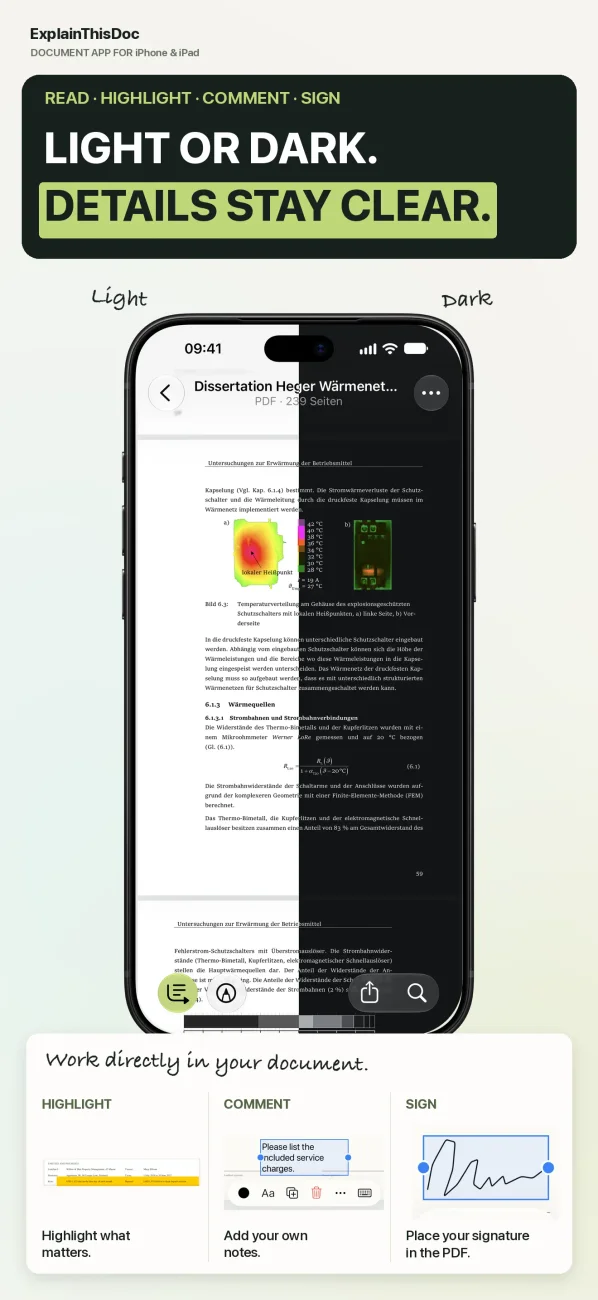
Open documents in the built-in reader and search their recognised text. Highlight passages, note questions and add a signature. Review, correct and share recognised text. Rotate saved PDF and scan pages. Add recognised appointments to Calendar and open addresses in Maps.
PRO WHEN YOU NEED IT
Each Pro analysis uses one credit. Buy credits as one-time in-app purchases. Your first installation includes three trial credits, provided once. Your free archive remains usable without credits.
YOUR DOCUMENTS, YOUR CONTROL
Your archive is stored on your device; iCloud sync across your own devices is optional. Face ID lock, export and import. No ads, no trackers.
Text recognition and on-device analysis run on your device. For Pro, recognised document text – not the file – is sent through our server to the AI provider you choose: Mistral (EU) or OpenAI (US).
Start with one document.
What’s new
Version 4.1.2 · Nov 10, 2026
This version brings a rebuilt iCloud sync: faster, lighter on the battery and with no questions asked.
• Changes from your other device appear the moment you open the app.
• Conflicts resolve themselves. The version that loses stays on the device for 30 days and can be restored as a copy from Settings.
• Deleted documents now disappear everywhere, including iCloud, and leave nothing behind.
• Pausing shows its status clearly. Low Power Mode pauses sync automatically and resumes while charging.
• Far less background activity, which saves battery.
• The app repairs problems with its local sync data by itself. If your storage is full, it tells you.
• On a new device, your library arrives complete from iCloud without getting stuck.
• New languages: Turkish, Serbian and Croatian.
• Clearer document icons and visible feedback when you tap rows and buttons in the result view.
• Many improvements to stability and layout.
App privacy
What Julian Heger declares on the App Store about how this app handles data.
-
Data linked to you
May be collected and linked to your identity.
- Purchases
- User content
- Identifiers
- Usage data
Privacy practices may vary, for example with the features you use or your age.
Information
- Seller
- Julian Heger
- Category
- Productivity
- Version
- 4.1.2
- Updated
- Nov 10, 2026
- Released
- Mar 5, 2026
- Size
- 91.4 MB
- Requires
- iOS 26.0 or later
- Age rating
- 12+
- In-app purchases
- Yes
- Languages
- German, Arabic, English, Estonian, Finnish, French, Hindi, Italian, Japanese, Korean, Croatian, Latvian + 12 more
- Copyright
- © 2026 Julian Heger
You might also like
-
 PaperHero: Smart DocumentsProductivity
-
 Easy Explain AIEasy Explain AI
-
 PaperlessHero Scan MailAI summaries & due dates
-
 ScriniumSelf-hosted document library
-
 xPlainly: Decode LettersAny letter, finally clear.
-
 Quick SnipQuick Snip, Markup and Share
-
 NY International NotaryGlobal Remote Online Notary
-
 Clarity AI: ADHD Brain DumpAI Task Breakdown & To-Do List
-
 AI PDF Summarizer & Doc ChatStudy Smarter Summarize Faster
-
 HomeDocsYour documents, organized.