
Export Backup All Contacts Pro
Export Contacts to Excel & CSV
Designed for iPhone
Free · In-app purchases
- Age rating4+
- CategoryUtilities
- Developer家宝 戴
- LanguagesEnglish+ 14 more
- Size5.0 MB
Links to the official App Store page
Download.org hosts no file of Export Backup All Contacts Pro. The button opens its official App Store page, published by 家宝 戴. Listing last checked on Nov 15, 2026.
Screenshots

About
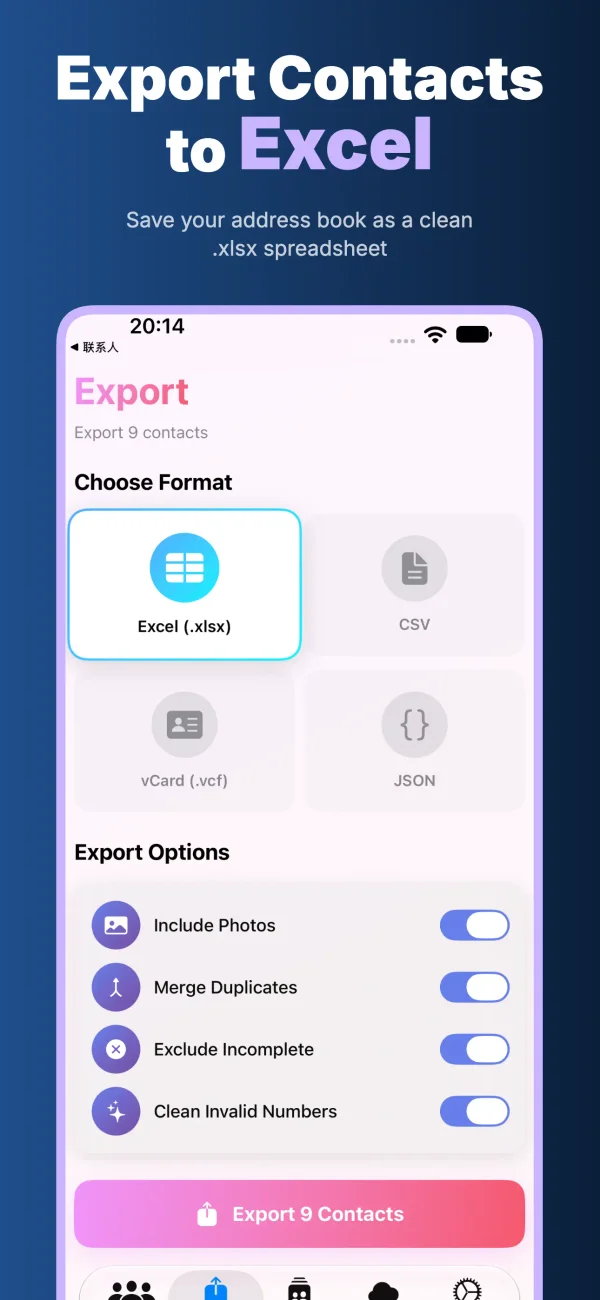
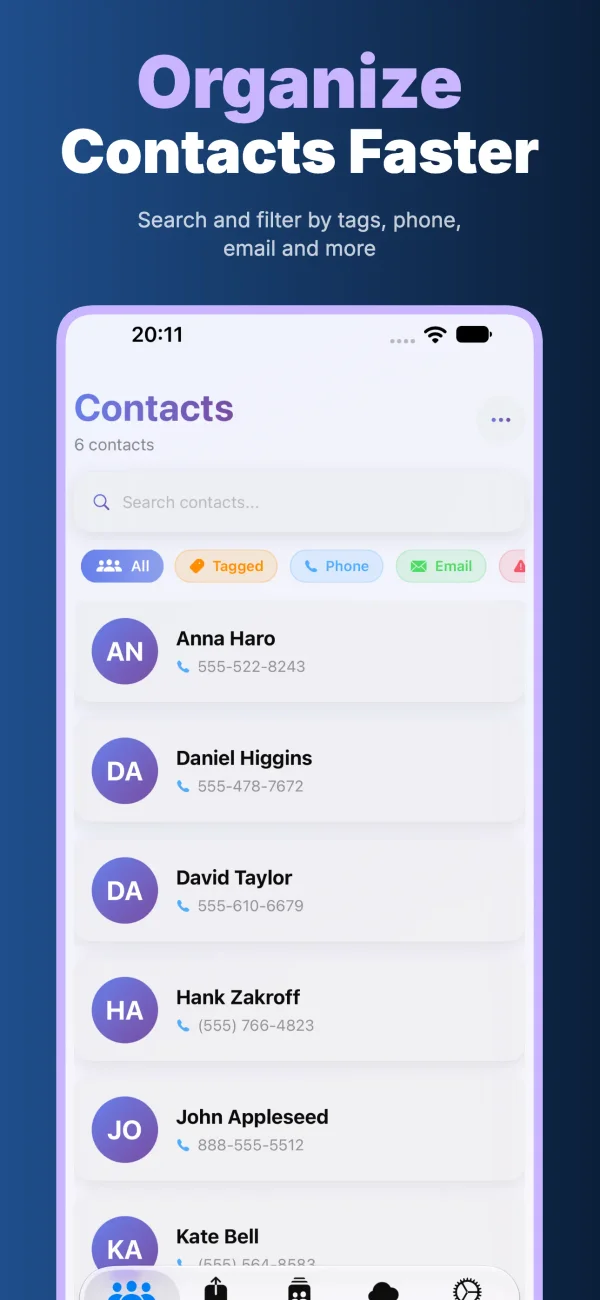
Export Backup All Contacts Pro gives you full control of your address book. Export every contact, selected contacts, or cleaned contact lists to Excel (.xlsx), CSV, vCard (.vcf), or JSON, then share the file through Files, AirDrop, Mail, Messages, or any cloud app supported by iOS.
Whether you are switching phones, preparing a spreadsheet for work, building a customer list, cleaning a messy phonebook, or making a private backup before a device reset, the app keeps contact management fast and clear. Everything is designed for people who want a dependable contact exporter and backup tool without complicated setup.
============================
KEY FEATURES
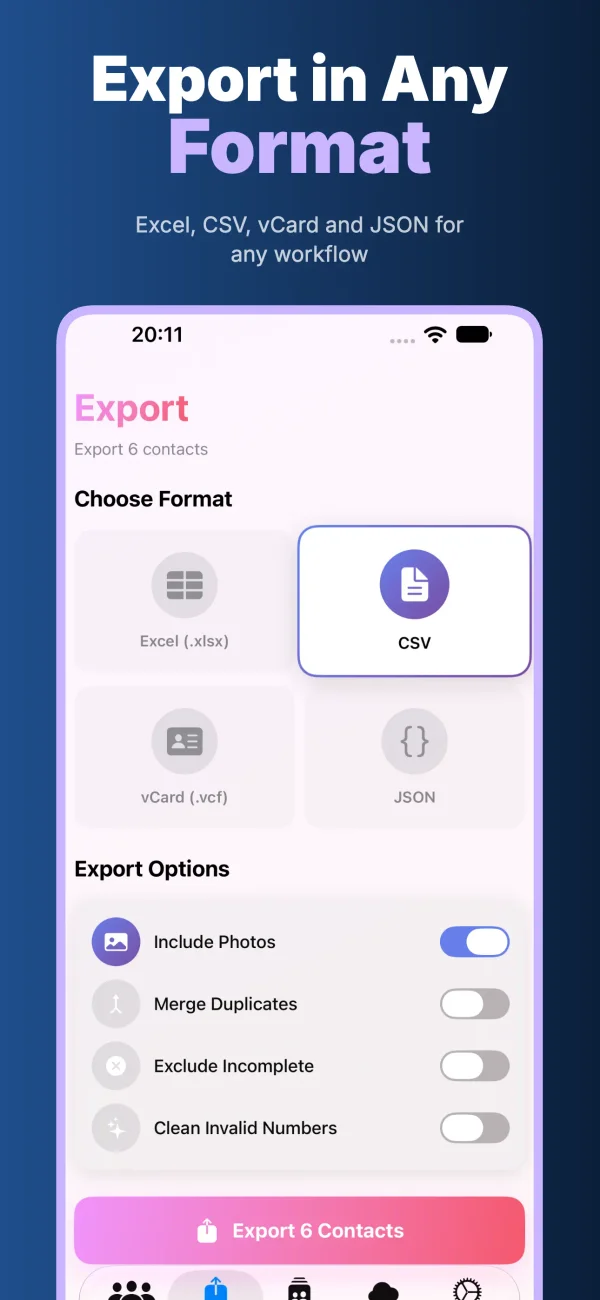
* EXPORT TO EXCEL, CSV, VCARD, AND JSON
Create files that work with spreadsheets, CRM tools, email services, address book apps, backup workflows, and developer tools.
* CUSTOM FIELD SELECTION
Choose exactly what to include: names, company, job title, phones, emails, addresses, birthday, notes, URLs, messages, social profiles, tags, groups, and photos.
* EXPORT PHOTOS WHEN NEEDED
Include contact images for complete backups, or turn photos off when you need a smaller file for sharing, spreadsheet work, or quick transfer.
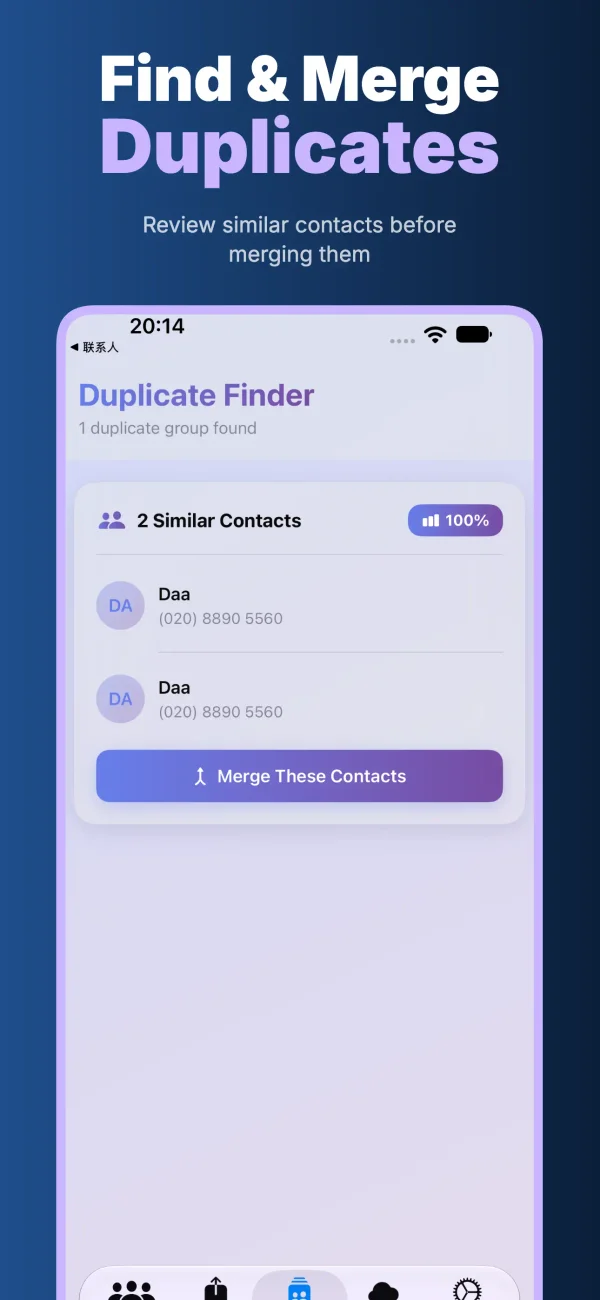
* FIND AND MERGE DUPLICATES
Scan for similar contacts, review duplicate groups, and merge entries while preserving unique phones, emails, addresses, notes, birthdays, tags, and other details.
* SMART CLEANUP
Detect incomplete contacts, invalid phone numbers, and invalid email addresses. Clean data before export so your spreadsheet, backup, or imported address book is easier to read and maintain.
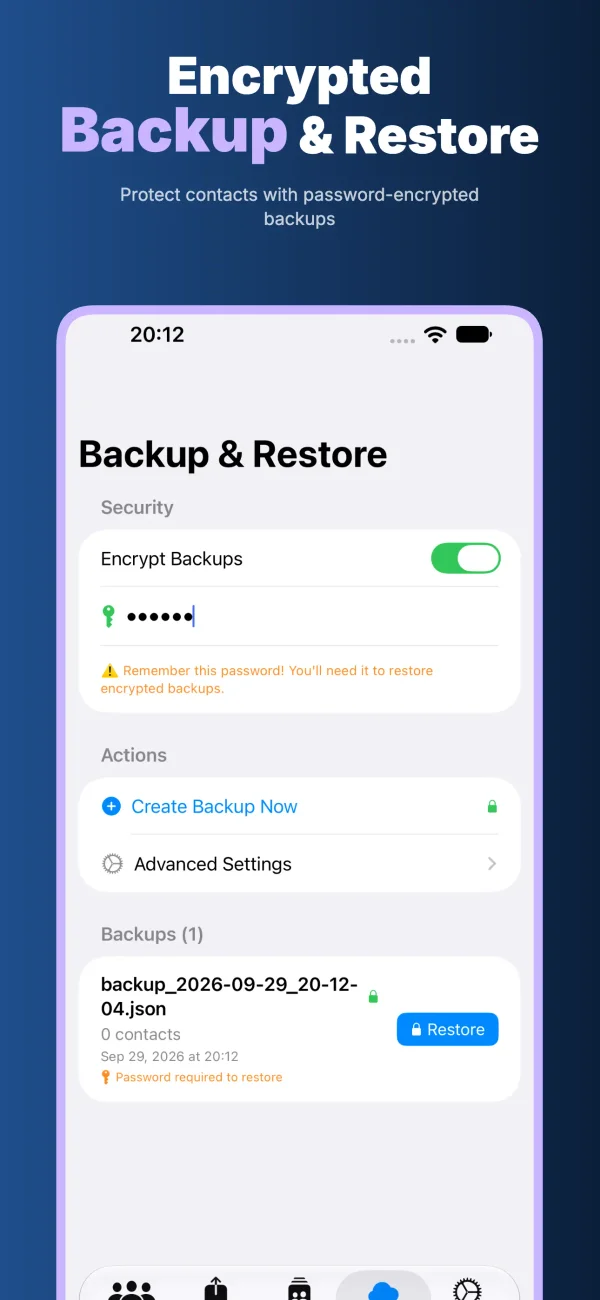
* SECURE BACKUP AND RESTORE
Create local contact backups and restore them when needed. Optional password protection uses strong on-device encryption.
* IMPORT CONTACT FILES
Bring contacts back from CSV, JSON, or spreadsheet-style files. Import and restore tools help you rebuild an address book after cleanup, migration, or device replacement.
* TAGS, GROUPS, AND BATCH ACTIONS
Add tags, set groups, filter contacts, and handle batches without editing one card at a time.
* EASY SHARING
Save to Files, send by email, move with AirDrop, attach to messages, or share to cloud storage apps already installed on your device.
* DESIGNED FOR PRIVACY
Contact processing happens on your device. The app does not require an account, does not upload your address book to a server, and does not track your contacts. You stay in control of the files you create and share.
============================
USE IT FOR EVERYDAY CONTACT WORK
Build a spreadsheet of your full phonebook, transfer contacts to another account, keep a private JSON archive, prepare a vCard import file, clean invalid entries before sharing, or save an encrypted backup before changing phones. Large lists are easier to review because you can search, select, filter, and export only what you need.
============================
PRO SUBSCRIPTION
Export Backup All Contacts Pro includes professional tools for export, backup, restore, cleanup, duplicate management, import, and advanced contact workflows. Some features require an active Pro subscription.
Subscription pricing is shown inside the app and may vary by region. Subscriptions renew automatically unless canceled at least 24 hours before the end of the current period. You can manage or cancel your subscription anytime in your Apple ID settings.
============================
PRIVACY FIRST
Your contacts are personal. Export Backup All Contacts Pro is built around local processing, clear sharing, and user control. Files are created only when you ask for them, and you decide where each export or backup goes.
Privacy Policy:
https://5gotogo.github.io/ExportContacts-privacy/privacy-policy.html
Terms of Use:
https://www.apple.com/legal/internet-services/itunes/dev/stdeula/
What’s new
Version 1.0.5 · Sep 29, 2026
Bug fixes and performance improvements.
App privacy
What 家宝 戴 declares on the App Store about how this app handles data.
-
Data not collected
The developer does not collect any data from this app.
Privacy practices may vary, for example with the features you use or your age.
Information
- Seller
- 家宝 戴
- Category
- Utilities
- Version
- 1.0.5
- Updated
- Sep 29, 2026
- Released
- Dec 11, 2025
- Size
- 5.0 MB
- Requires
- iOS 16.0 or later
- Age rating
- 4+
- Price
- Free
- In-app purchases
- Yes
- Languages
- English, Arabic, French, German, Indonesian, Italian, Japanese, Korean, Portuguese, Russian, Simplified Chinese, Spanish + 3 more
- Copyright
- © 2025 JiaBao Dai. All rights reserved.
You might also like
-
 Power Remote: Smart TVUniversal Remote Control
-
 PaperCrate: AI Scan & ChatPrivate PDF Scanner & Summary
-
 Timestamps - Calendar AIEvent text to Calendar drafts
-
 Falconkey (developer keyboard)Falconkeyboard
-
 PassManager: Offline VaultNo Cloud. One-Time. Face ID.
-
 Scaniz - QR & Barcode ScannerFast QR and barcode scanner
-
 Spin The Wheel: Spin & DecideDecision Maker & Prize Spinner
-
 Pholor - AR Color PickerSample Surfaces Not Pixels
-
 Simple InterceptorPostman + Charles for Mobile
-
 ElevenLabsTTS-iOSAI Voice Generator & Player