EyePrompt Teleprompter Camera
Eye Contact Video Teleprompter
Designed for iPhone, iPad, Mac
Free · In-app purchases
- Age rating4+
- CategoryPhoto & Video
- DeveloperBeonbrand Inc
- LanguagesEnglish+ 8 more
- Size23.4 MB
Links to the official App Store page
Download.org hosts no file of EyePrompt Teleprompter Camera. The button opens its official App Store page, published by Beonbrand Inc. Listing last checked on Nov 23, 2026.
Screenshots

About
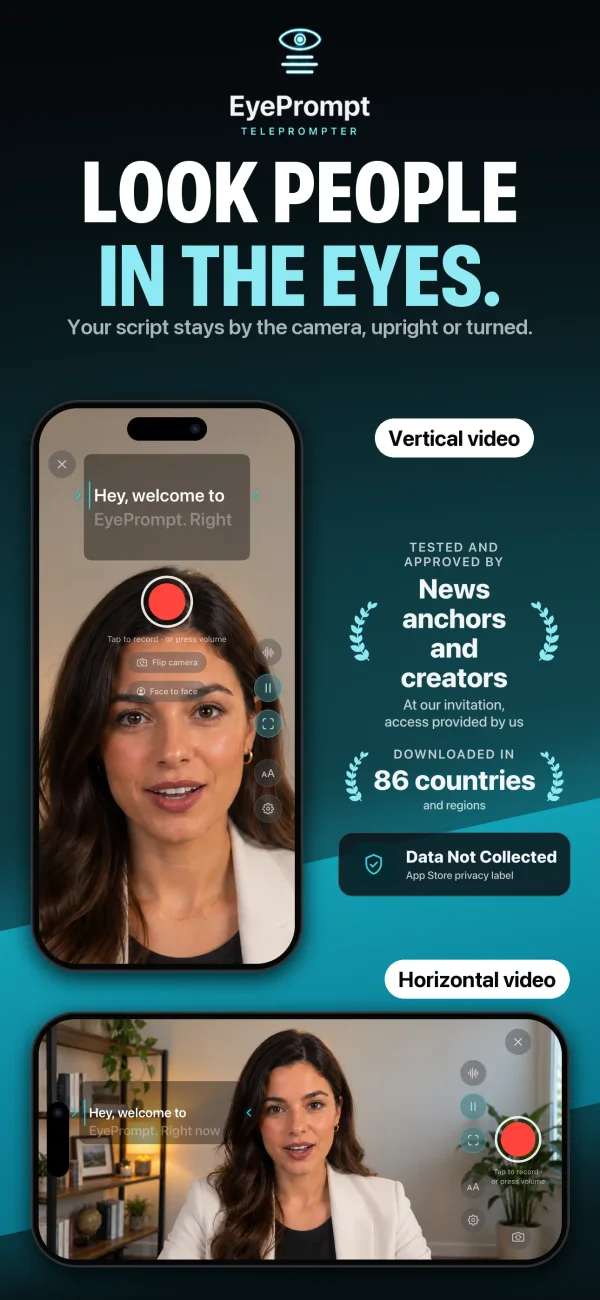
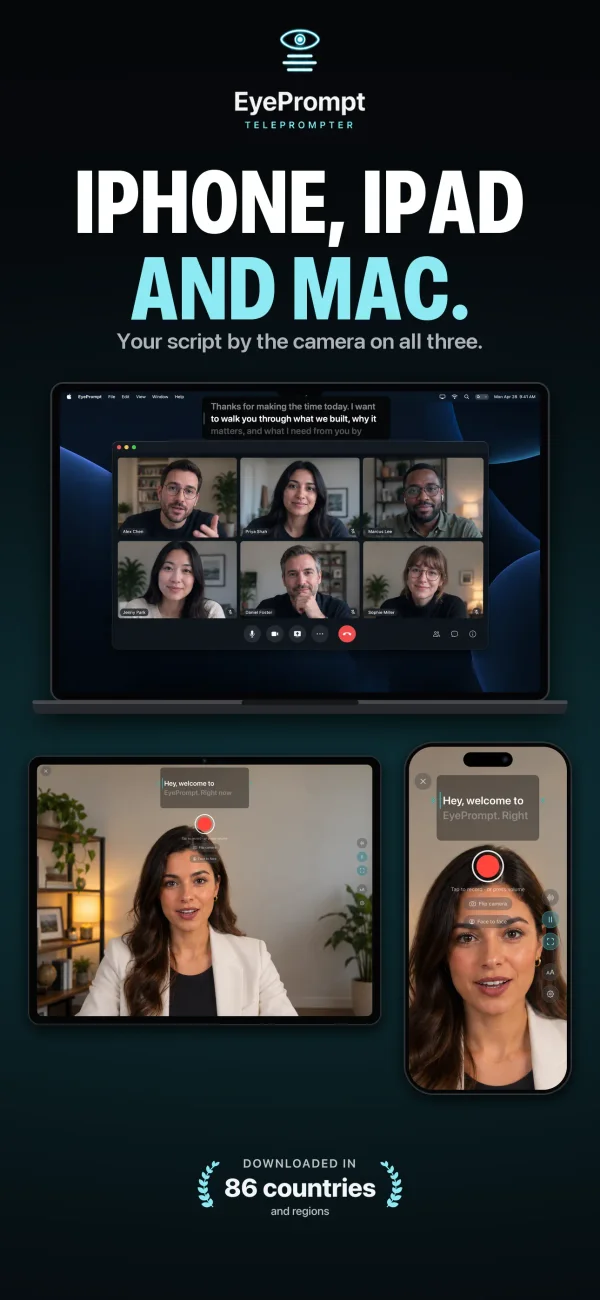
The teleprompter that keeps your eyes near the camera. EyePrompt puts your script in a narrow band right under the front camera, so you can read every word while your eyes stay near the lens. On iPhone, iPad and Mac.
WHO IT IS FOR
• Creators filming talking-head videos for Reels, TikTok and YouTube
• Job seekers recording an application or introduction video
• Founders, teams and teachers on video calls from a Mac
• Speakers rehearsing a talk, a pitch or a toast
HORIZONTAL RECORDING
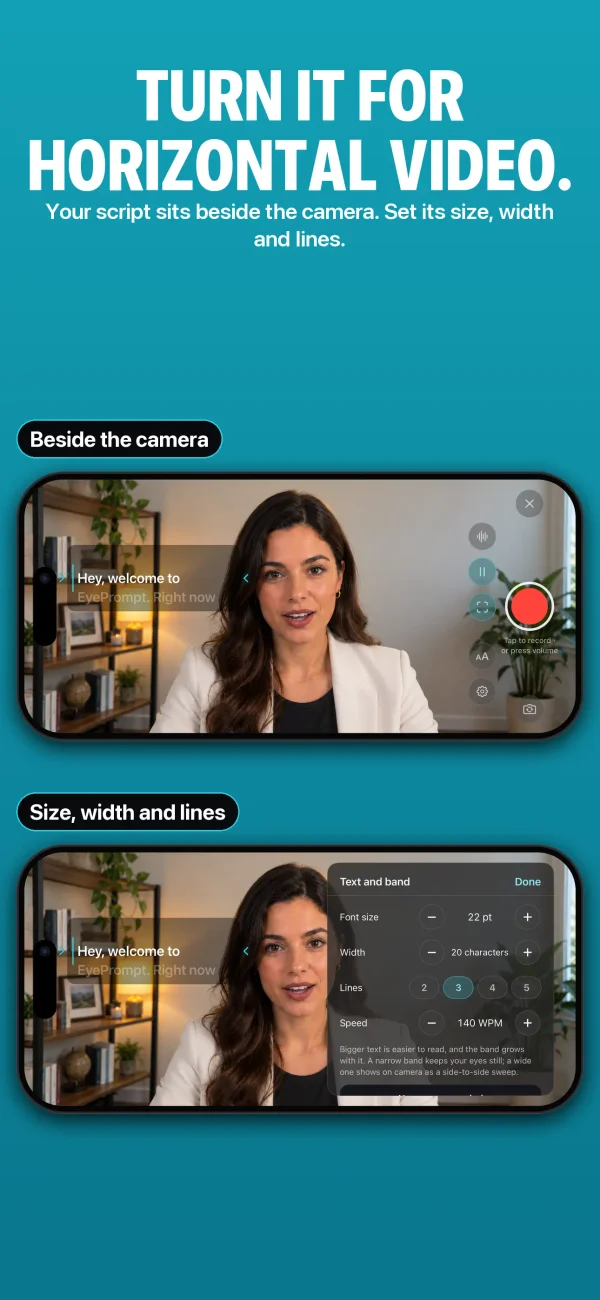
Turn your iPhone sideways to record 16:9 video. The script moves to a narrow column beside the camera, level with the lens. Set its text size, width and lines. The Library, Takes and Edit turn sideways too.
SMART FOLLOW
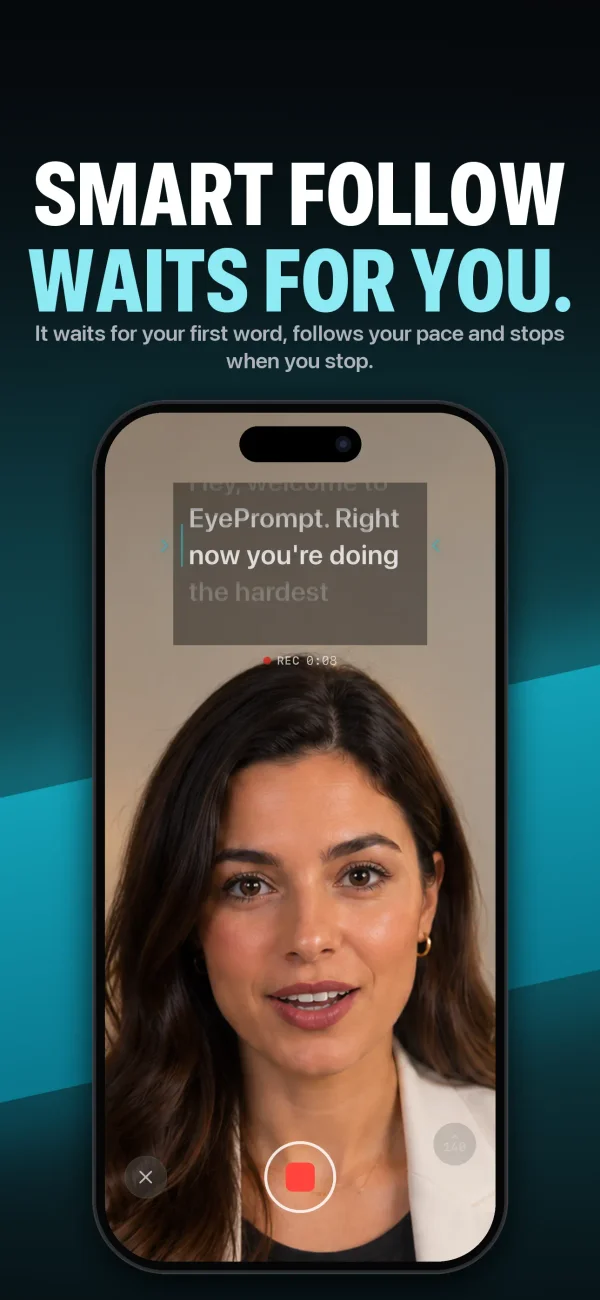
The script follows your voice: it waits while you pause, holds when you lose your place or go off script, and catches up when you skip ahead. Other voices and noise rarely push it ahead. Recognition runs on your device, in your script's language, not on a server.
EYE CONTACT SCORE
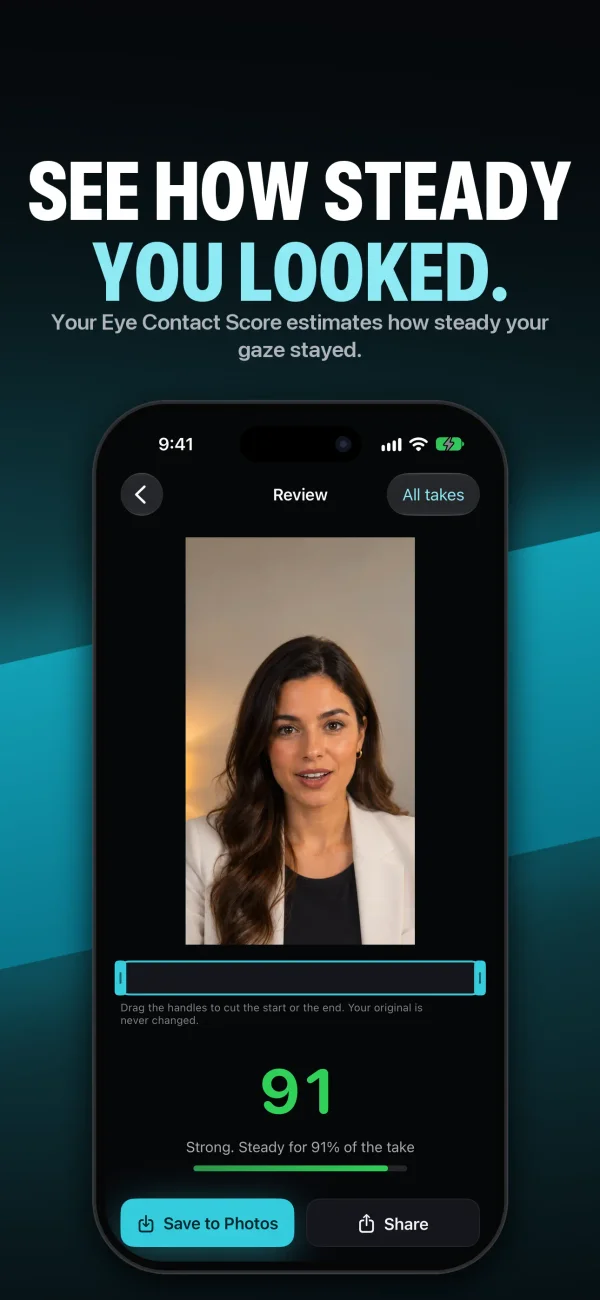
After each front-camera take in the default Eye contact style, the Eye Contact Score estimates how steady your gaze stayed and shows when it moved away.
CAPTIONS STUDIO
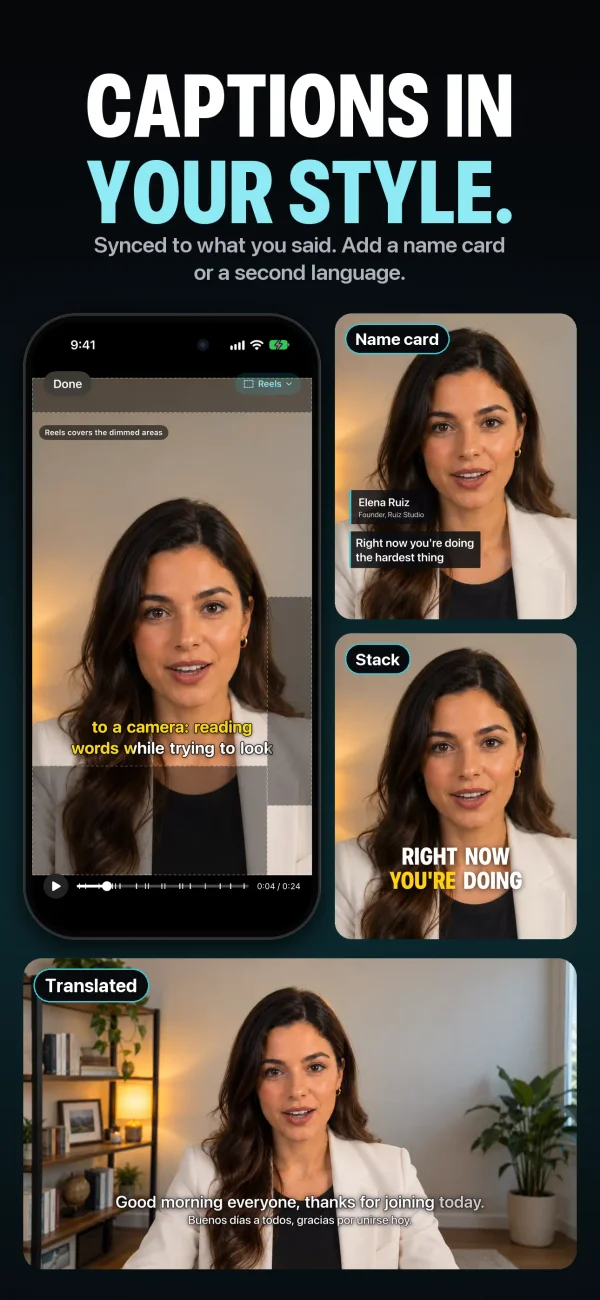
13 caption styles, matched on your device to what you said. From my script shows your script where recognition mishears you. Add a Name card, fix any word and preview full screen with guides for each platform. Second language adds a translation, labeled Translated. Captions in the video are part of Pro. The .srt file is free.
TAKES AND EDIT
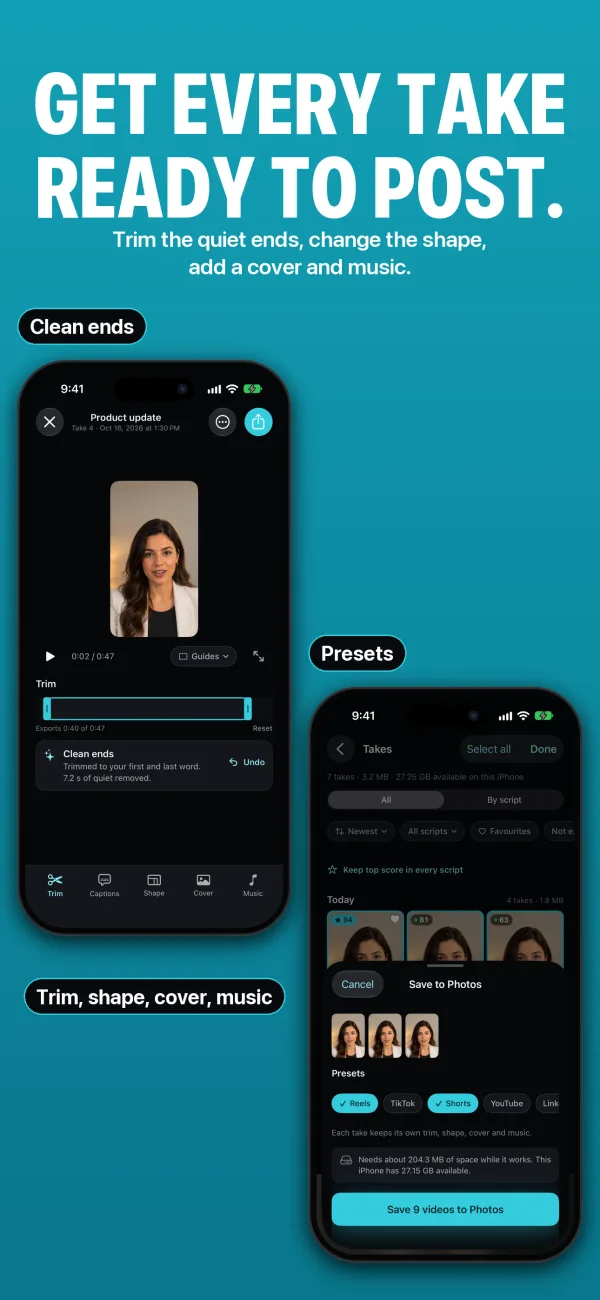
Every take in one place, to save or share several at once. Trim, or let Clean ends cut the quiet at both ends. Shape reframes a take to 9:16, 4:5, 1:1 or 16:9 around your face. Add a cover, a title and your own music, and export for several platforms in one go. Say it again offers to cut a sentence you started over.
ALSO IN THE APP
• Eye Contact focus lights only the line at the lens; Lens Lock holds it still.
• Hands-free with a keyboard or a clicker: record, stop, pause and move the script a line. Stop when I finish can end the take after your last line.
• On iPad and iPhone Duo the band sits right at the camera.
QUESTIONS
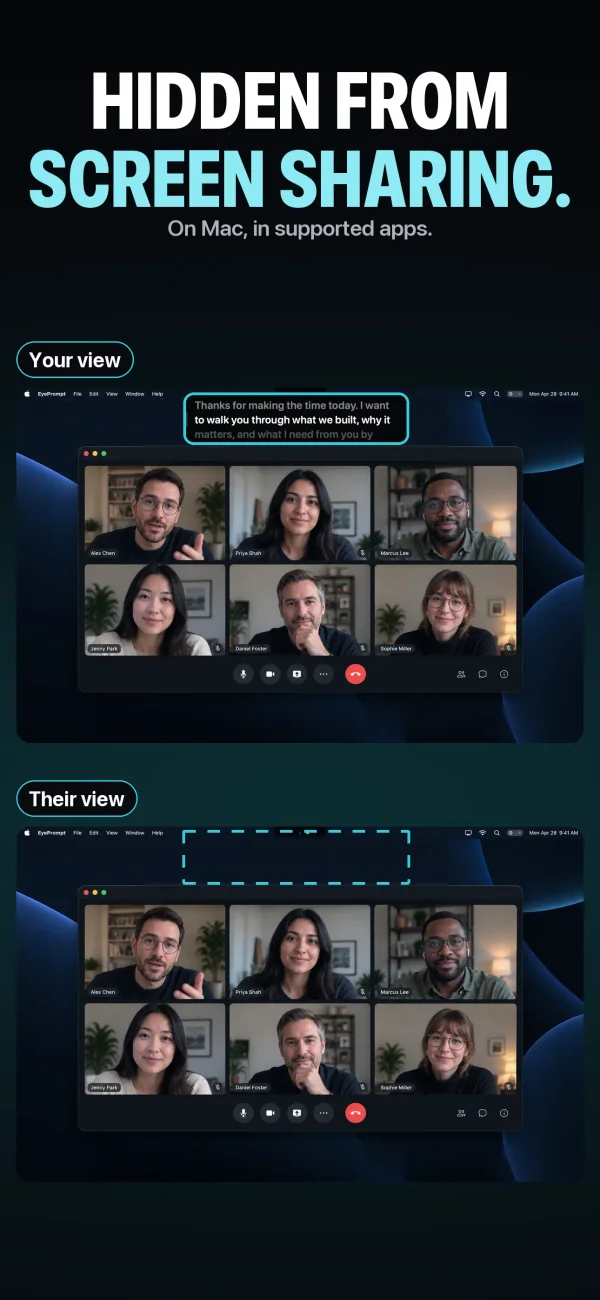
• Does it work with Zoom, Meet, Teams and FaceTime? On Mac the band floats above them and is hidden from screen sharing in supported apps.
• Does it change my eyes with AI? No. EyePrompt never edits or repaints your eyes.
• Do I need an account or the internet? No account, and it works in Airplane Mode. Second language downloads a language from Apple only when you ask.
• Will viewers know I am reading? Short lines at the lens help a lot, but a careful viewer can still tell.
WHAT IS FREE
• 3 saved scripts and takes up to 3 minutes
• 1080p export, with no watermark for your first 30 days, then one small EyePrompt mark
• Smart Follow, the Eye Contact Score, Horizontal recording, every prompter setting, the captions file (.srt), trim and Clean ends
EYEPROMPT PRO
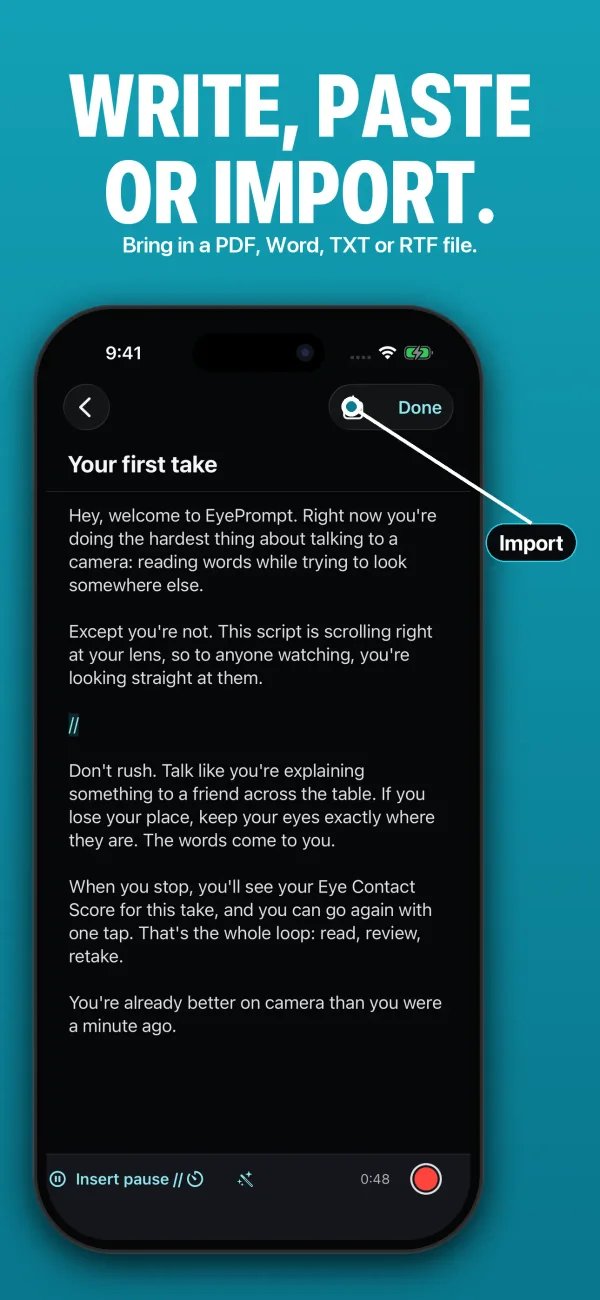
• Unlimited scripts and take length, and script import from files
• Exports without the watermark, up to 4K on supported devices
• Captions in the video in 13 styles, Name card, Second language, Shape, music and Say it again cuts. Try them on your take first.
• One subscription covers iPhone, iPad and Mac
• $7.99 a month, $39.99 a year with a 7-day free trial, or $99.99 once
PRIVATE BY DESIGN
No account, and nothing is sent to us. Scripts and recordings are kept on this device. Deleting a script deletes its takes and every file saved with them.
SUBSCRIPTION DETAILS
EyePrompt Pro. Monthly: 1 month, $7.99. Annual: 1 year, $39.99 with a 7-day free trial for new subscribers. Lifetime: one-time purchase, $99.99. Prices are in US dollars; the App Store shows your local price. Subscriptions renew automatically unless canceled at least 24 hours before the end of the current period. Manage or cancel any time in Account Settings.
Privacy Policy: https://eyeprompt.app/privacy
Terms of Use (EULA): https://www.apple.com/legal/internet-services/itunes/dev/stdeula/
What’s new
Version 1.6.5 · Nov 19, 2026
This update fixes and polishes the parts you use most.
Captions in the video are now part of Pro. The captions file (.srt) stays free. On the free plan you can still try every style on your take, and Save, Share and Export always work: the video is saved without captions.
Saving is safer: leaving the screen in the middle of a save no longer drops your captions, takes shared together keep their trims, and a save that stops says so, with Try again.
Captions no longer pile up in Bold, Stack and Outline, a style you tap shows on your take right away, and a Name card on its own now appears in the video.
If a take's captions could not be matched to your voice, Review and the captions studio now tell you.
In Review, Save to Photos and Share stay at the bottom of the screen, and the countdown before a take is larger and clear of your script.
With Pro, a 4K take now saves in 4K.
Rehearse starts again when you tap at the end, and while you record, the script shows whether it is waiting, paused or moving with your voice.
Screens fit better on smaller iPhones, at large text sizes and sideways.
Text from older Windows files, rich text and shared web pages now comes in clean, and typing in very long scripts no longer lags.
App privacy
What Beonbrand Inc declares on the App Store about how this app handles data.
-
Data not collected
The developer does not collect any data from this app.
Privacy practices may vary, for example with the features you use or your age.
Information
- Seller
- Beonbrand Inc
- Category
- Photo & Video
- Version
- 1.6.5
- Updated
- Nov 19, 2026
- Released
- Jul 21, 2026
- Size
- 23.4 MB
- Requires
- iOS 17.0 or later
- Age rating
- 4+
- Price
- Free
- In-app purchases
- Yes
- Languages
- English, French, German, Italian, Japanese, Korean, Portuguese, Spanish, Turkish
- Copyright
- © 2026 Beonbrand Inc.
You might also like
-
 Film(ish) photo video editingTrue to film photo editing
-
 OwlPrompter Video TeleprompterVoice scroll script & record
-
 BitCamvintage one-bit photography
-
 LumaFold: Screen LightMakeup Mirror & Color Effects
-
 SteadyEye Teleprompter Subs AIScript Reader Auto Captions
-
 Teleo: Teleprompter for VideoVoice-Activated Script Reader
-
 Prompto: Teleprompter CameraRead your script while filming
-
 LookUp: Eye Contact PrompterTeleprompter: Video & Scripts
-
 Teleprompter Premium for VideoAutocue Prompter for Video
-
 Teleprompter PiP - Any CameraFloating Prompter, Auto Cue