EyeVoice AAC
AAC: speak using head or eyes
Designed for iPhone, iPad
Free · In-app purchases
- Age rating4+
- CategoryEducation
- DeveloperSAS VLC
- LanguagesEnglish+ 12 more
- Size37.4 MB
Links to the official App Store page
Download.org hosts no file of EyeVoice AAC. The button opens its official App Store page, published by SAS VLC. Listing last checked on Nov 24, 2026.
Screenshots



About
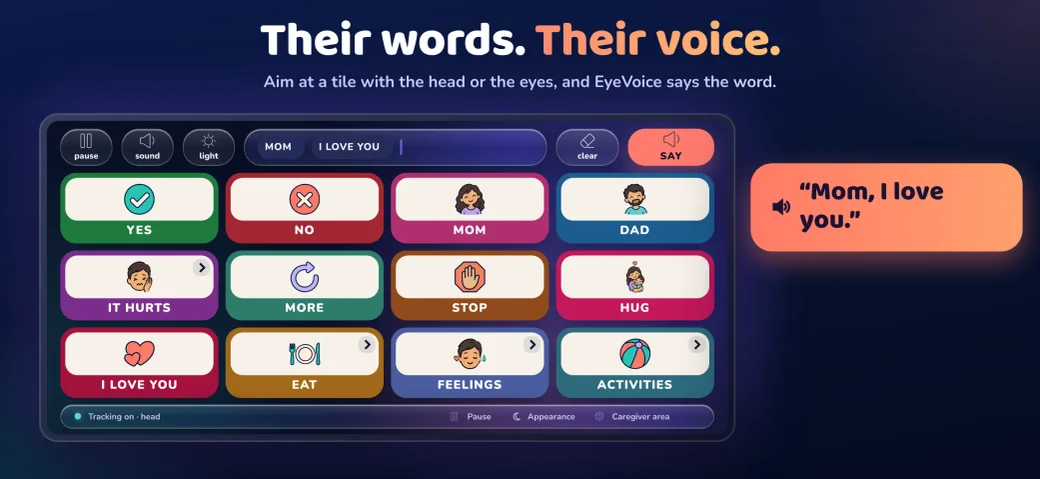
EyeVoice is an augmentative and alternative communication (AAC) app for people who cannot speak, or can no longer speak. Using the front camera of the iPad or iPhone, the person aims at a tile with their head, their eyes, or both, and EyeVoice says the word out loud. Words build into a sentence, then the sentence is spoken.
WHO IT IS FOR
• Children and adults with profound and multiple disabilities or cerebral palsy, nonverbal people
• Adults after a stroke, people living with ALS, muscular dystrophy or locked-in syndrome
• Anyone whose voluntary movements are very limited
• The parents, caregivers, speech therapists, occupational therapists and facilities who support them
HOW IT WORKS
• Tiles with photos, drawings and words, spoken out loud
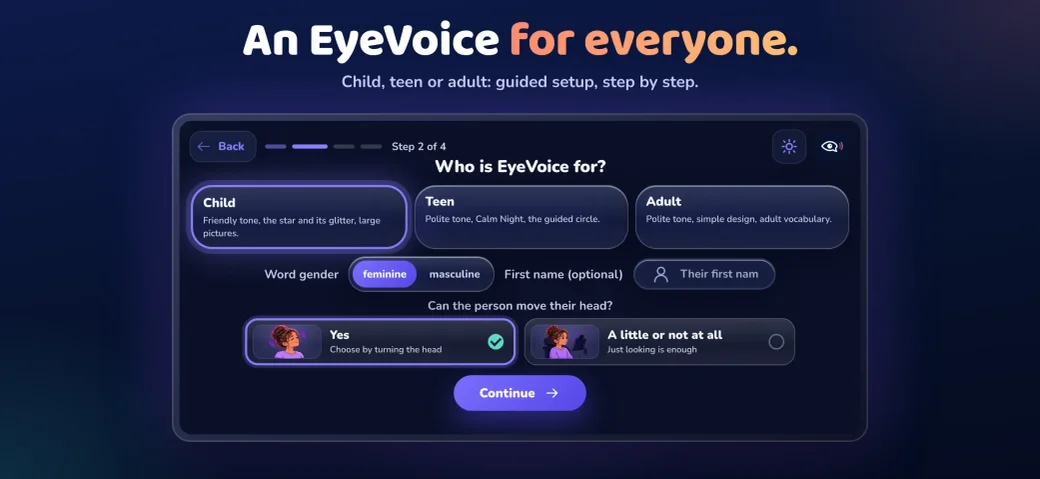
• Aim with the head, the eyes, or both, depending on what the person can do
• With the eyes: head still and face well lit; EyeVoice guides you step by step on light and positioning
• The tile being aimed at fills gently, then is selected: no need to be precise
• A gentle, game-like setup where you can't get it wrong
• A spoken guided tour walks the parent or caregiver through the app
• A finger tap always works
ADAPTED TO THE PERSON
• Large tiles, adjustable selection time, tolerance for imprecise movements
• No penalty when a movement is not understood, no time pressure
• Dark or light mode, vivid or soft colors, no blinking or flashing
• Scanning for people with the most limited mobility
• A look for children, for teenagers or for adults
THE EDITOR
• Your photos, your words, your pages, your colors
• Starter vocabulary: needs, feelings, body, family and friends, activities
• A built-in library of drawings
15 LANGUAGES
• French, English (US and UK), Spanish, German, Italian, Portuguese (Portugal and Brazil), Dutch, Polish, Swedish, Danish, Norwegian, Finnish and Turkish
• EyeVoice starts in the device language and speaks with its voices
PRIVATE BY DESIGN
• Camera images are processed on the device: they are never recorded or sent
• No personal data collected, no account, no ads
• Works offline, voice included
EVERYDAY HARDWARE
• An iPad, or an iPhone in landscape orientation, with its front camera
• No specialized equipment to buy
SUBSCRIPTION
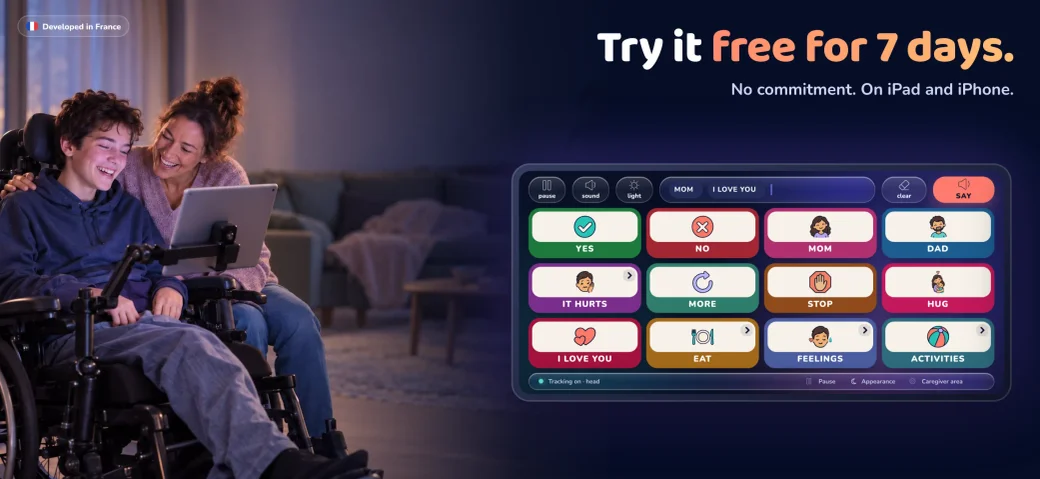
• First discover EyeVoice with the voice, then choose a monthly or yearly plan, with no commitment and 7 days free for a first subscription
• Without a subscription, the board can still be used to aim and write; the voice and the caregiver tools are part of the subscription
• Payment is charged to your Apple Account at confirmation of purchase. The subscription renews automatically unless it is canceled at least 24 hours before the end of the current period. Manage or cancel it in your Apple Account settings.
• Terms of use: https://www.apple.com/legal/internet-services/itunes/dev/stdeula/
• Privacy: https://eyevoice.store/confidentialite.html
EyeVoice does not ask the person to succeed at using technology: EyeVoice must succeed at understanding the person. When eyes find their voice.
What’s new
Version 1.2 · Oct 26, 2026
EyeVoice 1.2 brings a new way to choose your words: aiming with the eyes, using the front camera of the iPad or iPhone.
• NEW — Aim with the eyes: a guided setup helps you check the light, position the face and calibrate the aiming. For this mode, the head must stay still and the face must be well lit.
• YOUR WAY OF AIMING — With the head, the eyes or both. Aim at a tile, let it fill: EyeVoice says the word. The chosen words build a sentence.
• SPOKEN GUIDED TOUR — Discover how it works step by step, with voice guidance designed for parents and caregivers.
• 15 LANGUAGES — To communicate in the language that suits you.
• A SOFTER INTERFACE — A new look, with light or dark mode.
• TRY BEFORE YOU CHOOSE — Try EyeVoice with the voice before selecting your plan. Prices are shown in your country's currency.
• IMPROVEMENTS — Various adjustments for smoother use.
No account required. Camera images are processed on the device and are never sent.
App privacy
What SAS VLC declares on the App Store about how this app handles data.
-
Data not collected
The developer does not collect any data from this app.
Privacy practices may vary, for example with the features you use or your age.
Information
- Seller
- VOITURES LOW COST
- Category
- Education
- Version
- 1.2
- Updated
- Oct 26, 2026
- Released
- Oct 25, 2026
- Size
- 37.4 MB
- Requires
- iOS 18.0 or later
- Age rating
- 4+
- Price
- Free
- In-app purchases
- Yes
- Languages
- English, Danish, Dutch, Finnish, French, German, Italian, Norwegian Bokmål, Polish, Portuguese, Spanish, Swedish + 1 more
- Copyright
- © 2026 SAS VLC
You might also like
-
 Lumen AAC: Talk with EyesSpeak with your eyes
-
 ArjieEducation
-
 All About PickleballPickleball Rules Fundamentals
-
 Pick-a-Pic: early, easy AACTurn photos to speech buttons
-
 MY Voice - Picture AACPictures become your words
-
 Loquena: Speak, Regulate, GrowAAC, autism & special needs
-
 My Voice Book AACSimple AAC Communication
-
 AAC - Speech & CommunicationPicture Board Aid for Autism
-
 Fin AACAI that helps them be heard
-
 Articule avec moiEducation