
- Age rating4+
- CategoryFinance
- DeveloperEze Castle Software LLC
- LanguagesEnglish
- Size81.7 MB
Links to the official App Store page
Download.org hosts no file of Eze for iPhone. The button opens its official App Store page, published by Eze Castle Software LLC. Listing last checked on Nov 20, 2026.
Screenshots


About
Introduction
The new Eze mobile experience has arrived on your Phone and Tablet! Powered by Eze Eclipse and Eze OMS, the next-generation SS&C Eze app provides secure, access to Eze applications on-the-go with a simple, easy-to-use interface.
Whether you’re a Trader or a Portfolio Manager, the SS&C Eze app helps you manage your portfolio and keep an eye on performance so you can more quickly act when the time is right.
Eze App for OMS
Secure and Fast Login
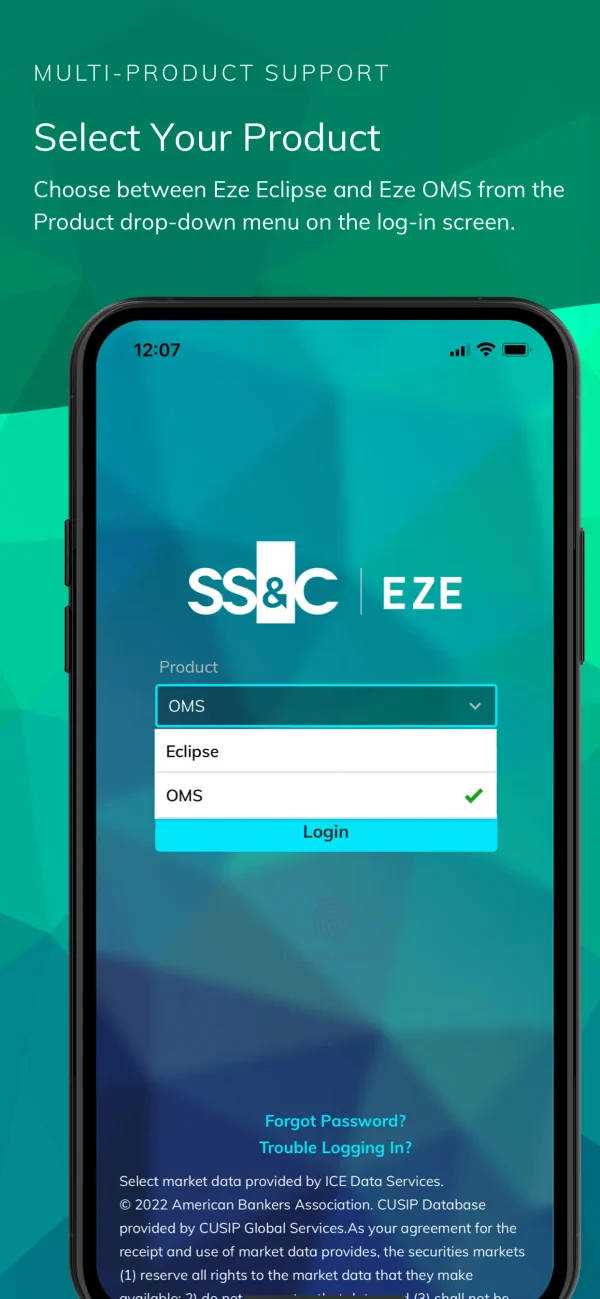
• Select your product (Eze OMS) from the Product drop-down list on the Log in screen.
• Login using Open ID Authentication
• Unlock the app using biometrics
Quickly View Portfolio Information and Analytics
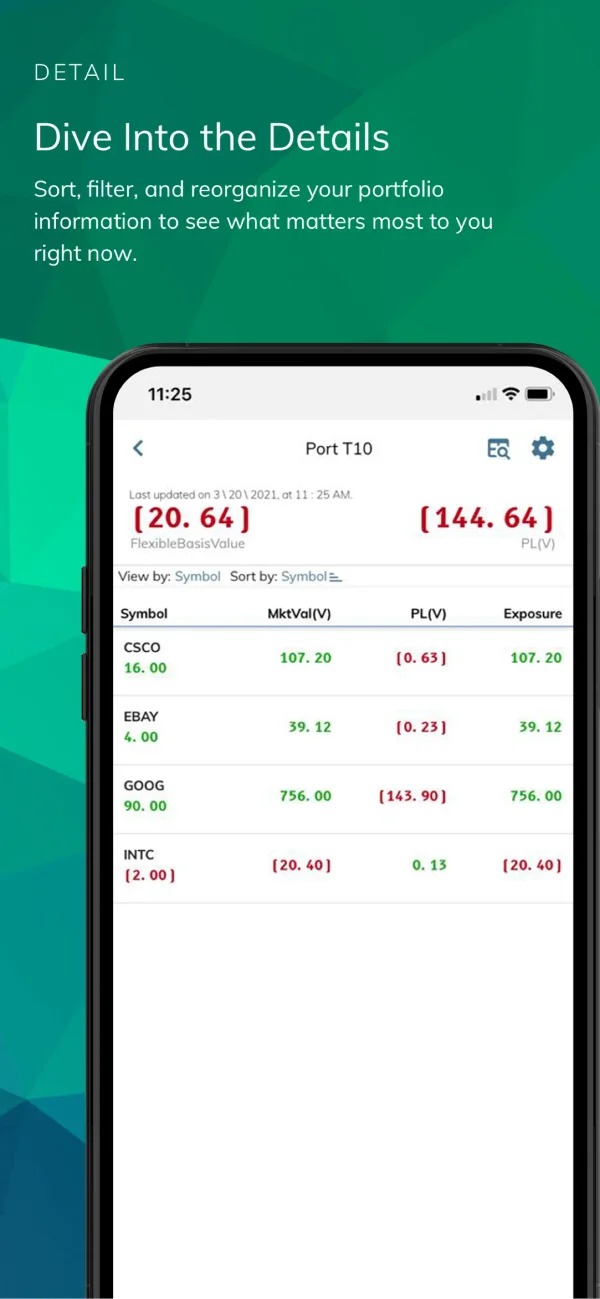
• View high-level summary and detail view of your portfolios and get a quick idea about your performance on the portfolio at groups level/aggregated level.
• Metrics such as PL(V)/PLBPs, Exposure, MarketValGross and more are at your fingertips, with the ability to add fields such as Market Value, Currency, Port Base Currency at portfolio level.
• Customize data points as per your needs.
• Aggregate the portfolios by Industry, Sector, and more!
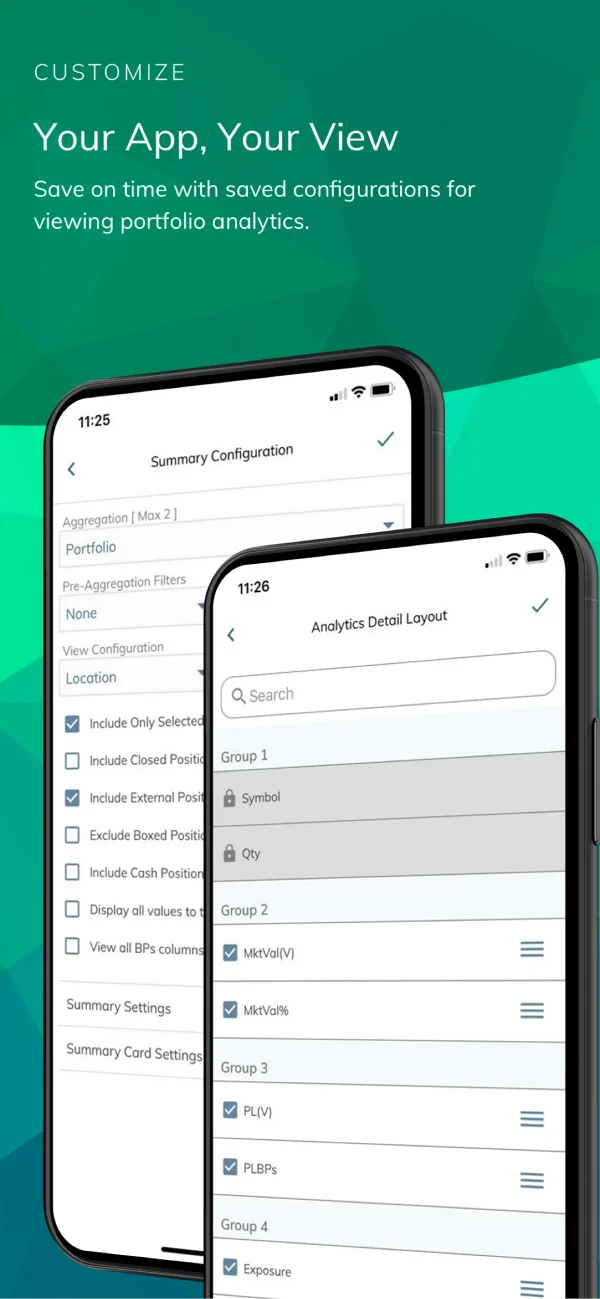
Your App, Your Configuration
• Configure positions split by Location (Custodian) or Net Positions or Strategy
• Choose from a list of Position States such as Proposed, Released to Market, Fill Received, Finalized, Confirmed, and Settled.
• Edit columns in the Analytics screen.
Trading Screen
• You can view the trade details on-the-go. Also, Market Data Integration is live.
Settings Screen
• You can configure Default Portfolio settings, and Trade Swipe Options to quickly act on your trade or confirmation before cancelling an order or removing a card from Home, respectively.
• Switch between Dark and Light modes.
Eze App for Eclipse
Secure and Fast Login
• Select your product (Eze Eclipse) from the Product drop-down list on the Log in screen.
• Login using Open ID Authentication
• Unlock the app using biometrics
Quickly View Portfolio Information
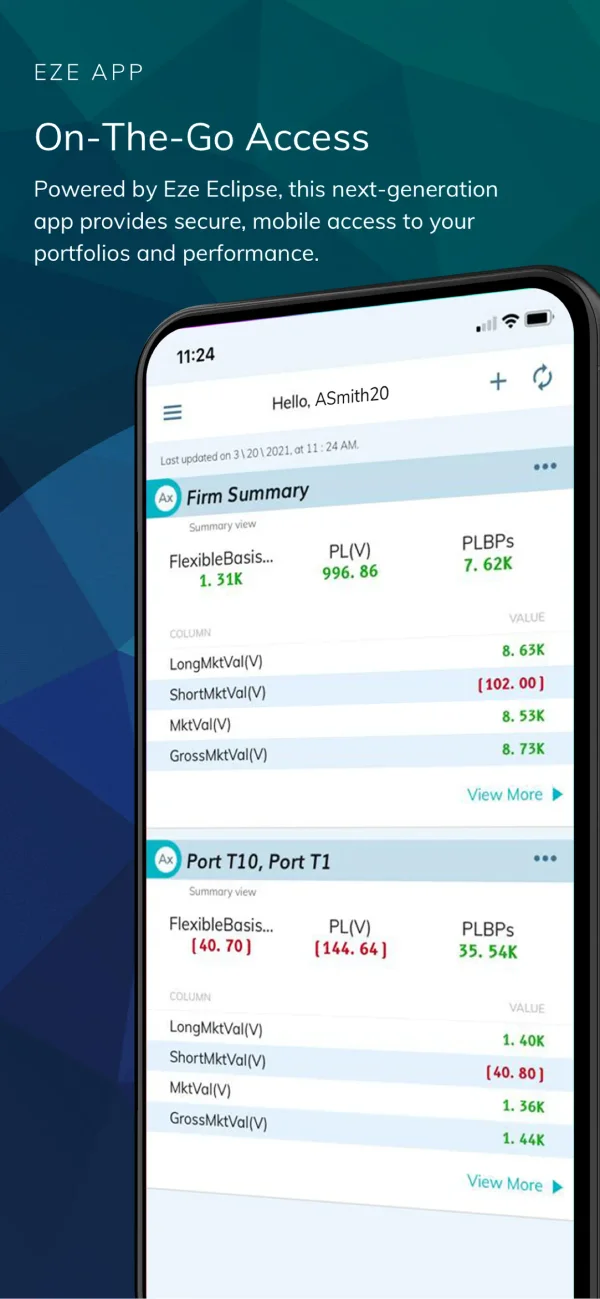
• See a summary view of your real-time intraday portfolio and get a quick idea about your performance.
• Metrics such as Realized PL(V)/PLBPs, Unrealized PL(V)/PLBPs, and more are at your fingertips, with the ability to add fields such as Market Value, Currency, Port Base Currency.
Analytics On-the-Go
• View the high-level summary of your portfolios with various data points
• Customize data points as per your needs
• Aggregate the portfolios by Industry, Sector, and more!
Your App, Your Configuration
• Configure positions split by Location (Custodian) or Net Positions or Strategy
• Choose from a list of Position States such as Proposed, Released to Market, Fill Received, Finalized, Confirmed, and Settled.
• Edit columns in the Analytics detailed screen.
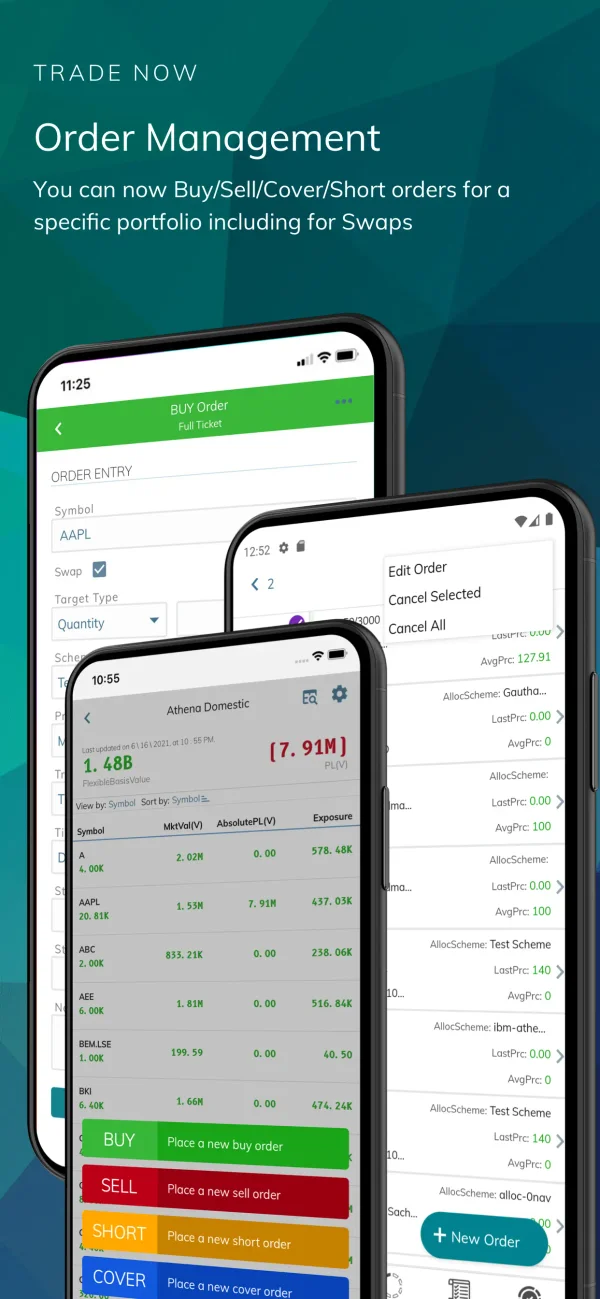
Trading (Trade Blotter, Order Management and Routes Management)
• Create orders from Trade Blotter, filter orders based on Order Status and Action
• View orders created, fill status and order progression for the orders on the Trade Blotter.
• Sort orders based on Symbol and Date
• Add, Edit, Cancel All and Cancel Selected orders from the Trade Blotter and Order details screen
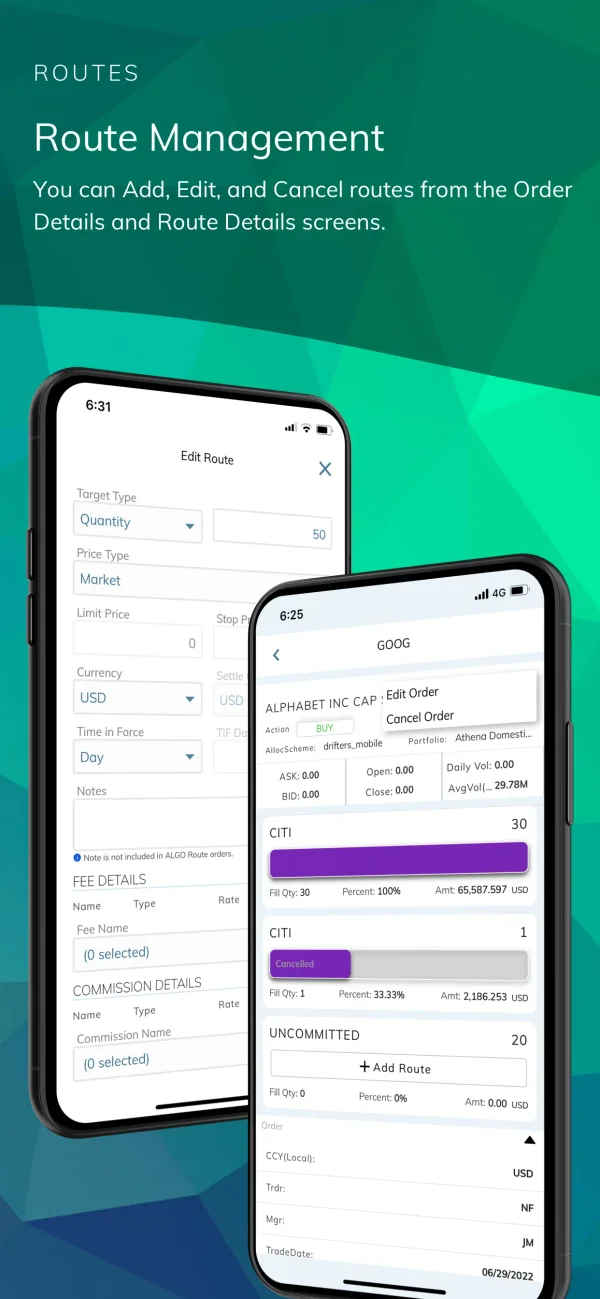
• Add, Edit and Cancel Routes from Order Details and Routes Details screen
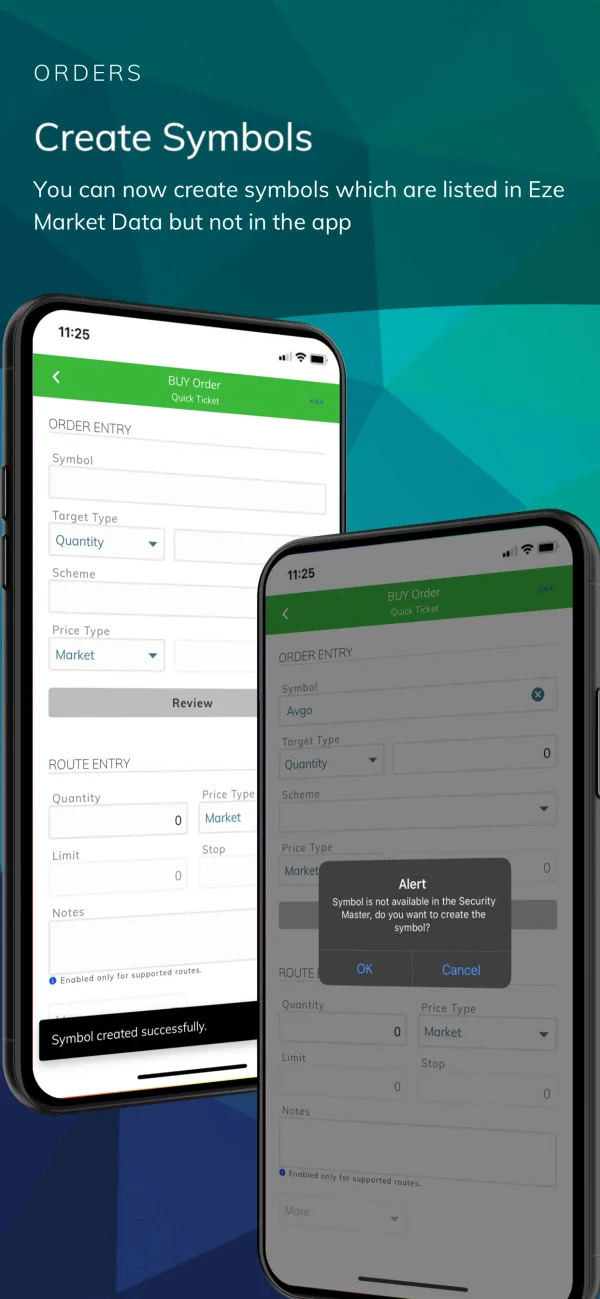
• Add new symbols while creating trade which are not present in the master security files
Settings Screen
• You can configure Trade Swipe Options and Account Settings to quickly act on your trade or confirmation before cancelling an order or removing a card from Home, respectively.
• Switch between Dark and Light modes.
Ensure Your Data is Secure
• SS&C Eze maintains a robust security framework and is ISO 27001 certified, encompassing ISO 27017 and 27018 for Cloud Security and Cloud Privacy.
Note: Your organization must authorize access to the SS&C Eze mobile app. You’ll only have access to mobile features your organization has enabled, based on your role (not all mobile features may be available to you). Not all SS&C Eze features are available on mobile.
What’s new
Version 5.7 · Nov 19, 2026
Our latest release includes new features and enhancements! You can now:
Experience streamlined Bloomberg BPIPE market data authentication on mobile using configured BPS or Non-BPS adapters
Access Bloomberg market data securely through the Bloomberg Professional app and seamlessly return to Eze mobile
Continue working across mobile and desktop with live market data remaining active on the most recently authenticated device
Enjoy improved stability and performance with multiple bug fixes
App privacy
What Eze Castle Software LLC declares on the App Store about how this app handles data.
-
Data not collected
The developer does not collect any data from this app.
Privacy practices may vary, for example with the features you use or your age.
Information
- Seller
- Eze Castle Software LLC
- Category
- Finance
- Version
- 5.7
- Updated
- Nov 19, 2026
- Released
- Nov 5, 2020
- Size
- 81.7 MB
- Requires
- iOS 15.1 or later
- Age rating
- 4+
- Price
- Free
- Languages
- English
- Copyright
- ©2026 Eze Castle Software LLC. All rights reserved.
You might also like
-
 Arcana AnalyticsPortfolio Intelligence
-
 Hurricane Capital 2.0AI-Powered Insights
-
 Enfusion MobileFinance
-
 SS&C GlobeOpFinance
-
 Morgan Stanley MatrixFinance
-
 UBS NeoFinance
-
 Goldman Sachs MarqueeMarket insights and analytics
-
 NAV PortalFinance
-
 Jefferies Conferences & EventsFinance
-
 Citi VelocityFollow Markets From Anywhere