
FACES2 ID Authentication
Global government ID database
Designed for iPhone, iPad, iPod touch
Free
- Age rating17+
- CategoryBusiness
- DeveloperVisiontechConsulting
- LanguagesEnglish
- Size45.2 MB
Links to the official App Store page
Download.org hosts no file of FACES2 ID Authentication. The button opens its official App Store page, published by VisiontechConsulting. Listing last checked on Nov 14, 2026.
Screenshots

About
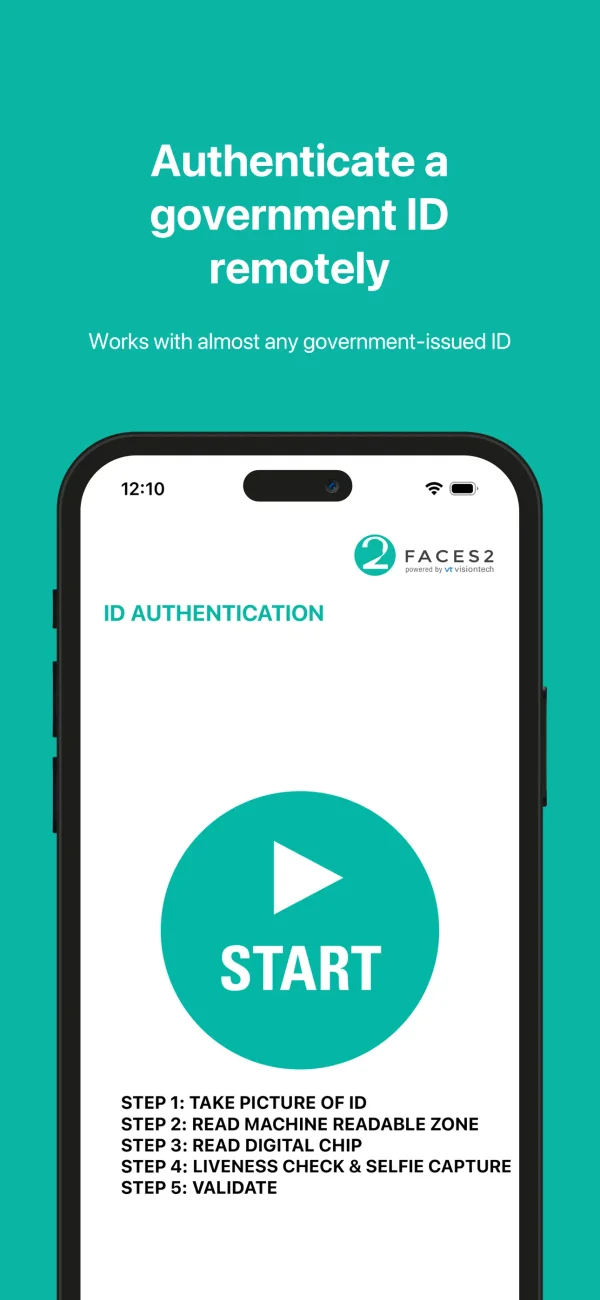
FACES2 ID Authenticator simplifies identification verification processes for businesses worldwide. With our cutting-edge technology, users can effortlessly authenticate government-issued identification from over 213 countries and regions and compare it against our extensive database of global identification documents.
Features
Mobile Application
iOS® application authenticates the ID for remote clients. Performs facial matching, colour scanning, and digital chip validation. Scanned images are compared against a database for known markings.
In-Person Desktop Scanner
All the items of our mobile scanner plus ultraviolet and infrared scanning. Scanned images are compared against a database for known markings.
Facial Matching
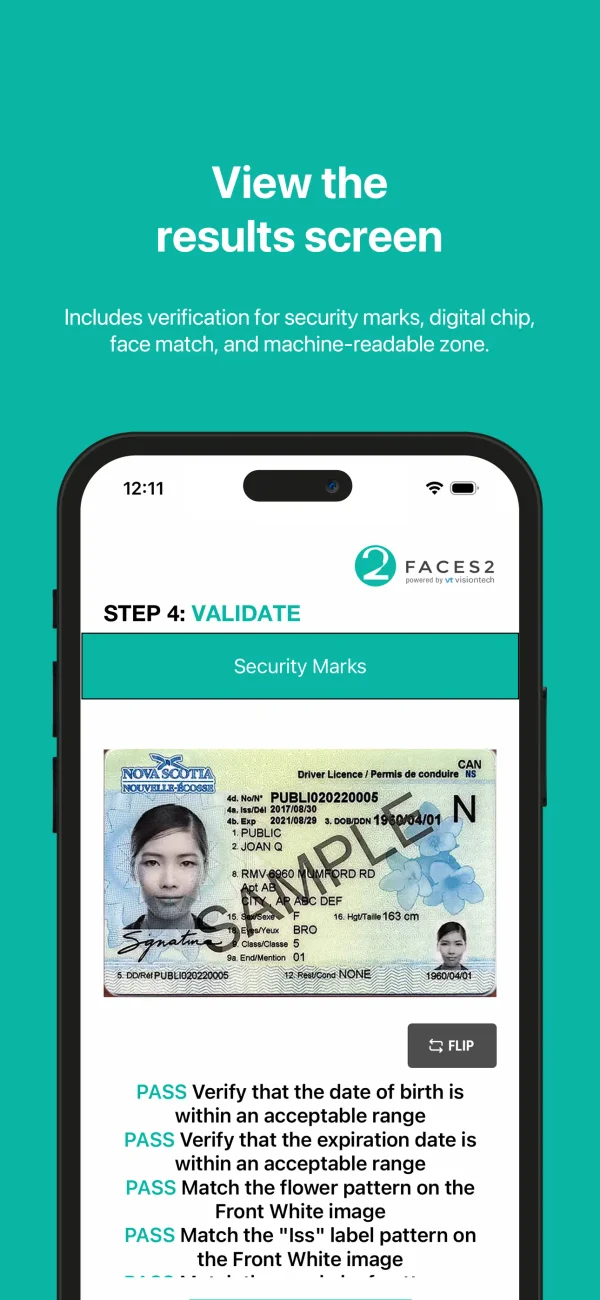
Our sophisticated facial matching image processing algorithm yields reduced false positive rates, resulting in a notably enhanced accuracy of matches. It compares the live face to the ID's image and the digital chip photo.
Liveness Detection
Face liveness detection is used to determine if the face being scanned is real and physically present at the time of scanning. It is crucial to prevent fraud and distinguish between a live person and a fake representation, such as a photo or video.
Worldwide Government Database
Includes over 1800 identifications from 213 countries and regions with 74 Canadian and 643 USA.
256-Bit Encryption
Exceptionally high levels of security, creating a virtually impenetrable code due to its vast combination of possible keys, making it exponentially more difficult for unauthorized parties to decrypt sensitive information.
Certificate of Authenticity
Assures clients that the data is authentic and not falsified or duplicated. This certificate encompasses comprehensive results of the authentication process along with the specific date/time the data was verified.
e-Passport Reader
Reads the ID’s digital chip information and matches to the scanned image. Also works on non-chip ID's.
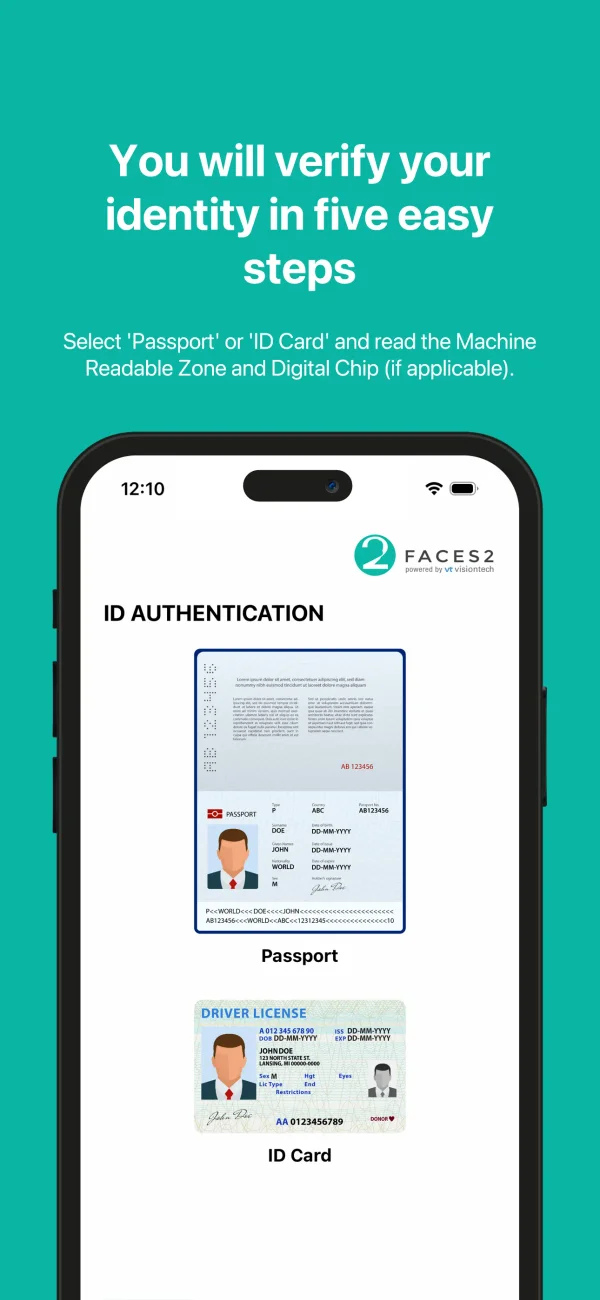
Scans Both Sides of All ID’s
Captures both sides of all IDs, including passports and ID cards.
Store Results on Your Personal Cloud Platform
Storing your results file to your personal cloud platform provides a secure and convenient solution for preserving your authentication data. FACES2 automates this process by creating a secure, password-protected PDF file containing all of the authentication information and the certificate of authenticity.
Multiple Connectivity Options
Connects to the internet with cellular, ethernet, or Wi-Fi.
Data Security
FACES2 does not store or save any user information.
ID Scanner
ID Scanner Mobile
What’s new
Version 2.2 · Aug 15, 2025
Bug Fixes.
App privacy
What VisiontechConsulting declares on the App Store about how this app handles data.
-
Data linked to you
May be collected and linked to your identity.
- Contact info
- User content
-
Data not linked to you
May be collected but is not linked to your identity.
- Usage data
- Diagnostics
Privacy practices may vary, for example with the features you use or your age.
Information
- Seller
- Visiontech Consulting Incorporated
- Category
- Business
- Version
- 2.2
- Updated
- Aug 15, 2025
- Released
- Jan 24, 2024
- Size
- 45.2 MB
- Requires
- iOS 15.0 or later
- Age rating
- 17+
- Price
- Free
- Languages
- English
- Copyright
- © Visiontech Consulting Inc.
You might also like
-
 East Coast Credit UnionMoney moves with you!
-
 Sirva ForcesHelping CAF members relocate
-
 Mosaik Credit UnionYour credit union on the go!
-
 BGRSGuideHelping CAF members relocate
-
 Bluink eID-Me Digital IDDigital ID & Verification
-
 Identity+Secure mobile credential
-
 PaySimplyPay your CRA taxes and bills
-
 BrokerLink InsuranceBusiness
-
 BMO InvestFinance