
- Age rating4+
- CategoryNavigation
- DeveloperMarius Kaczmarek
- LanguagesGerman+ 2 more
- Size46.0 MB
Links to the official App Store page
Download.org hosts no file of FahreGreen: Green Wave. The button opens its official App Store page, published by Marius Kaczmarek. Listing last checked on Nov 23, 2026.
Screenshots

About
Get through on green more often, brake less, start off less: FahreGreen learns from your own trips at which traffic lights you usually get through, and at what speed. That is how you find your green waves and drive more smoothly.
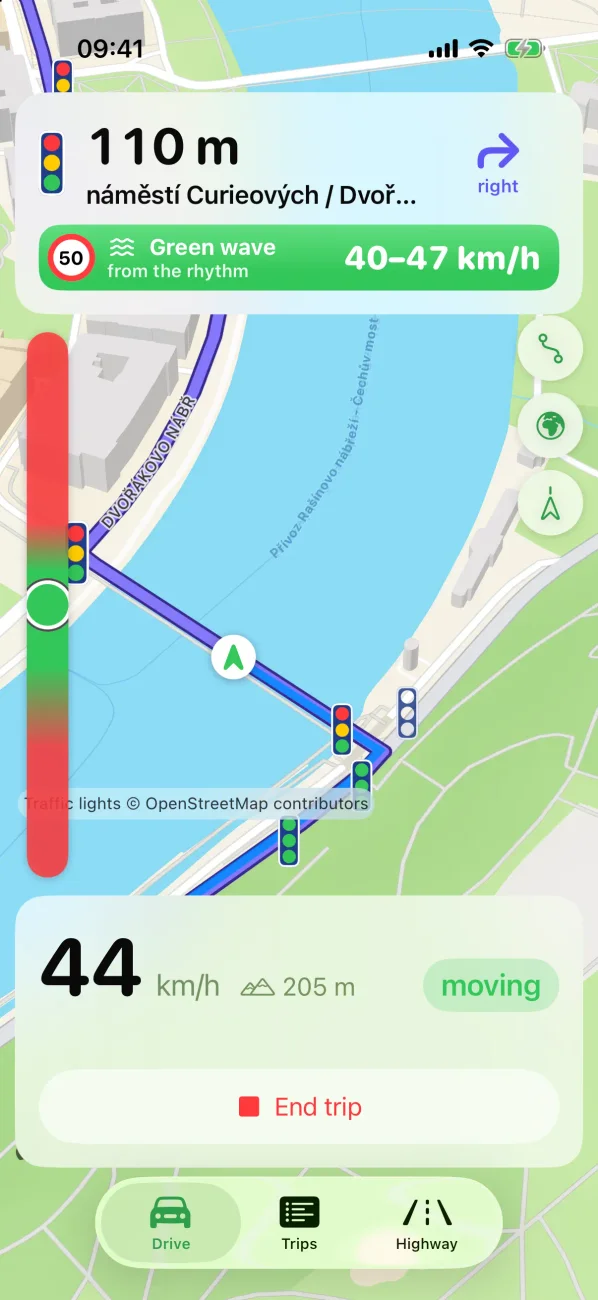
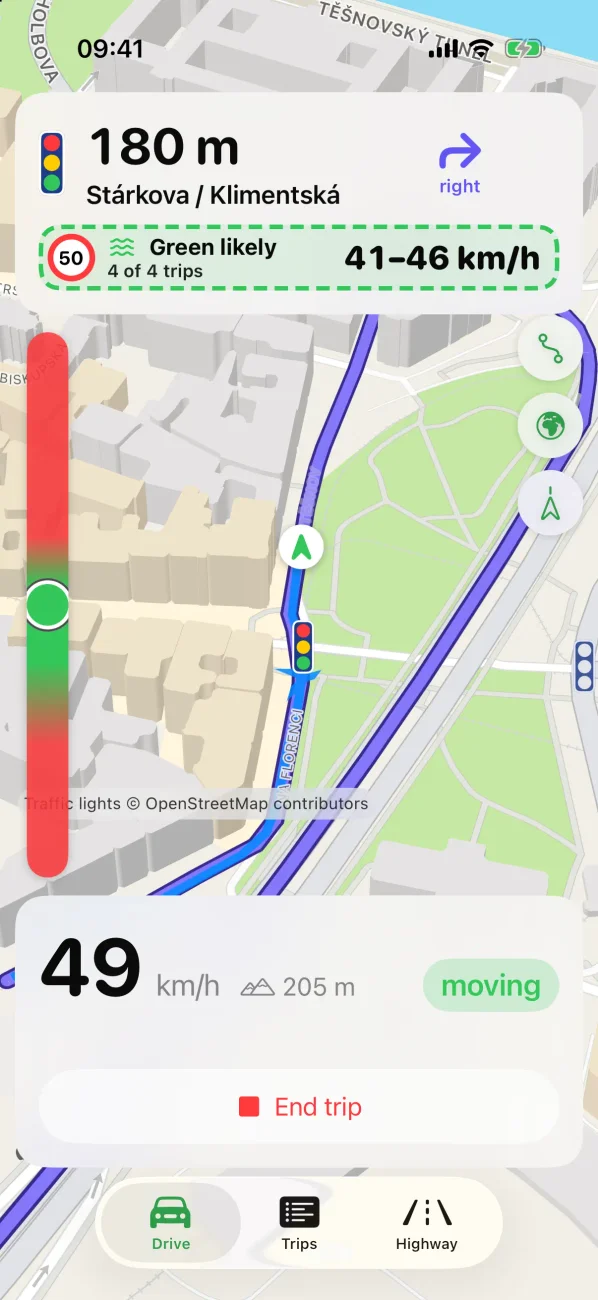
On the way, the app shows "Green likely" at the next light with the right speed, framed in green. Once FahreGreen knows the rhythm of your lights, the display is filled green, from three lights in a row as "Green wave". Everything is a probability from your trips, not a promise. The app is free; your feedback (under "About FahreGreen", "Send feedback") helps us improve it.
EVERY TRIP
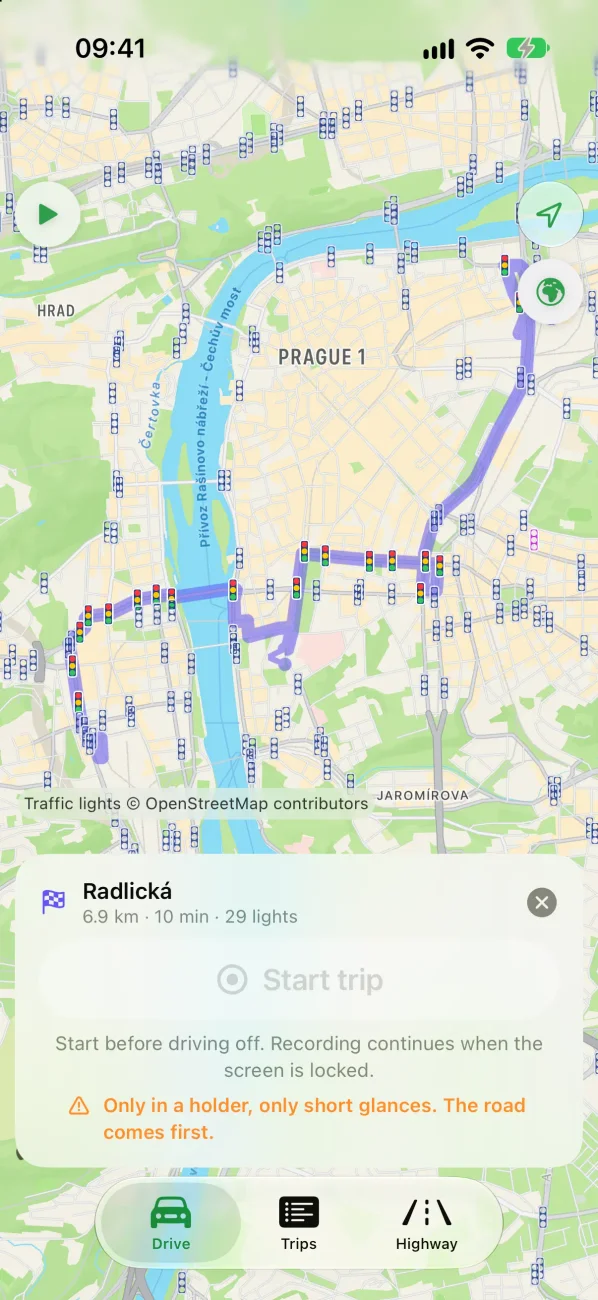
• Choose a destination, tap "Start trip", drive off. FahreGreen records the trip, also with the iPhone locked, and detects where you stopped at lights and for how long.
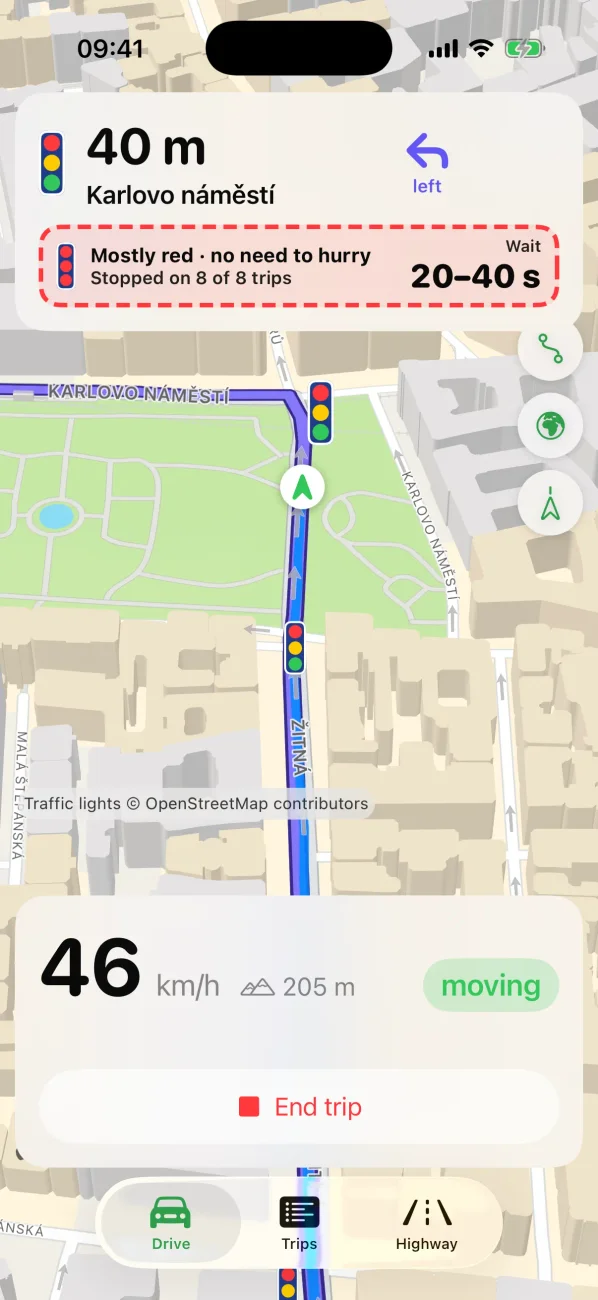
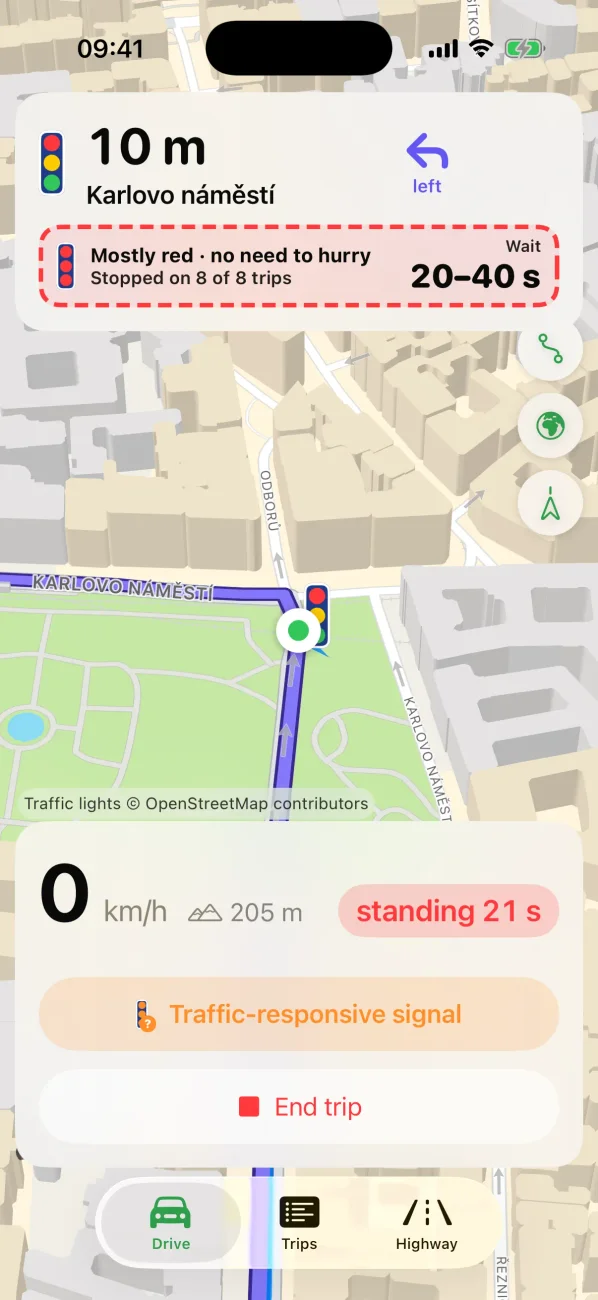
• The map shows the known traffic lights, the next one with its distance and turn.
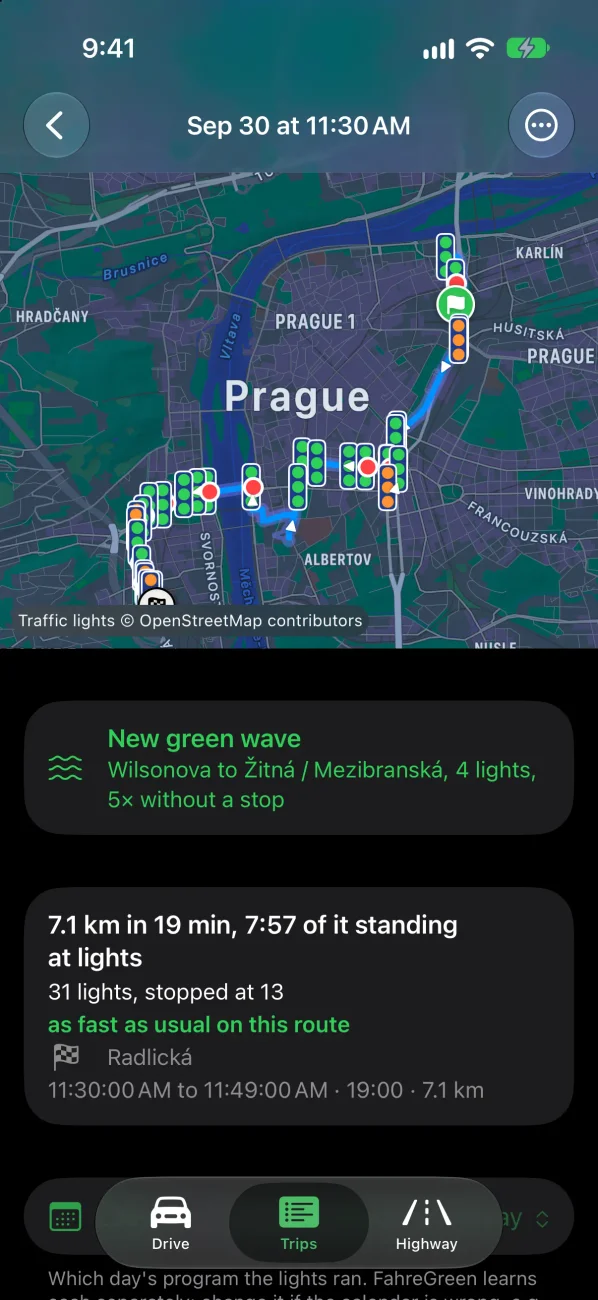
• Afterwards: distance, time at lights, faster or slower than usual, and for every light whether you stopped and for how long.
AFTER A FEW TRIPS
• From your second trip through a light: how often you stop there and for how long.
• From the fifth, a verdict: mostly green, mostly red or mixed. With "Mostly red" the app shows the usual wait: no need to hurry.
• Green likely: if you get through a light in green on at least 8 of 10 trips, FahreGreen shows "Green likely", how often it was green and the speed you drove there.
• Green wave: three or more lights in a row whose rhythm FahreGreen knows, or that were green on every one of at least 10 trips; those get a star. The fifth time you get through without a stop, a short sound plays once.
• Rhythm: from the moments you drive off after a stop, FahreGreen learns when your lights turn green, per direction and time of day; Saturdays, Sundays and holidays separately. Once a rhythm is known, you see speeds from 30 km/h that reach the next lights in green.
• With a destination it gets more accurate: FahreGreen then knows where you turn and which lights come next.
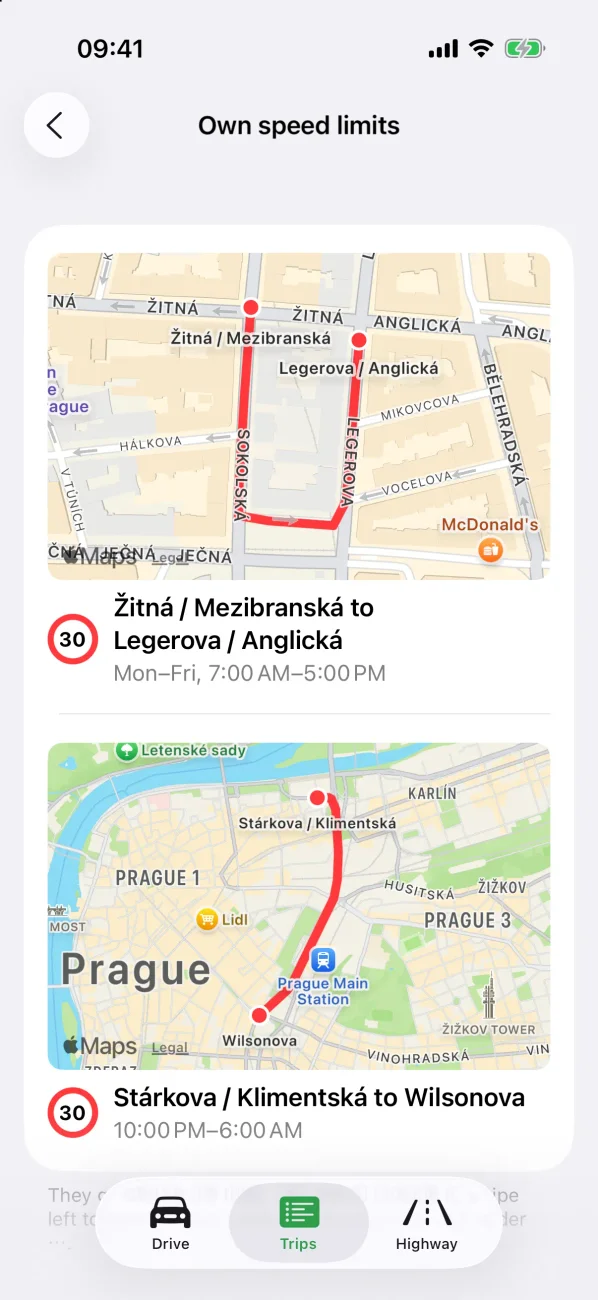
• A strip at the edge shows your speed as a ring in the green. The green ends at the speed limit from the map data, also by time of day and weekday, such as 30 at night; where none is known, FahreGreen names no speed. If a limit is missing, set it yourself for a stretch after the trip.
ON THE MOTORWAY
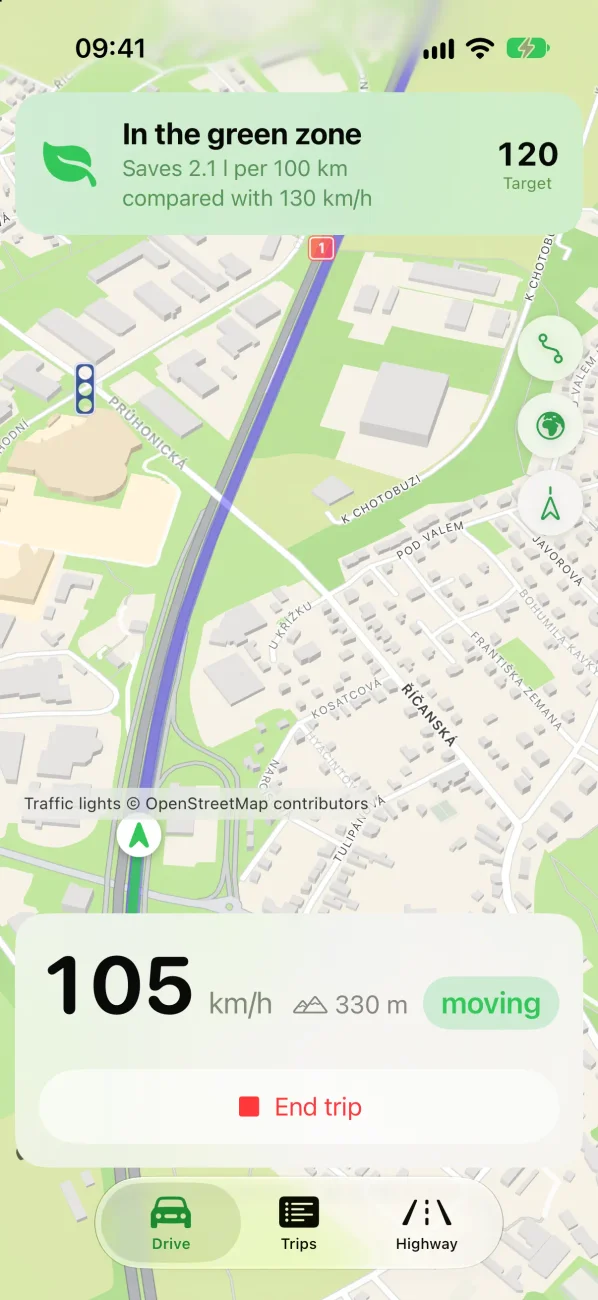
Set your preferred speed once. A leaf in green, yellow or orange shows whether you are below or above it and roughly what that costs in fuel or electricity. After the trip: time above your target, extra consumption and the calculated time gained. These are estimates from a simple model.
TRAFFIC LIGHTS
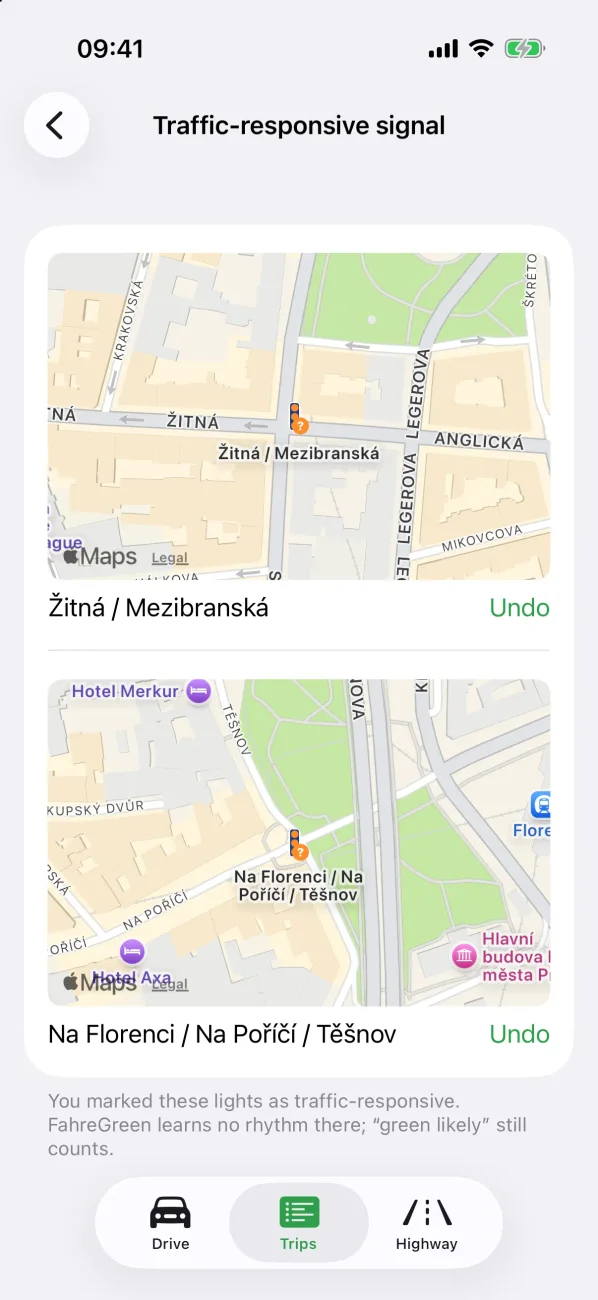
The app knows about 164,000 traffic lights in 15 countries, from OpenStreetMap: Germany, Austria, Switzerland, Liechtenstein, Poland, Czechia, Slovakia, Hungary, Slovenia, Italy, France, Luxembourg, Belgium, the Netherlands and Denmark. If one is missing, add it with one tap while standing, from the lock screen, with Siri or later on the map. If one is traffic-responsive, mark it with one tap; FahreGreen then learns no rhythm there.
YOUR DATA STAYS WITH YOU
No account, no server. Trips and lights are stored only on your iPhone. If you export trips, the file contains every position and time; the app asks first.
MADE FOR A GLANCE
Nothing to operate while driving. Please report lights only while standing.
The green is not the actual signal but a probability from your earlier trips. A traffic-responsive light gets no advice from a rhythm. Always follow the traffic lights and the signs.
Traffic light data © OpenStreetMap contributors.
What’s new
Version 1.0.3 · Nov 10, 2026
• If you drive on a motorway or expressway past a light that stands right beside it on another road, FahreGreen no longer counts it as passed and no longer puts it on your route.
• If you go straight on at a light and only turn shortly after it, for example into a car park, FahreGreen now shows "straight on" there instead of "half left" or "half right".
• Close to your destination, when no more lights come on your route, the display at the top stays empty.
• A light you added yourself can now be marked as traffic-responsive on its page under "Added by you".
• After the update, FahreGreen analyzes your trips once more.
App privacy
What Marius Kaczmarek declares on the App Store about how this app handles data.
-
Data not collected
The developer does not collect any data from this app.
Privacy practices may vary, for example with the features you use or your age.
Information
- Seller
- Marius Kaczmarek
- Category
- Navigation
- Version
- 1.0.3
- Updated
- Nov 10, 2026
- Released
- Oct 26, 2026
- Size
- 46.0 MB
- Requires
- iOS 18.0 or later
- Age rating
- 4+
- Languages
- German, English, Polish
- Copyright
- © 2026 Marius Kaczmarek
You might also like
-
 FutonEV : Route & ChargingThe best EV route planner
-
 Traject by DerivedGPS Speedometer & Trip Log
-
 Cocohop GoTrip planner
-
 FlightDialLive aircraft on a watch dial
-
 sheepersharing.comTravel
-
 trafficpilotNavigation
-
 Orsay Guide & AudioMuseum Buddy Audio Guides
-
 ZephyLive Plane Radar & Compass
-
 Cariqa - EV ChargingThe EV Charging Marketplace
-
 ciao - check in and outCheck-In & Check-Out Fahrkarte