
同日 FamilyCal
Plan everyday life together
Designed for iPhone, iPad, iPod touch
Free
- Age rating4+
- CategoryProductivity
- Developer晶 吴
- LanguagesEnglish+ 1 more
- Size38.8 MB
Links to the official App Store page
Download.org hosts no file of 同日 FamilyCal. The button opens its official App Store page, published by 晶 吴. Listing last checked on Nov 6, 2026.
Screenshots



About
A shared calendar for the people you call home.
Classes, pickups, birthdays and weekend plans can be easier to keep together. FamilyCal gives your family one place for everyday plans, quick notes and the conversations around them.
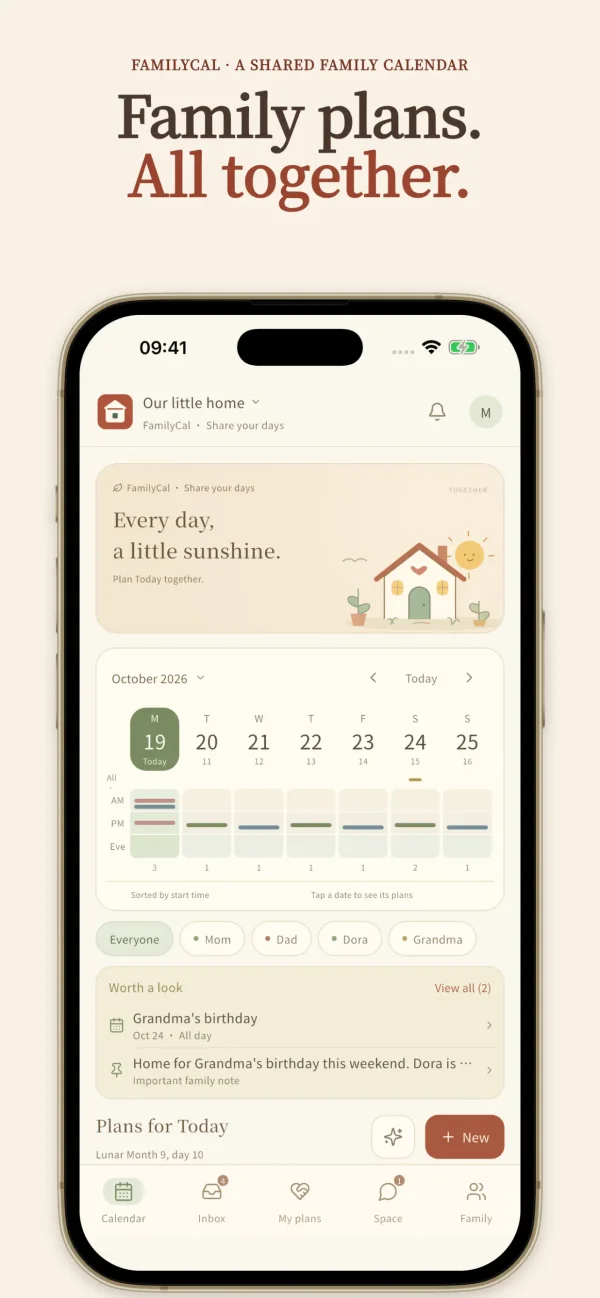
See the week together
Browse seven days at a glance, open the month view and filter by family member. Keep times, places, notes and participants alongside each event.
Leave room to work it out
Choose a family member to help, or leave it open for now. Changes take effect when you save, with no request-and-accept process.
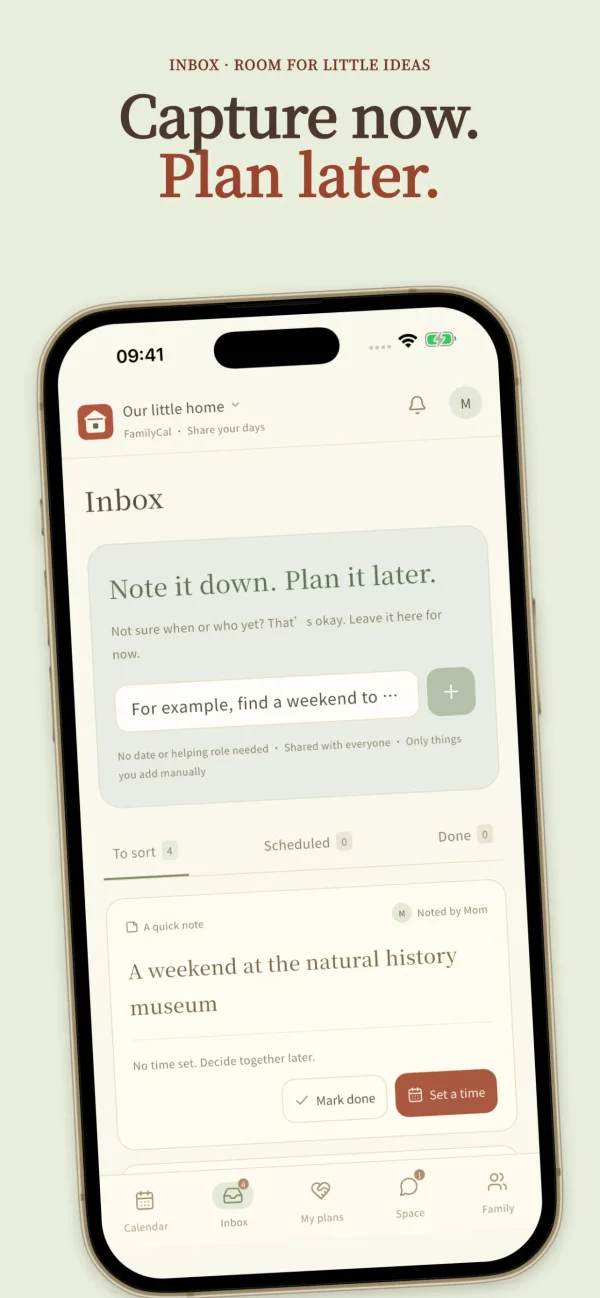
Capture now, plan later
Save an idea or a small task in Inbox without choosing a date. Turn it into an event when you are ready, or simply mark it complete.
Keep the conversation close
Use the family board for notes worth keeping, family chat for everyday discussion and event conversations for a specific plan. Reading or replying does not change who is helping.
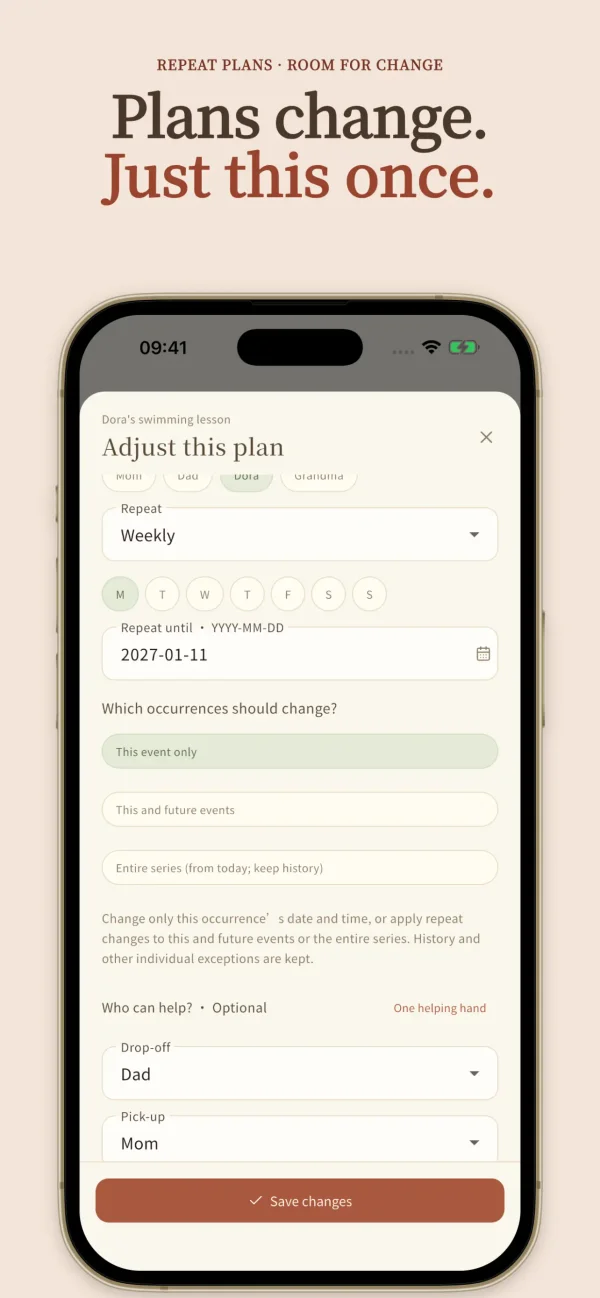
Make room for changes
Create daily or weekly repeats and choose whether an edit affects one event, future events or the series. Preview the effect of school closure, makeup class and schedule change notices before applying them.
Remember the special days
Keep birthdays and anniversaries using Gregorian or Chinese lunar calendar rules.
Choose who can see private details
Medical appointment details require explicit access. Changing who accompanies someone does not automatically share those details.
Before you begin
Shared features require an account and an internet connection. When you create a family, its time zone is detected from your device and can be selected manually. Existing families keep Shanghai time. Family calendars, reminders and AI time references use the family time zone, which stays the same when you travel. Device reminders require notification permission. After another device changes or cancels an event, open FamilyCal online to update this device's reminders. Previously saved recent content can be viewed in the app; creating, editing and sending content require a connection.
Make a little room for life together.
What’s new
Version 1.1.1 · Nov 6, 2026
• Add Today’s Events and My Schedule widgets to your Home Screen, and tap to open an event.
• Use Shortcuts to add an Inbox item, post a family note, or open an event draft. Shortcuts requires iOS 16 or later.
• Set repeating events to never end. When deleting, choose this event, this and future events, or the entire series.
• Reopen saved event and family note cards in the assistant chat. New chat history is stored on this device.
• Enjoy a simpler Inbox and calendar, with improved tab navigation and clearer helper assignments on event cards.
This version requires iOS 15 or later.
App privacy
What 晶 吴 declares on the App Store about how this app handles data.
-
Data linked to you
May be collected and linked to your identity.
- Health and fitness
- Contact info
- User content
- Identifiers
- Diagnostics
Privacy practices may vary, for example with the features you use or your age.
Information
- Seller
- 晶 吴
- Category
- Productivity
- Version
- 1.1.1
- Updated
- Nov 6, 2026
- Released
- Oct 30, 2026
- Size
- 38.8 MB
- Requires
- iOS 15.0 or later
- Age rating
- 4+
- Price
- Free
- Languages
- English, Simplified Chinese
- Copyright
- © 2026 Jing Wu
You might also like
-
 Span: Time Tracker & TimesheetWork hours. Billable projects.
-
 TimeFlow 时间流Productivity
-
 How Many Times: Life RecorderDaily Habit & Life Log Tracker
-
 Firefly Todo: Calendar PlannerDrag Tasks, Log Time & Review
-
 Habit Tracker - HabitViewDaily Goals & Routine Planner
-
 Hibi: Cute Calendar & JournalDoodle, sticker & bujo diary
-
 小行动-读书打卡,阅读记录,日常习惯养成学习笔记分享Productivity
-
 HabitStar: Bad Habit TrackerRoutines & Goals ADHD Planner
-
 SupaTask - Daily Planner, TodoTasks, Calendar, Habit Tracker
-
 PDF Mpjex - Editor for pdfEdit PDF Maker, Scanner Reader