Fast FTP Server
어디서든 스마트폰을 강력한 FTP 서버로 변신시키세요.
Designed for iPhone, iPad, iPod touch
- Age rating4+
- CategoryUtilities
- DeveloperK4WORKS
- LanguagesEnglish
- Size45.7 MB
Links to the official App Store page
Download.org hosts no file of Fast FTP Server. The button opens its official App Store page, published by K4WORKS. Listing last checked on Nov 8, 2026.
Screenshots


About
Fast FTP Server: Turn Your Smartphone into a Powerful Wireless File Sharing Hub!
Fast FTP Server is an innovative app that transforms your smartphone into a complete FTP server. Share and manage files quickly and easily anytime, anywhere, without complex cables or cloud services.
Key Features:
Easy File Sharing: Transfer photos, videos, documents, and more stored on your smartphone to other devices (PC, laptop, other smartphones, etc.) over a Wi-Fi network.
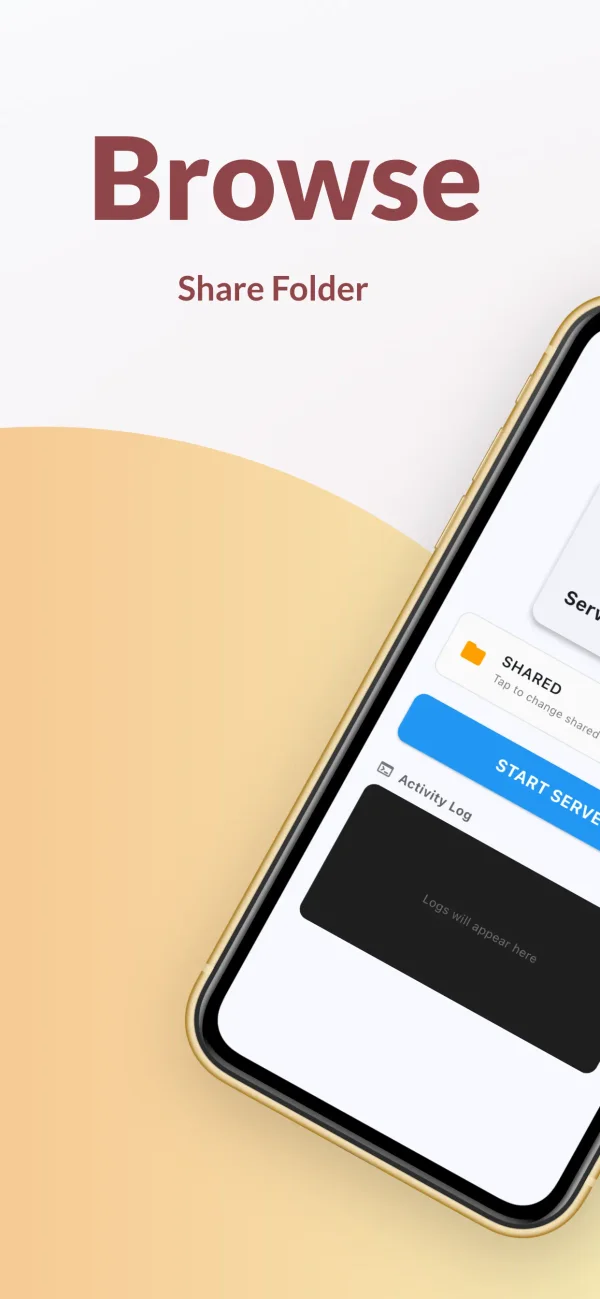
Intuitive Interface: Start and stop the FTP server with just a few taps. Designed for everyone to use easily without complicated settings.
QR Code Connection: Connect instantly from your FTP client by scanning a QR code, without needing to manually enter the IP address.
Background Service: The FTP server continues to run even when the app is closed or you are multitasking, ensuring uninterrupted file sharing.
Keep Screen On: Prevents the screen from turning off during file transfers for added convenience.
Customizable Folders: Select specific folders to share, enhancing both security and convenience.
Network Info Display: Clearly displays the IP address and port number of the current network to assist with connections.
Stable Performance: Handles large file transfers smoothly and maintains a stable connection.
How to Use:
Launch the Fast FTP Server app.
Tap the 'Start' button to activate the FTP server.
Enter the IP address and port number displayed in the app into your FTP client (e.g., FileZilla, Windows Explorer) or scan the QR code to connect.
Now you can freely upload, download, and manage your smartphone files!
Fast FTP Server will upgrade your file management experience in every situation, from personal sharing to professional data transfer. Download now and experience the freedom of wireless file sharing!
What’s new
Version 1.1.2 · Sep 19, 2026
Fixed an issue that prevented app usage statistics from being recorded correctly.
App privacy
What K4WORKS declares on the App Store about how this app handles data.
-
Data used to track you
May be used to track you across apps and websites owned by other companies.
- Browsing history
- Usage data
- Diagnostics
-
Data not linked to you
May be collected but is not linked to your identity.
- Browsing history
- Usage data
- Diagnostics
Privacy practices may vary, for example with the features you use or your age.
Information
- Seller
- K4WORKS
- Category
- Utilities
- Version
- 1.1.2
- Updated
- Sep 19, 2026
- Released
- Apr 12, 2026
- Size
- 45.7 MB
- Requires
- iOS 15.0 or later
- Age rating
- 4+
- Languages
- English
- Copyright
- © 2026 K4WORKS
You might also like
-
 FTP Client - FTP, SFTP ManagerFile Manager, Player, Transfer
-
 SMB Server - ファイル共有PCとワイヤレスでファイル共有
-
 MagicFTP: SFTP & FTP ClientProfessional FTP & SFTP Client
-
 Tiny Ftp ClientFTP Site manage
-
 FTPManager - FTP & SFTP ClientManage, Transfer, Stream Files
-
 Network ServersServer of HTTP,FTP,TFTP,WebDAV
-
 DriveHQ Cloud FTP ServerUtilities
-
 Everdisk: Share Photos & FilesManage Documents Transfer Data
-
 PicoServer: Wi-Fi File ServerLocal HTTP & WebDAV web server
-
 PocketServer: Folder SharingNo cloud, no cables needed.