
FastCam - Timestamp Camera
Record instantly on launch
Designed for iPhone
Free · In-app purchases
- Age rating4+
- CategoryPhoto & Video
- DeveloperMonocraft
- LanguagesEnglish+ 11 more
- Size17.9 MB
Links to the official App Store page
Download.org hosts no file of FastCam - Timestamp Camera. The button opens its official App Store page, published by Monocraft. Listing last checked on Nov 14, 2026.
Screenshots


About
Recording starts the moment you open the app.
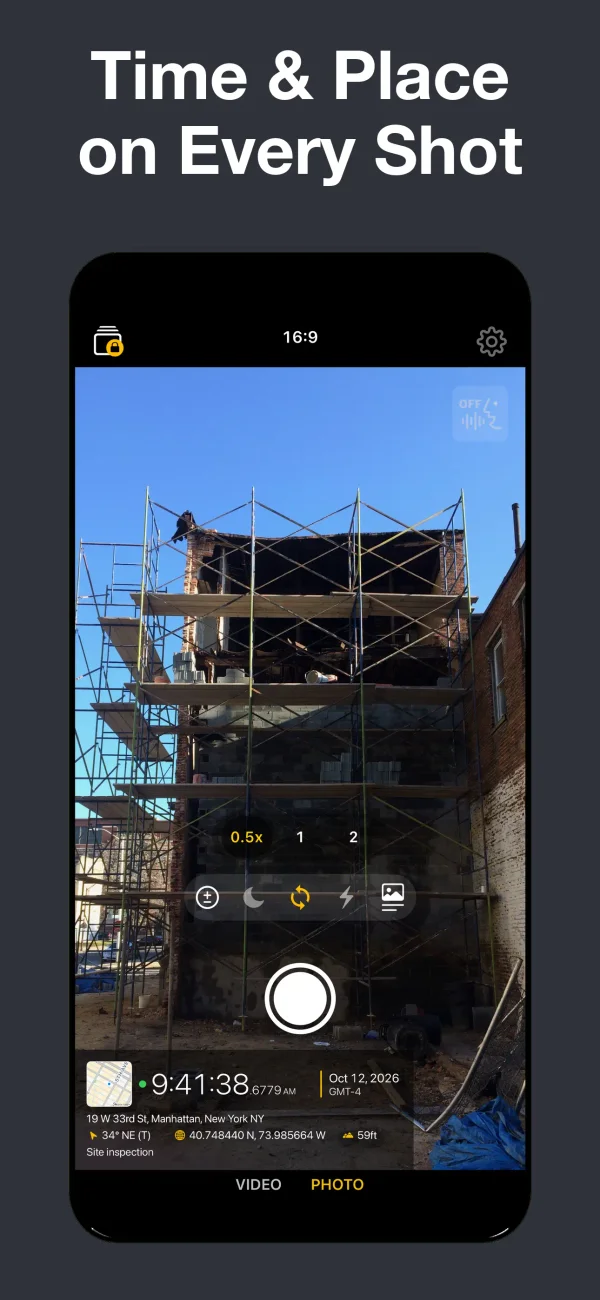
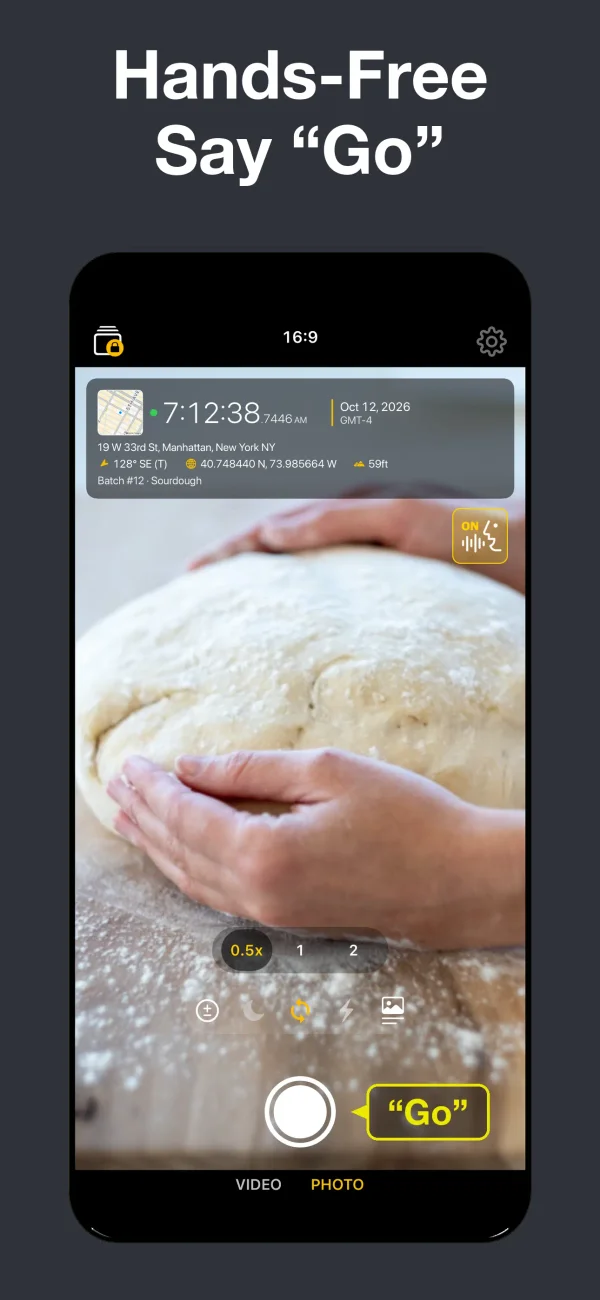
The time and place are stamped into your videos and photos, so you can prove when and where they were taken.
Like a dash cam. Like evidence. A camera for moments you can't afford to miss.
■ Instant recording
Open the app and it is already rolling. If a call comes in or you leave the app by accident, the recording is saved automatically.
■ NEW: Filters
Give videos and photos a look: 8 styles, each with a live preview. The timestamp is never filtered, so it stays easy to read.
■ NEW: Photos
Switch to PHOTO below the preview and shoot with the shutter or a volume button, in 4:3, 16:9, 1:1 or 3:2. While recording, save the current frame as a photo without stopping. Each photo keeps its capture time and real GPS in the file.
■ NEW: Stamp cards
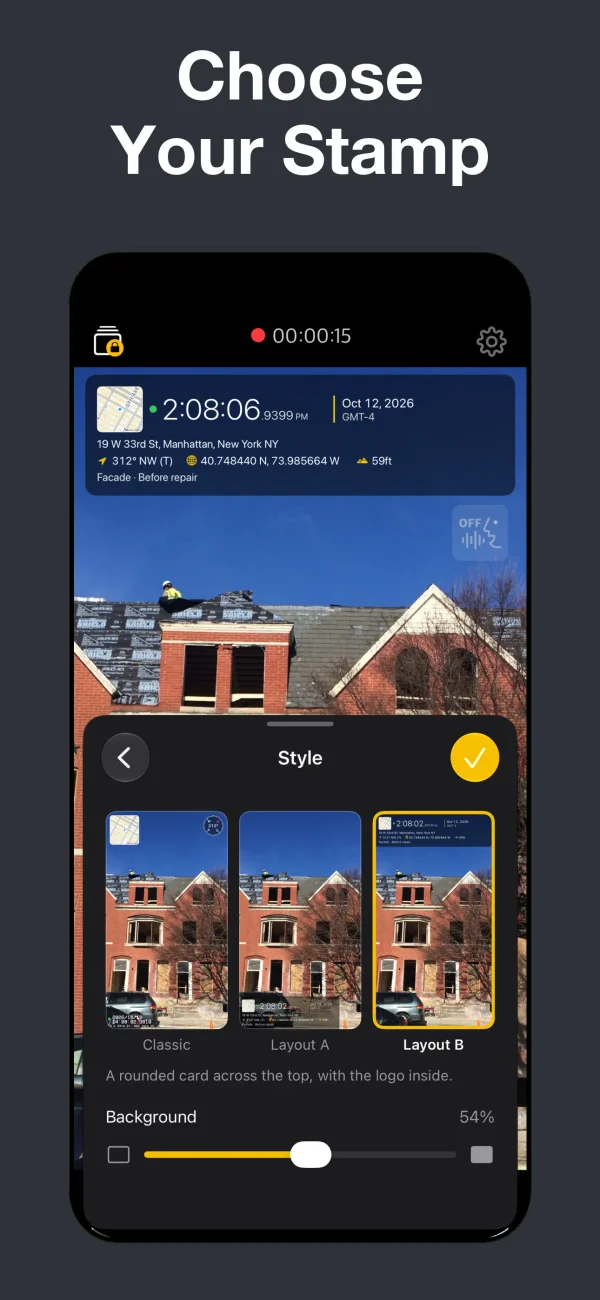
Choose the classic timestamp line or a card with a large clock, date and your note, and preview each style on your current scene before you pick it. Add a map, address, coordinates, altitude, a bearing arrow that points north, and your logo.
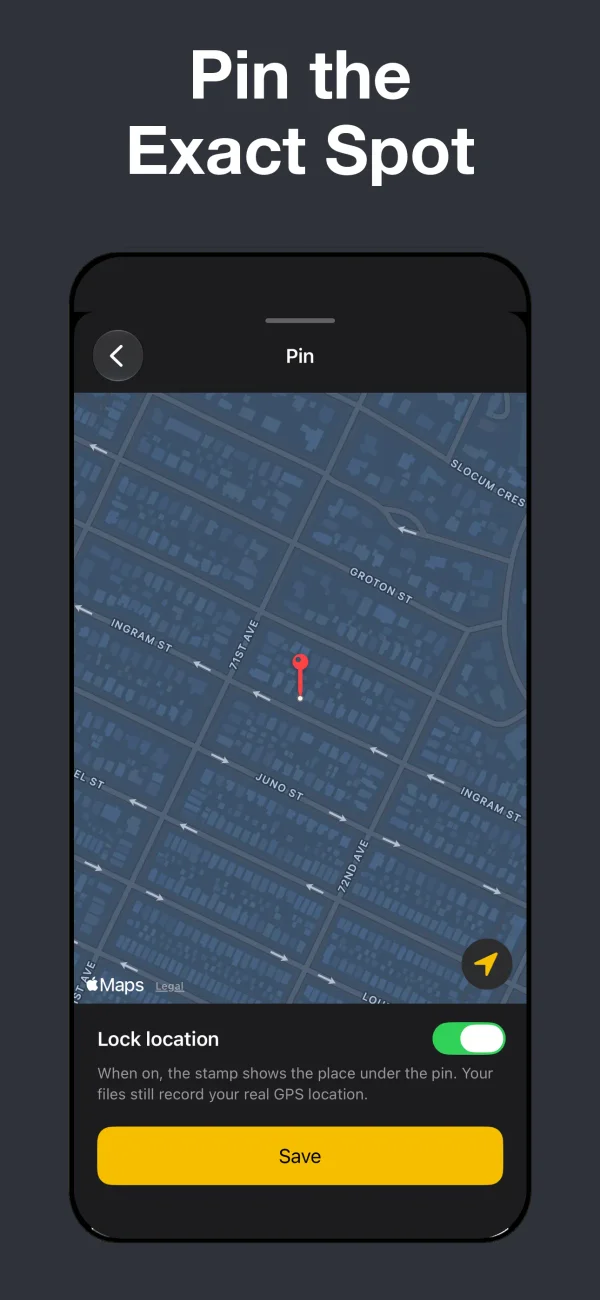
GPS off by a block? Pin the right spot: the stamp shows the pin, the file keeps the real GPS. With Precise Location off, the stamp shows your approximate area.
The time on the stamp can never be edited.
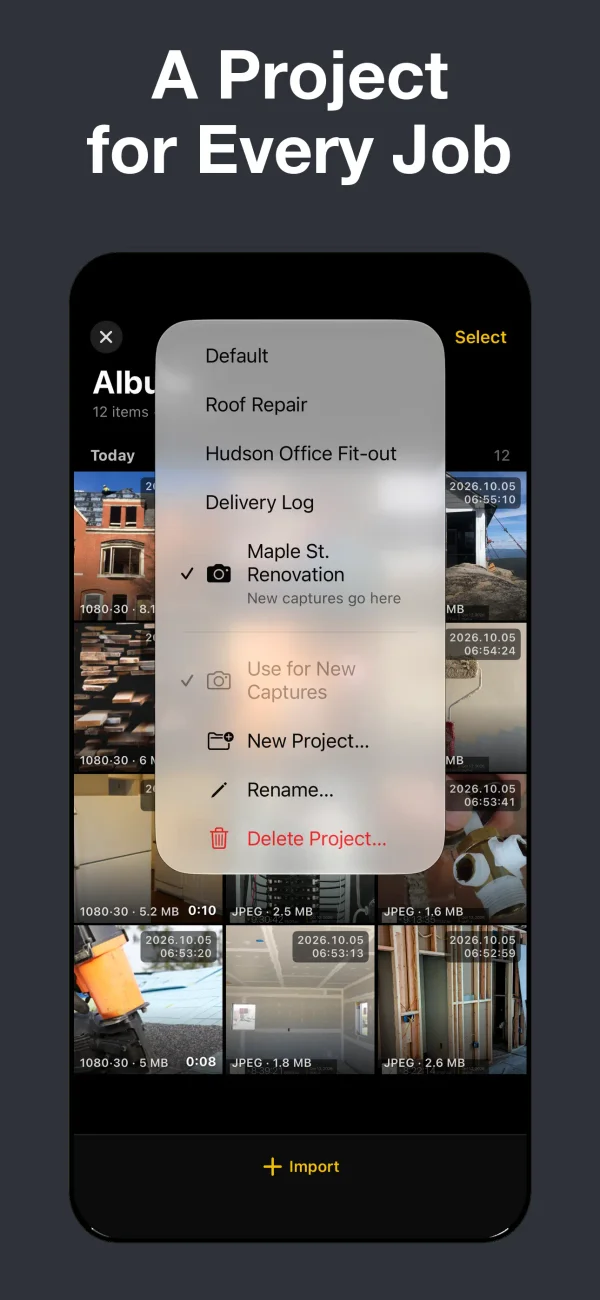
■ NEW: Projects
Keep each job, site or trip in its own project in the private album.
■ Split long recordings
Save a file every 5 to 60 minutes without interrupting recording.
■ One tap from the Lock Screen (iOS 18 and later)
Put FastCam on a Lock Screen button or in Control Center. One press and you are recording.
■ A timestamp burned into the video
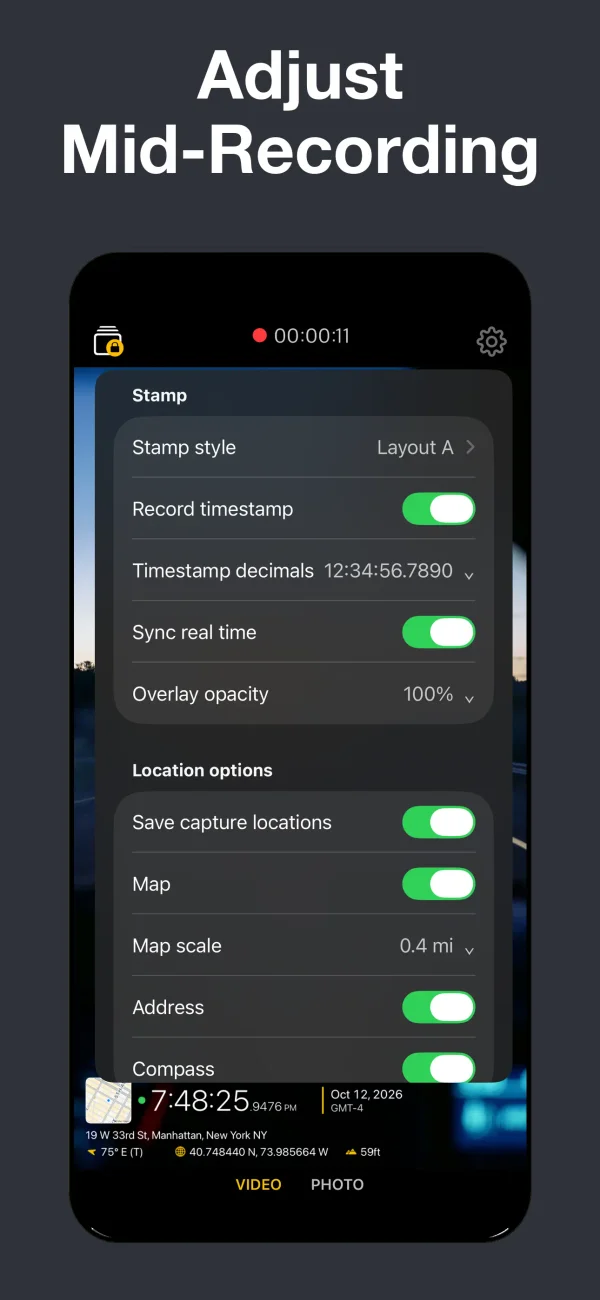
Written into the frames as you record, not a caption added later. Choose the font, 0 to 4 decimal places for seconds, the corner and the opacity.
Real-time sync keeps the stamp correct even if your device clock is off.
■ Hands-free voice commands
Say "Go", "Stop" or "Pause", or "Go" to take a photo. Set your own words, and use your AirPods microphone.
■ Quality on your terms
· 4K, 60fps and high bitrate
· H.264 or HEVC, stabilization, mirror mode
· Front or rear camera (wide, ultra wide, telephoto) and zoom presets
· Landscape recording, even with rotation lock on
· Change the stamp, location and voice settings without stopping the recording
· Dim the screen and keep recording
■ A private album only you can open
Lock it with a passcode, or save straight to Photos. Step through videos frame by frame, save a frame as a photo, and share, save, move or delete several items at once.
■ FastCam Premium
Some features need FastCam Premium: a monthly or yearly subscription (new subscribers may get a free trial where available) or a one-time lifetime purchase, charged to your Apple Account. Subscriptions renew automatically unless cancelled at least 24 hours before the end of the period; manage them in Settings > [your name] > Subscriptions.
Got FastCam before version 1.5.0? You keep every feature, no purchase needed.
■ Your recordings never leave your device
Videos and photos are never uploaded. No ads, no tracking across apps.
Terms of Use: https://fastcam-terms.s3.us-east-1.amazonaws.com/Terms_FastCam.html
Privacy Policy: https://fastcam-terms.s3.us-east-1.amazonaws.com/Privacy_FastCam.html
What’s new
Version 1.6.0 · Nov 11, 2026
New: Filters
Give your videos and photos a look — 8 styles with live previews. Your timestamp always stays crisp.
Also: bug fixes and improvements.
App privacy
What Monocraft declares on the App Store about how this app handles data.
-
Data not linked to you
May be collected but is not linked to your identity.
- Usage data
- Diagnostics
Privacy practices may vary, for example with the features you use or your age.
Information
- Seller
- Monocraft
- Category
- Photo & Video
- Version
- 1.6.0
- Updated
- Nov 11, 2026
- Released
- Dec 9, 2020
- Size
- 17.9 MB
- Requires
- iOS 16.6 or later
- Age rating
- 4+
- Price
- Free
- In-app purchases
- Yes
- Languages
- English, Arabic, French, German, Italian, Japanese, Korean, Portuguese, Russian, Simplified Chinese, Spanish, Traditional Chinese
- Copyright
- © Monocraft
You might also like
-
 36ExpExperience Film Photography
-
 Lock: Private Photo Vault SPVKeep Secrets Safe & Browser
-
 Presetify: Lightroom Presets1-Tap Aesthetic Photo Editor
-
 Sea:SunLevel correction, filter cam
-
 SideCam: Photos Stay SeparateCustom Shutters, Auto-Delete
-
 TextBehind Pro: Image EditorPut Background Text to Photos
-
 Obscure - share safelyRedact Private Info in Photos
-
 Slideshow Maker・SlideFlowPhotos, Videos & Music + TV
-
 Face Swap AI: Head SwapFace Changer: Replace & Morph
-
 Passport Photo ID Visa MakerID Photo Visa Photo Editor