
- Age rating4+
- CategoryUtilities
- Developer燕 陈
- LanguagesEnglish+ 2 more
- Size420.0 KB
Links to the official App Store page
Download.org hosts no file of FastFTP. The button opens its official App Store page, published by 燕 陈. Listing last checked on Nov 18, 2026.
Screenshots

About
FastFTP turns your iPhone/iPad into a personal FTP server, making file sharing between devices effortless.
【Key Features】
• One-tap FTP server activation
• Upload, download, delete, and rename files
• Customizable port, username and password
• Real-time connection logs and transfer status
• Full UTF-8 support for international filenames
【Use Cases】
• Transfer large files between computer and phone
• Backup photos and videos to your PC
• Access phone files remotely without cables
• Developers: deploy website files quickly
【Getting Started】
1. Open the app and tap "Start Server"
2. Note the displayed IP address and port
3. Connect from your computer using an FTP client
4. Login with default credentials: ftpuser / ftppass
5. (Optional) Customize port and password in Settings
【Compatibility】
• Works with all FTP clients: FileZilla, Cyberduck, browsers, etc.
• Supports both PASV and PORT transfer modes
• Supports ASCII and binary file transfers
【Note】
• Ensure devices are on the same WiFi network
• Use a strong password for privacy protection
• Keep the app in foreground during transfers
What’s new
Version 1.0.1 · Jun 2, 2026
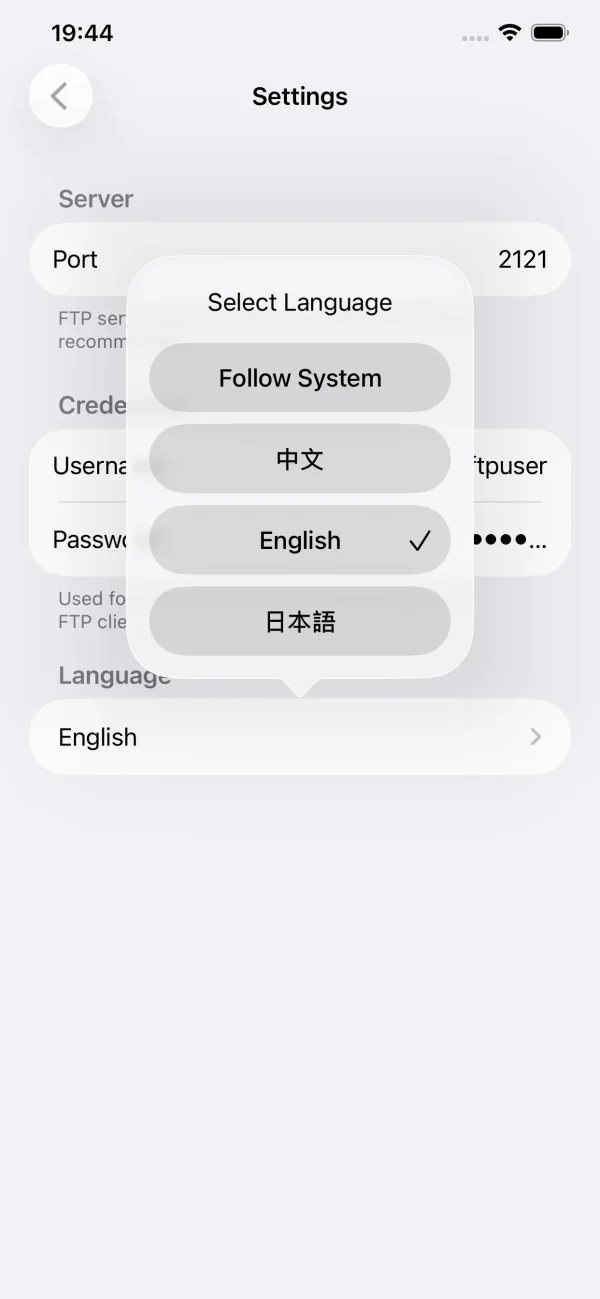
Add a multi-language selection feature.
App privacy
What 燕 陈 declares on the App Store about how this app handles data.
-
Data not collected
The developer does not collect any data from this app.
Privacy practices may vary, for example with the features you use or your age.
Information
- Seller
- 燕 陈
- Category
- Utilities
- Version
- 1.0.1
- Updated
- Jun 2, 2026
- Released
- Apr 15, 2026
- Size
- 420.0 KB
- Requires
- iOS 15.0 or later
- Age rating
- 4+
- Price
- $0.99
- Languages
- English, Japanese, Simplified Chinese
- Copyright
- © yan chen
You might also like
-
 BookmarkProPrivate Bookmark Sync
-
 Safe Random Password GeneratorCreate Strong&Custom Passwords
-
 Network ServersServer of HTTP,FTP,TFTP,WebDAV
-
 POKE64Commodore 64 emulator
-
 Nexora ExplorerLocal, NAS & WebDAV manager
-
 ViaShare – Fast File TransferFast LAN & WiFi File Sharing
-
 iList - OpenList/Alist ClientMedia Preview & File Manager
-
 DriveHQ Cloud FTP ServerUtilities
-
 斗图助手APPUtilities
-
 HTTPocket - WiFi File TransferTransfer, Manage & Convert