Fax PDFs - Send Documents
Fax your documents in seconds
Designed for iPhone, iPad, Mac, iPod touch
Free · In-app purchases
- Age rating4+
- CategoryBusiness
- DeveloperRavi chandran M
- LanguagesEnglish+ 10 more
- Size19.7 MB
Links to the official App Store page
Download.org hosts no file of Fax PDFs - Send Documents. The button opens its official App Store page, published by Ravi chandran M. Listing last checked on Nov 15, 2026.
Screenshots
About
Transform your iPhone and iPad into a powerful fax machine with our cutting-edge Fax app! Send faxes effortlessly and securely from anywhere, anytime. Whether it's a document, photo, or PDF, our app allows you to fax directly from your device without the need for a traditional fax machine.
Key Features:
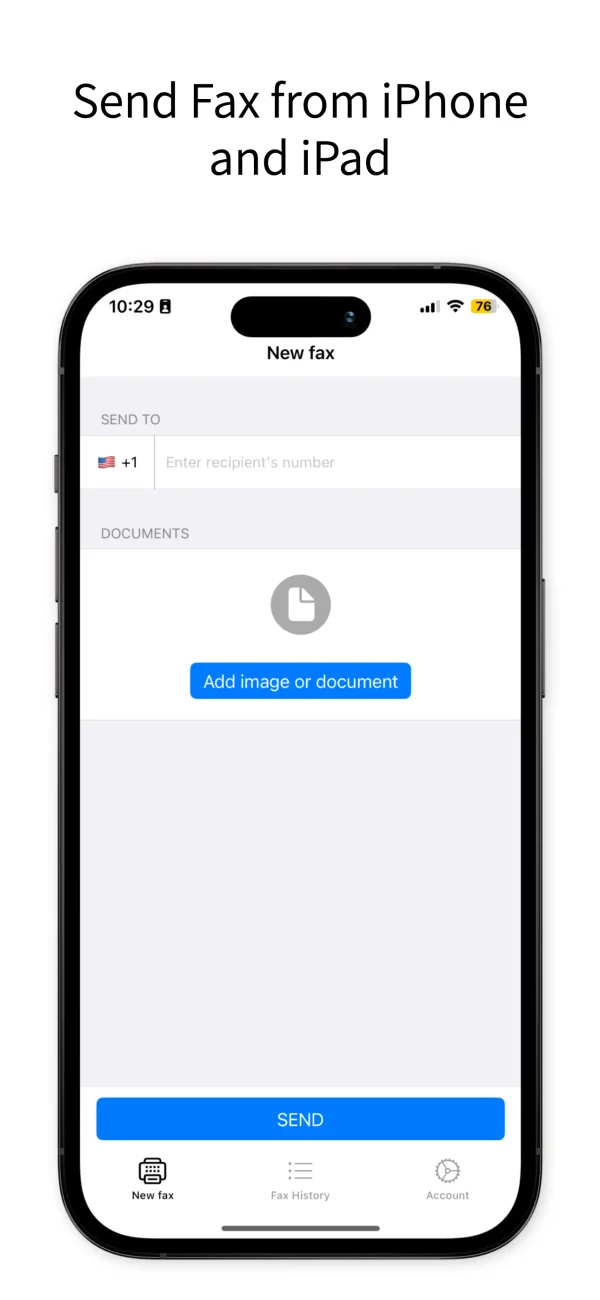
• Send Faxes Quickly: Easily send faxes from your iPhone or iPad in a few simple steps. Perfect for business or personal use.
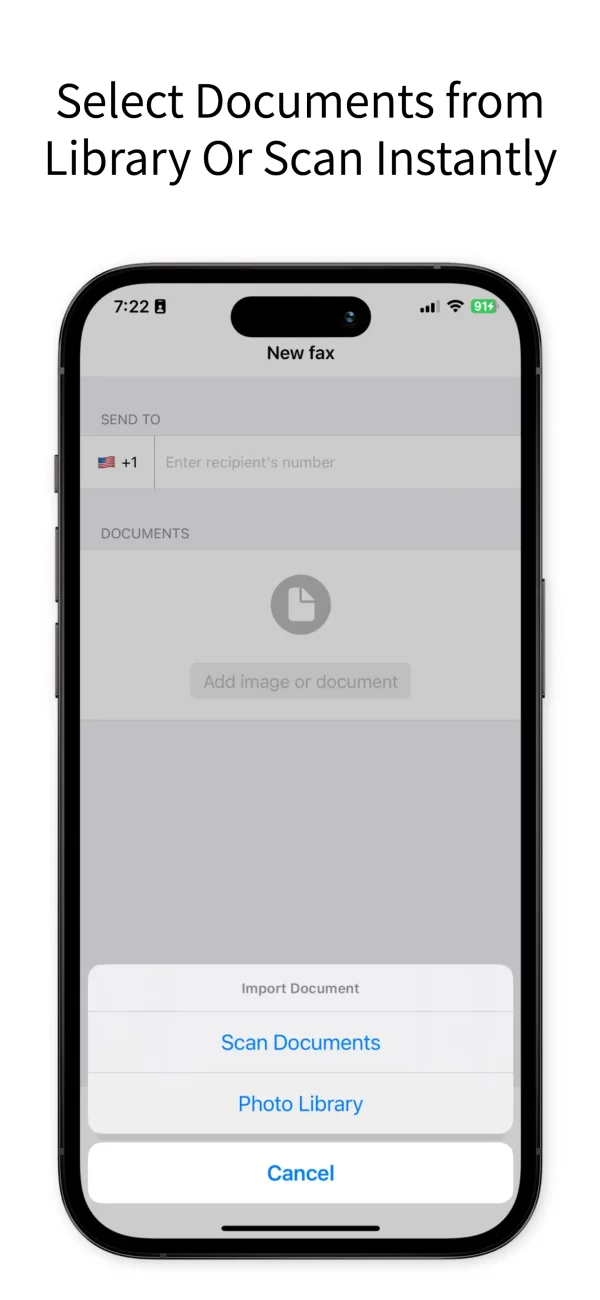
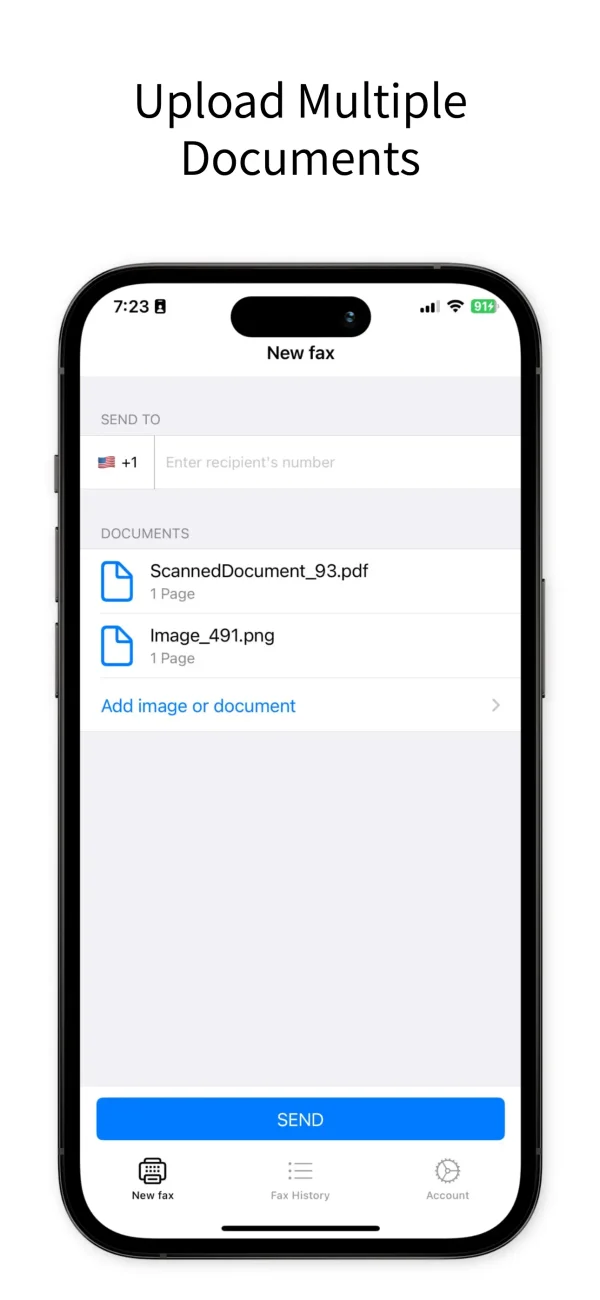
• Wide Document Support: Fax various types of documents including PDFs, photos, and Word files. Upload from your device or cloud storage.
• Secure & Confidential: Ensure your documents are sent securely with advanced encryption. Protect your sensitive information.
• Intuitive Interface: User-friendly design makes sending faxes a breeze. Perfect for all ages and tech skill levels.
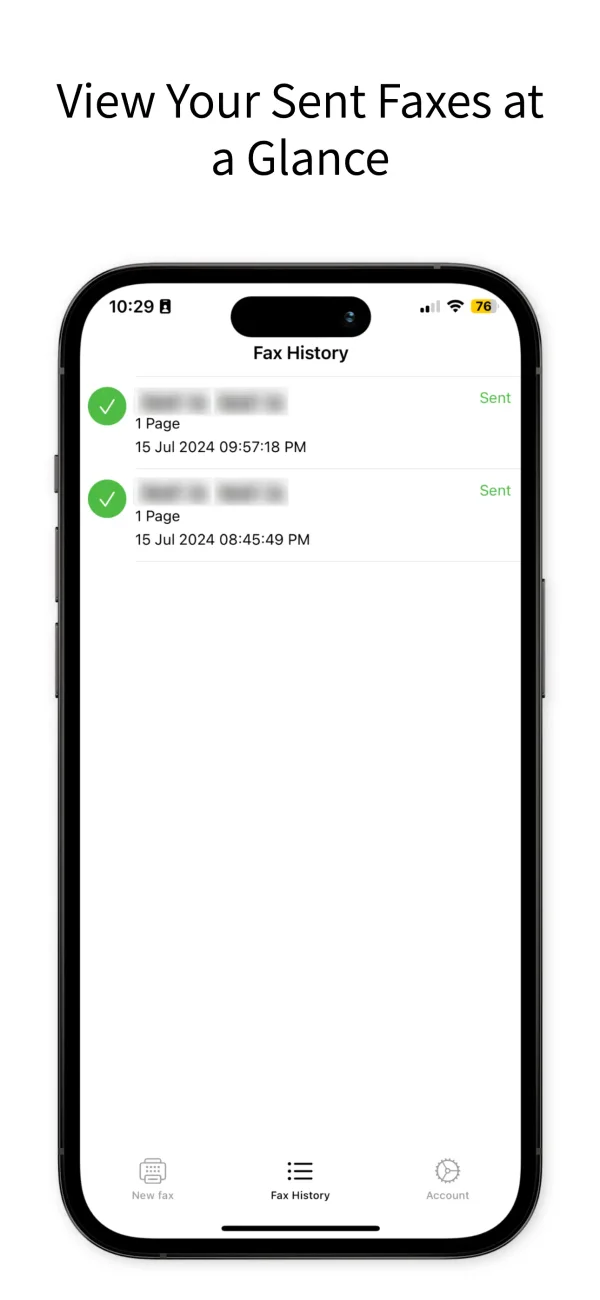
• Fax History: Keep track of all your sent faxes with our comprehensive fax history feature. Never lose track of your documents.
• International Faxing: Send faxes globally to over 90 countries. Stay connected no matter where you are.
• Real-time Notifications: Get instant updates on the status of your faxes. Know exactly when your fax has been delivered.
Why Choose Our Fax App?
• Convenience: Send faxes directly from your iPhone or iPad without needing a fax machine.
• Cost-effective: Save money on fax services and eliminate the need for a landline.
• Efficiency: Send faxes quickly, helping you stay productive and efficient.
• Mobility: Fax on-the-go from your mobile device. Perfect for busy professionals and travellers.
How It Works:
• Download and install the Fax PDFs - Send Docs on your iPhone or iPad.
• Open the app and select the document you want to fax, and pick the subscription plan between Weekly, Monthly & Yearly.
• Enter the recipient’s fax number and any additional information.
• Hit send and wait for the confirmation notification.
Experience the future of faxing with our Fax PDFs - Send Docs. Download now and simplify your faxing needs with the power of your iPhone and iPad!
Subscription Information:
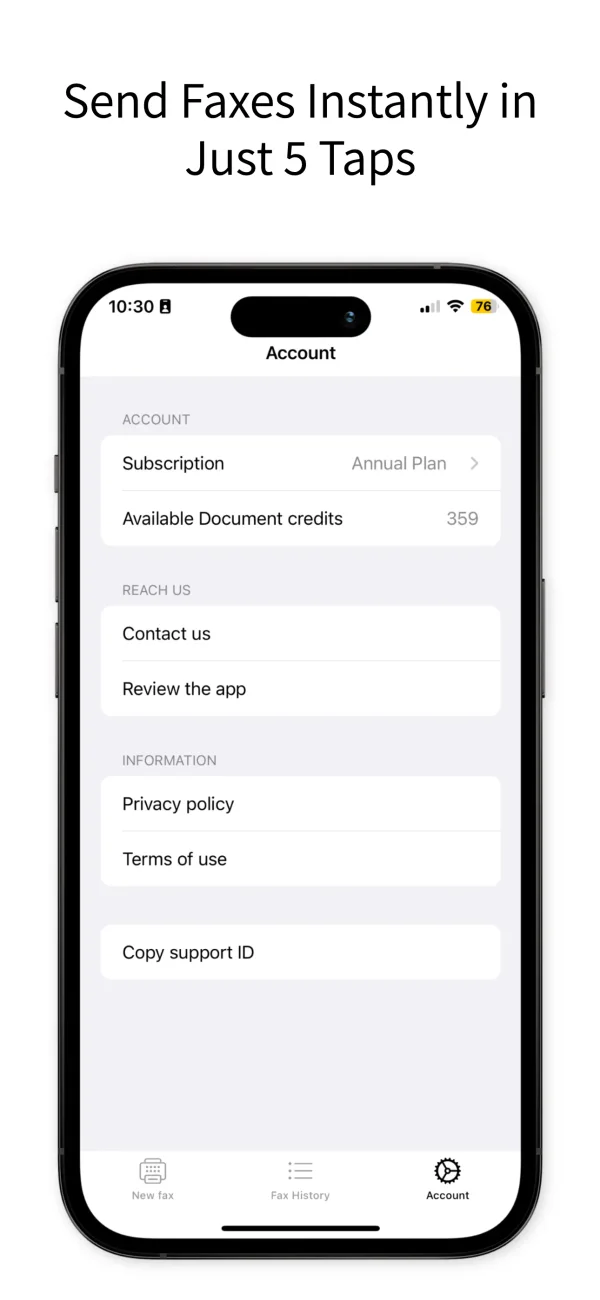
• Subscription options are: Weekly, Monthly and Yearly. Weekly Plan: Send up to 15 documents per week, Monthly Plan: Send up to 30 documents per month, Yearly Plan: Send up to 360 documents per year.
• Your iTunes Account will be charged with the payment after purchase confirmation
• Subscription will be automatically renewed at least 24 hours before the end of the current period. Auto-renewal can be manually turned off in the corresponding settings.
• User can manage the subscriptions. Auto-renewal can be deactivated in the Account Settings after a successful purchase.
Privacy Policy: https://sites.google.com/view/faxfromiphone-ifaxdocs/terms-of-use
Terms of Use: https://sites.google.com/view/faxfromiphone-ifaxdocs/privacy-policy
Please refer to EULA here: https://www.apple.com/legal/internet-services/itunes/dev/stdeula/
If you have any questions or suggestions, we are always ready to help: wallpapestudio@gmail.com
What’s new
Version 1.2 · Sep 16, 2024
- Control Action Support: Quickly send faxes, import files, or scan documents right from your Control Actions! Now, accessing key features is faster and more convenient than ever.
- Tinted Icon Support: Enjoy a fresh look with our new tinted icons, designed to seamlessly match your iOS theme.
Update now and make faxing even simpler!
App privacy
What Ravi chandran M declares on the App Store about how this app handles data.
-
Data not linked to you
May be collected but is not linked to your identity.
- Diagnostics
Privacy practices may vary, for example with the features you use or your age.
Information
- Seller
- Ravi chandran M
- Category
- Business
- Version
- 1.2
- Updated
- Sep 16, 2024
- Released
- Jul 17, 2024
- Size
- 19.7 MB
- Requires
- iOS 15.0 or later
- Age rating
- 4+
- Price
- Free
- In-app purchases
- Yes
- Languages
- English, Dutch, French, German, Italian, Japanese, Korean, Portuguese, Russian, Spanish, Swedish
- Copyright
- © R
You might also like
-
 ioFax - Send Fax From iPhoneFree eFax Faxing For Phone
-
 Send Fax: Online Fax ServiceMy fax app to send documents
-
 Fax App - Send & Receive Faxsend fax document pdf & images
-
 Fax From iPhone :Send iFax AppeFax : Receive & Print Doc PDF
-
 Send Fax : PDF and DocsEasy faxing anywhere securely
-
 Fax App - Send from iPhoneSend documents fast
-
 FaxNow: Send & Receive FaxEncrypted PDF Scanner & Sender
-
 Fax: scan and send from phoneScan documents and send by fax
-
 iFax App: Send Fax From IphoneFax Burner Easy Fax