
fDeck: flight instruments
Ad-free cockpit in your pocket
Designed for iPhone, iPad
Free · In-app purchases
- Age rating4+
- CategoryNavigation
- DeveloperDarren Yeates
- LanguagesEnglish
- Size144.5 MB
Links to the official App Store page
Download.org hosts no file of fDeck: flight instruments. The button opens its official App Store page, published by Darren Yeates. Listing last checked on Nov 23, 2026.
Screenshots
About
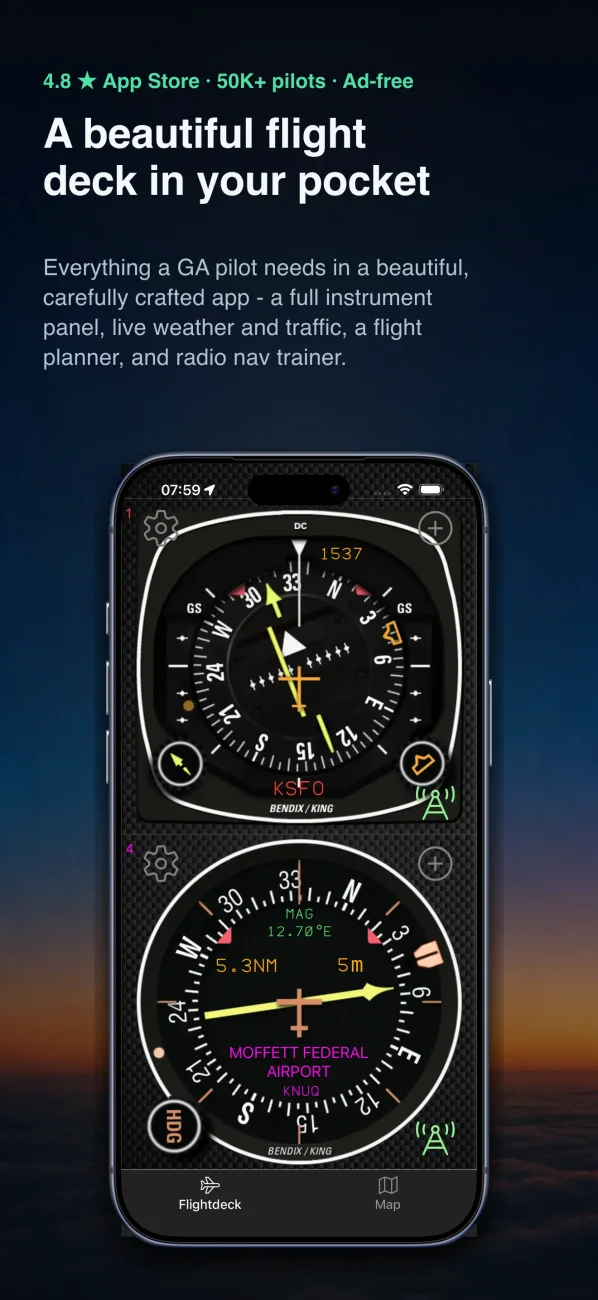
fDeck turns your iPhone or iPad into a working aircraft instrument panel - a graphically beautiful flight deck for your pocket, with live weather, real ADS-B traffic, a flight planner and a powerful radio-navigation trainer.
Trusted by 50,000+ pilots, student pilots and flight-sim enthusiasts worldwide. 100% ad-free.
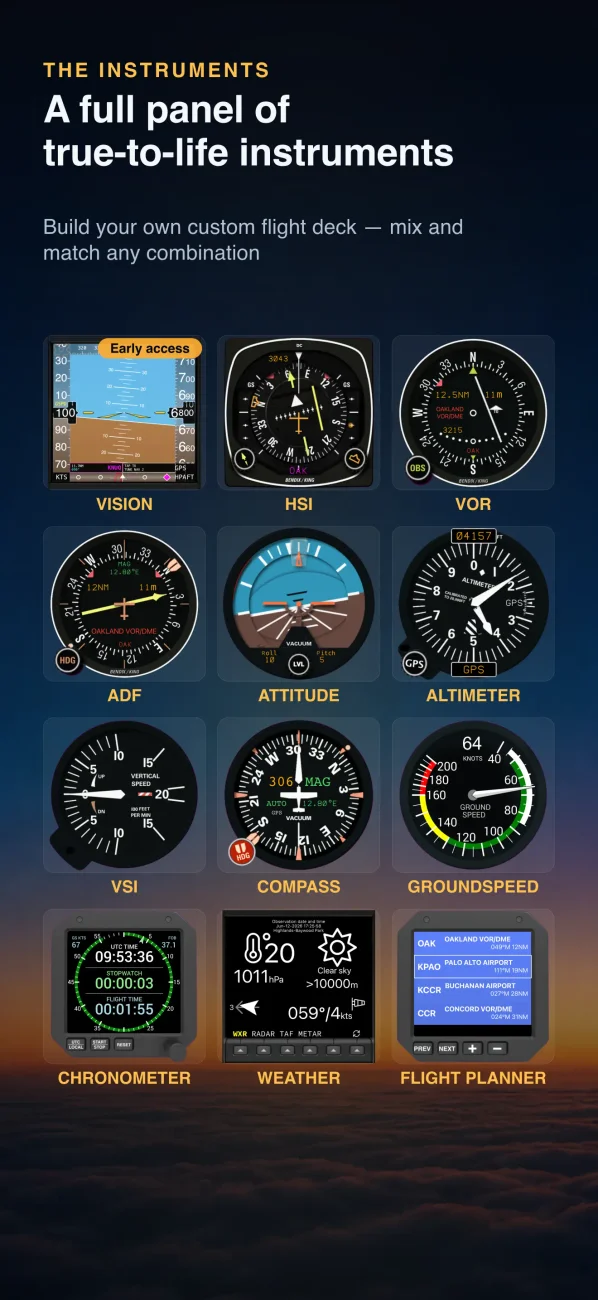
A FULL PANEL OF INSTRUMENTS
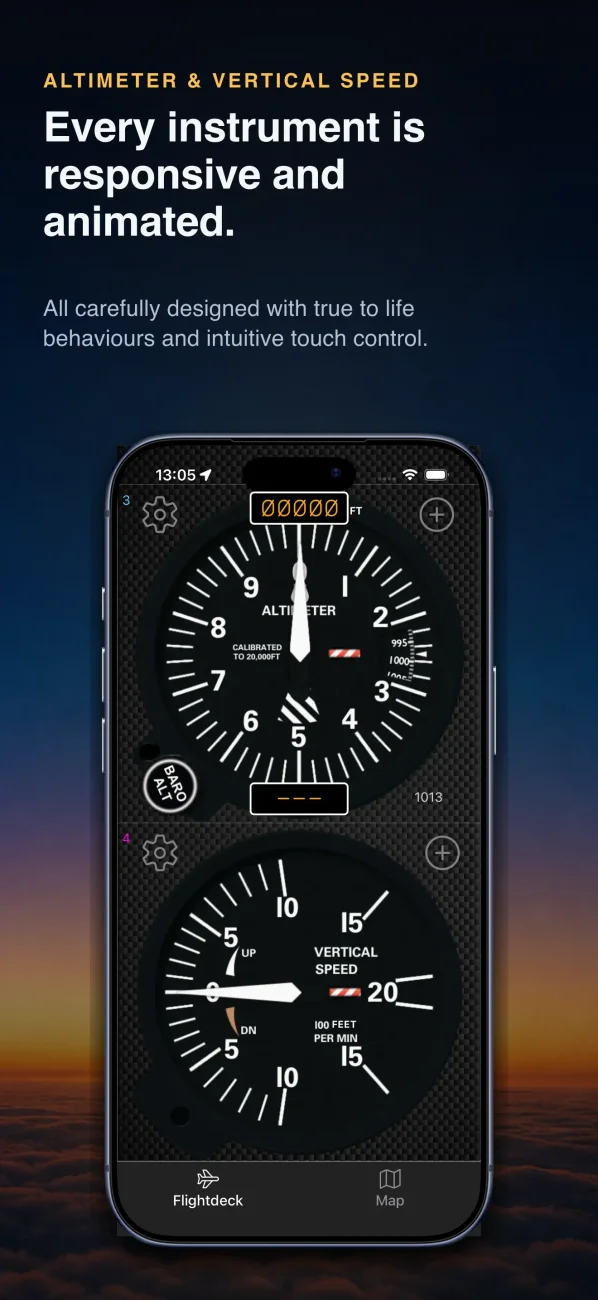
Every instrument is hand-crafted to look and behave like the real thing - responsive, animated, and controlled with intuitive touch. Mix and match any combination to build your own flight deck:
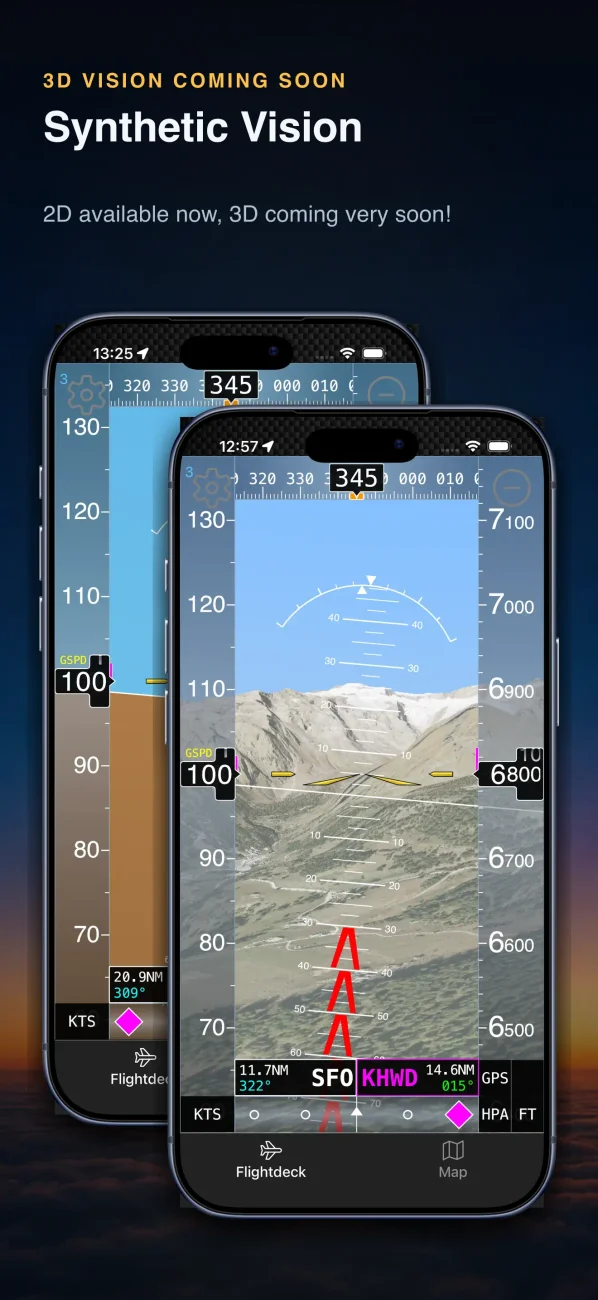
• Synthetic Vision (Vision PFD)
• Horizontal Situation Indicator (HSI)
• VOR receiver
• Automatic Direction Finder (ADF)
• Artificial Horizon
• Altimeter (GPS/Baro)
• Vertical Speed Indicator (VSI)
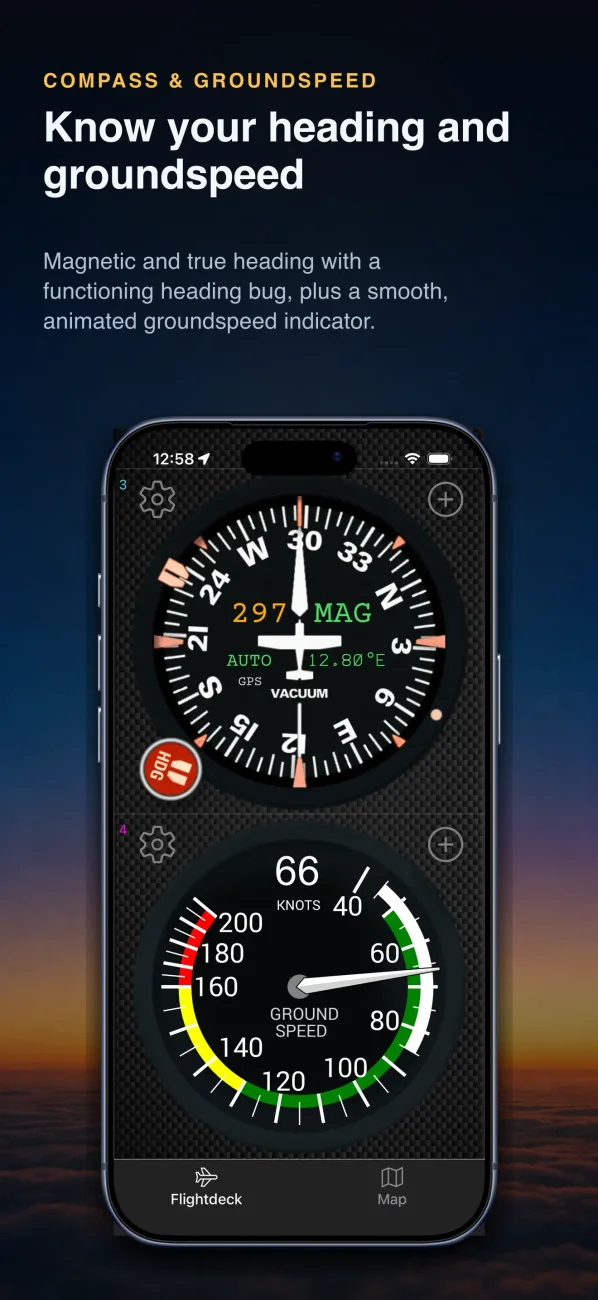
• Aircraft compass with heading bug
• Groundspeed indicator
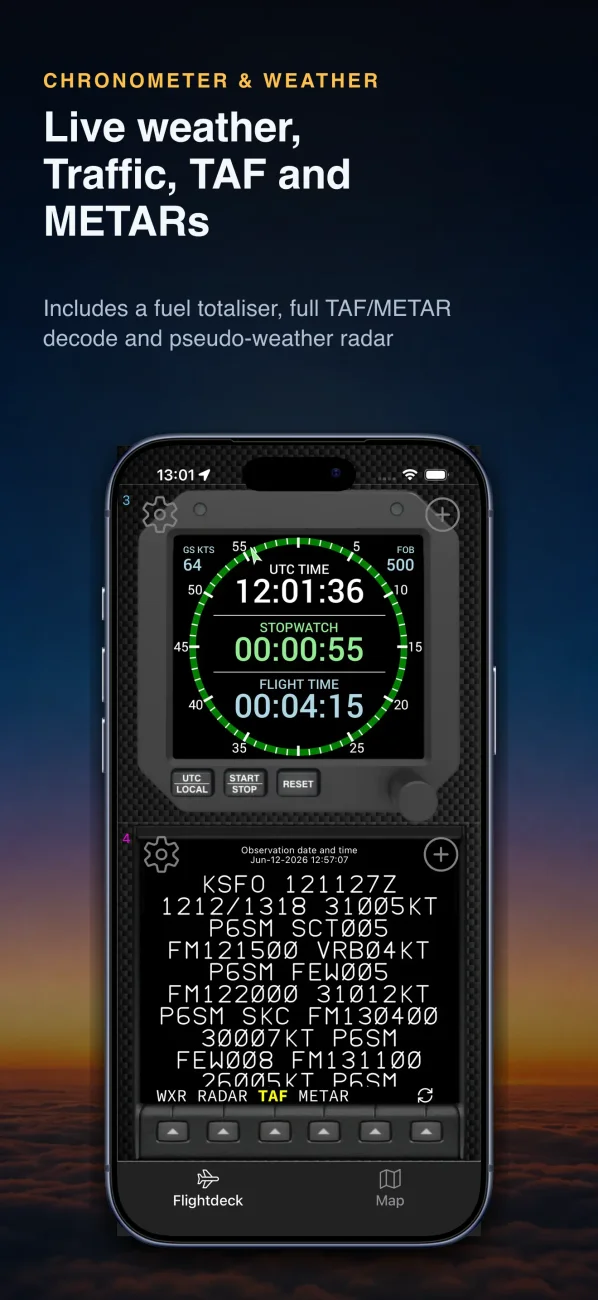
• Chronometer with fuel totaliser
• Live weather & wind, with TAF/METAR in raw or decoded form
Every instrument has its own built-in video tutorial.
LEARN TO NAVIGATE
Pan your aircraft anywhere on the map and watch every instrument respond in real time. Tune any VOR, NDB or radio aid from a worldwide database - or build your own virtual navaids to practise tracking radials, intercepts and holds. The best radio-navigation trainer you can carry.
PLAN YOUR FLIGHT
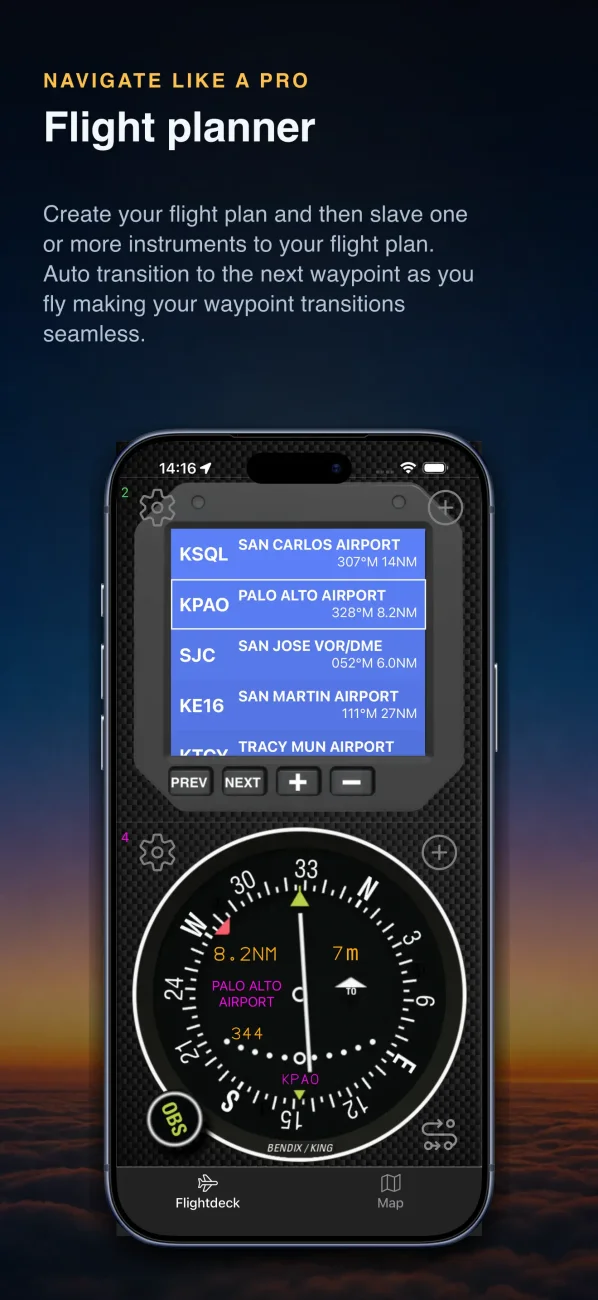
Build a flight plan and slave any instrument to it. Waypoints transition automatically as you fly, so every needle keeps pointing exactly where it should - no re-tuning between legs.
FLY WITH CONFIDENCE
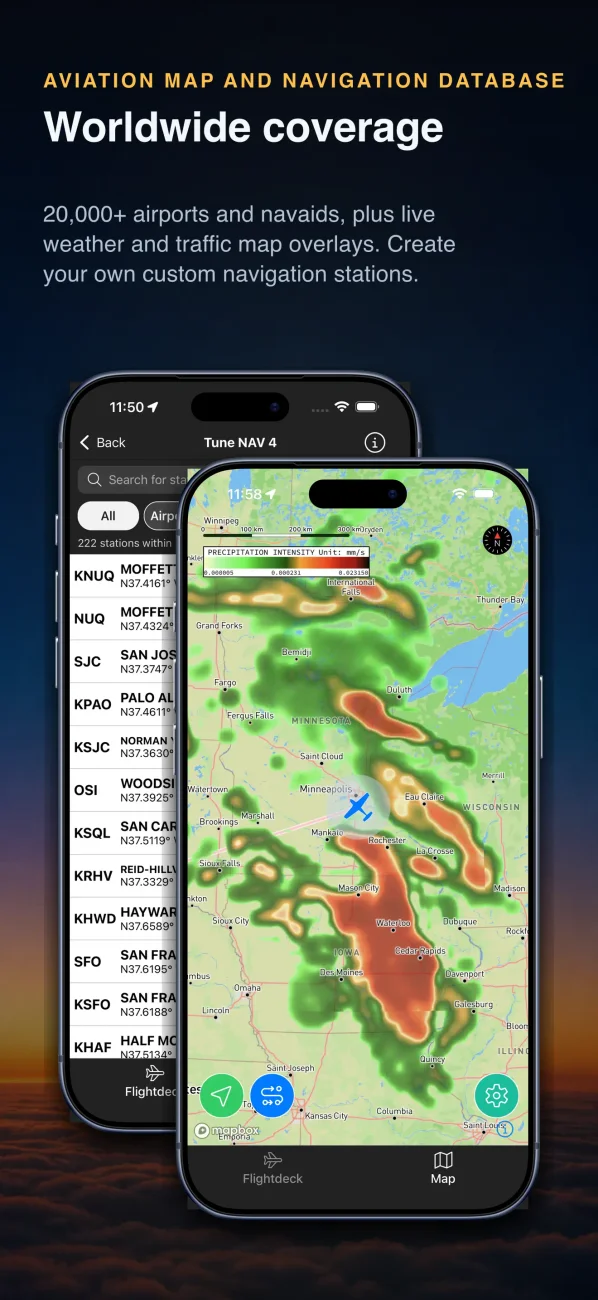
• Worldwide aviation database: 20,000+ airports and navaids, updated monthly
• Aviation moving map with airspace, airports and navaids
• Optional 5/10/20NM range rings and enhanced radial lines
• Live ADS-B traffic with a built-in traffic avoidance (TCAS) system
• Tag your own aircraft registration to silence alerts on yourself
• Export your tracks as GPX or KML
FOR YOUR HOME COCKPIT
Drive the instruments straight from X-Plane or Microsoft Flight Simulator via the flight simulation connection, and turn any device into a secondary instrument panel.
PRIVACY YOU CAN TRUST
No ads. No tracking across other apps. We never sell your data and collect only what is needed to run the app.
NEW IN VERSION 3.0
• Vision: a brand-new synthetic vision PFD (early access - 2D now, 3D coming soon)
• Now 100% ad-free
• Microsoft Flight Simulator support, alongside X-Plane
FDECK PREMIUM
fDeck is free to download and use. Become a Premium member to unlock:
• Premium and Early Access instruments (including Vision)
• Unlimited user navigation stations
• Monthly navigation database updates
• Map weather overlays & live virtual radar
• Live ADS-B traffic with TCAS alerting
• Live TAF & METAR reports
• Unlimited X-Plane & MSFS flight simulation connection
• Crazy fast support from the dev!
Premium is available as a monthly or annual subscription, or as a one-time lifetime purchase.
• Payment is charged to your Apple account at confirmation of purchase
• Subscriptions renew automatically unless cancelled at least 24 hours before the period ends
• Manage or cancel anytime in your account settings
IMPORTANT
fDeck is a training aid and a supplementary/backup instrument. It is not a certified instrument and must not be used as a primary means of navigation.
Questions or ideas? I read every email personally - just use "Contact the developer" in the app, or the contact page on my website:
https://fdeck.app/support/#contact
Full details of our Terms of Service and Privacy policy can be found at the following URLs:
Terms of Use: https://fdeck.app/terms/
Privacy Policy: https://fdeck.app/privacy/
What’s new
Version 3.1.1 · Nov 20, 2026
Welcome to fDeck 3.1.1
What's new in this version:
• METAR and TAF now come from NOAA's Aviation Weather Center. If a station has no report, fDeck looks for the nearest one within 50 nautical miles.
• Precipitation, wind speed/direction, and temperature map overlays have been updated. Cloud coverage, convective precipitation, sea level pressure, and relative humidity overlays have been removed. A removed selection resets to none.
• HSI, VOR, and ADF station distance can be shown in nautical miles, kilometres, or statute miles. Each instrument has its own setting, and existing instruments stay on nautical miles.
• Import user stations from a CSV file (ident, name, latitude, longitude). A station you already saved is updated. Free accounts remain limited to 5 user stations.
• Course and distance labels stay readable on sectional charts.
• If there is no GPS fix, instruments and weather use your saved map centre.
• Settings no longer crashes when a saved instrument layout is not available on this device.
• Returning to the app while using X-Plane no longer crashes.
• Go to Settings no longer fails to respond.
• Compass calibration starts only after you press Start calibration.
• Editing a user station no longer freezes, and the map follows the position you enter.
Thank you for flying with fDeck. If you enjoy it, a review really helps!
- Darren, Worthing, UK
App privacy
What Darren Yeates declares on the App Store about how this app handles data.
-
Data not linked to you
May be collected but is not linked to your identity.
- Usage data
- Diagnostics
Privacy practices may vary, for example with the features you use or your age.
Information
- Seller
- Darren Yeates
- Category
- Navigation
- Version
- 3.1.1
- Updated
- Nov 20, 2026
- Released
- Apr 10, 2020
- Size
- 144.5 MB
- Requires
- iOS 16.0 or later
- Age rating
- 4+
- Price
- Free
- In-app purchases
- Yes
- Languages
- English
- Copyright
- © 2026 Sensorworks
You might also like
-
 AirmateFlight planning/weather
-
 Altimeter for AviatorsPure Pressure Altimeter
-
 NOTAM Briefing (VFR/IFR)Your preflight NOTAM check
-
 AvPlan EFBGlobal Flight Planning & EFB
-
 FLYLOG.io - For PilotsPilot Logbook & Navigation
-
 Yonder - Live Flight TrackerLive aircraft, airports & more
-
 Flight Velocity: Flight GPSAviation Instruments
-
 Flight Board - Plane TrackerAirline Airport Status Delay
-
 Compass 55. Map & GPS kit.Land, air, marine navigator
-
 Compass Guide:Navigation Applatitude,outdoor & hiking gps