FeedFare: Earn Screen Time
Walk first. Scroll later.
Designed for iPhone, iPad
Free · In-app purchases
- Age rating4+
- CategoryHealth & Fitness
- DeveloperNicholas Rae
- LanguagesEnglish
- Size8.3 MB
Links to the official App Store page
Download.org hosts no file of FeedFare: Earn Screen Time. The button opens its official App Store page, published by Nicholas Rae. Listing last checked on Nov 23, 2026.
Screenshots
About
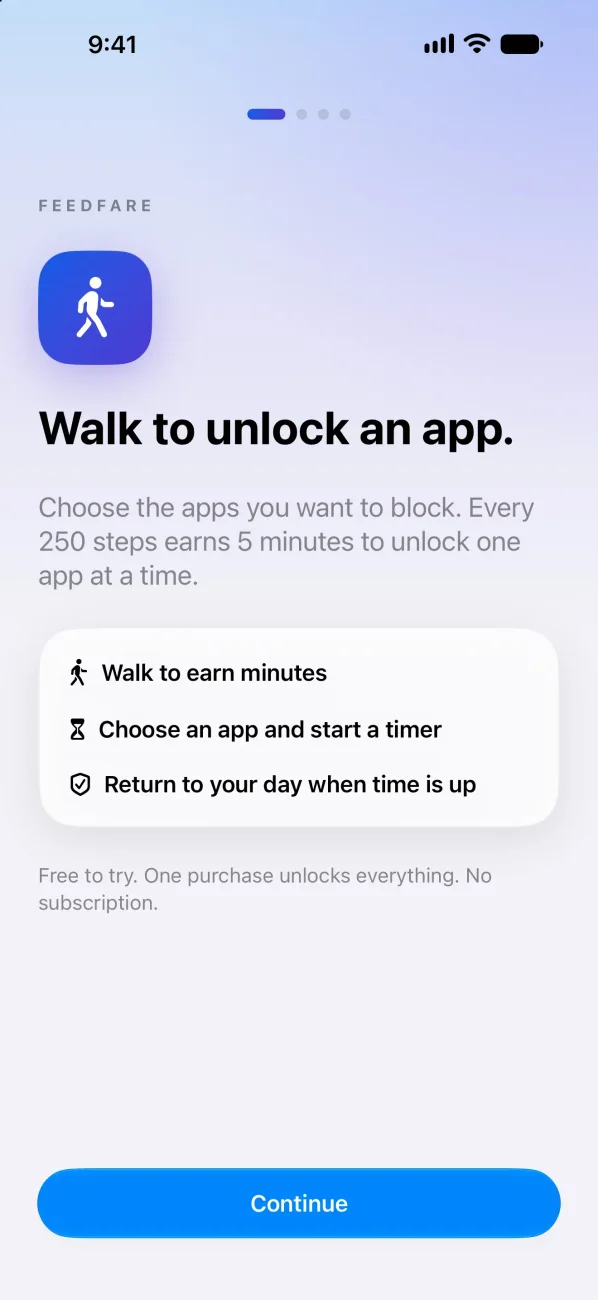
Walk to earn time for the apps you choose. Pick the apps you want to protect with Screen Time. When you want to use one, spend minutes you’ve earned by walking. Your other selected apps stay protected.
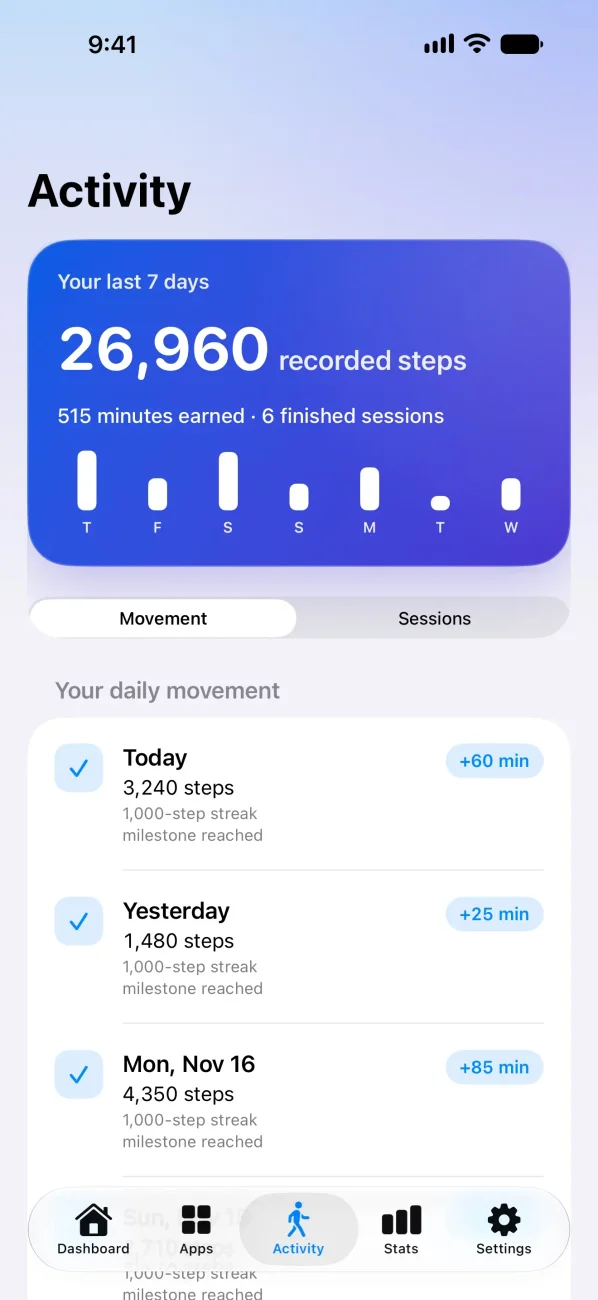
On a fresh install, every 250 steps earns 5 minutes. You can adjust the walking rule in Settings. Apple Health supplies step counts, including compatible Apple Watch steps after they sync to your iPhone. Motion & Fitness can also count live iPhone steps while FeedFare is open.
Open Apps, choose a protected app and review the duration before starting. The timer keeps running if you leave the app. When time is up, protection returns. End a session early to get unused whole minutes back. Save a favorite app and duration as a shortcut, or turn on the optional Lock Screen countdown.
Walking, earning minutes and protecting your selected apps are free. Your first three timed sessions are included. A one-time purchase unlocks more sessions using your earned minutes. People who bought the paid app keep full access. Restore Purchases is available in Settings.
No FeedFare account is required. Your progress and app selections are stored on your device. FeedFare requires iOS or iPadOS 27 or later.
What’s new
Version 2026.11.11 · Nov 19, 2026
Your first three timed sessions are now included, with a one-time unlock for more. If you bought FeedFare as a paid app, you keep full access.
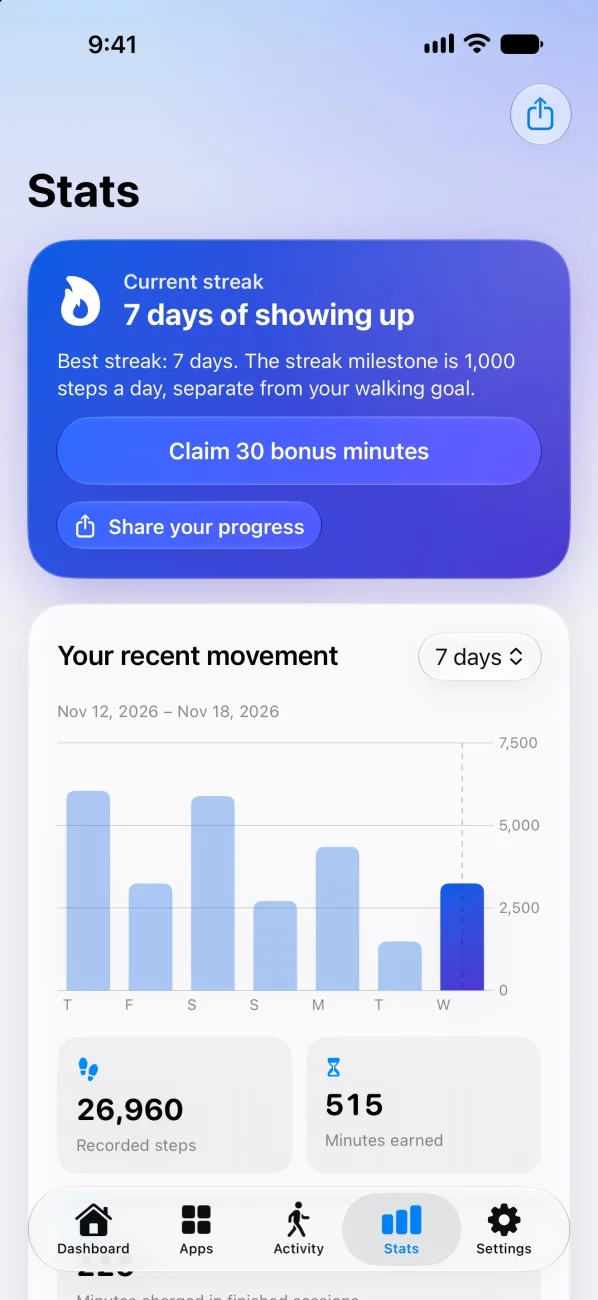
New users start at 250 steps for 5 minutes. The updated Apps tab shows each protected app’s name above its Use and shortcut controls. You can see the cost and expected end time before starting, follow the optional Lock Screen countdown, and tap a day in Stats to see your progress.
App privacy
What Nicholas Rae declares on the App Store about how this app handles data.
-
Data not collected
The developer does not collect any data from this app.
Privacy practices may vary, for example with the features you use or your age.
Information
- Seller
- Nicholas Rae
- Category
- Health & Fitness
- Version
- 2026.11.11
- Updated
- Nov 19, 2026
- Released
- Mar 2, 2026
- Size
- 8.3 MB
- Requires
- iOS 27.0 or later
- Age rating
- 4+
- Price
- Free
- In-app purchases
- Yes
- Languages
- English
- Copyright
- © 2026 Nick Rae
You might also like
-
 AllCare IPAUrgent Care & Nurse Hotline
-
 Forge: Men's Self ImprovementDaily Quests & Challenges
-
 MidState CrossFitHealth & Fitness
-
 CrewFit+Hotel gym workouts for crew
-
 75 Hard Challenge: Life Reset75 Medium & 75 Soft Challenge
-
 PRYME AI - Looksmaxxing CoachJawline, Halo & Looksmax AI
-
 ChadMaxx: Looksmaxx TrackerAI Face Scan & Glow-Up Planner
-
 Avini Advantage AppDirect Sales Business Platform
-
 KalorimSmart Calorie Tracker
-
 Unlust: Overcome AddictionUnlust – Focus & Discipline