
- Age rating4+
- CategoryEducation
- DeveloperWilliam Weaver
- LanguagesEnglish
- Size11.9 MB
Links to the official App Store page
Download.org hosts no file of FieldPrism. The button opens its official App Store page, published by William Weaver. Listing last checked on Nov 21, 2026.
Screenshots


About
App Store Description
FieldPrism — Standardized Field Photography for Quantitative Science
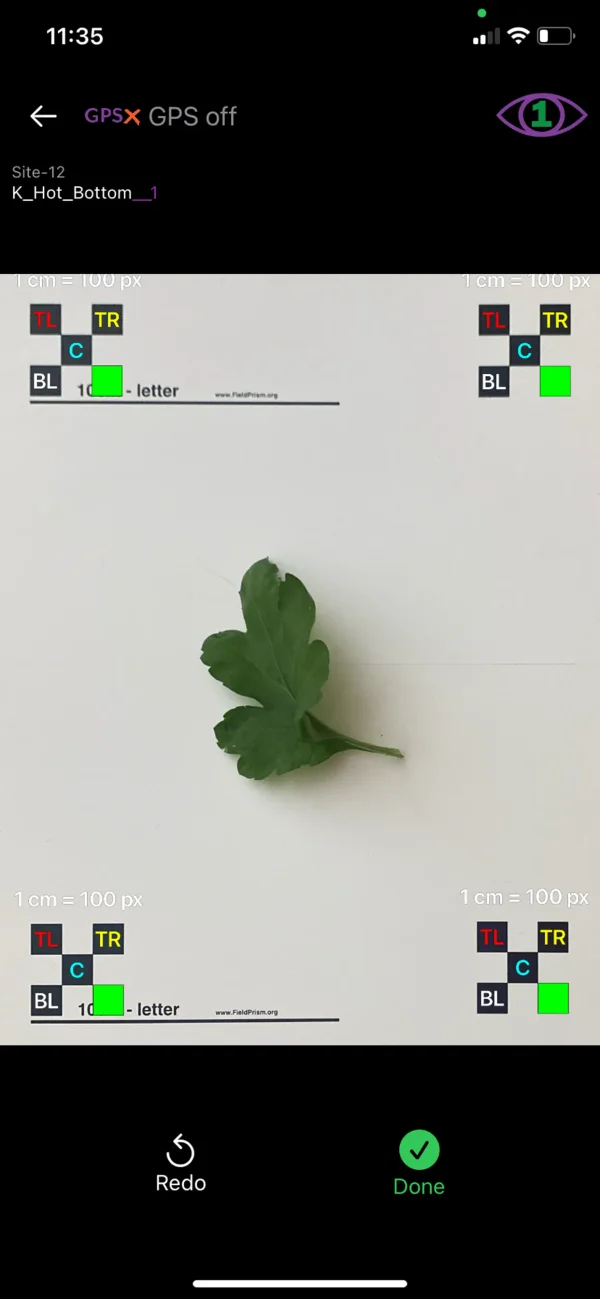
FieldPrism is designed to standardize the collection of field measurements using our photogrammetric templates. With each photo, you get standardized image orientation and precise scaling to enable simple downstream quantitative measurements — no tripods, no copy stands, and no manual calibration required.
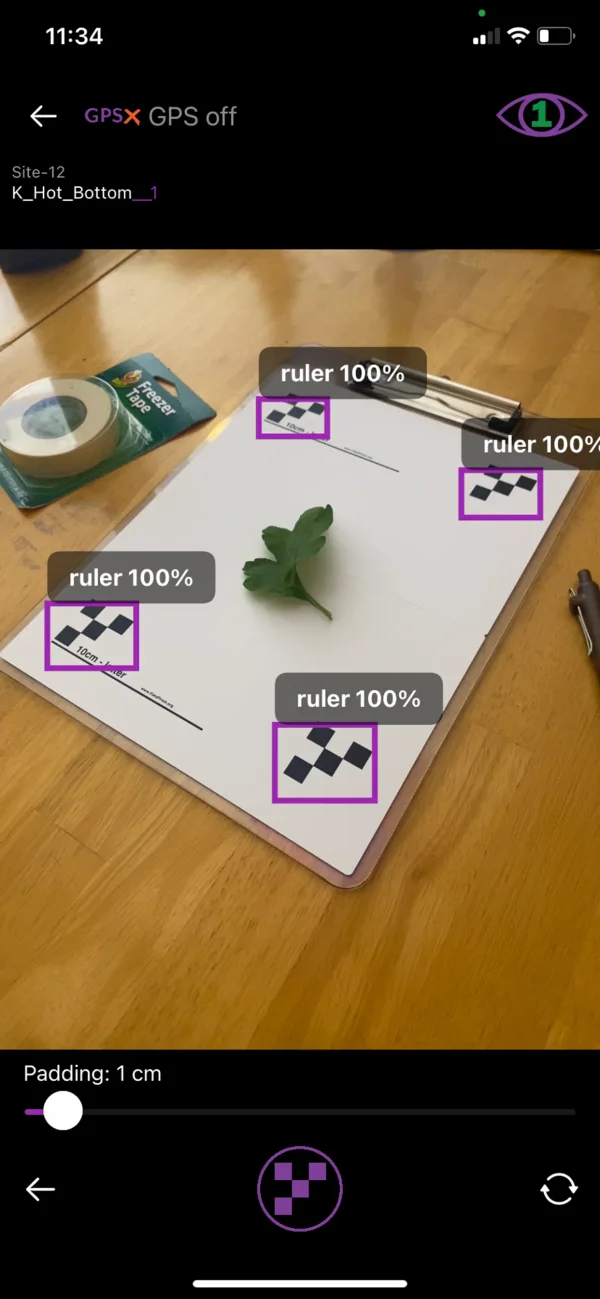
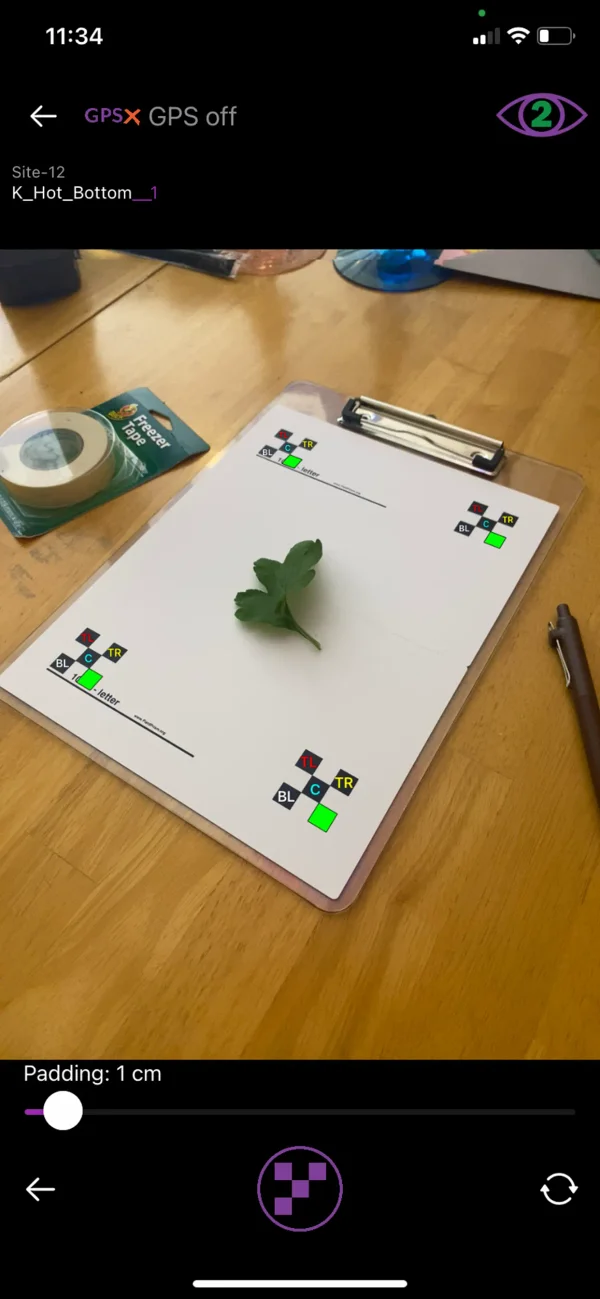
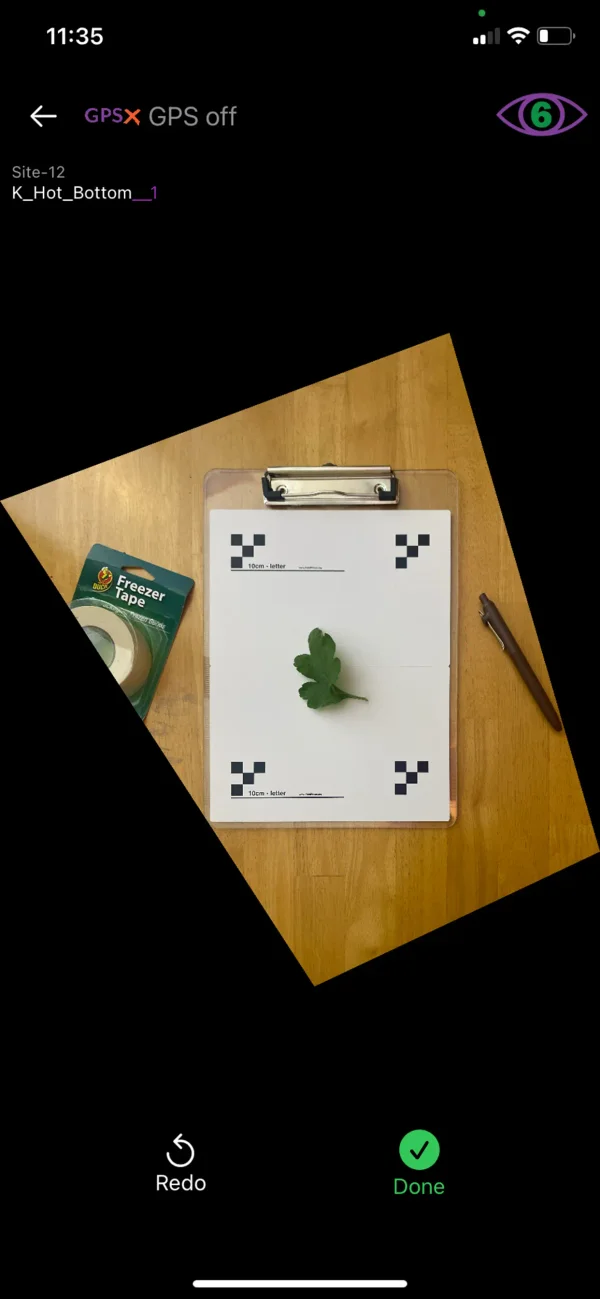
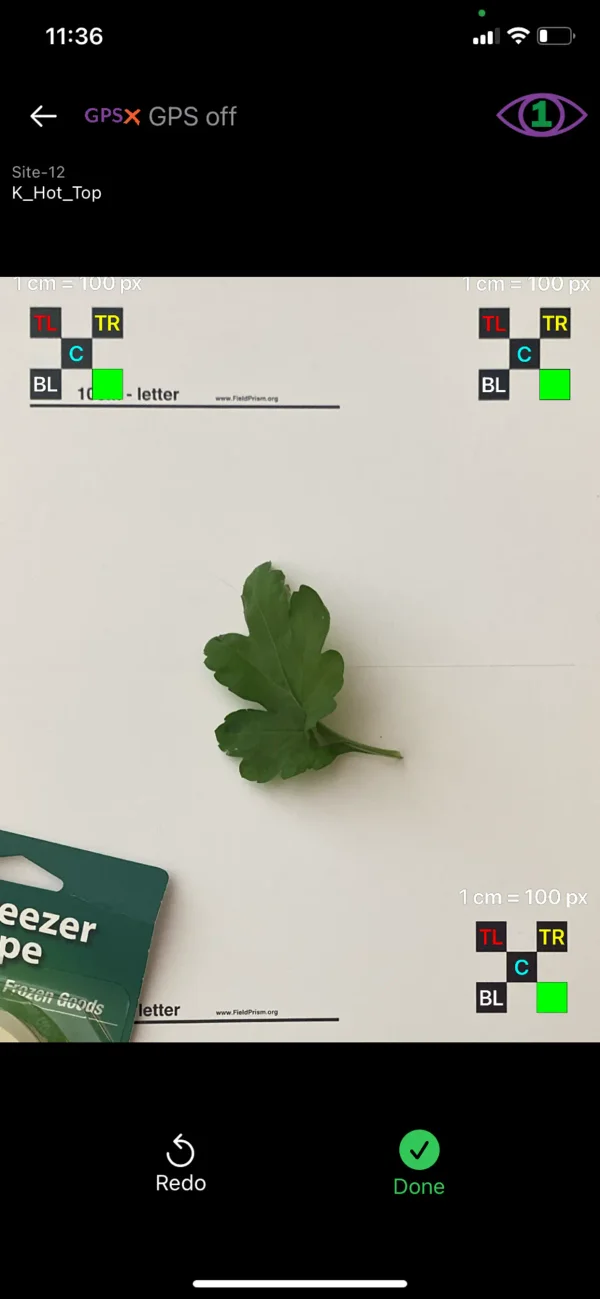
Place your specimen on one of our free printable FieldSheets, point your iPhone's camera, and let FieldPrism do the rest. On-device machine learning locates the photogrammetric markers in real time, corrects perspective and rotation, and produces a perfectly scaled image where every pixel corresponds to a known physical distance. The result is a reproducible, measurement-ready image dataset ideal for herbarium specimens, ecological samples, archaeological finds, forensic documentation, geological samples, classroom science, and any field workflow where scale matters.
KEY FEATURES
• On-device photogrammetric correction — a Core ML model detects ruler markers on your FieldSheet and automatically deskews, rotates, and scales every capture.
• Three output images per capture — raw photo, a cropped "FP-Fit" image trimmed to the markers with adjustable padding, and an "FP-Expanded" image preserving the full scene. Each is paired with an overlay showing detected markers.
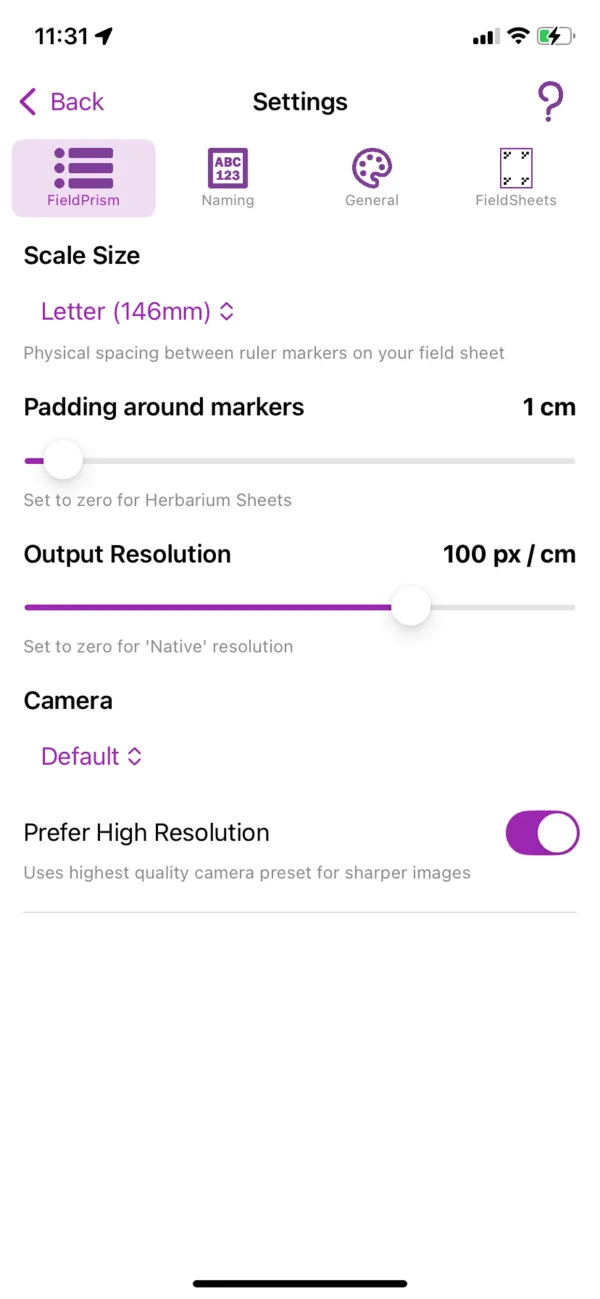
• Known pixel-per-cm conversion factor — exported with every image so measurements in ImageJ, QGIS, Fiji, or any analysis tool are a one-step calculation. You can have FieldPrism output every image with a fixed 100 pixels = 1 cm. scaling.
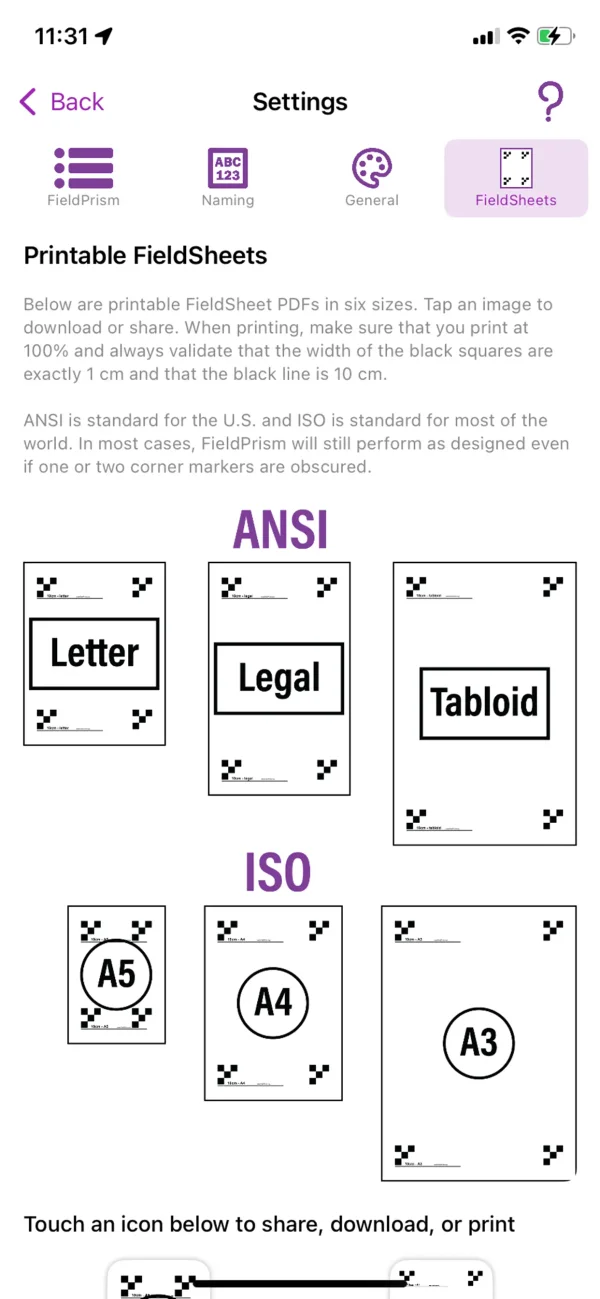
• Six printable FieldSheets included — A3, A4, A5, US Letter, Legal, and Tabloid. Share or AirPrint directly from the app.
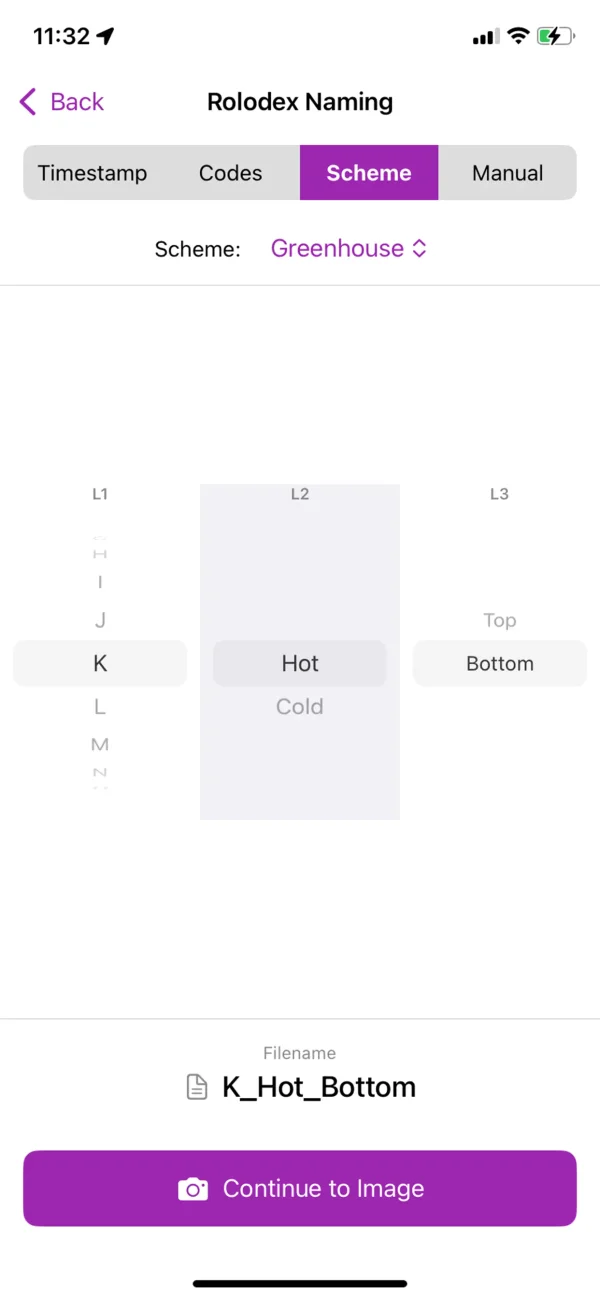
• Flexible naming workflows — choose QR-code scanning (up to 6 hierarchical levels), timestamp naming, manual entry, or build custom "Rolodex" naming schemes with reusable lists for catalog numbers, sites, plots, or taxa. Lots of ways to name and keep track of the images you take.
• Project-based organization — group captures into projects, browse the project gallery, restore accidentally deleted projects, and keep long-running field campaigns tidy.
• Optional GPS geotagging — attach precise coordinates to each image for scientific documentation. Toggle on and off at any time.
• Customizable capture settings — select any back camera (ultrawide, wide, telephoto), set output resolution in pixels-per-cm, configure padding around markers, and set a "Herbarium Sheet" mode for mounted specimens.
• Three live-view modes — see detection bounding boxes in real time, preview a live-deskewed image before you shoot, or frame with a classic viewfinder.
PRIVACY
FieldPrism does not collect, transmit, or store any of your data. There are no accounts, no analytics, no ads, and no trackers. All image processing happens on your device using Apple's Core ML. Photos, projects, and GPS coordinates stay on your iPhone unless you explicitly export or share them.
WHO IT'S FOR
• Botanists and herbarium digitization teams documenting pressed specimens
• Ecologists and field biologists measuring leaves, fruits, fish, or scat
• Archaeologists and forensic scientists recording in-situ finds
• Geologists cataloging hand samples
• Educators and students running reproducible classroom exercises
• Anyone who has ever tried to measure something in a photo
GETTING STARTED
Print a FieldSheet from the Settings → FieldSheets tab (verify at 100% scale — black squares must be exactly 1 cm wide).
Create a project and choose a naming method.
Place your specimen on the sheet and capture. FieldPrism handles orientation, scaling, and filename. Export when you're ready.
Questions, feedback, or feature requests? Tap the help icon in Settings — we'd love to hear how you're using FieldPrism in the field.
App privacy
What William Weaver declares on the App Store about how this app handles data.
-
Data not collected
The developer does not collect any data from this app.
Privacy practices may vary, for example with the features you use or your age.
Information
- Seller
- William Weaver
- Category
- Education
- Version
- 1.0.4
- Updated
- May 7, 2026
- Released
- May 7, 2026
- Size
- 11.9 MB
- Requires
- iOS 17.0 or later
- Age rating
- 4+
- Price
- Free
- Languages
- English
- Copyright
- © 2026 William Weaver
You might also like
-
 Botany 2026Education
-
 Muon TrackerStep Into the Invisible World
-
 StomaVisionLeaf World Model and Stomata
-
 Botany 2025Education
-
 Botany 2024Education
-
 Hestia TrafficTraffic
-
 Evolution 2026Education
-
 Cypress Christian School, OHEducation
-
 Harding Charter PrepEducation
-
 FloraQuest: FloridaUNC Herbarium Plant Identifier